- Batasan usia4+
- KategoriAlat Pengembang
- PengembangSebastian Ritter
- BahasaInggris+ 6 lainnya
- Ukuran4,2 MB
Tertaut ke halaman resmi App Store
Download.org tidak menyimpan file beDBlite apa pun. Tombol ini membuka halaman aplikasi di App Store, tempat Sebastian Ritter menerbitkannya. Halaman terakhir diperiksa pada 14/11/2026.
Tangkapan layar



Tentang
Pengembang belum menyediakan teks ini dalam bahasa Anda.
beDBlite creates, opens, searches and edits your SQLite databases on Mac, iPad and iPhone.
OPEN DATABASES
Open any SQLite file via the file picker or create a new, empty database; recently used files are remembered.
VIEW AND EDIT TABLES
On Mac and iPad as a real table with row selection, resizable column widths and sorting via the column headers, on iPhone as a clear grid. Edit cells directly, create new rows with hints for default values and required fields, delete rows. Jump straight to the linked row via a foreign key.
INSPECTOR
The selected row with all its fields in a sidebar (on iPhone as a sheet), or just a single cell if you prefer. Even very long texts can be read: large values are loaded only when needed.
RECOGNIZE AND UNPACK VALUES
Compressed values are recognized and unpacked in the inspector, as text, readable text or hex. Possible timestamps are identified and image formats are recognized.
FILTER AND SEARCH
Filter any table with a WHERE condition and sort it with ORDER BY, page through the rows, search across all tables.
SQL QUERY AND CONSOLE
Queries with suggestions for the next building blocks; the result appears like a table and can be saved as a view. Run your own statements in the SQL console.
SCHEMA TOOLS
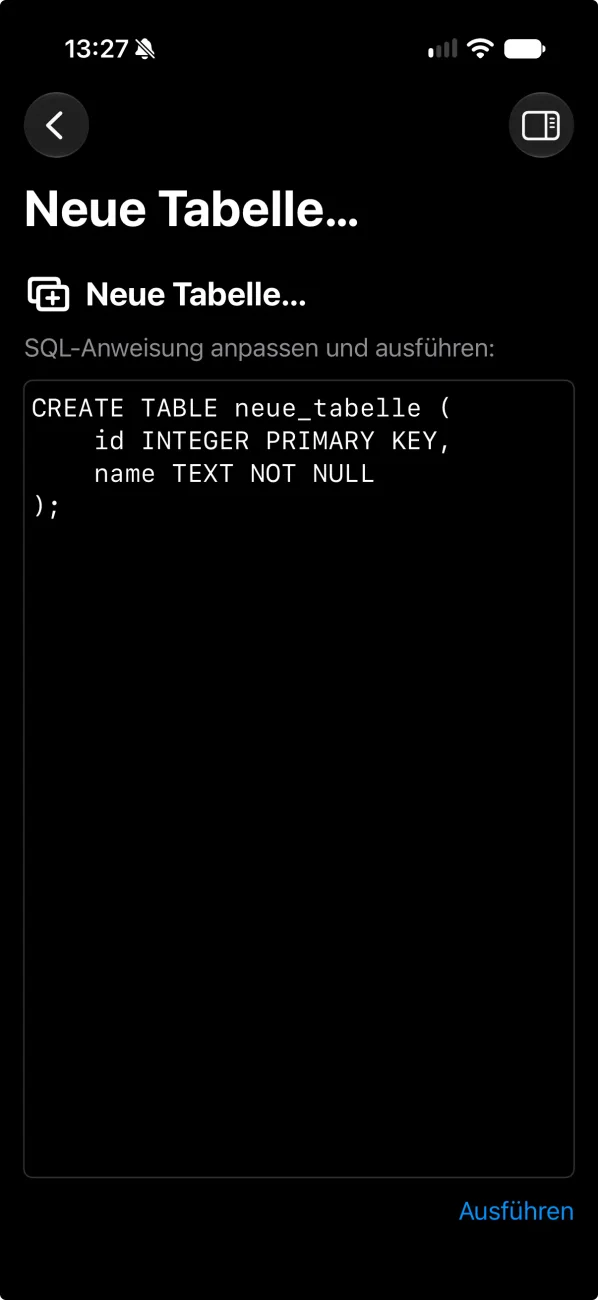
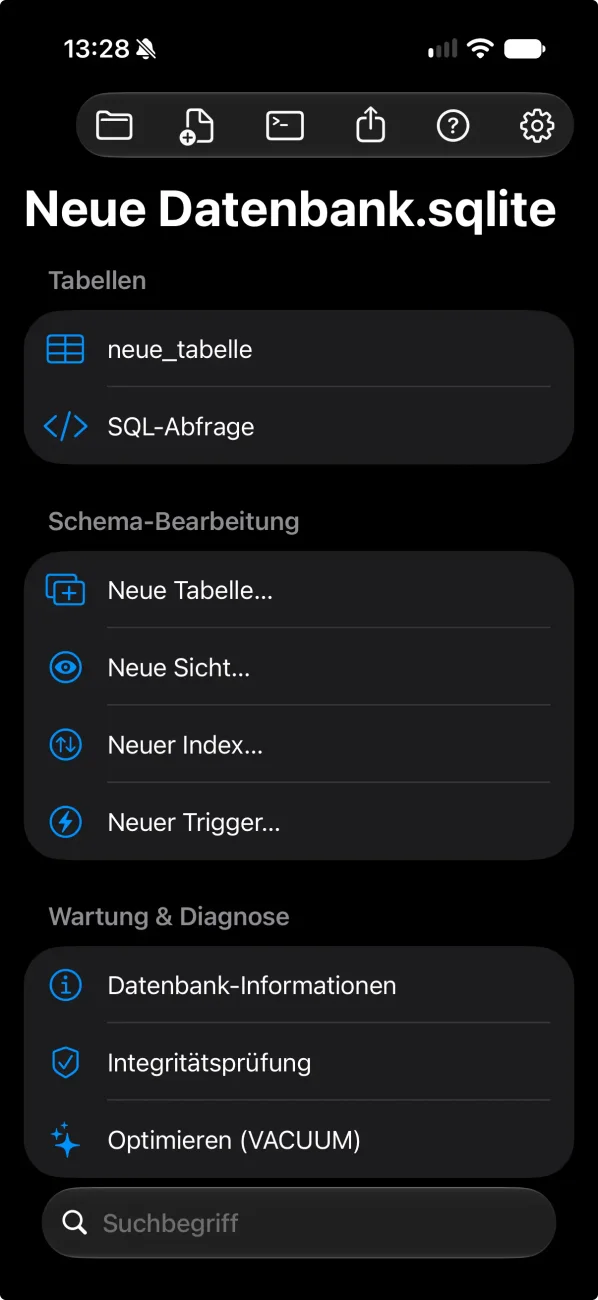
Create tables, views, indexes and triggers from an SQL template, copy, empty or delete tables.
EXPORT
Structure, a single table or the complete database as an SQL file, even for large databases.
DIAGNOSTICS
Database information, integrity check and optimize (VACUUM).
WAL mode support
beDBlite opens files in WAL mode whose companion files are not accessible as read-only and tells you so. Schema objects in foreign files may not call unsafe SQL functions.
Privacy
• No user accounts, no ads, no tracking
• Everything runs on your device, there is no server connection
Yang baru
Versi 1.1 · 27/10/2026
• iPad: table with row selection, resizable column widths and sorting via the column headers; inspector as a sidebar (as a sheet in narrow windows)
• iPhone: clear grid with the selected row highlighted; the inspector appears as a sheet from the bottom
• Create a new, empty database with the “New database” icon in the toolbar
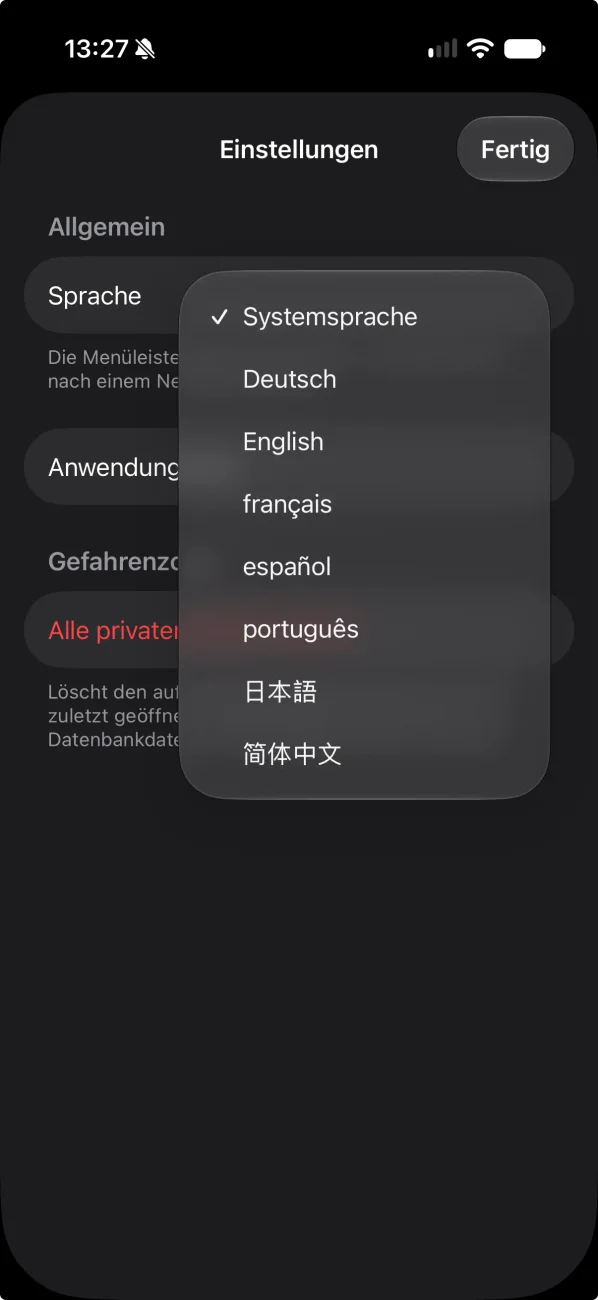
• New language support: French, Spanish, Portuguese, Japanese and Simplified Chinese, machine-translated
• New cell inspector: the selected row with all fields
• Press and hold a cell: “Show only this cell in the inspector”
• Compressed values are recognized and unpacked in the inspector – as text, readable text or hex, with preview and “Load all”
• Identification of possible timestamps and recognition of image formats
• Support for oversized databases in the app and when exporting
• Long queries, console statements and searches can be cancelled
• WAL mode support
• Bug fixes
• Further improvements to stability and security when opening foreign files
Privasi aplikasi
Yang dinyatakan Sebastian Ritter di App Store tentang cara aplikasi ini menangani data.
-
Data tidak dikumpulkan
Pengembang tidak mengumpulkan data apa pun dari aplikasi ini.
Praktik privasi dapat bervariasi, misalnya berdasarkan fitur yang Anda gunakan atau usia Anda.
Informasi
- Penjual
- Sebastian Ritter
- Kategori
- Alat Pengembang
- Versi
- 1.1
- Diperbarui
- 27/10/2026
- Dirilis
- 3/10/2026
- Ukuran
- 4,2 MB
- Memerlukan
- iOS 27.0 atau yang lebih baru
- Batasan usia
- 4+
- Harga
- Gratis
- Bahasa
- Inggris, Prancis, Jerman, Jepang, Portugis, Tionghoa Sederhana, Spanyol
- Hak cipta
- © 2026 Sebastian Ritter
Mungkin Anda juga suka
-
 AI App Builder - builder77Alat Pengembang
-
 SQLite ExtractorAlat Pengembang
-
 Index - SQL ClientAlat Pengembang
-
 DB Compass for Oracle databaseAlat Pengembang
-
 TableProAlat Pengembang
-
 PlomGitAlat Pengembang
-
 SQL Professional EditorAlat Pengembang
-
 SQLite Editor & DB ViewerAlat Pengembang
-
 Kodo: Editor Kode dengan AIPython dan C++ offline, SSH
-
 Pocket AssemblerAlat Pengembang