- Batasan usia4+
- KategoriProduktivitas
- PengembangEvgenii Eremeev
- BahasaInggris+ 16 lainnya
- Ukuran8,7 MB
Tertaut ke halaman resmi App Store
Download.org tidak menyimpan file BindNotes apa pun. Tombol ini membuka halaman aplikasi di App Store, tempat Evgenii Eremeev menerbitkannya. Halaman terakhir diperiksa pada 12/11/2026.
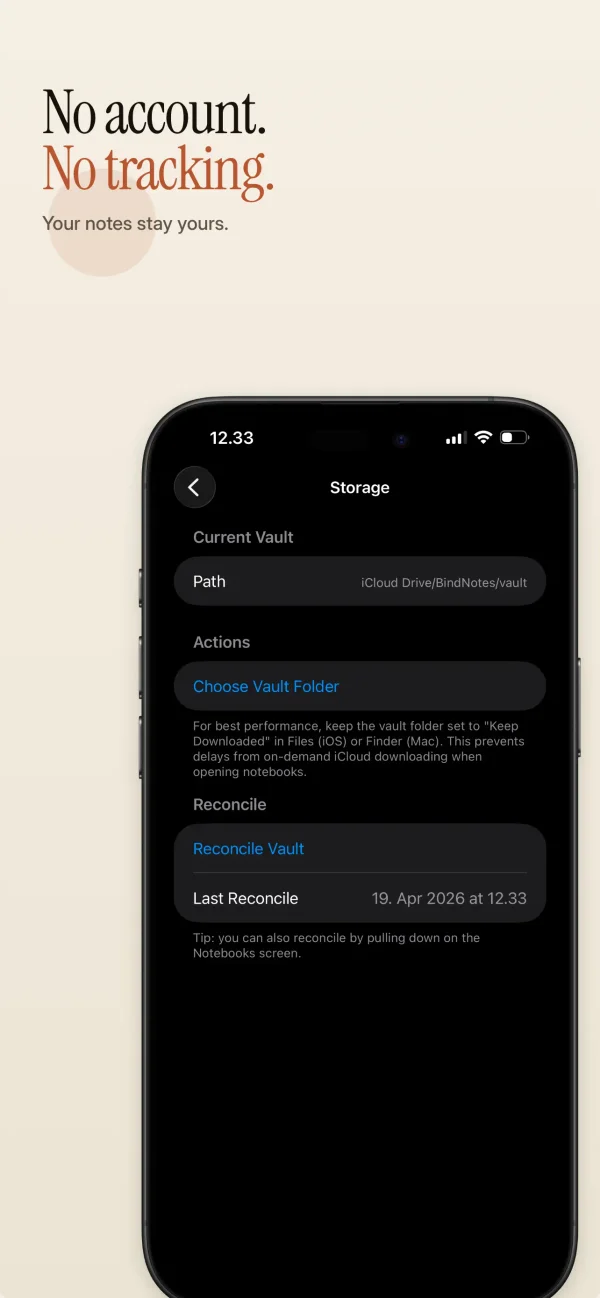
Tangkapan layar

Tentang
Pengembang belum menyediakan teks ini dalam bahasa Anda.
Your notes. Linked.
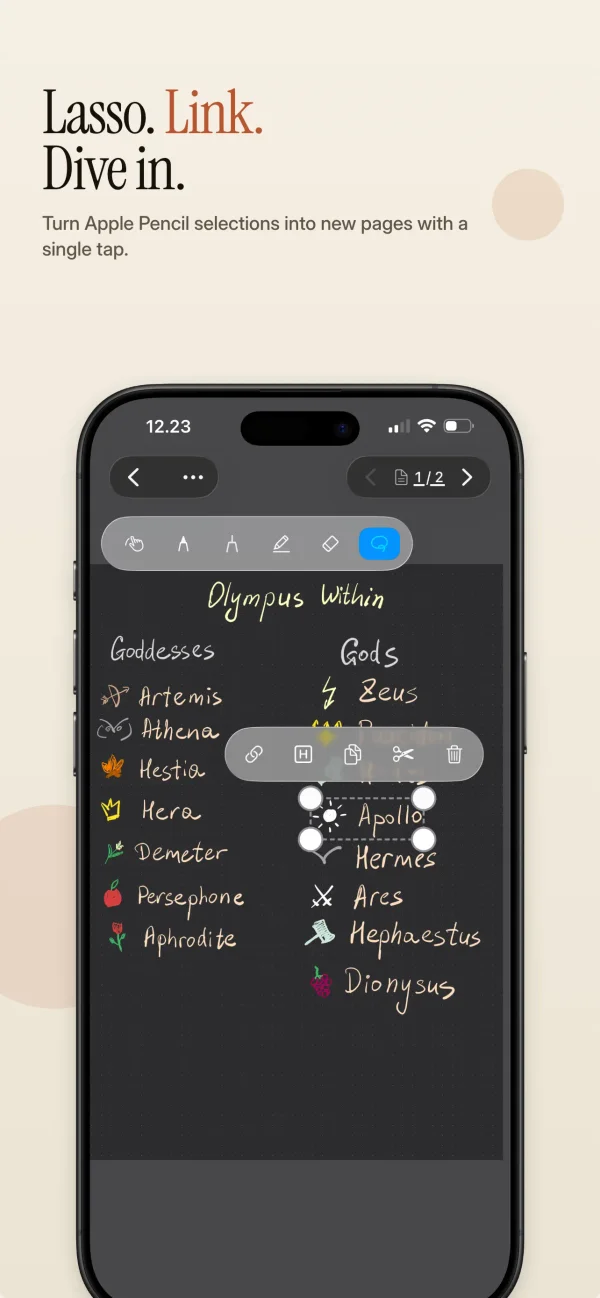
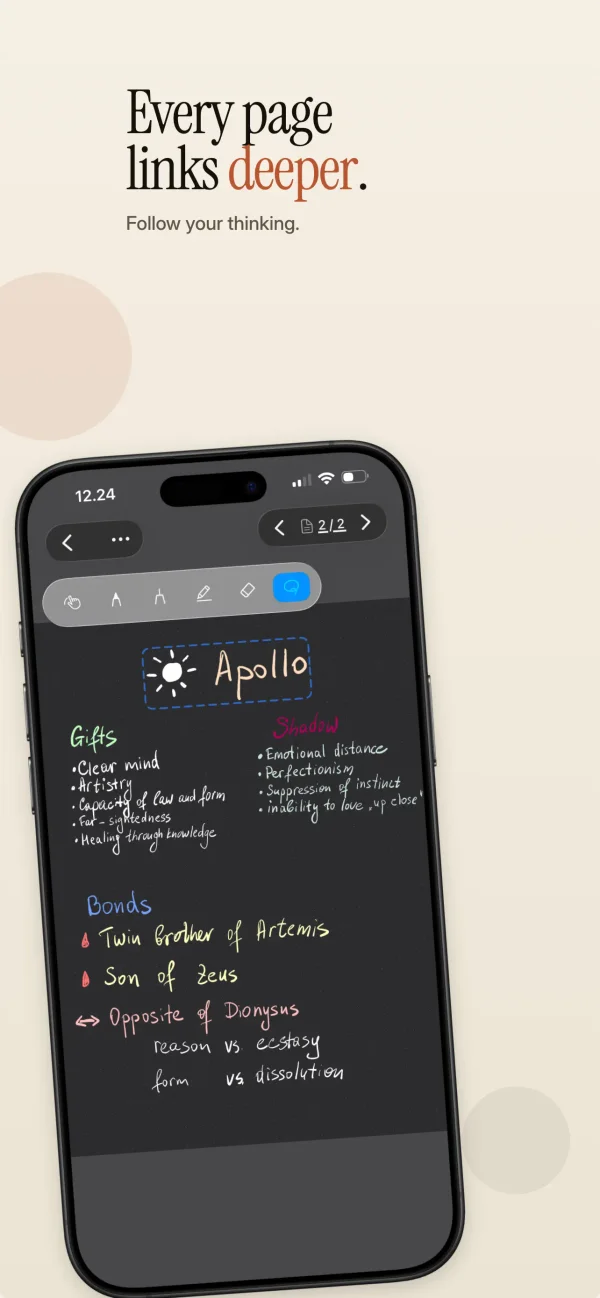
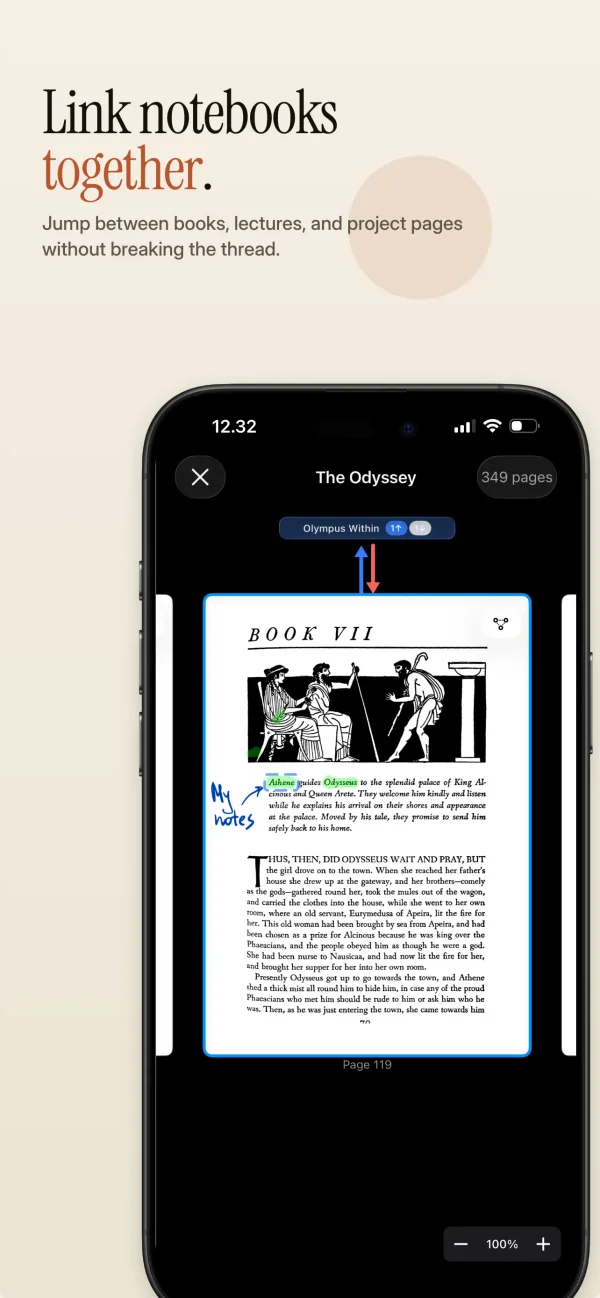
Notes shouldn't be limited by the size of a page. But linear pages and infinite canvas aren't the answer — you just get lost. BindNotes takes a different approach: go infinitely deep, not infinitely long. Lasso any handwriting with Apple Pencil, link it to another page, and tap to jump. Pages give you focus. Links give you depth. Your notes become a connected network of ideas — not a stack of dead-end pages.
BindNotes is a notebook app built for Apple Pencil. Write, sketch, and draw like any notebook — then connect your pages.
Headers & Outline
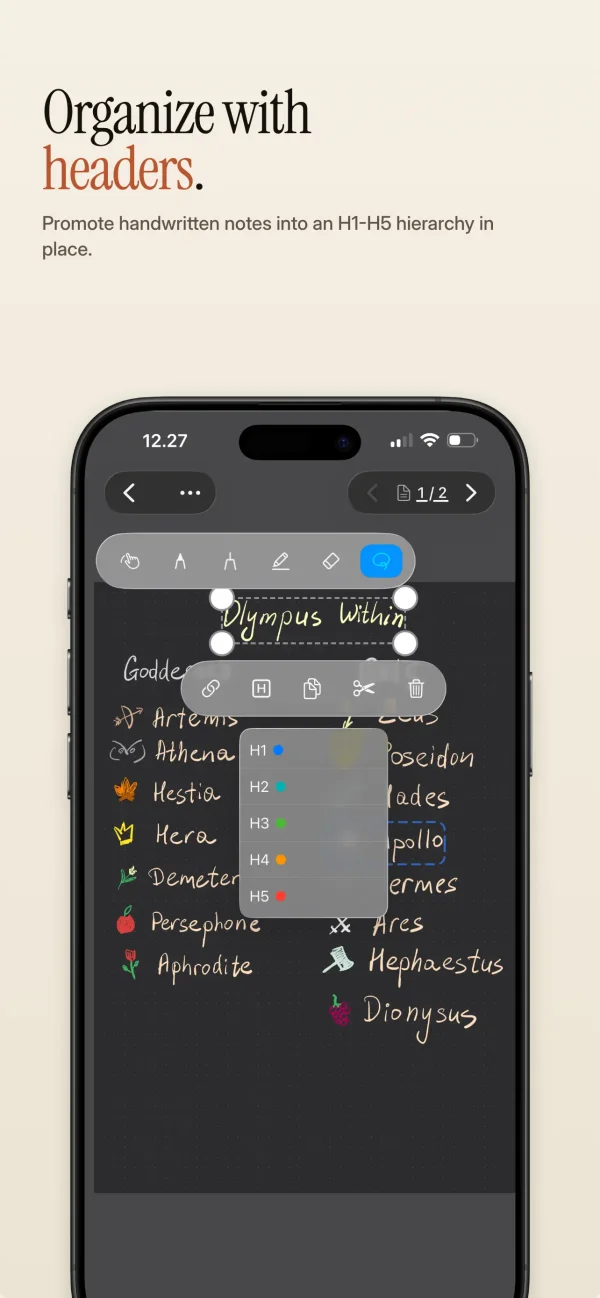
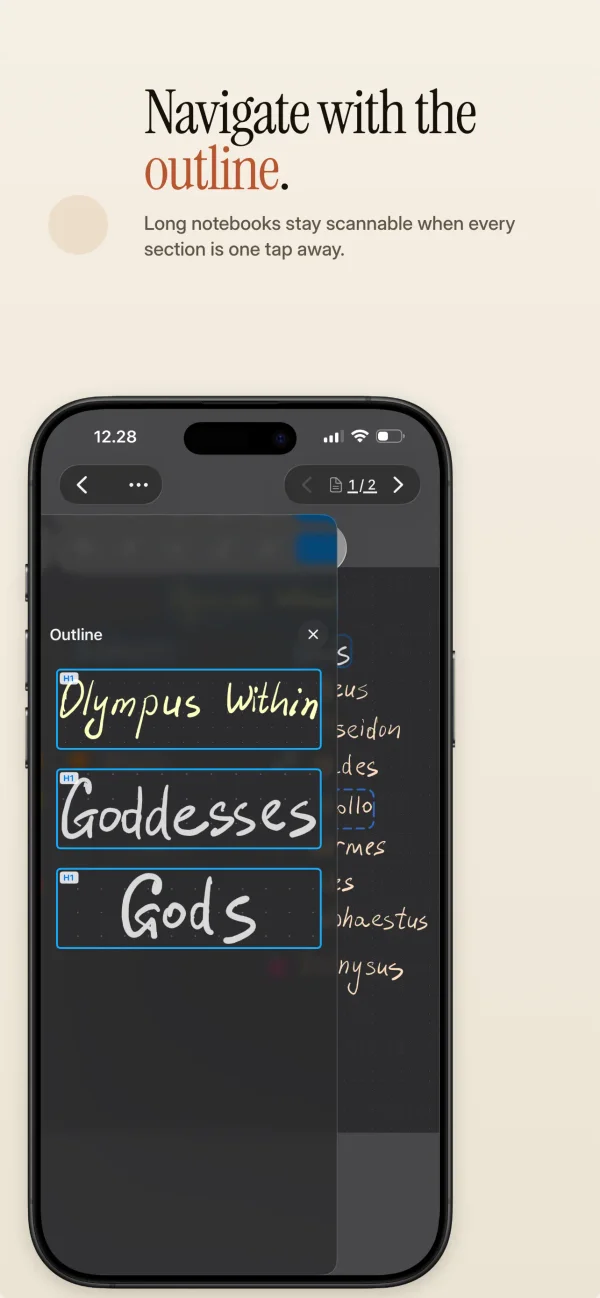
Assign header levels (H1–H5) to any page. Headers build a navigable outline for your notebook — tap to see the full structure, drill into sections, jump to any page. Color-coded by level so you can see hierarchy at a glance.
Links let you follow a thought. Headers let you see the shape of your notebook. Together, they turn a stack of pages into a system.
Page Overview
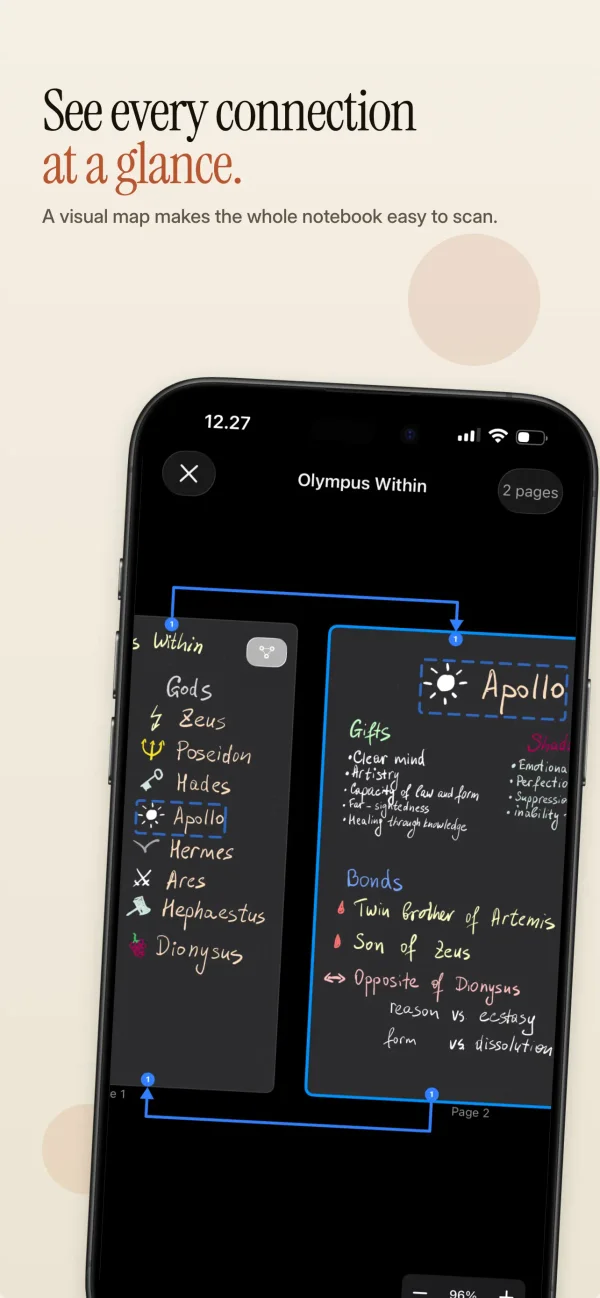
See every page connection in your notebook as a visual graph. Arrows show which pages link where. Spot structure, find orphaned pages, navigate by tapping.
PDF Annotation
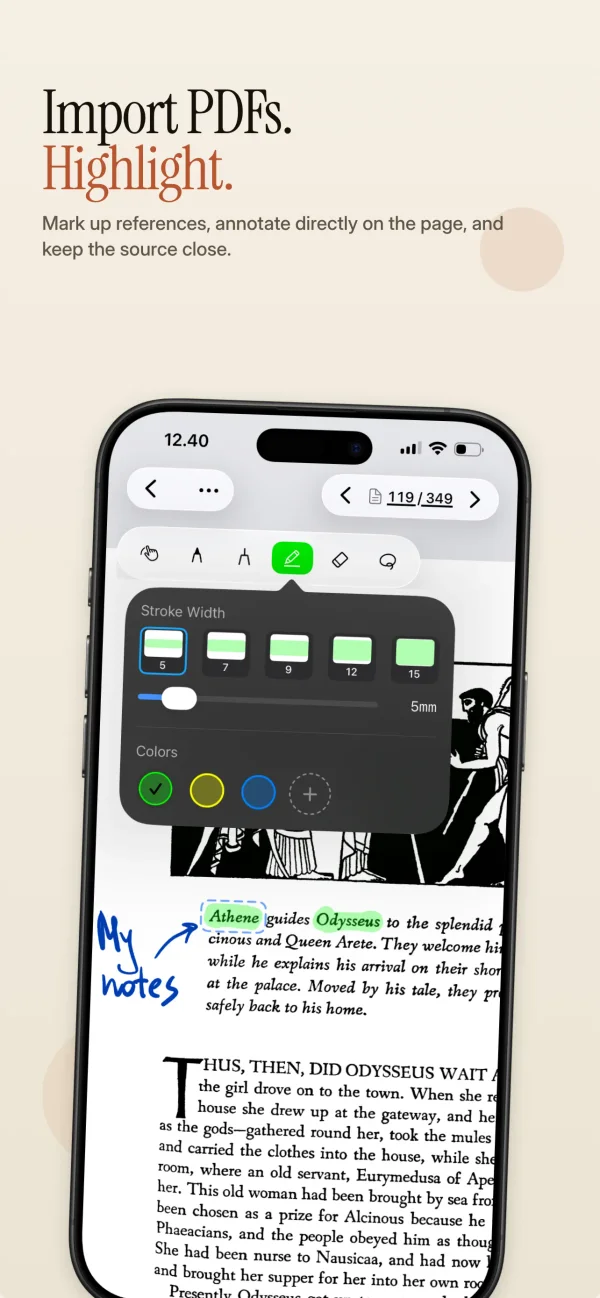
Import any PDF into a notebook. Annotate with pen, highlighter, and lasso. The highlighter lifts actual pixels from the PDF — highlighted content becomes a visual element you can work with. Add headers to organize the PDF. Create links between pages. Turn a static document into something navigable.
PDF Export
Export your notebook as a PDF. Links become clickable cross-references. An outline page is auto-generated. Your handwritten notebook exports like a professional document.
Sync with iCloud Drive
Notebooks sync across iPhone, iPad, and Mac via iCloud Drive. No account. No server. You control where your data lives.
All Features Are Free
No purchases, subscriptions, or ads. All features are included:
• Unlimited notebooks and pages
• All drawing tools — pen, highlighter, eraser, lasso
• Page-to-page linking
• Headers and outline navigation
• Page overview (link graph)
• iCloud Drive sync
• 10 light and dark page templates
• PDF import and annotation
• PDF export with clickable links and bookmarks
• Tags for notebook organization
• Dark page templates
• Full link and header color palettes
Your notes stay on your device. We collect no data. No analytics. No tracking. No server. Your notebooks are stored locally or in your iCloud Drive — nowhere else. See our privacy policy at bindnotes.com/privacy.
Yang baru
Versi 1.2.2 · 9/11/2026
Fixed content loss when reordering pages and missing PDF backgrounds when copying or moving PDF pages.
Privasi aplikasi
Yang dinyatakan Evgenii Eremeev di App Store tentang cara aplikasi ini menangani data.
-
Data tidak dikumpulkan
Pengembang tidak mengumpulkan data apa pun dari aplikasi ini.
Praktik privasi dapat bervariasi, misalnya berdasarkan fitur yang Anda gunakan atau usia Anda.
Informasi
- Penjual
- Evgenii Eremeev
- Kategori
- Produktivitas
- Versi
- 1.2.2
- Diperbarui
- 9/11/2026
- Dirilis
- 30/4/2026
- Ukuran
- 8,7 MB
- Memerlukan
- iOS 26.0 atau yang lebih baru
- Batasan usia
- 4+
- Harga
- Gratis
- Bahasa
- Inggris, Dansk (Denmark), Belanda, Suomi (Finlandia), Prancis, Jerman, Italia, Jepang, Korea, Bokmål Norsk, Polski (Polandia), Portugis + 5 lainnya
- Hak cipta
- © 2026 Evgenii Eremeev
Mungkin Anda juga suka
-
 NoteSam: Tulisan TanganBuku catatan tangan privat
-
 NoteApp, Mindmap, PDF: InkNodeProduktivitas
-
 Simplify Notes:Buku CatatanPDFCatatan, PDF & Apple Pencil
-
 ScribblePad: Notes & PDFProduktivitas
-
 Serious NotebookProduktivitas
-
 Pentip: Notes, Sketch & PDFProduktivitas
-
 AINotes: Catatan & PDFTulisan Tangan & Kanvas
-
 OpenNotes: Notes & PDF MarkupProduktivitas
-
 UltraNotes - Note Taking & PDFProduktivitas
-
 OrigNotesProduktivitas