
Bipolar Notes
Mood, meds & sleep tracker
Dirancang untuk iPhone, iPad, iPod touch
Gratis · Pembelian dalam aplikasi
- Batasan usia4+
- KategoriKesehatan & Kebugaran
- PengembangYoshihiro Morita
- BahasaJepang+ 5 lainnya
- Ukuran44,0 MB
Tertaut ke halaman resmi App Store
Download.org tidak menyimpan file Bipolar Notes apa pun. Tombol ini membuka halaman aplikasi di App Store, tempat Yoshihiro Morita menerbitkannya. Halaman terakhir diperiksa pada 12/11/2026.
Tangkapan layar


Tentang
Pengembang belum menyediakan teks ini dalam bahasa Anda.
“It’s hard to put how I’ve been doing into words before an appointment.” “When I’m doing well, I can’t remember what the hard times felt like.” Bipolar Notes was designed from the point of view of someone living with bipolar, based on experiences like these.
Simply record your mood, sleep, medication, steps, and period, and look back on your own patterns day by day.
■ Please note
This app is a tool for recording your days and looking back on them.
It doesn’t diagnose or treat anything, and it doesn’t give medical advice.
If you need to make a decision about your health, talk with your doctor.
■ Record
• Mood
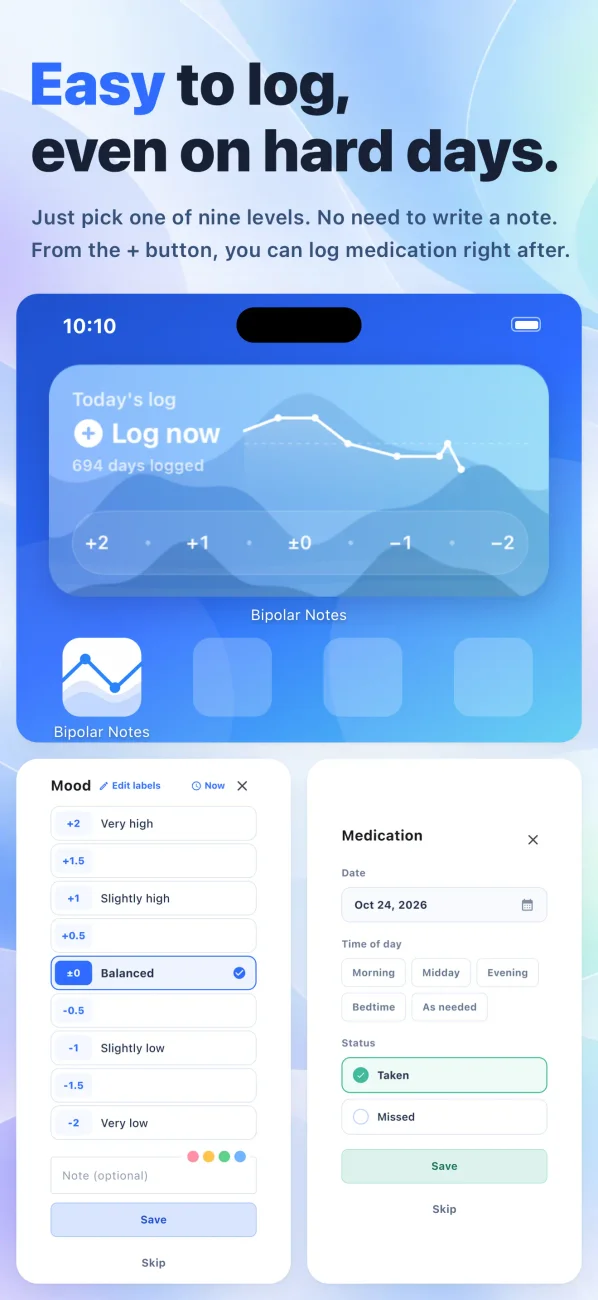
Choose from -2 to +2, and add a note if you like.
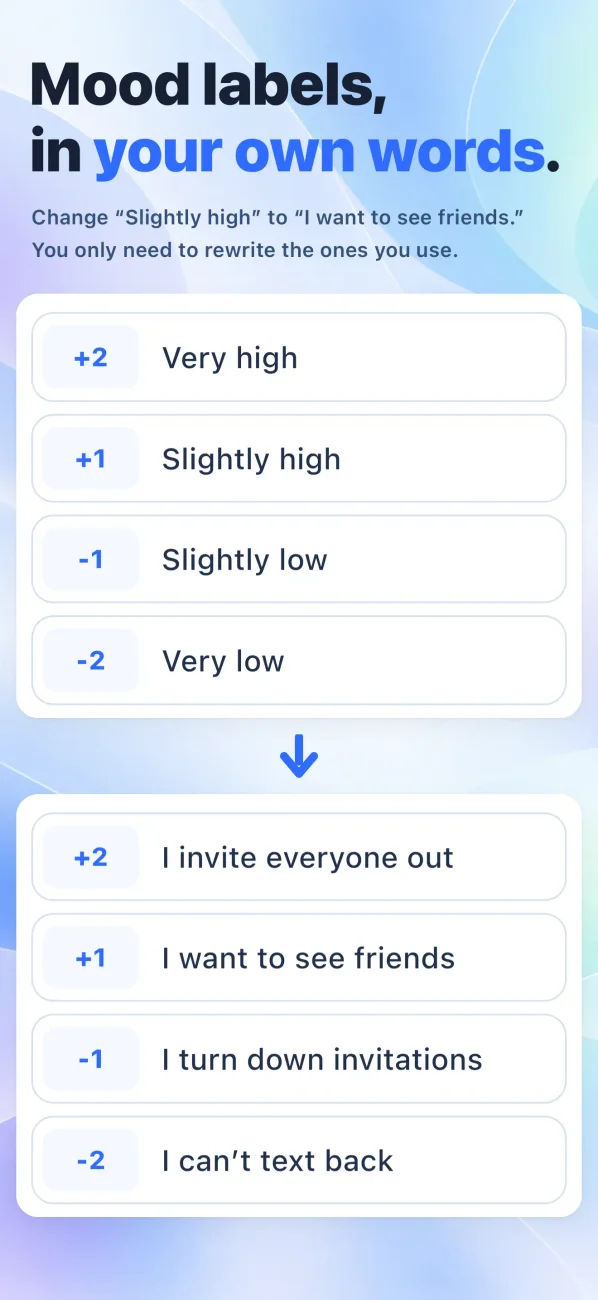
You can write your own words for each level. If you’re logging later, you can choose the time.
• Medication
Record taken or missed for morning, midday, evening, bedtime, and as needed.
Recent days are shown in a table, so you can see whether doses were missed in a row. Tap a cell to log that day.
• Sleep
Choose when you went to bed and when you woke up, and the app works out how long you slept.
• Period
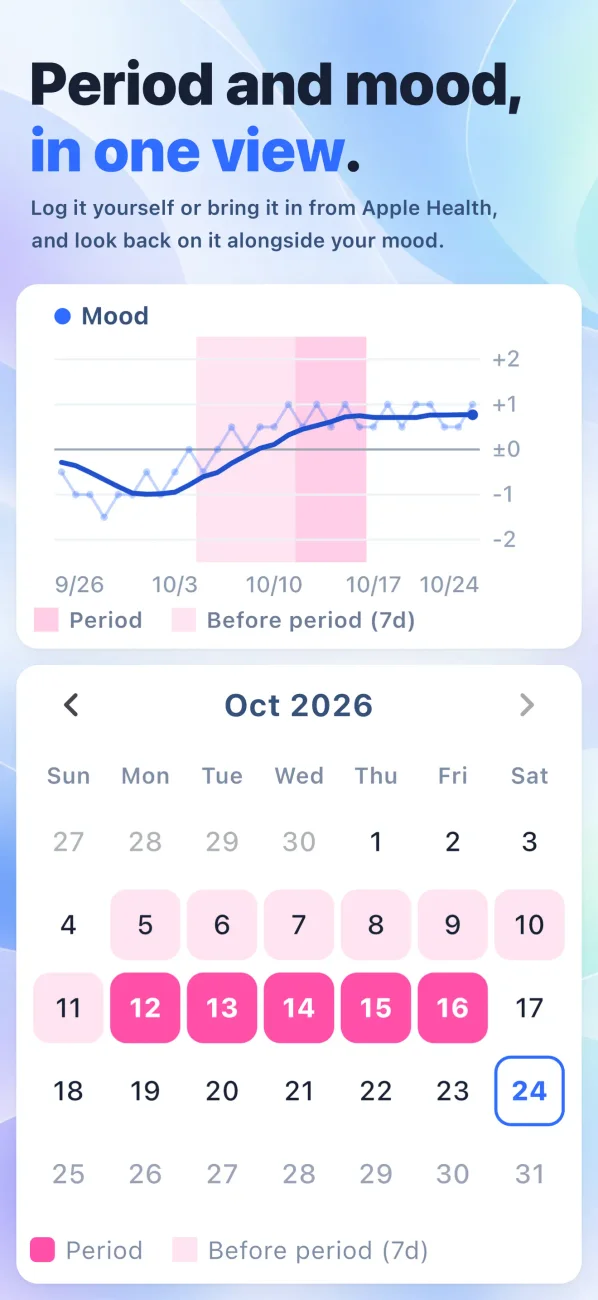
Log it yourself, or bring it in from Apple Health.
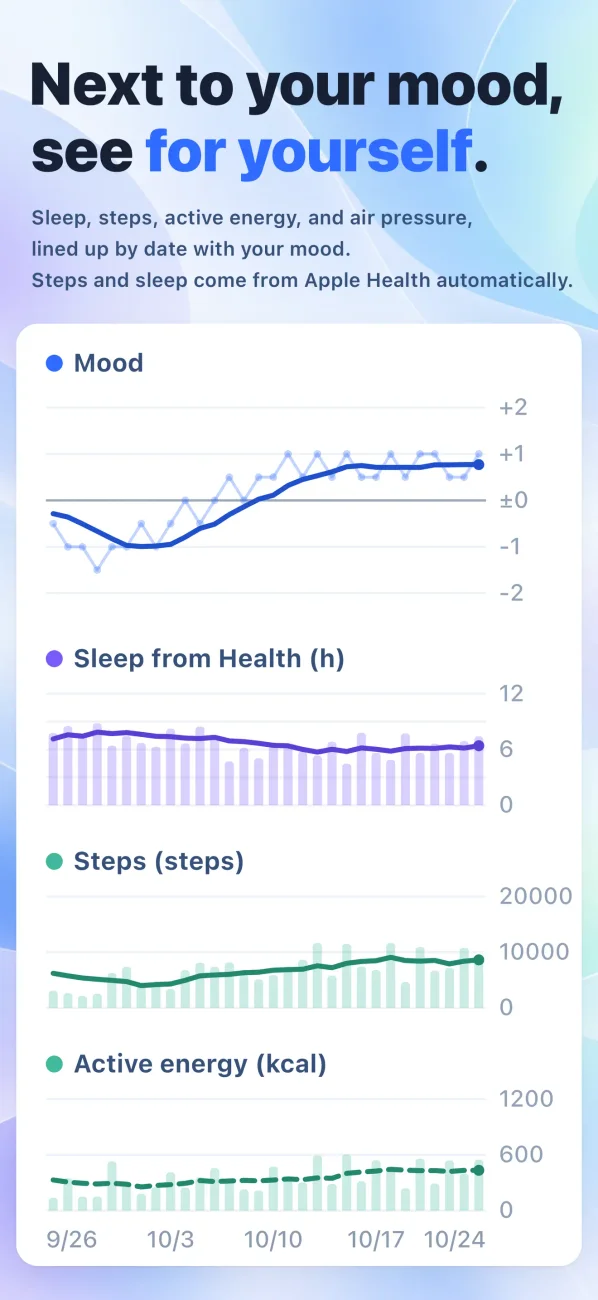
• Steps, sleep, and active energy from Apple Health
Connect Apple Health to bring in your steps, sleep, and active energy automatically. For sleep, you can view either your main sleep (without naps) or your total sleep including naps.
• From your Home Screen
Log mood and medication from Home Screen and Lock Screen widgets, without opening the app.
■ Look back
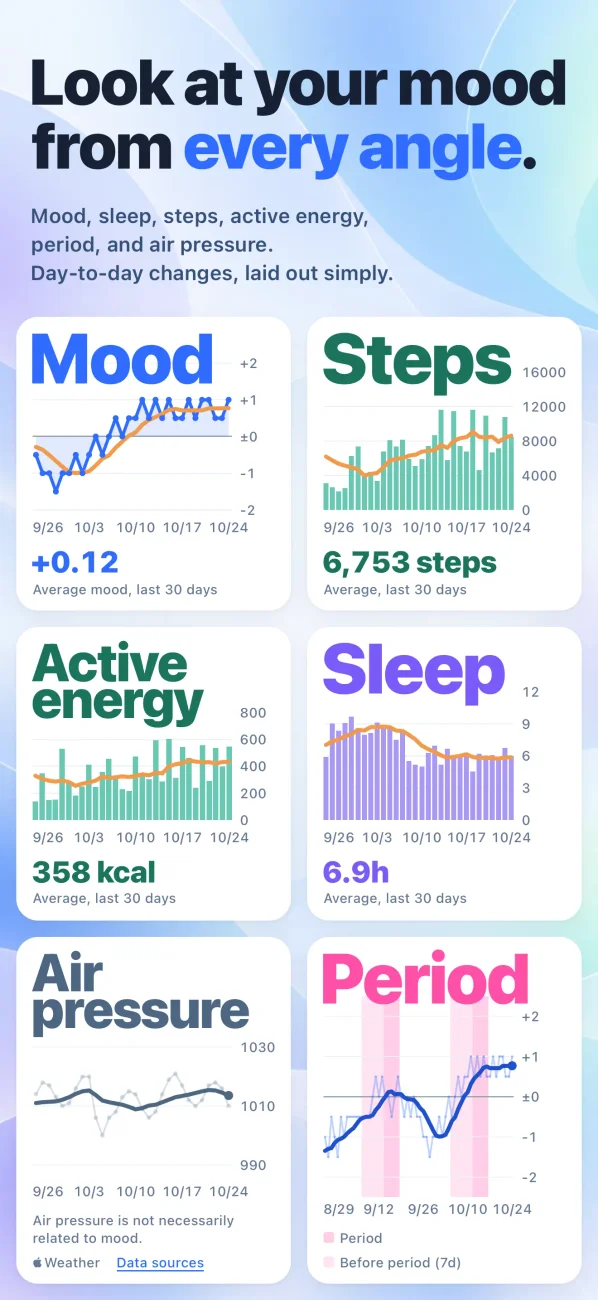
Your logged items are in the Data tab, and charts that compare them are in the Trends tab.
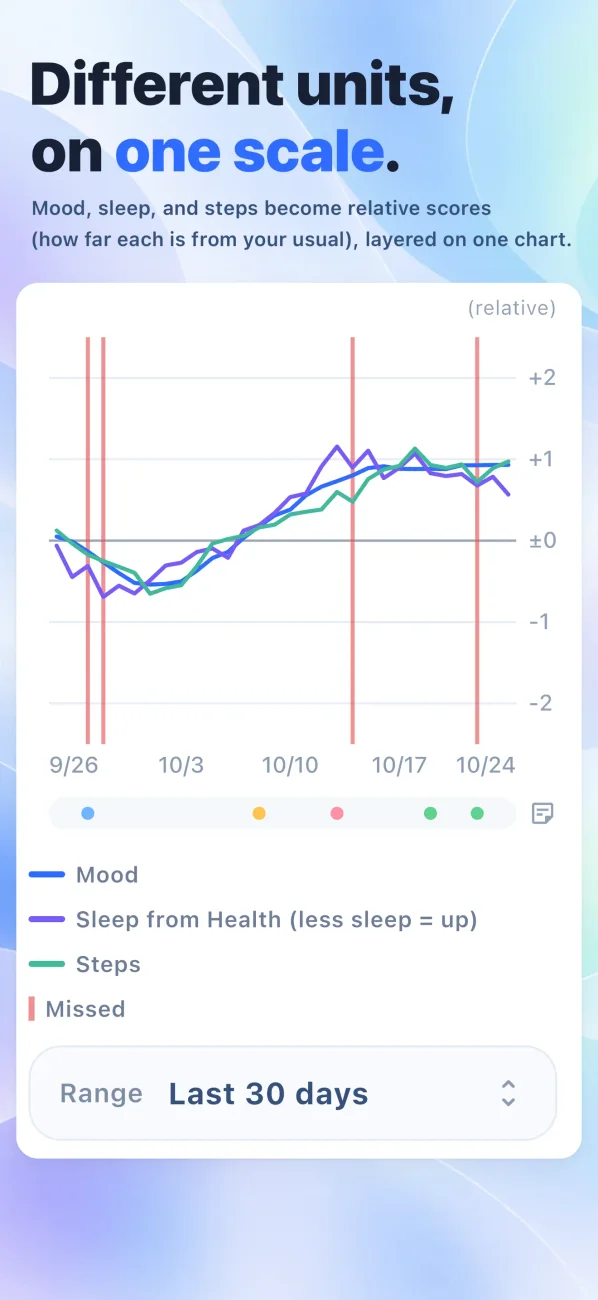
You can compare different kinds of records, such as mood and sleep, or mood and steps.
• See each item stacked on one screen, with a 7-day average line
• See your period alongside your mood
• Choose how far back to look
• Days you recorded a missed dose are marked on the chart
• Days with notes are marked
• Card headers show how many days you’ve logged
■ Detailed Report (in-app purchase for each date range; your first 14-day report is free)
Turn your records into an A4 report. Choose a range of 14, 30, or 60 days. Share it as a PDF, or save its pages as images.
• Mood, sleep, medication, steps, and more, laid out chapter by chapter in charts and tables
• The notes you choose, shown next to that day’s records
• Choose the items and notes to include before you create it
• Reports you create stay in the app, so you can look back at them later
■ Weather and air pressure
Turn on weather import in Settings to see each day’s weather as an icon in “Mood over time.” You can also view air pressure next to your mood in the Trends tab and in the Detailed Report. Air pressure values come from Apple Weather and are not necessarily related to mood.
■ Recent summary
Turn your recent mood, sleep, and steps into one image and save it to Photos. You choose the time range, the items, and the look.
■ Keep going
• Get reminders in three time slots (morning, midday, and evening) at the times you choose. Turn off any you don’t need
• Add records for past days by choosing the date
• Edit your records afterward
■ Your records
Your records are stored only on your device.
No account is needed. The app doesn’t send your records anywhere for cloud storage, ads, or usage tracking.
Only when you turn on weather import does the app send an approximate location (within about 10 km) to Apple Weather to look up the weather. Your records are not sent.
You can export a backup of your records and keep it wherever you like, such as in the Files app.
Yang baru
Versi 2.0.0 · 3/11/2026
• Tabs are now split into Data and Trends. Your logged items are in the Data tab, and charts that compare them are in the Trends tab
• You can now log mood and medication from Home Screen and Lock Screen widgets, without opening the app
• You can now see your period alongside your mood, read from Apple Health or logged yourself (turn it on in “Cards on the Data tab” in Settings)
• Card headers now show how many days you’ve logged
• You can now tap a cell in the medication table to log that day, and fix past records with “Edit past records” on each card
• You can now choose the time when you log your mood (tap “Now” at the top right of the mood screen)
• The app is now available in French, German, Spanish, and Portuguese
• On iOS 27, if Health shares only the past 30 days, older records are no longer removed from the app, and Settings shows how to import them
• From the Report tab, you can now turn your records into an A4 “Detailed Report” and share it as a PDF or images (in-app purchase for each date range; your first 14-day report is free)
• Active energy from Apple Health is now imported and shown like steps: as a card on the Data tab, in “Compare with mood,” and in the Detailed Report (turn it on in “Cards on the Data tab” in Settings)
• Each day’s weather can now appear as an icon in “Mood over time” when you turn on weather import in Settings
• Fixed headings and buttons that were cut off or overlapped at larger text sizes
Privasi aplikasi
Yang dinyatakan Yoshihiro Morita di App Store tentang cara aplikasi ini menangani data.
-
Data tidak dikumpulkan
Pengembang tidak mengumpulkan data apa pun dari aplikasi ini.
Praktik privasi dapat bervariasi, misalnya berdasarkan fitur yang Anda gunakan atau usia Anda.
Informasi
- Penjual
- Yoshihiro Morita
- Kategori
- Kesehatan & Kebugaran
- Versi
- 2.0.0
- Diperbarui
- 3/11/2026
- Dirilis
- 11/5/2026
- Ukuran
- 44,0 MB
- Memerlukan
- iOS 15.0 atau yang lebih baru
- Batasan usia
- 4+
- Harga
- Gratis
- Pembelian dalam aplikasi
- Ya
- Bahasa
- Jepang, Spanyol, Jerman, Prancis, Portugis, Inggris
- Hak cipta
- © 2026 Shinji Narimura
Mungkin Anda juga suka
-
 Bipolar Mood Tracker MoodTrendKesehatan & Kebugaran
-
 Mellow - 躁鬱記録Kesehatan & Kebugaran
-
 CocoLogKesehatan & Kebugaran
-
 Steadyline: Bipolar TrackerKesehatan & Kebugaran
-
 Social Rhythm Therapy TrackingKesehatan & Kebugaran
-
 Valence: Private Mood TrackerKesehatan & Kebugaran
-
 MentalBridge - 精神科・心療内科の通院を支えるKesehatan & Kebugaran
-
 Nami: Jurnal Suasana HatiCatat emosi dengan tag harian
-
 Mood Wave - Daily Mood DiaryKesehatan & Kebugaran
-
 こころメモ|気分・体調記録とAI受診メモKesehatan & Kebugaran