
Bium Browser
Browse with the ads taken out
Dirancang untuk iPhone, iPad
Gratis
- Batasan usia17+
- KategoriKegunaan
- PengembangHyunsuk Kang
- BahasaInggris+ 1 lainnya
- Ukuran7,2 MB
Tertaut ke halaman resmi App Store
Download.org tidak menyimpan file Bium Browser apa pun. Tombol ini membuka halaman aplikasi di App Store, tempat Hyunsuk Kang menerbitkannya. Halaman terakhir diperiksa pada 24/11/2026.
Tangkapan layar

Tentang
Pengembang belum menyediakan teks ini dalam bahasa Anda.
We make apps that empty out the ads and the things that pull at your attention,
and give your time back to you.
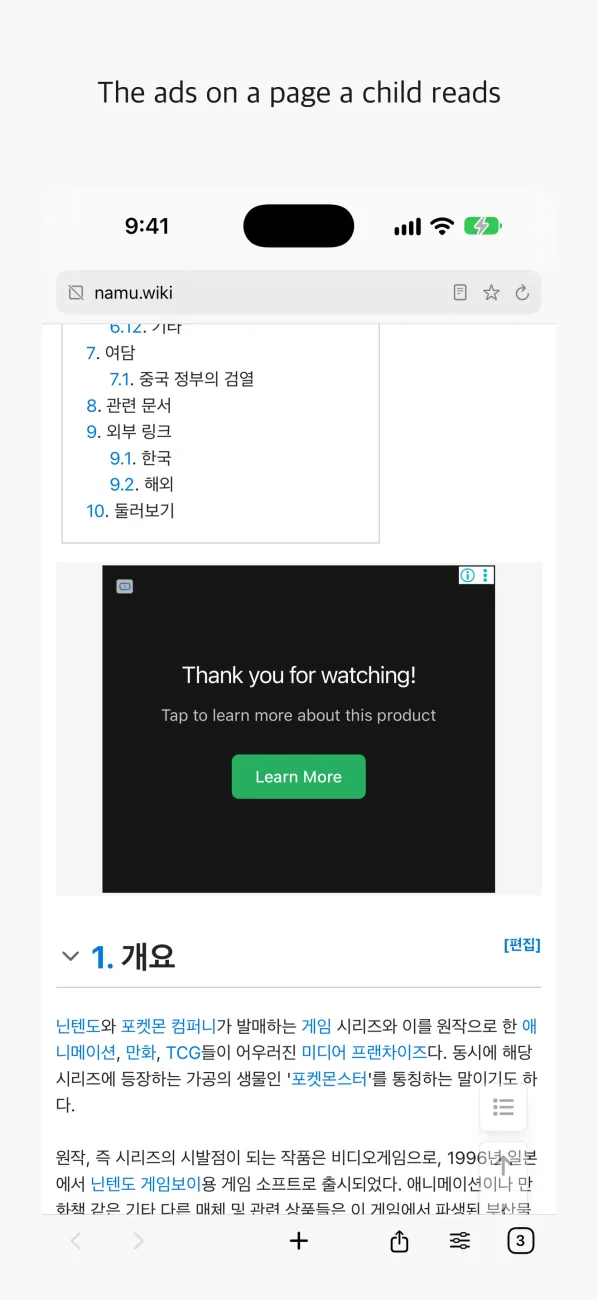
Bium Browser opens pages with the ads and trackers taken out.
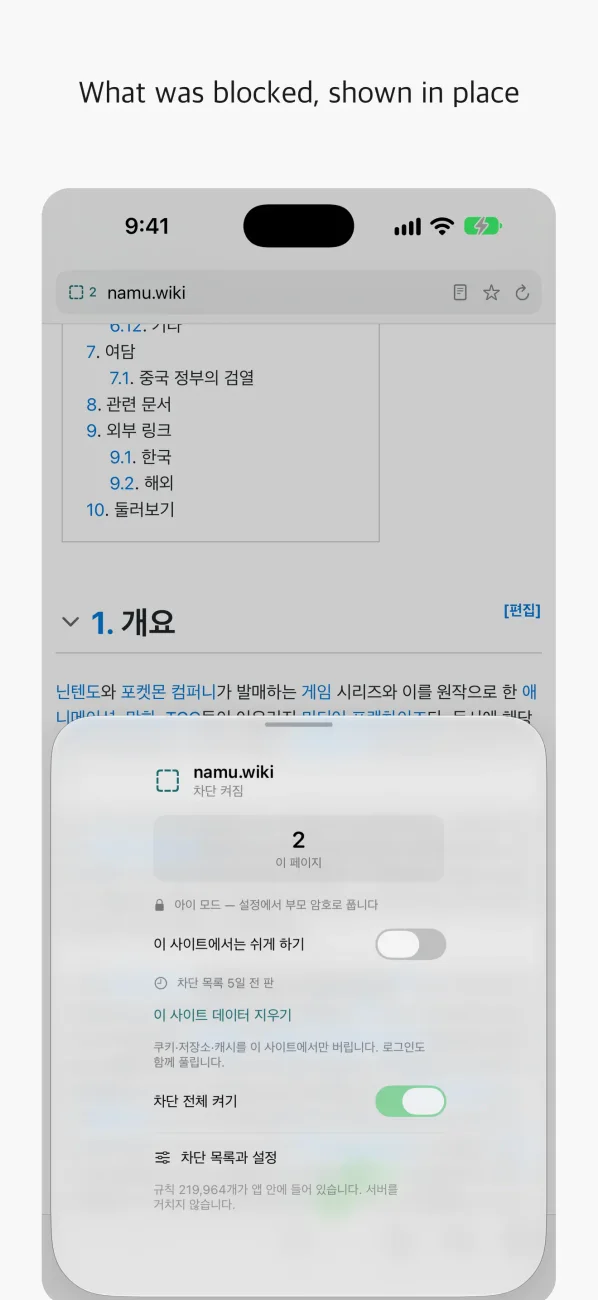
The blocklists live inside the app. It never contacts a server to decide what to block, so the addresses you open do not leave your device. There is no account, no sync server, and no analytics SDK.
■ It stays on the device
· 219,964 rules ship inside the app; 143,148 of them are on by default (lists sourced 2026-10-11).
· Ads, trackers, cookie banners, and Korea-specific rules are separate lists you can switch on and off.
· The count of what was blocked on this page is shown in place.
· Where declarative rules cannot reach, bundled corrections fill the gap — still without asking anything outside.
■ Kid mode
· Turning it off takes the parent passcode.
· It switches on an adult and gambling list of 76,816 rules and blocks those sites.
· It forces SafeSearch, and a child cannot switch it off in the search engine's own settings.
· The sites a child searched are not shared with the parent. It is not a way to watch a child; it is a way to block.
■ Made for iPhone Duo
· Unfolded, the page gets the full width of the screen, and the tools sit in a single line.
· Read down the page and the tools step aside, clock included.
· Folded, the buttons stay clear of the camera strip on the right.
■ The basics of a browser
· Reader mode — body text only
· Put the address bar at the top or the bottom, and let it hide while you read down the page
· Profiles — cookies, history and bookmarks are kept per profile. A profile's name and passcode are set inside that profile, and a locked one asks before you enter
· Password vault — kept in the Keychain and filled only when you tap a login field. Banking, brokerage and government sites are never stored in the first place
· Multiple tabs and windows, reopen closed tabs, private tabs
· Per-site text size, remembered
· Put the places you visit often on your Home Screen
· Set it as your default browser and links tapped in other apps open here
■ What it cannot do, written down
· Ad lists do not block adult sites. Kid mode is what covers that.
· Because it blocks ad traffic relayed through first-party addresses, some sites will ask you to allow ads. Turning off that one list opens them.
· Blocking applies inside this app's own views only. A browser embedded in another app belongs to that app and is out of reach — set Bium as the default browser and the links those apps hand off will land here. The rest is Screen Time's job.
Note: the app's interface is in Korean.
Yang baru
Versi 1.5.3 · 23/11/2026
Fix for the iPhone Duo cover screen.
• With 'clock horizontal on the cover screen' and 'content under the clock' on and the address bar at the top, the top of the page (site menus, search boxes) was hidden behind the address bar. Pages now start below the bar while it is shown, and scroll under the clock once the bar hides as you read.
Privasi aplikasi
Yang dinyatakan Hyunsuk Kang di App Store tentang cara aplikasi ini menangani data.
-
Data tidak dikumpulkan
Pengembang tidak mengumpulkan data apa pun dari aplikasi ini.
Praktik privasi dapat bervariasi, misalnya berdasarkan fitur yang Anda gunakan atau usia Anda.
Informasi
- Penjual
- Hyunsuk Kang
- Kategori
- Kegunaan
- Versi
- 1.5.3
- Diperbarui
- 23/11/2026
- Dirilis
- 19/10/2026
- Ukuran
- 7,2 MB
- Memerlukan
- iOS 18.0 atau yang lebih baru
- Batasan usia
- 17+
- Harga
- Gratis
- Bahasa
- Inggris, Korea
- Hak cipta
- © 2026 afterfireworks