Blanc: Web Browser
Your Blanc tabs, on iPhone too
Dirancang untuk iPhone, iPad
Gratis
- Batasan usia17+
- KategoriKegunaan
- PengembangBananify Creative LLC
- BahasaInggris+ 5 lainnya
- Ukuran87,2 MB
Tertaut ke halaman resmi App Store
Download.org tidak menyimpan file Blanc: Web Browser apa pun. Tombol ini membuka halaman aplikasi di App Store, tempat Bananify Creative LLC menerbitkannya. Halaman terakhir diperiksa pada 23/11/2026.
Tangkapan layar

Tentang
Pengembang belum menyediakan teks ini dalam bahasa Anda.
Blanc for iPhone and iPad is the companion to Blanc, the minimal browser for Mac, Windows and Linux. Pair it with Blanc on your computer, and your browsing comes with you.
PAIR IN A FEW SECONDS
On your computer, open Blanc's Settings → Sync. In Blanc on your iPhone or iPad, tap Pair with your Blanc and scan the code. You can also type a code or use a sync name and passphrase. Sync is end-to-end encrypted: Blanc stores only data it can't read.
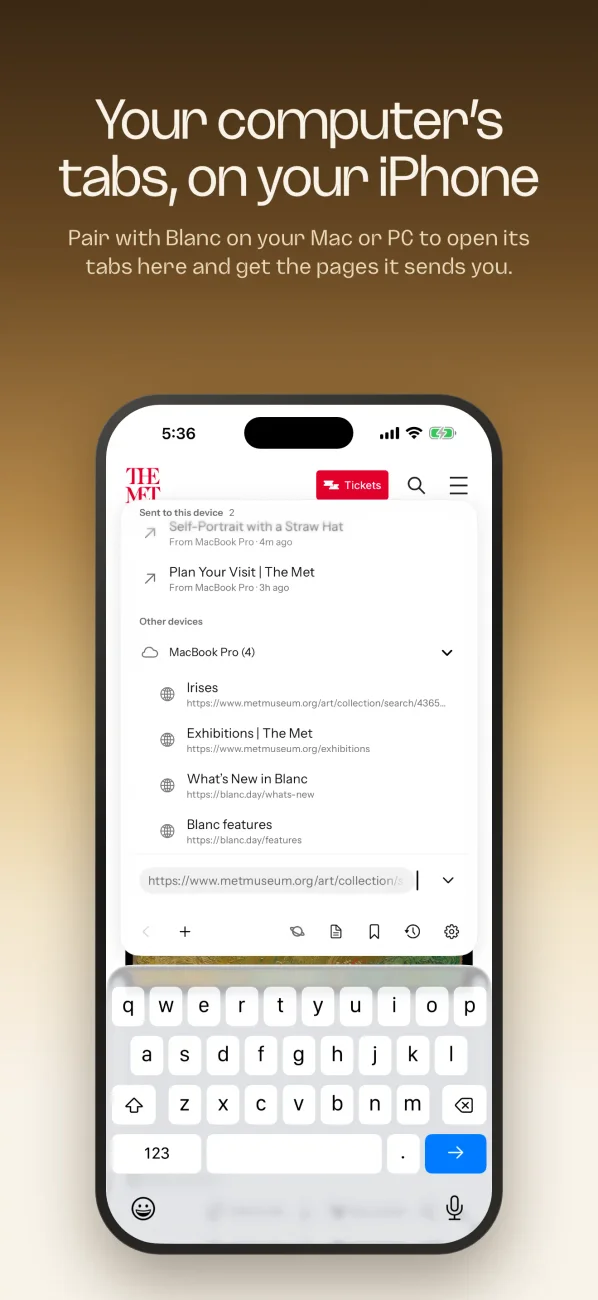
YOUR COMPUTER'S TABS, WITH YOU
See the tabs open on each of your Blanc devices, under their groups, and open any of them on your iPhone or iPad.
SHARED SPACES
A Space is a set of tabs you name, like Work or Trip. Turn on Shared Spaces and the Spaces you choose stay the same on your computer and your iPhone or iPad: open, close or move a tab on one, and the other follows. It's off until you turn it on, and works with Blanc 1.45 or later on your computer.
SEND A TAB
Send the page you're reading to another of your Blanc devices, and find pages sent to you waiting on your iPhone or iPad.
ON IPAD
Blanc fills the screen in every orientation. Put two tabs side by side in Split View, look at a link in a floating Glance card without leaving your page, give tabs a window of their own, and use keyboard shortcuts like ⌘L and ⌘T.
ONE BAR, THE ISLAND
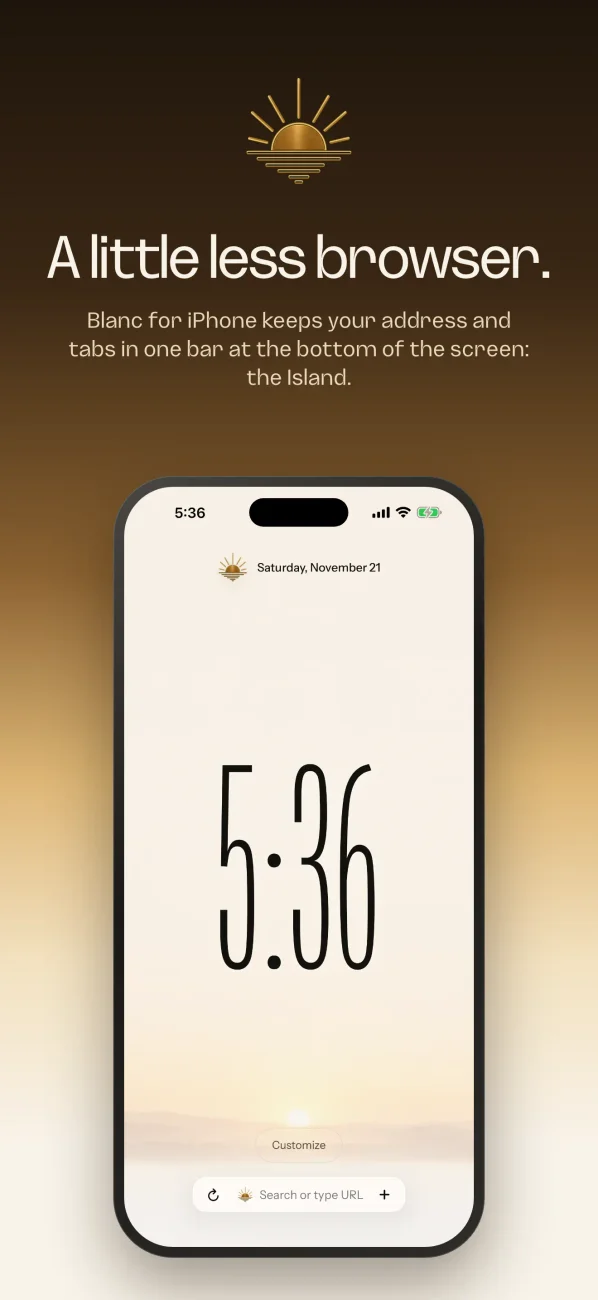
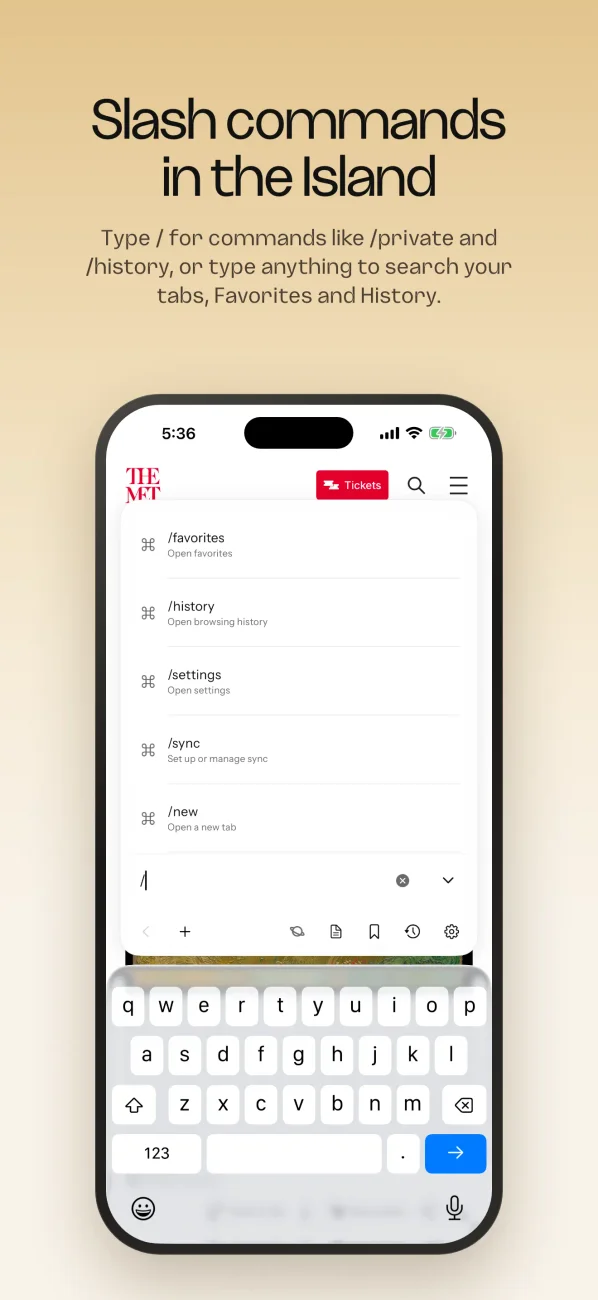
The Island at the bottom of the screen is only as wide as it needs to be: Back, the site you're on and New Tab. Swipe it to switch tabs, or tap it and it grows into a panel where you can search your tabs, Favorites and History, or type a slash command such as /private or /find.
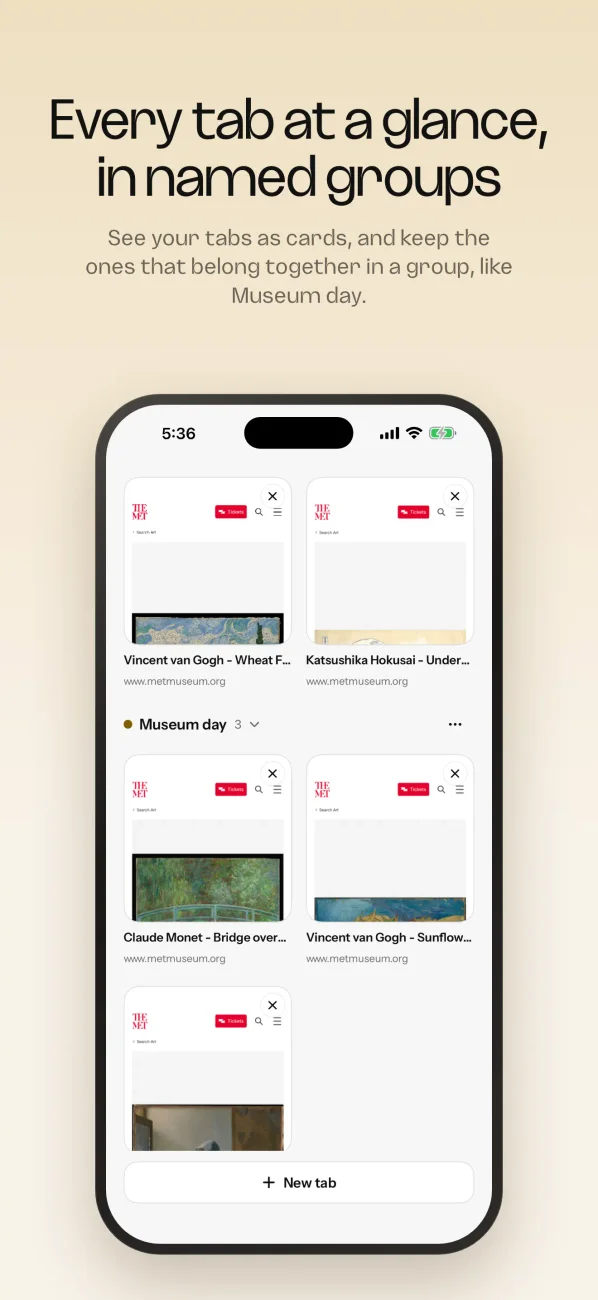
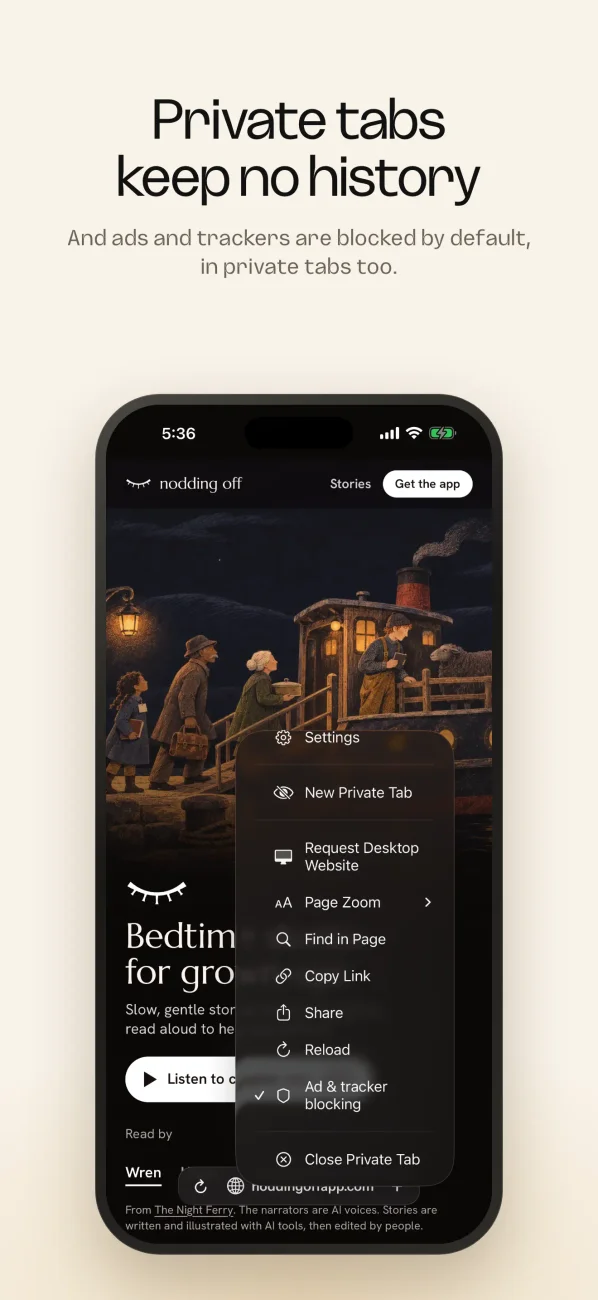
BROWSING, THE WAY YOU EXPECT Private tabs that keep no history, Favorites, History, Recently closed, Reader Mode, Find in page, and tab groups you name. Ads and trackers are blocked by default with the EasyList and EasyPrivacy lists, and you can allow a site from the shield in one tap.
OPEN SOURCE
Blanc is open source under the MIT License. The Blanc name and logo stay Bananify Creative's.
Yang baru
Versi 1.1 · 22/11/2026
• A new Island: smaller, shaped like Blanc's Island on the Mac, and only as wide as what's in it: Back, the site's icon and the site, and New Tab.
• Tap the site and the Island grows into a panel just above the keyboard. It starts with the page's address: tap it to edit, hold it to copy the link.
• In a private tab the Island turns dark, and Close Private Tab is first in the page menu.
Privasi aplikasi
Yang dinyatakan Bananify Creative LLC di App Store tentang cara aplikasi ini menangani data.
-
Data yang tidak ditautkan dengan Anda
Dapat dikumpulkan, tetapi tidak ditautkan dengan identitas Anda.
- Data penggunaan
Praktik privasi dapat bervariasi, misalnya berdasarkan fitur yang Anda gunakan atau usia Anda.
Informasi
- Penjual
- Bananify Creative LLC
- Kategori
- Kegunaan
- Versi
- 1.1
- Diperbarui
- 22/11/2026
- Dirilis
- 6/11/2026
- Ukuran
- 87,2 MB
- Memerlukan
- iOS 18.4 atau yang lebih baru
- Batasan usia
- 17+
- Harga
- Gratis
- Bahasa
- Inggris, Prancis, Jerman, Italia, Portugis, Spanyol
- Hak cipta
- © 2026 Bananify Creative