BLEASS Slow Machine
Tape Stop and Slow Down Effect
Dirancang untuk iPhone, iPad, iPod touch
Rp 79ribu
- Batasan usia4+
- KategoriMusik
- PengembangBLEASS
- BahasaInggris
- Ukuran19,6 MB
Tertaut ke halaman resmi App Store
Download.org tidak menyimpan file BLEASS Slow Machine apa pun. Tombol ini membuka halaman aplikasi di App Store, tempat BLEASS menerbitkannya. Halaman terakhir diperiksa pada 26/11/2026.
Tangkapan layar
Tentang
Pengembang belum menyediakan teks ini dalam bahasa Anda.
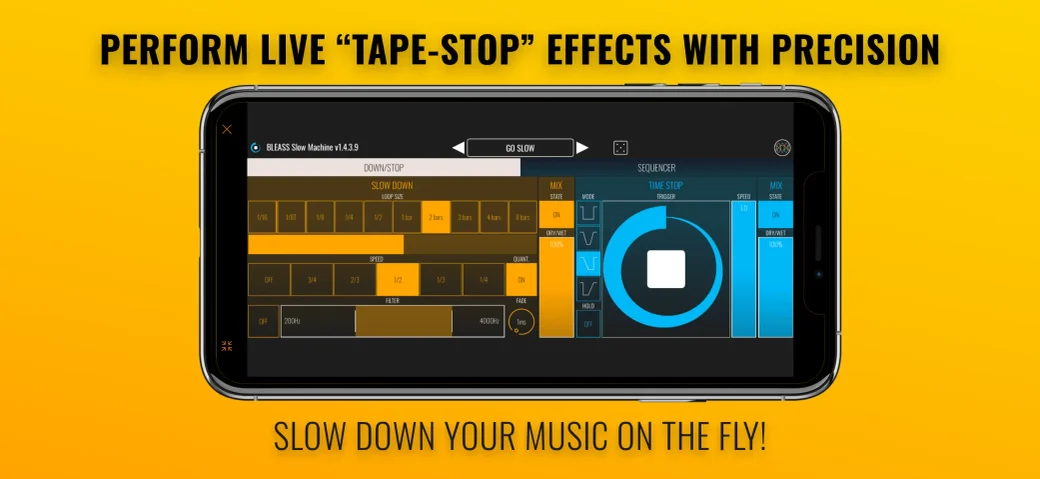
Thanks to 3 different yet complementary ways of manipulating time with creativity, BLEASS Slow Machine can deepen any beat by completely or partially slowing down the audio signal, transform epic leads into heavy basses, and add some “tape stop” effect with precision either by touching the X/Y Stop trigger, or by dialing in precise sequence automations.
TECHNICAL DESCRIPTION:
BLEASS Slow Machine offers both sequenced and live ways to manipulate time thanks to 3 stages:
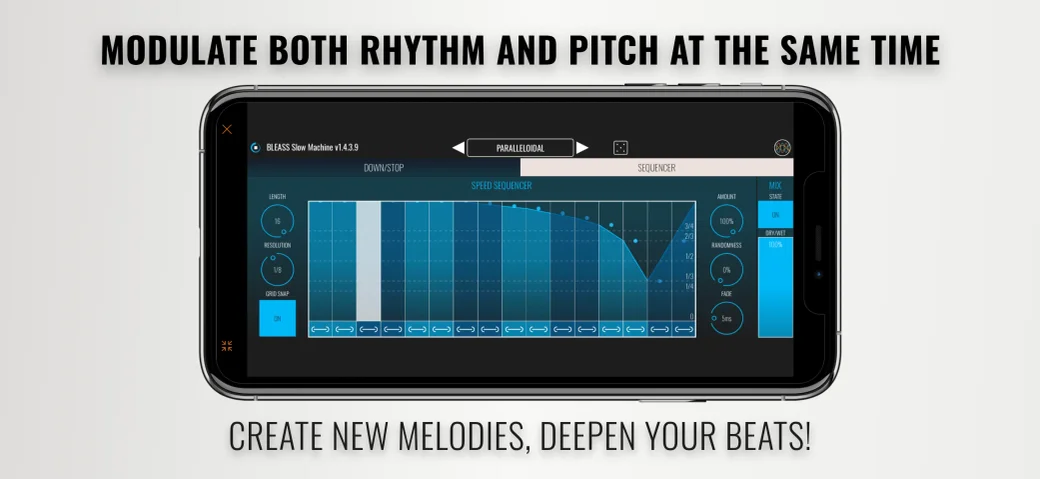
__ SLOW DOWN stage:
Creative and straightforward slow down effect that modulates both rhythm and pitch.
- Loop Size: Slow Down resets its reading position according to the Loop Size. A Loop Size of ‘1 bar’ means that the reading position is resynced with the host reading position every 1 bar.
- Speed: controls the speed of the played loop relative to the default speed. (For example ‘½’ means that audio is played back at half its original speed, which means one octave lower).
- Quantization: When this option is ON, every change in Loop Size and in Speed will wait until the end of the current loop to be effective. When it is set to OFF, the change is immediate.
- Filter: keep a selected frequency band of the slowed signal. When the filter is ON, the middle colored band is processed by the effect while the low and high bands remain unchanged.
- Fade: Sets the duration of the crossfade between loops.
- State: Activates or deactivates the SLOW DOWN stage
- Dry/Wet: mixes the dry and wet signals
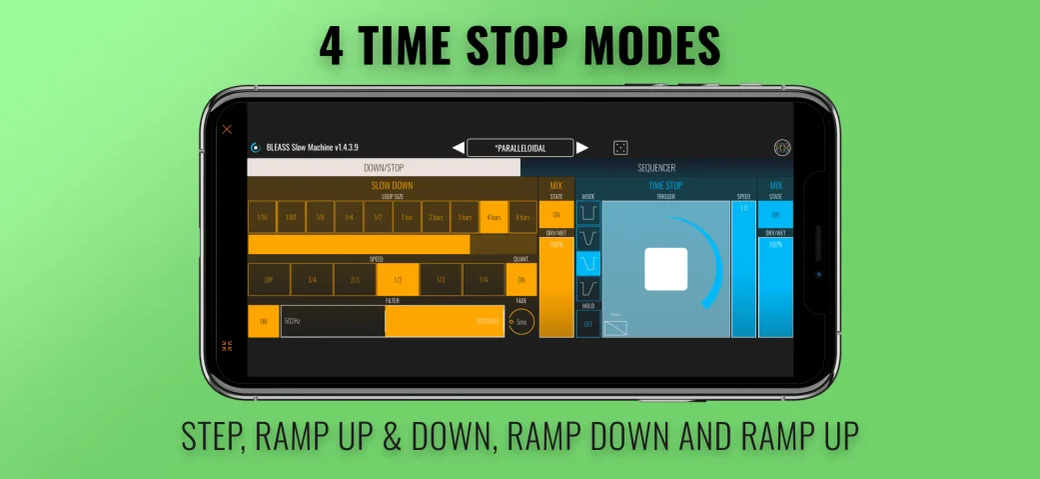
__TIME STOP stage:
Especially made for performance, TIME STOP gives an intuitive and visual way to instantly create a classic tape stop effect.
- Trigger: the “Stop” button triggers the time stop effect within a given duration (set by the position of your finger along the Y-axis) and following a curve (set by the position of your finger along the X-axis).
- Mode: choose between 4 time stop modes: ‘Step’, ‘Ramp Up & Down, ‘Ramp Down’ and ‘Ramp Up’.
_ In ‘Step’ mode, the speed instantly goes to 0 when the trigger is hit and goes back to 1 when the trigger is released.
_ In ‘Ramp Up & Down’ mode the speed is ramped down to 0 when the trigger is hit and ramped up to 1 when it is released. The duration and curve of the ramp is set by the position of your finger on the control.
_ In ‘Ramp Down’ mode, the speed is ramped down to 0 when the trigger is hit and instantly goes back to 1 when released.
_ In ‘Ramp Up’ mode the speed instantly goes to 0 when the trigger is hit and is ramped up to 1 when released.
- Hold: when Hold is ON, the trigger is not released until Hold is turned OFF.
- Speed: precise control of the play speed.
- State: Activates or deactivates the TIME STOP stage
- Dry/Wet: mixes the dry and wet audio signals
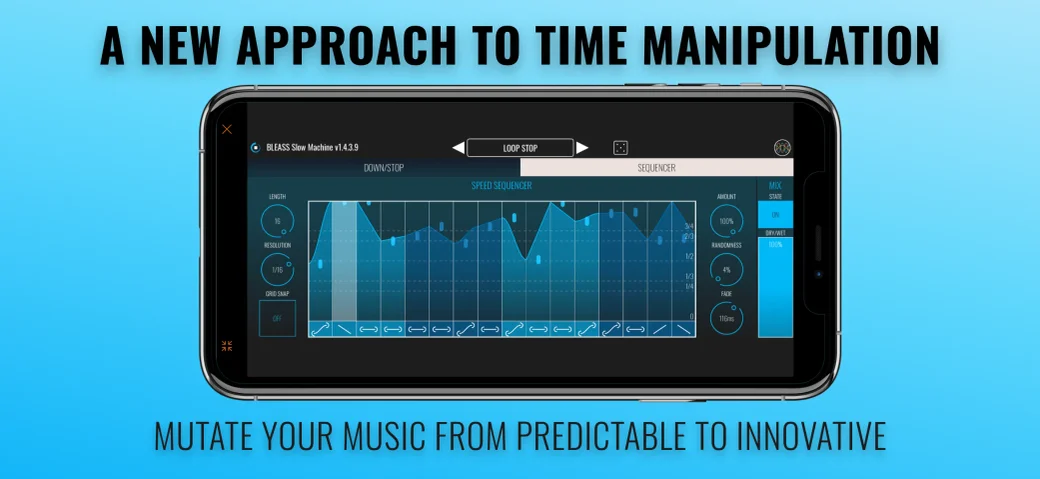
__SPEED SEQUENCER stage:
The speed sequencer stage offers a unique way to program speed variations in your music.
- Length: sets the number of steps in the sequencer.
- Resolution: sets the duration of a sequencer step.
- Grid Snap: when ON, steps snap to the grid allowing a precise rhythmic and harmonic editing.
- Sequencer: sets a playing speed per step. Each step has 4 different curve modes: ‘Step’, ‘Link’, ‘Ramp Up’ and ‘Ramp Down’. Change the curve mode by tapping the curve icon at the bottom of each step.
- Amount: controls the amount of sequencer speed modulation. 100% means that speed can go from 1 to 0 (50% means that speed can go from 1 to 0.5).
- Randomness: sets the amount of randomness of the sequencer. If randomness is 50%, a step value will be a random value between stepValue +/- 0.5
- Fade: controls the crossfade duration between each step.
- State: Activates or deactivates the Speed Sequencer stage
- Dry/Wet: mixes the proportion of dry and wet signals
BLEASS Slow Machine is also available for Desktop: www.bleass.com/slow-machine
Yang baru
Versi 1.4.3 · 25/11/2026
Version 1.4.3
• Refreshed user interface
• Lower CPU usage
• Record parameter automation in Logic Pro with Latch Write
• Redesigned About page
BLEASS Slow Machine is also available for Desktop. More information on bleass.com/slow-machine.
Privasi aplikasi
Yang dinyatakan BLEASS di App Store tentang cara aplikasi ini menangani data.
-
Data tidak dikumpulkan
Pengembang tidak mengumpulkan data apa pun dari aplikasi ini.
Praktik privasi dapat bervariasi, misalnya berdasarkan fitur yang Anda gunakan atau usia Anda.
Informasi
- Penjual
- BLEASS
- Kategori
- Musik
- Versi
- 1.4.3
- Diperbarui
- 25/11/2026
- Dirilis
- 1/2/2021
- Ukuran
- 19,6 MB
- Memerlukan
- iOS 15.0 atau yang lebih baru
- Batasan usia
- 4+
- Harga
- Rp 79ribu
- Bahasa
- Inggris
- Hak cipta
- © 2026 BLEASS