
- Batasan usia12+
- KategoriFoto & Video
- PengembangCody Peter
- BahasaInggris+ 38 lainnya
- Ukuran506,9 MB
ByteWave mungkin sedang tidak tersedia di App Store
Halaman di toko tidak dapat dijangkau saat terakhir kami periksa. Tautan tetap mengarah ke halaman resmi App Store.
Tangkapan layar



Tentang
Pengembang belum menyediakan teks ini dalam bahasa Anda.
ByteWave is a free, GPU-powered video editor for iPhone, iPad, and Mac. Animate captions and stickers with keyframes, write custom Metal filters and transitions, and export SDR or HDR video.
Every editing tool is free. Edit offline with no account or data collection, and export without a watermark. There’s no subscriptions or paid tier.
CREATE WITHOUT LIMITS
• Layout from ByteWave: Combine photos and videos into animated compositions with customizable grids, shapes, and backgrounds.
• Keyframe animation. Build custom animations for captions, stickers, Space FX, and drawings.
• Captions and stickers: Generate captions on-device, translate them with supported Apple languages downloaded in Settings, and import your own fonts.
• Color grading: Shape your image with RGB curves, HSL adjustments, white balance, and precise control over exposure, shadows, and highlights. Use the histogram to guide your adjustments
• Speed ramps: Change speed throughout a clip with smooth transitions between slow motion and faster playback
• HDR editing: Preserve bright highlights and wide color with 16-bit floating-point processing, linear Display P3, and 10-bit HLG export
• Space FX: Combine filters and apply them to specific parts of your video using shapes or areas you paint yourself. Keep each filter’s shape inside your selected space
• Draw: Draw directly on your video. Sketch your own questionable little guy and give him a place in the scene
• Audio-reactive effects: Make your videos respond to music with real-time filters and animated 3D geometry.
• Metal Shader Editor: Explore a library of visual effects, customize their source code, or create entirely new filters and transitions.
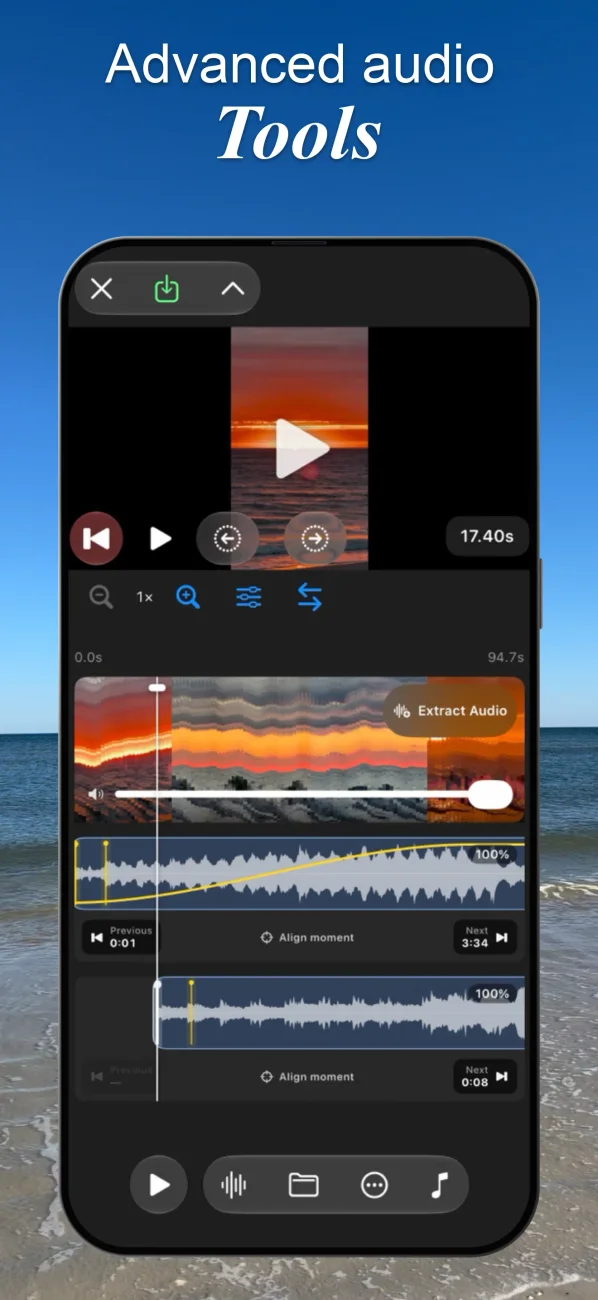
• Audio editing: Mix multiple audio tracks, add music and sound effects, and fine-tune your sound with professional audio controls.
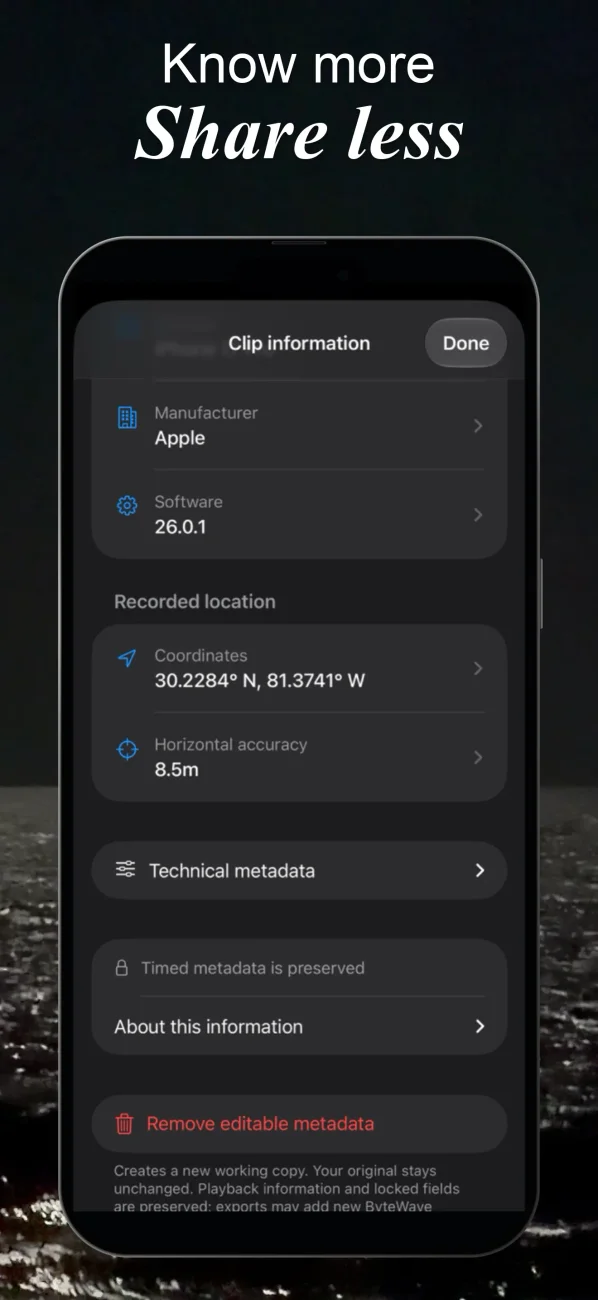
KNOW MORE. SHARE LESS.
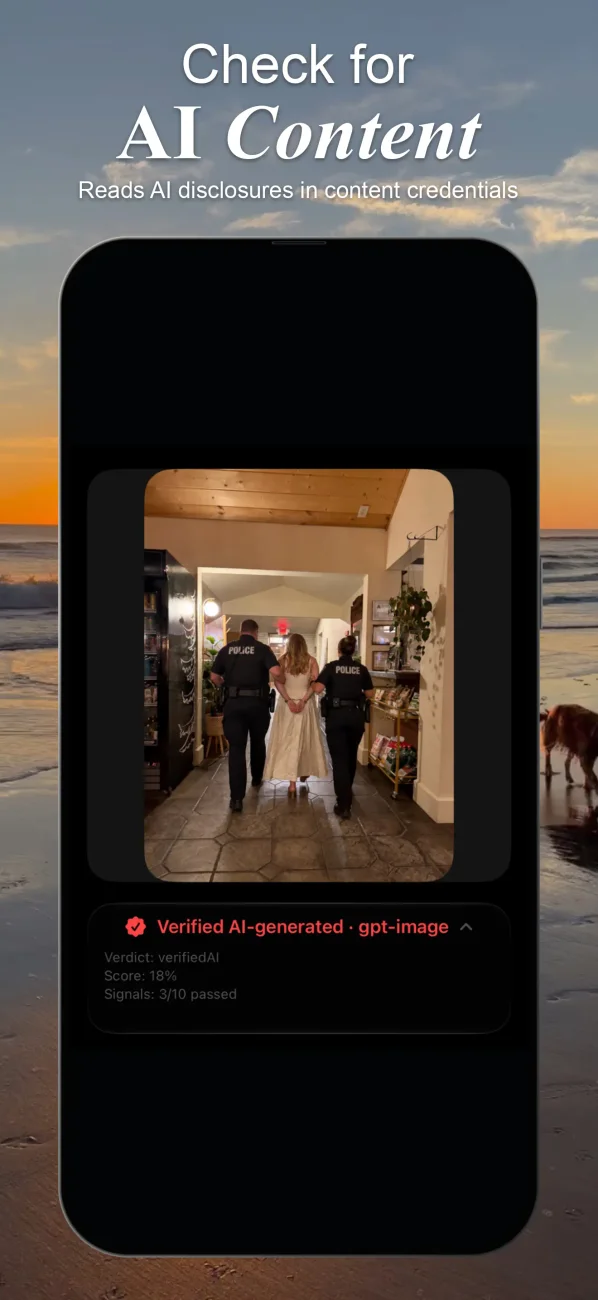
Read and remove metadata from photos and videos before sharing. Inspect supported C2PA Content Credentials, including disclosed AI-generated media. Export videos with ByteWave's cryptographic provenance signatures.
SHARE ON YOUR TERMS
Editing doesn't require an account or an internet connection. You can choose to share videos, create Stories, or send them directly to friends.
Discover videos from other creators with your own algorithm, running entirely on your device. Recommendations are optional, and you can edit or delete your algorithm at any time.
Make something real, not reel.
Available in 39 languages
Yang baru
Versi 1.3.18 · 25/11/2026
Updated Space FX to let you contain a filter’s shape inside your selected space. The motivation behind this change is to help protect children’s online identities. For best results, we recommend a gravity well ;). Child safety is a top priority of ByteWave.
PSA: If you put a little heart emoji over a child’s face inside a Meta app, you’ve already given that app access to the original photo or video. Covering their face for your followers is no guarantee that it’s excluded from the app’s image analysis. A sticker is not an opt-out from Meta’s extensive data collection scheme. If you want to keep the uncovered face out of Meta’s hands, cover it before sharing and give the app access only to the edited copy. Children’s privacy deserves more than blind trust.
In fact, I call on Apple to remove any app from the App Store that refuses to support Apple’s private photo picker when you deny photo-library access. Choosing “Don’t Allow” should not stop you from sharing a photo through the system picker. Apple already provides the tools. Enforce that standard. Your entire camera roll should never be the price of using an app.
We also improved the editing playhead UI.
Privasi aplikasi
Yang dinyatakan Cody Peter di App Store tentang cara aplikasi ini menangani data.
-
Data tidak dikumpulkan
Pengembang tidak mengumpulkan data apa pun dari aplikasi ini.
Praktik privasi dapat bervariasi, misalnya berdasarkan fitur yang Anda gunakan atau usia Anda.
Informasi
- Penjual
- Cody Peter
- Kategori
- Foto & Video
- Versi
- 1.3.18
- Diperbarui
- 25/11/2026
- Dirilis
- 19/9/2025
- Ukuran
- 506,9 MB
- Memerlukan
- iOS 26.0 atau yang lebih baru
- Batasan usia
- 12+
- Bahasa
- Inggris, Albanian, Arab, Bosnian, Bulgarian, Cambodian, Kroat (Kroasia), Cheska (Republik Cheska), Dansk (Denmark), Belanda, Esti (Estonia), Suomi (Finlandia) + 27 lainnya
- Hak cipta
- © Cody Peter
Mungkin Anda juga suka
-
 UpRes: AI Photo Video UpscaleFoto & Video
-
 Zapshot - Daily Vlog WallFoto & Video
-
 OnBeat: Reels Maker EditorFoto & Video
-
 TopzAI: Photo Video EnhancerFoto & Video
-
 PromoCut: AI Video EditorFoto & Video
-
 Topaz for MobileFoto & Video
-
 Templify・Editor Video AIReel, Story, Kolase - Pembuat
-
 mood.cameraFoto & Video
-
 Editor Video AI Adobe PremiereBuat video dengan musik
-
 Draw Things: Offline AI ArtFoto & Video