KAIM Camera: AI Composition
Smart Framing & Film Filters
Dirancang untuk iPhone, iPad
Gratis · Pembelian dalam aplikasi
- Batasan usia4+
- KategoriFoto & Video
- Pengembang亚娟 秦
- BahasaInggris+ 14 lainnya
- Ukuran43,9 MB
Tertaut ke halaman resmi App Store
Download.org tidak menyimpan file KAIM Camera: AI Composition apa pun. Tombol ini membuka halaman aplikasi di App Store, tempat 亚娟 秦 menerbitkannya. Halaman terakhir diperiksa pada 26/11/2026.
Tangkapan layar

Tentang
Pengembang belum menyediakan teks ini dalam bahasa Anda.
Capture better-composed photos without guessing. KAIM is an iPhone camera designed to solve framing, focal length, and color tone before you press the shutter.
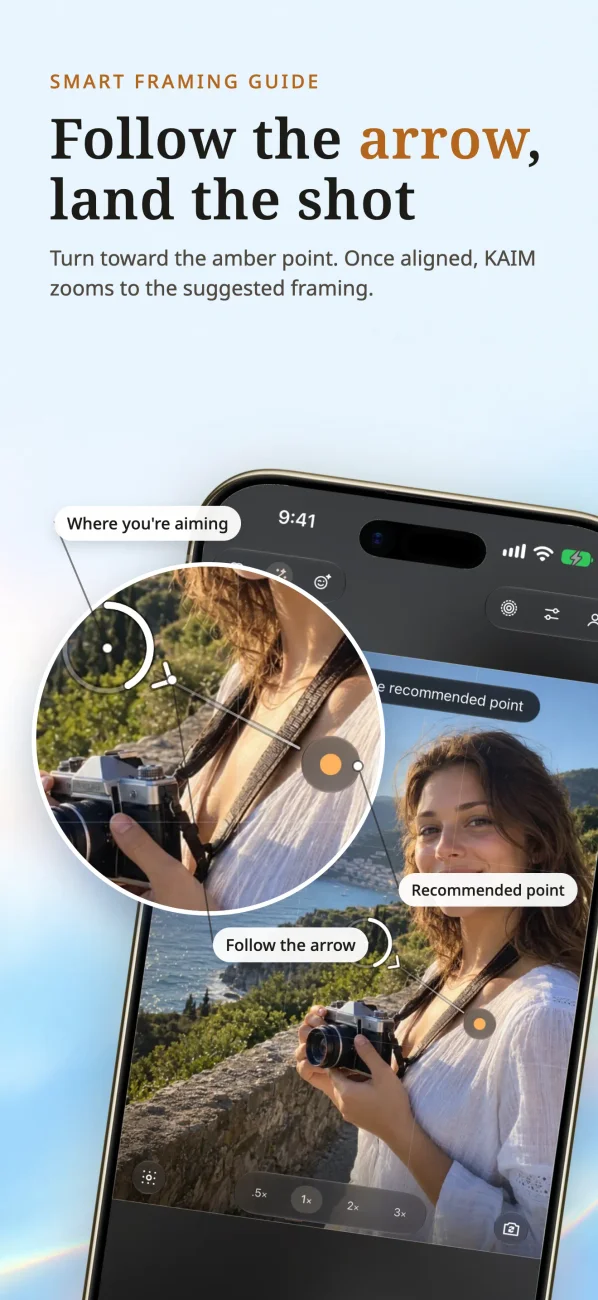
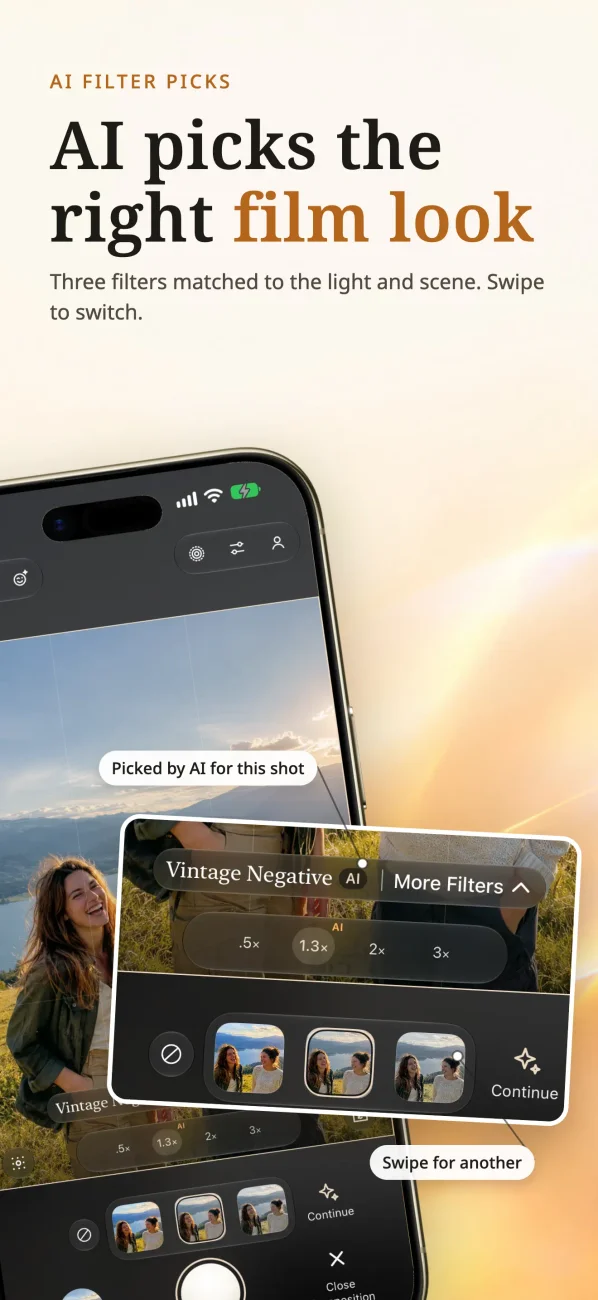
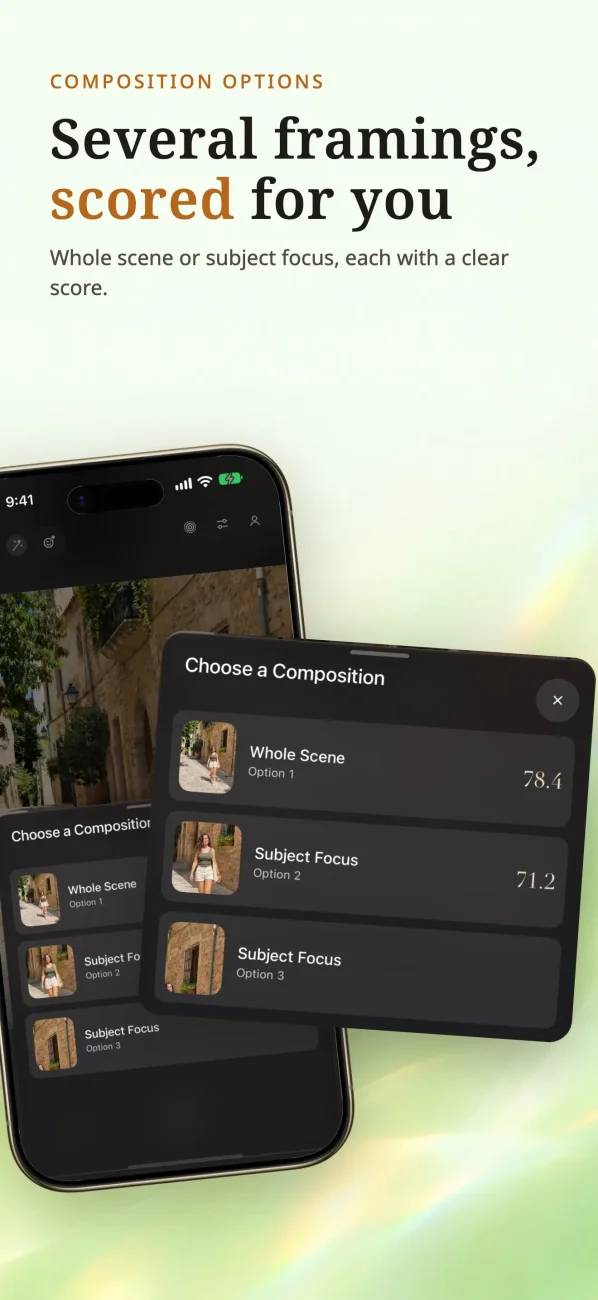
Tap Smart Compose and KAIM analyzes your viewfinder in real time on-device, placing an amber target where the stronger frame lives. Gently tilt your iPhone until the center aligns with the guide: KAIM zooms automatically to the suggested framing and, when AI filter picks are enabled, selects film tones that suit the light—so every shutter press feels intentional.
ANALYZE, ALIGN, CAPTURE
• Analyze: A light sweep scans your viewfinder on-device to detect the subject and stronger crop proportions.
• Align: Follow the amber target cleanly until the progress ring fills—no endless trial-and-error shots.
• Auto-Zoom & Film Picks: KAIM glides to the ideal zoom factor and places matching filter pills above the shutter, ready for quick switching or fine-tuning.
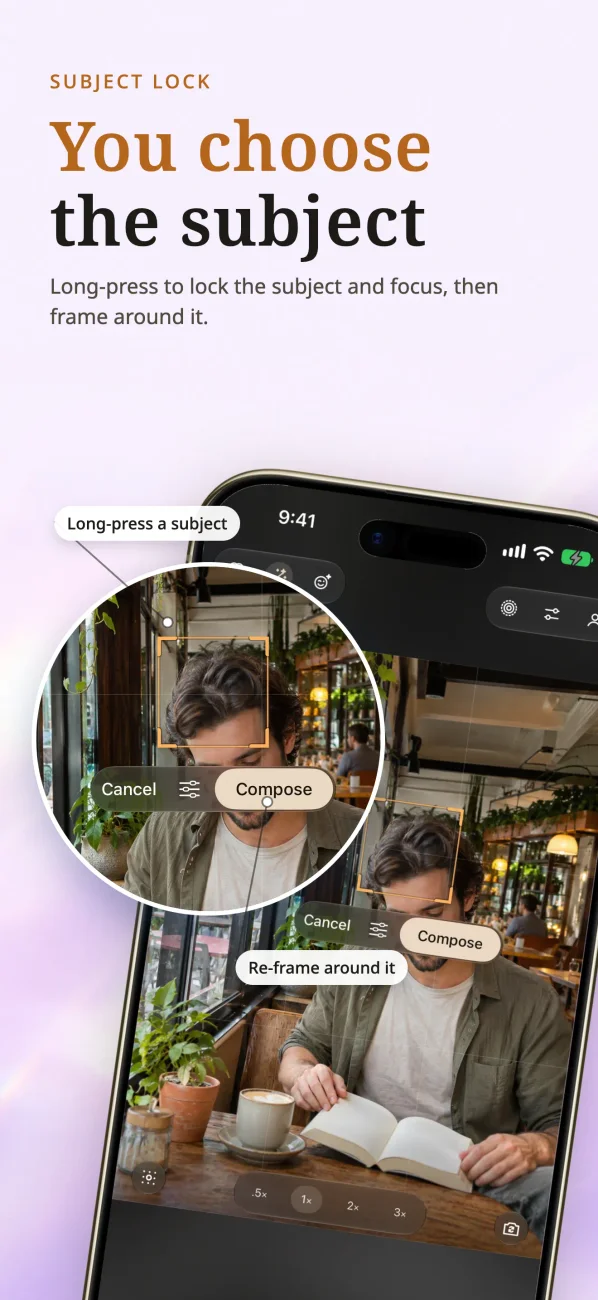
YOU PICK THE SUBJECT
Long-press anywhere on the scene to lock focus and subject tracking on what matters most, then tap Compose to build the frame around it.
14 FILM-INSPIRED LOOKS & .CUBE LUT SUPPORT
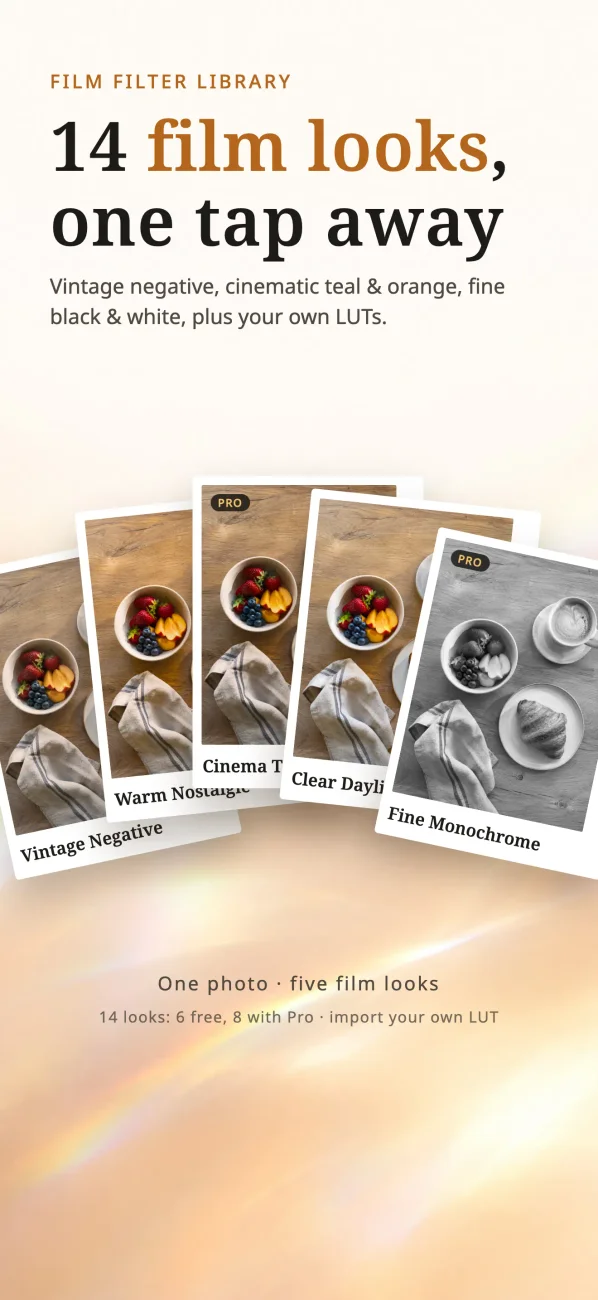
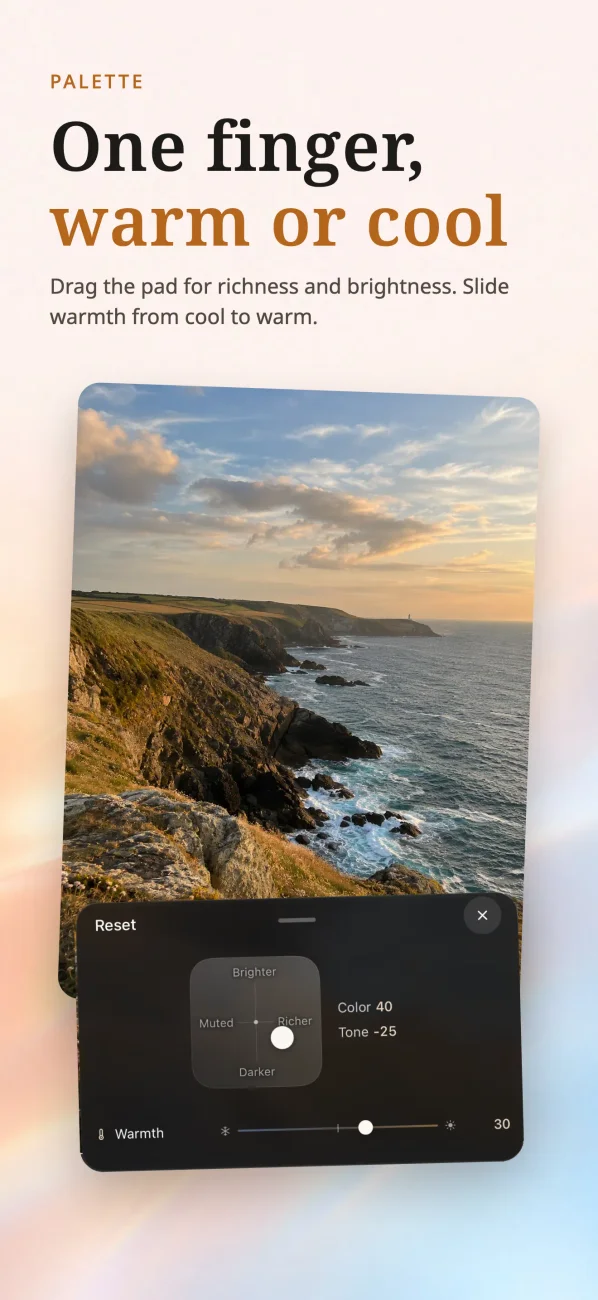
Explore warm nostalgia, clear daylight, cinematic teal and orange, emerald slide, analog glow, and two monochrome styles alongside the original seven looks. Six filters are free to save; eight are Pro. Preview every look live, adjust intensity and 9 controls including grain, halation, vignette and softness, or import your own Rec.709 3D LUTs (.cube). Settings are remembered per filter.
RECOLOR EXISTING LIBRARY PHOTOS
Pick any photo from your library, apply filters and tactile adjustments, press and hold to compare against the original, and save as a fresh copy while keeping the original intact. Long-press the gallery button right after shooting to review or edit your latest shot in one step.
BUILT AS A REAL CAMERA FIRST
• Quick zoom presets and precision zoom ruler, including Ultra-Wide on supported iPhones
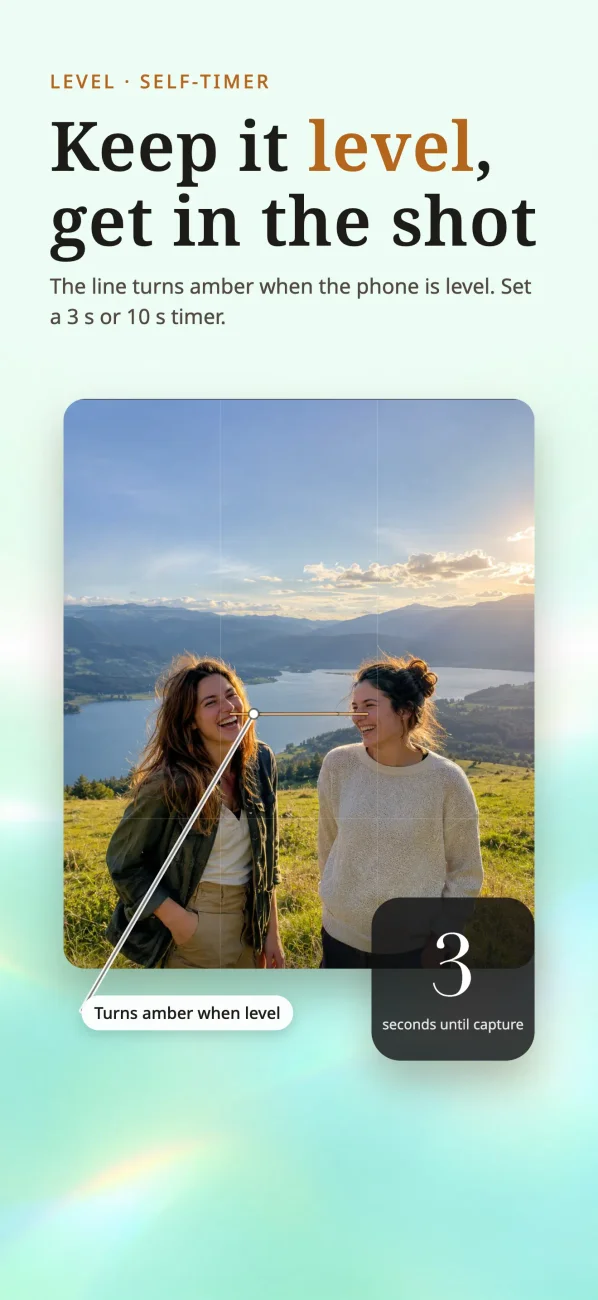
• Live Photos, flash, composition grids, and 1:1, 3:4, or 9:16 aspect ratios
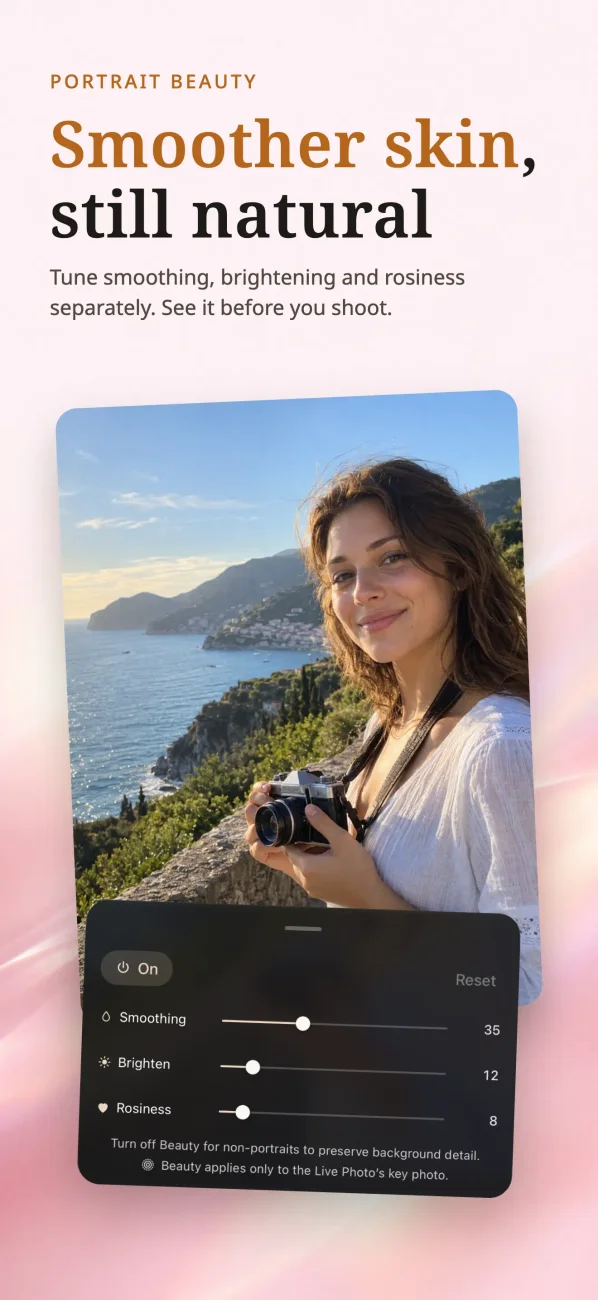
• Subtle beauty controls: skin smoothing, brightening, and rosiness
• Capture Apple Log stills on supported iPhones, restored cleanly to Rec.709
• On-device AI image enhancement for richer tone and detail
• Optional classic camera border displaying device model, date, exposure metadata, and filter badge
• Adjustable guide strength (Low, Medium, High)
• Instant launch from Control Center, Lock Screen, or Camera Control
FREE & KAIM PRO
Download KAIM free with 5 Smart Compose sessions daily and full live camera shooting. Upgrade to KAIM Pro for unlimited Smart Compose, saving photos captured with all eight Pro looks (including Muted Documentary, Natural Color and Classic Contrast), and saving AI-enhanced photos (you can freely preview and test Pro tools before upgrading). Choose Monthly, Yearly (with a 3-day free trial for new subscribers), or a one-time Lifetime unlock. Subscriptions auto-renew and can be canceled anytime in iPhone Settings > Apple Account.
100% ON-DEVICE PRIVACY
Composition intelligence, color pipelines, and AI enhancement run completely offline on your iPhone. Zero accounts, zero ads, zero analytics, and zero third-party SDK tracking—your photos never leave your device. Location tags stay off by default and are written only into photo metadata when enabled.
AVAILABLE IN 15 LANGUAGES
English, Simplified Chinese, Traditional Chinese, Japanese, Korean, German, French, Spanish, Portuguese (Brazil), Thai, Vietnamese, Italian, Dutch, Russian, and Turkish. Switch anytime via Me › General › Language.
Terms of Use: https://cadrilo.pages.dev/en/terms/
Privacy Policy: https://cadrilo.pages.dev/en/privacy/
Requires iOS 18 or later.
Yang baru
Versi 1.2.1 · 24/11/2026
• AI composition now shows which way to turn your phone. On your first shot with a clear framing improvement, you can see the original framing alongside the result.
• When you open the camera or switch lenses, AI composition waits for the viewfinder to be ready so you need fewer retries.
• Tap the album to browse recent shots in a grid. Touch and hold to open the latest photo, then swipe to browse.
• Change the filter on new still photos after shooting, or restore their original colors.
• Fixed an upside-down viewfinder that could appear when AI composition was ready. Analog Glow now preserves more detail in blue skies and reflections.
Privasi aplikasi
Yang dinyatakan 亚娟 秦 di App Store tentang cara aplikasi ini menangani data.
-
Data tidak dikumpulkan
Pengembang tidak mengumpulkan data apa pun dari aplikasi ini.
Praktik privasi dapat bervariasi, misalnya berdasarkan fitur yang Anda gunakan atau usia Anda.
Informasi
- Penjual
- 亚娟 秦
- Kategori
- Foto & Video
- Versi
- 1.2.1
- Diperbarui
- 24/11/2026
- Dirilis
- 3/11/2026
- Ukuran
- 43,9 MB
- Memerlukan
- iOS 18.0 atau yang lebih baru
- Batasan usia
- 4+
- Harga
- Gratis
- Pembelian dalam aplikasi
- Ya
- Bahasa
- Inggris, Belanda, Prancis, Jerman, Italia, Jepang, Korea, Portugis, Rusia, Tionghoa Sederhana, Spanyol, Thai + 3 lainnya
- Hak cipta
- © 2026 yajuan Qin