
calibratr
Monitor calibration for photos
Dirancang untuk iPhone
Pembelian dalam aplikasi
- Batasan usia12+
- KategoriFoto & Video
- PengembangFreshX GmbH
- BahasaInggris
- Ukuran8,8 MB
calibratr mungkin sedang tidak tersedia di App Store
Halaman di toko tidak dapat dijangkau saat terakhir kami periksa. Tautan tetap mengarah ke halaman resmi App Store.
Tangkapan layar
Tentang
Pengembang belum menyediakan teks ini dalam bahasa Anda.
Your photos, the way you edited them.
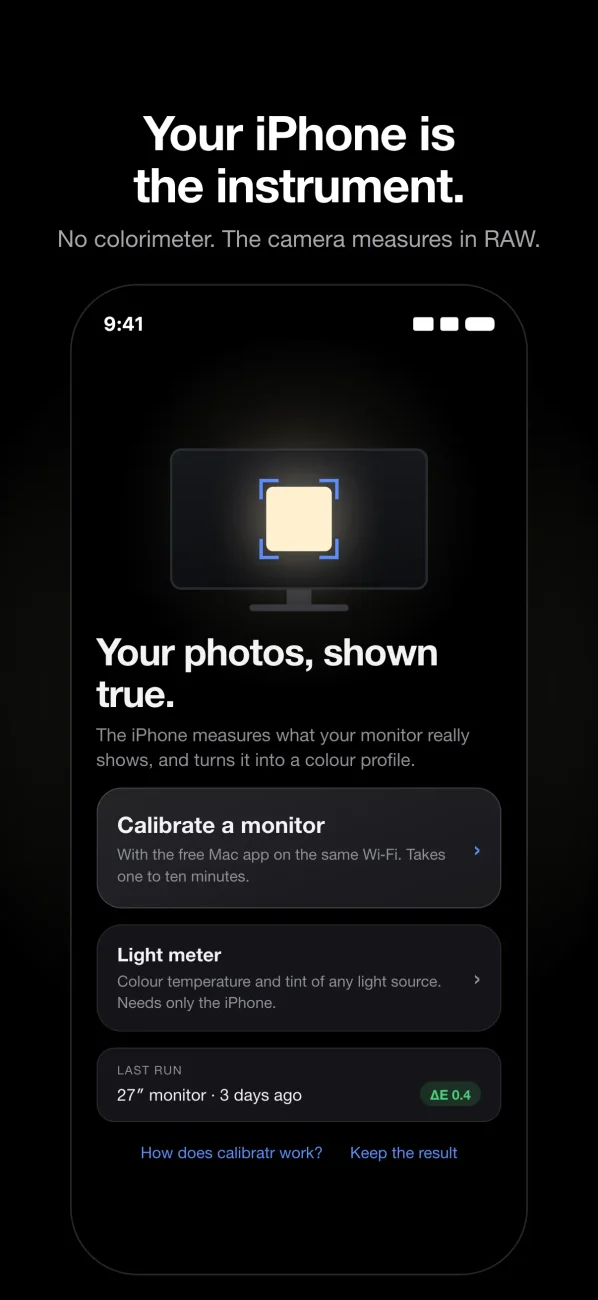
Out of the box, a monitor rarely shows what is in the file: too cool, too blue, with greys that drift in the shadows. Anyone who edits photos then corrects faults that are not in the picture at all. calibratr turns your iPhone into a measuring instrument for displays and makes your monitor trustworthy again.
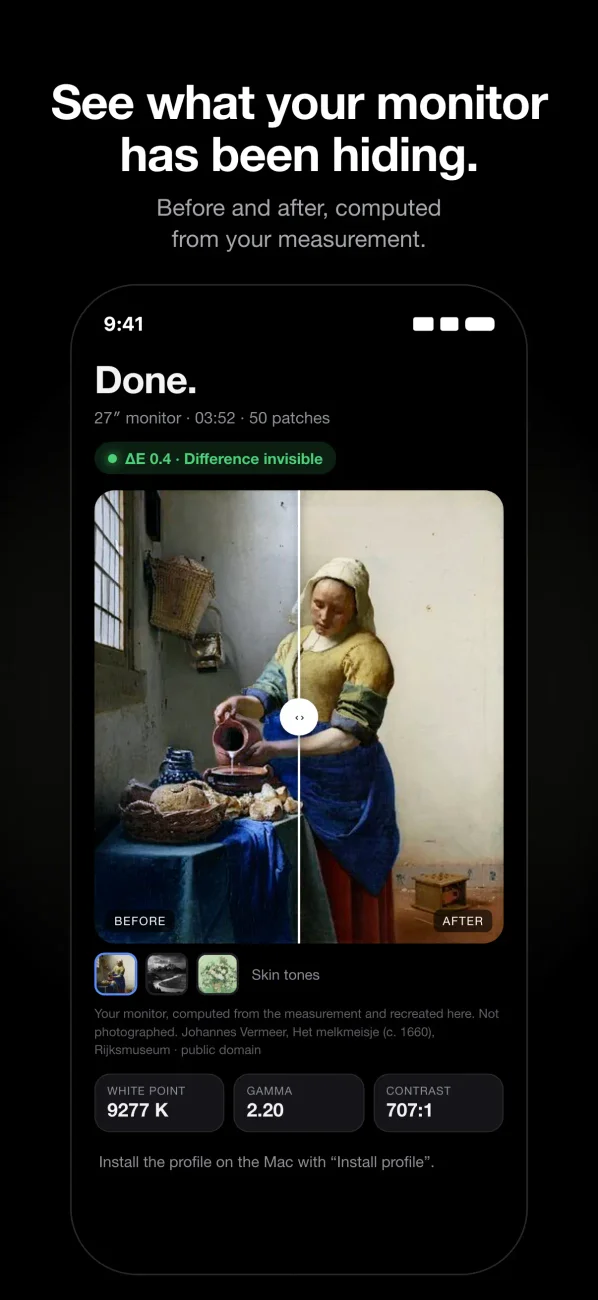
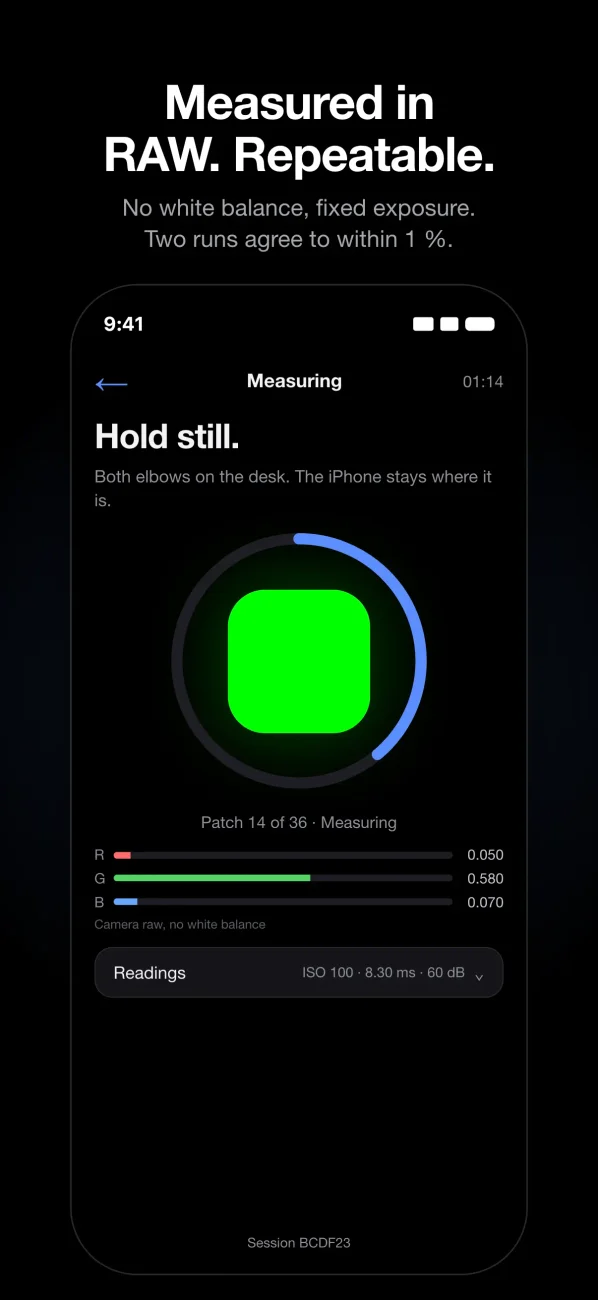
Together with the free Mac app it calibrates your monitor. The Mac shows colour patches, the iPhone measures them in RAW: no image processing, no white balance, fixed exposure. The result is an ICC colour profile for exactly that display. White point, grey balance and tone curves are corrected, and the verification patches show in ΔE how well it went.
HOW IT WORKS
• Open the Mac app and choose “Start calibration”
• Scan the QR code on the screen with the iPhone. Both devices on the same Wi‑Fi, everything stays on the local network
• Hold the iPhone a hand's width from the centre of the screen and start on the iPhone
• One to ten minutes later the result is on the iPhone and the Mac: a before and after picture comparison, plus white point, gamma, contrast, gamut and grey balance
WHAT THE APP DOES WITHOUT A MAC
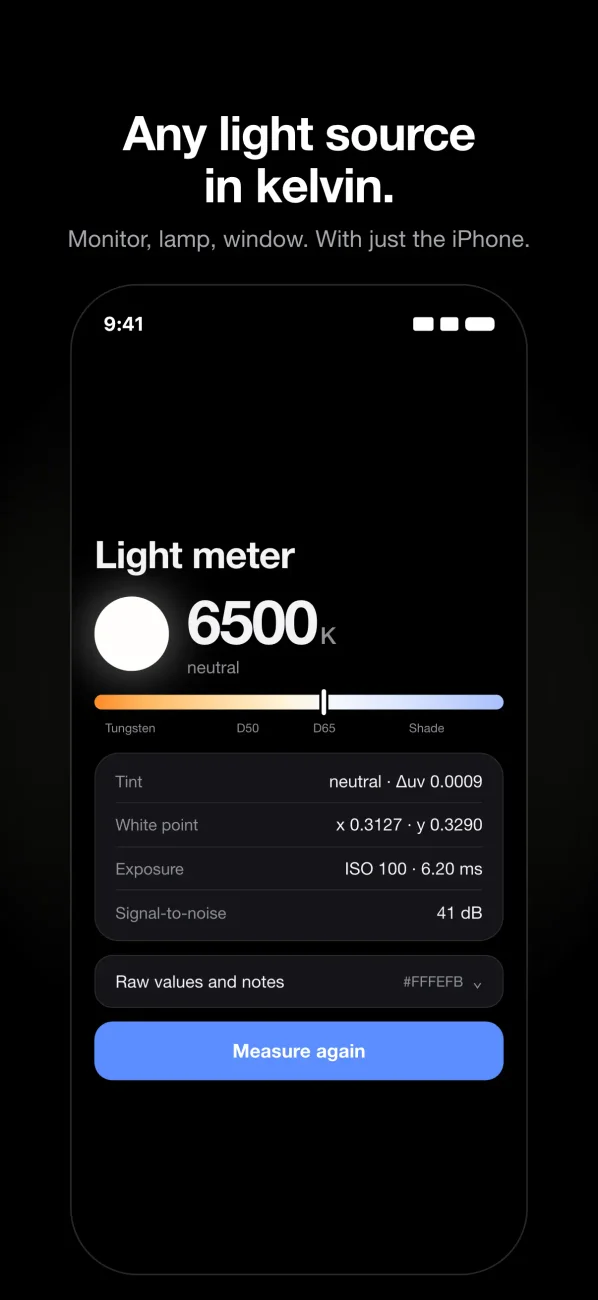
The light meter reads any glowing surface, whether monitor, lamp or window, and shows colour temperature, white point, tint, exposure and signal-to-noise. It needs only the iPhone.
WHAT IT COSTS
Measuring, the report and the picture comparison are free and stay free. The one-time purchase “Keep the result” unlocks installing the finished profile on the Mac: for all your displays, for good. No subscription, no account, no server.
WHAT IT CANNOT DO
A phone camera is not a spectroradiometer. calibratr measures white point, grey balance and tone curves repeatably; it takes the position of the primaries from the monitor's factory profile. There is no absolute luminance in cd/m². If you need a reference instrument for prepress, you need a colorimeter.
REQUIREMENTS
• iPhone with a RAW-capable camera, iOS 16 or later
• For calibration: the free Mac app (calibratr.app.freshx.de), macOS 13 or later
PRIVACY
No accounts, no analytics, no advertising. Shots are reduced to readings on the device and are neither stored nor transmitted. iPhone and Mac connect directly over your Wi‑Fi.
Yang baru
Versi 1.0.18 · 12/10/2026
Several calibrations in a row, without restarting the app. After a measurement the camera stayed blurred, and the code on the Mac could no longer be scanned until the app was closed. The measurement defocuses the camera on purpose so it does not see the monitor's pixels, and never let go of it afterwards. Now the camera focuses again after every measurement, and after the light meter too.
ALSO
• Connecting without the QR code works. An address without a port is completed, and the example in the field shows the right port.
• The session number of the last run is no longer filled in. When a session has expired, the app says so instead of asking about the Wi-Fi.
The Mac app is updated too and is needed for calibration. New there:
• External monitors running in HDR are recognised. In HDR the camera measures macOS's image processing instead of the monitor. The app now says before the start where to switch HDR off.
• If you switch HDR back on later, the app takes the calibration off automatically and puts it back afterwards. A calibration profile otherwise makes HDR content look dull.
• Profiles that name an HDR colour space instead of the monitor's real colours are no longer used. They made colours pale on some monitors.
• The result shows the measured white point and the one from the factory profile side by side, and you can switch between them.
• New expert mode: adjust colour temperature, tint, gamma and black level, with the three comparison pictures as a preview.
• The menu bar responds again while the app is in front.
Privasi aplikasi
Yang dinyatakan FreshX GmbH di App Store tentang cara aplikasi ini menangani data.
-
Data tidak dikumpulkan
Pengembang tidak mengumpulkan data apa pun dari aplikasi ini.
Praktik privasi dapat bervariasi, misalnya berdasarkan fitur yang Anda gunakan atau usia Anda.
Informasi
- Penjual
- FreshX GmbH
- Kategori
- Foto & Video
- Versi
- 1.0.18
- Diperbarui
- 12/10/2026
- Dirilis
- 25/9/2026
- Ukuran
- 8,8 MB
- Memerlukan
- iOS 16.0 atau yang lebih baru
- Batasan usia
- 12+
- Pembelian dalam aplikasi
- Ya
- Bahasa
- Inggris
- Hak cipta
- © FreshX GmbH
Mungkin Anda juga suka
-
 Monitor CalibratorFoto & Video
-
 ImmichTVFoto & Video
-
 Hooks - UGC Video EditorFoto & Video
-
 Actors Mobile ADR™Foto & Video
-
 Mergius: HDR Photo & Tone mapFoto & Video
-
 Magic Snap - Kamera Foto AIFilter Film Retro & Seni AI
-
 Livegrade ViewerFoto & Video
-
 HDR EasyFoto & Video
-
 Photo VectorScopeFoto & Video
-
 Green ScreenerFoto & Video