
ChatZima
AI Chat, Image & Video Maker
Dirancang untuk iPhone, iPad, iPod touch
Gratis · Pembelian dalam aplikasi
- Batasan usia12+
- KategoriProduktivitas
- PengembangAustin Taylor
- BahasaInggris
- Ukuran94,1 MB
Tertaut ke halaman resmi App Store
Download.org tidak menyimpan file ChatZima apa pun. Tombol ini membuka halaman aplikasi di App Store, tempat Austin Taylor menerbitkannya. Halaman terakhir diperiksa pada 23/11/2026.
Tangkapan layar



Tentang
Pengembang belum menyediakan teks ini dalam bahasa Anda.
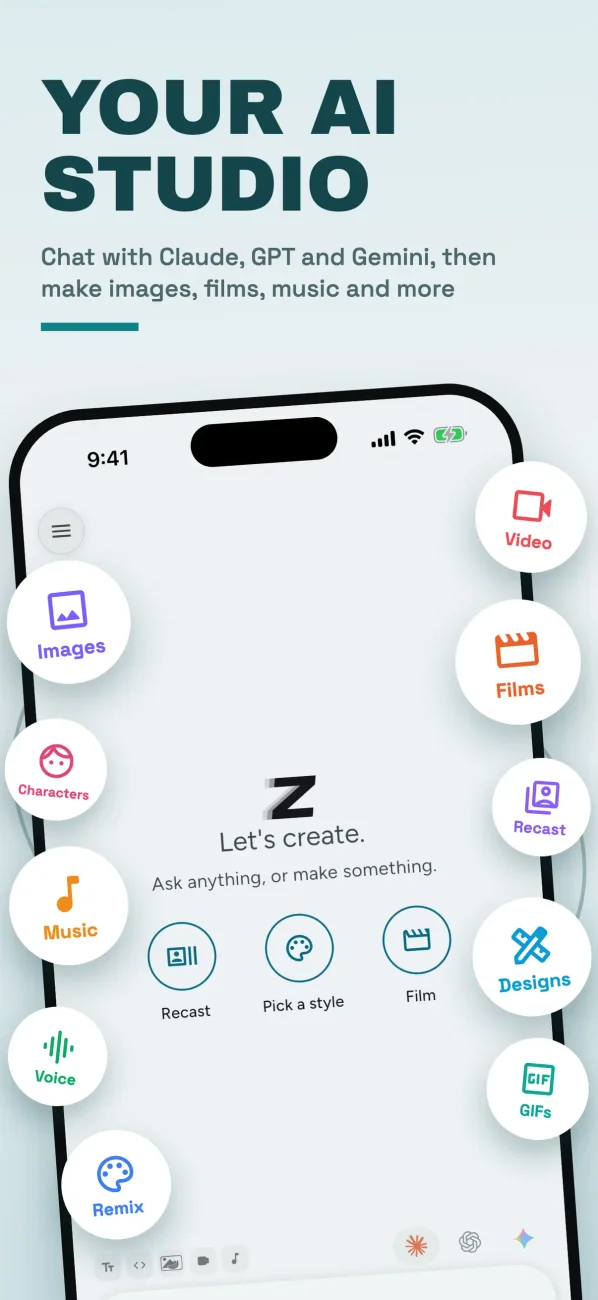
ZIMA is the all-in-one AI chat app: Claude, ChatGPT, and Gemini in one place, plus AI images, video, short films, music, and voice chat. Chat with Claude Fable 5.1 and Claude Opus 5.5 from Anthropic, GPT-6 Astra, GPT-6.1 Sol and GPT-6 Luna from OpenAI, and Google's Gemini 4 Argon and Gemini 3.8 Flash — 32 models, one subscription, one clean, fast interface.
One App. Every Model.
Stop juggling AI subscriptions. Pick the right model for each task, switch mid-conversation without losing context, and turn on extended thinking for hard problems. Start free, no account needed, with Claude Sonnet 5.5, GPT-6 Luna, and Gemini 3.6 Flash. Upgrade to Lite, Pro or Max for every premium model and higher limits, or add extra tokens anytime.
AI Image Generation
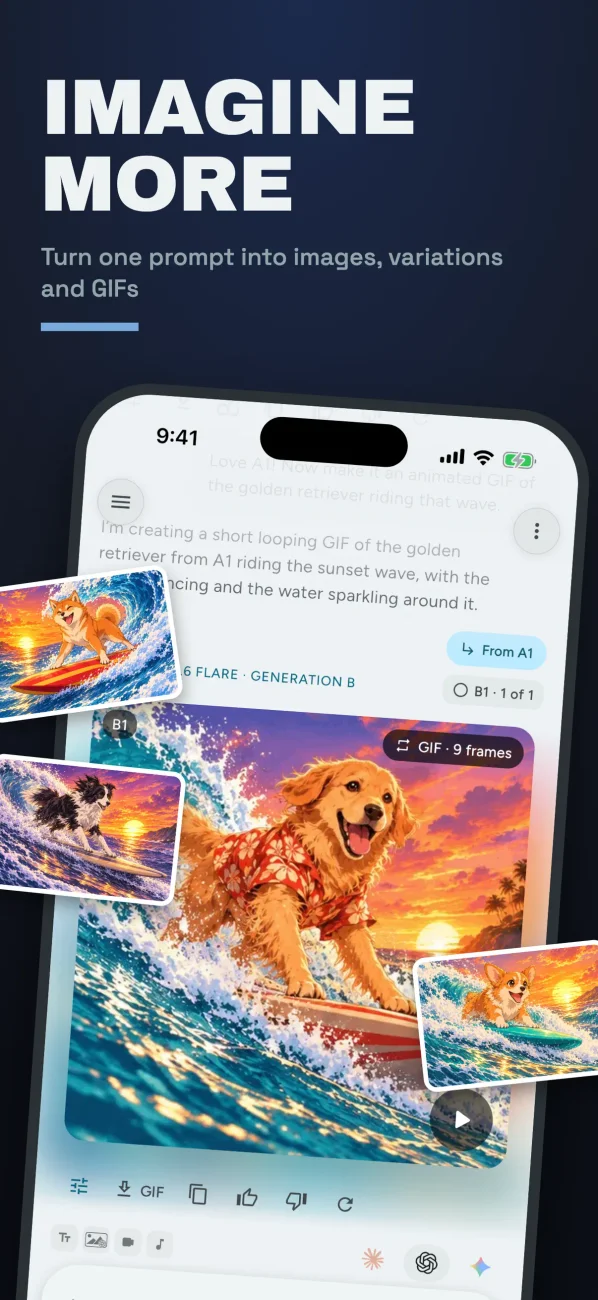
Create images in any chat just by asking, with OpenAI's GPT Image 2.6, Google's Nano Banana 2.1, ByteDance's Seedream 5.0, or Black Forest Labs' FLUX 3. Ask for up to 4 variations, then tap an image's tag, like A2, and say what to change ("make A2 warmer"). Upscale a favorite to 4K, or ask GPT Image for an SVG or a looping GIF.
AI Video Generation
Make short videos with sound in any chat. Gemini Omni Flash 1.2 is the default, or choose ByteDance's Seedance, MiniMax H3, or Kuaishou's Kling 4.0 in Video Options. Bring a photo to life, restyle a video of your own, then edit or extend any clip by asking: "make it nighttime," "keep going."
Make a Film
Type an idea and ZIMA plans the scenes like a director, draws a storyboard with the price up front, then animates each scene, adds music, and cuts it together. Or pick Narrated for a how-to, an explainer, or a story, read by a narrator with word-by-word captions.
Characters & Recast
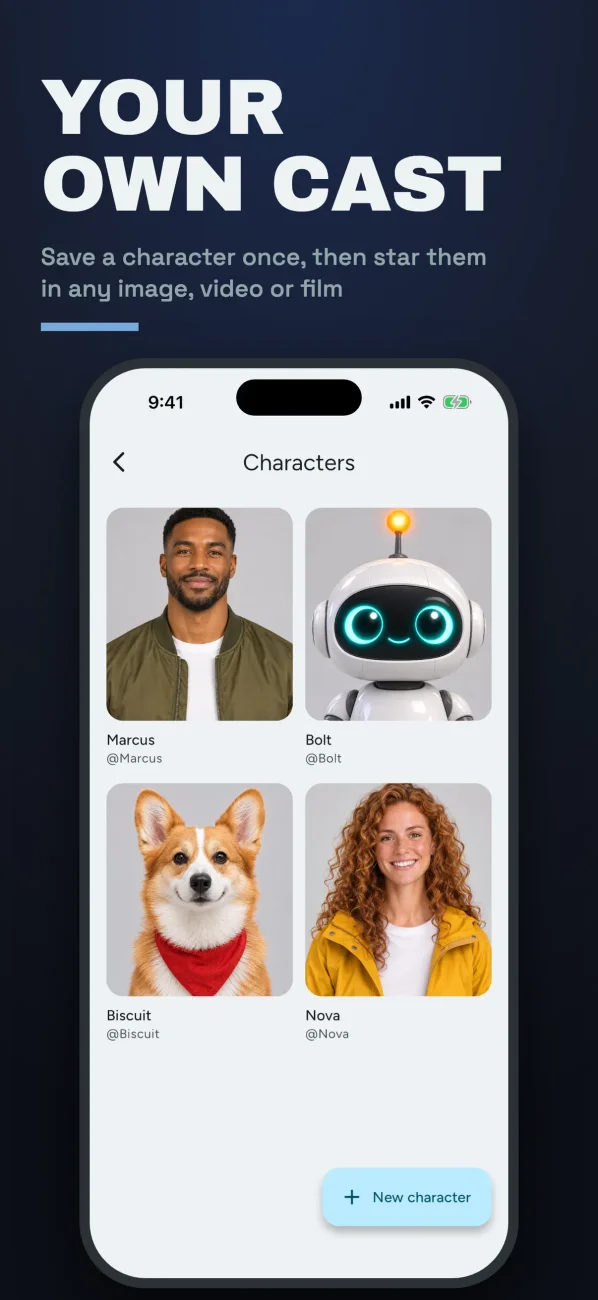
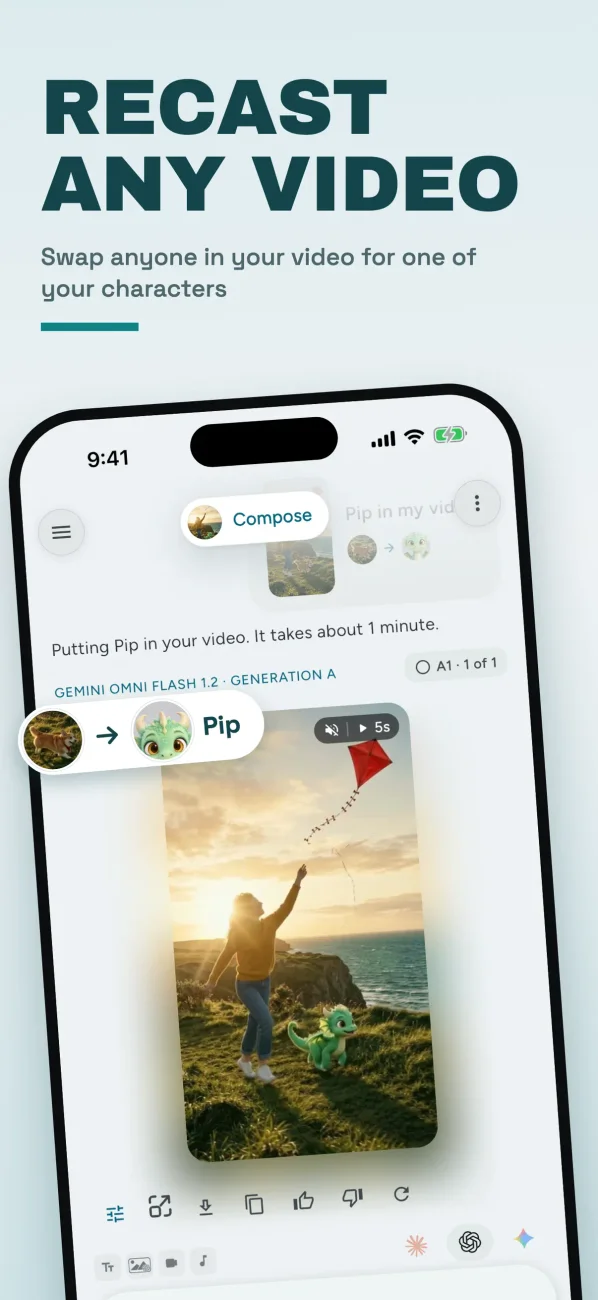
Save a character you made up, or a pet, toy, mascot, or vehicle, then type @ to bring them back looking the same in every picture and film. Recast puts them into one of your own videos: ZIMA finds the people and animals, you choose who takes whose place, and the moves, camera, and sound stay the same.
Pick a Style
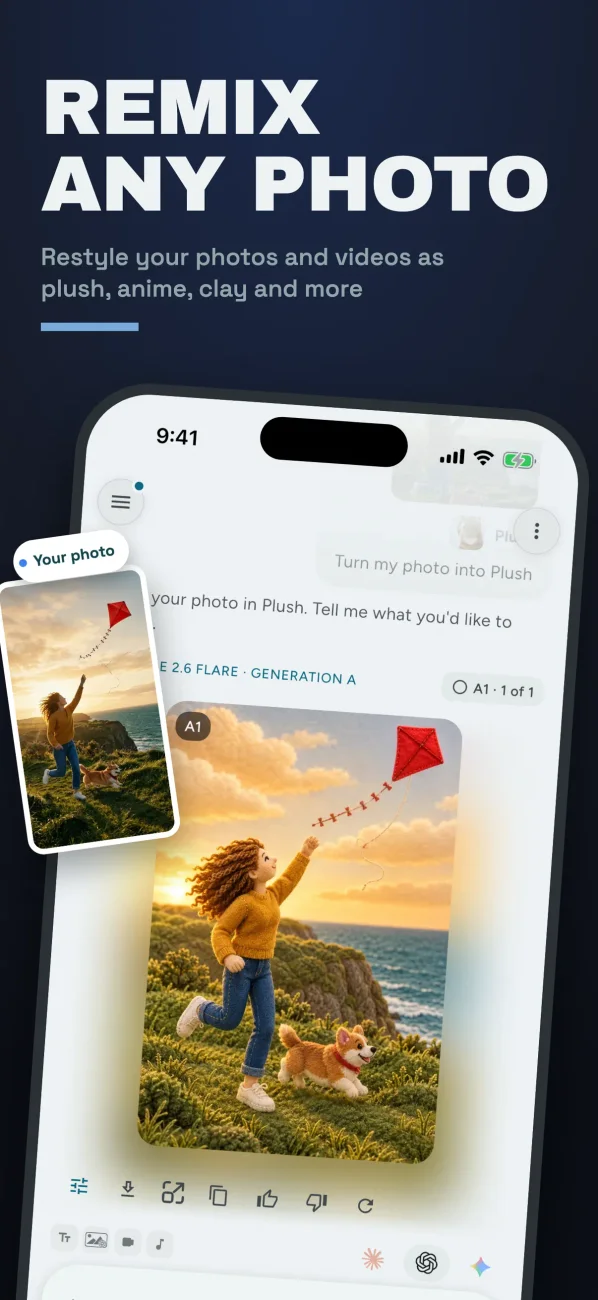
No prompt needed. Tap a look, like Claymation, Anime, or Watercolor, to make an image, video, song, or design, or redraw your own photo or clip in that style.
Music, Sound Effects & Speech
Ask for a song with lyrics or an instrumental, a sound effect, or text read aloud in one of ten natural voices. Powered by ElevenLabs.
Compose & Gallery
Cut your clips, images, and music into one video in Compose, the built-in editor. Everything you make is kept in your Gallery to browse, search, save, and share.
Voice Chat & Dictation
Hold the mic for a spoken conversation with ChatGPT or Gemini. Show it a photo, share your camera with Gemini, and get answers from the live web. Or tap the mic to dictate.
Designed Documents & Real Files
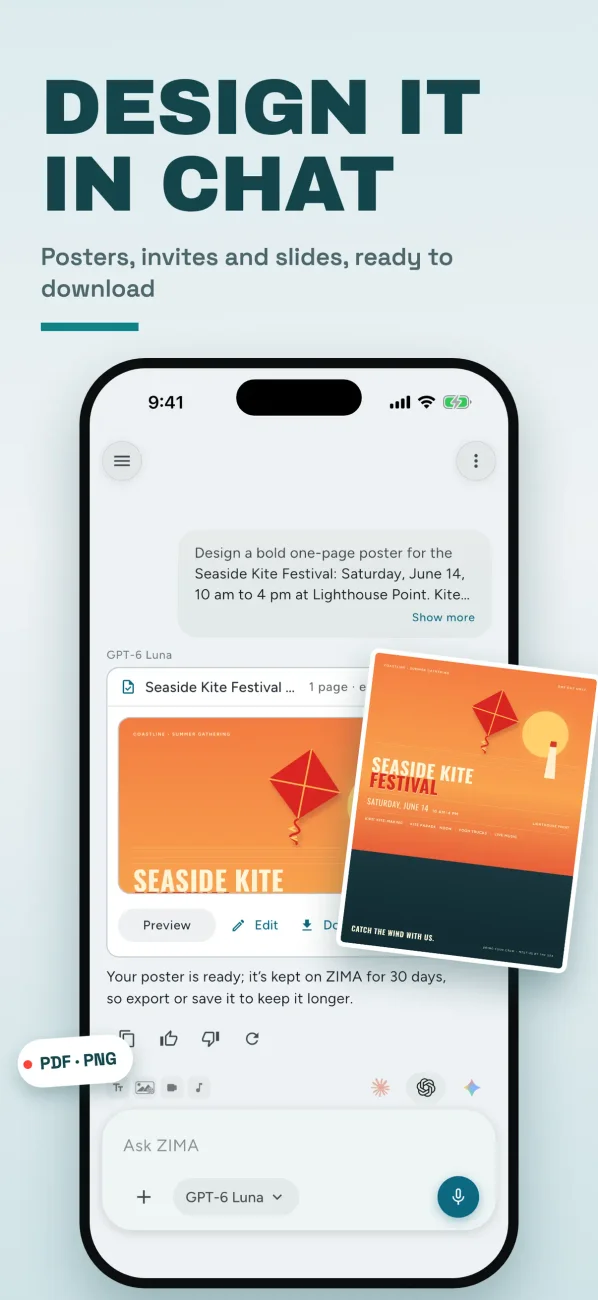
Ask for a report, résumé, slide deck, invite, or website and watch ZIMA design it live in the chat, then download it as a PDF, Word, or PowerPoint file. Spreadsheets too.
Web Search & Link Reading
Answers grounded in the live web, with sources you can tap. Paste a link and ask about it, or have ZIMA pull real photos from the web.
Gmail & Google Drive
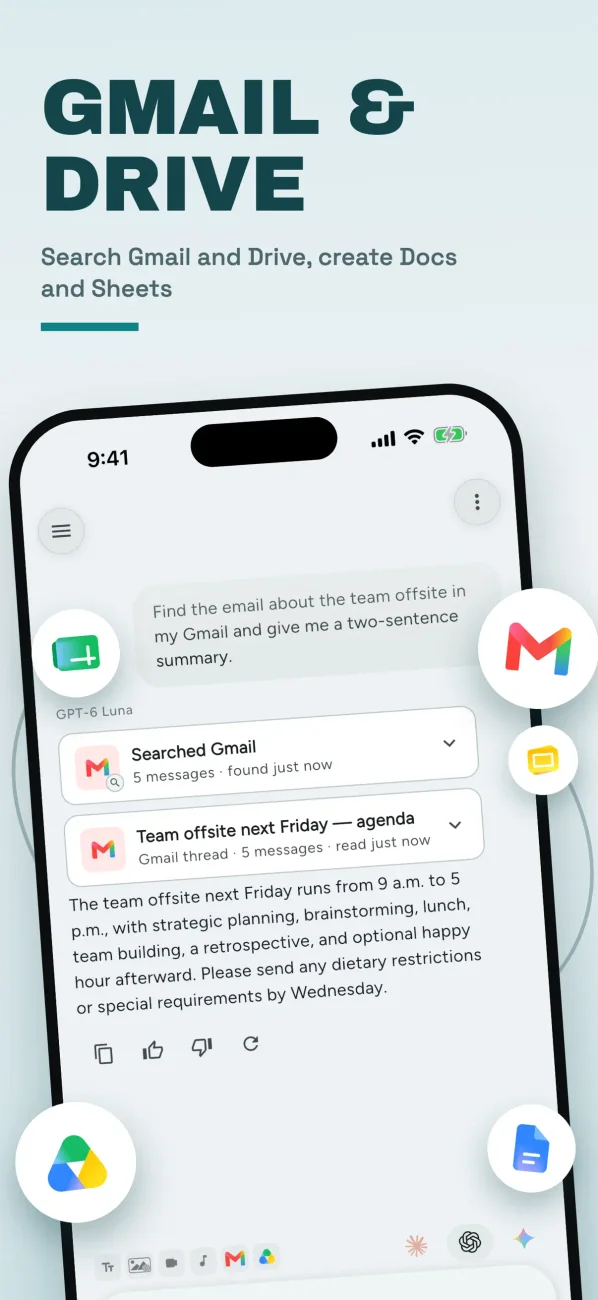
Connect your Google account and ZIMA can search your email and files. It drafts emails for you to send yourself (ZIMA never sends) and creates Google Docs, Sheets, Slides, and Forms in your Drive. Every read shows a card in chat, so you know what was accessed.
Upload & Ask
Attach images, PDFs, Word docs, and spreadsheets. ZIMA reads them and remembers earlier attachments in long conversations.
Always Organized
Every chat is saved, searchable, and synced between iOS and the web. Turn on notifications and ZIMA tells you when a film, video, or song is done.
Clear Privacy
Your messages go to the provider of the model you pick, solely to generate your reply — never to train AI models. A plain-language "AI & Your Data" page shows exactly what ZIMA shares with AI providers, before first use and anytime in Settings.
Terms of Use: https://chatzima.com/terms-of-service
Yang baru
Versi 1.6.23 · 21/11/2026
Films, characters, and a lot more to make
Make a film
Tap +, then Film, and type your idea. ZIMA plans the scenes like a director and draws a storyboard, so you see every scene and the price before anything is made. Each scene gets a start and an end picture, and its clip moves from one to the other. Then ZIMA animates the scenes, scores them with music, and cuts the film on the beat. Add photos or a video to show a place, a product, or a move to follow, and pick the shape, the length, the video model, and how many scenes. Films run 15 seconds, or 30 on Max. On the Free plan, your first 15-second film is on us.
Narrated shorts
Pick Narrated for a how-to, an explainer, a story, or a "what if." ZIMA writes the script and draws every scene in one style, and a narrator reads it while the captions light up word by word.
Characters
Save a character you made up, or a pet, toy, mascot, or vehicle, from any picture, or describe one and choose from four takes. Type @ to bring them back looking the same in every new picture and film. Open a character to change them: "give them glasses."
Recast
Put your saved characters into one of your own videos. Tap +, then Recast, and pick a video. ZIMA finds the people and animals in it, cartoon characters too, and you choose who takes whose place. The moves, the camera, and the sound stay the same. If the list looks wrong, tap Scan again for a deeper scan.
Pick a style
Make something without writing a prompt. Choose a look for an image, video, song, or design. The Remix tab shows real photos and clips redrawn in each style: tap one, then use your own photo or video to redraw it the same way.
Design it in chat
Ask for a report, résumé, slide deck, invite, or website and ZIMA designs it live in the chat. Say what to change, then download it as a PDF, Word, or PowerPoint file.
Compose
Cut your clips, images, and music into one video on a timeline, with transitions and a volume for each clip. Open Compose from a chat with a video, or start a new reel from Reels in the side menu.
Your own videos
Attach a video to any chat and trim it. Remix edits the video itself, and Reference makes a new clip in its look.
Upscale
Make a bigger, sharper copy of an image or clip you like without making it again. A finished 720p film can go to 1080p.
Extra tokens
Need more for a big day? Buy a one-time pack of tokens for chat, images, video, audio, or voice, next to the plans in Upgrade.
New models
Gemini 4 Argon and GPT-6.1 Sol, plus two more free models: GPT-6.1 Terra and Claude Haiku 5.5. For images, GPT Image 2.6, Nano Banana 2.1, and FLUX 3. For video, Gemini Omni Flash 1.2 and Kling 4.0. Ask GPT Image for an SVG or a short looping GIF, and save the file itself.
Also in this release
Buttons on the home screen to start a film, a recast, or a style, and a simpler + menu.
Photos upload as you send, with a progress bar on each one.
Rough drafts appear while GPT Image works.
Split a clip at the playhead in Compose.
Small fixes and polish throughout.
Privasi aplikasi
Yang dinyatakan Austin Taylor di App Store tentang cara aplikasi ini menangani data.
-
Data yang ditautkan dengan Anda
Dapat dikumpulkan dan ditautkan dengan identitas Anda.
- Pembelian
-
Data yang tidak ditautkan dengan Anda
Dapat dikumpulkan, tetapi tidak ditautkan dengan identitas Anda.
- Lokasi
- Info kontak
- Konten pengguna
- Pengenal
- Data penggunaan
- Diagnostik
Praktik privasi dapat bervariasi, misalnya berdasarkan fitur yang Anda gunakan atau usia Anda.
Informasi
- Penjual
- Austin Taylor
- Kategori
- Produktivitas
- Versi
- 1.6.23
- Diperbarui
- 21/11/2026
- Dirilis
- 13/3/2026
- Ukuran
- 94,1 MB
- Memerlukan
- iOS 15.0 atau yang lebih baru
- Batasan usia
- 12+
- Harga
- Gratis
- Pembelian dalam aplikasi
- Ya
- Bahasa
- Inggris
- Hak cipta
- © 2026 Taylor Tech
Mungkin Anda juga suka
-
 Mindo - Agen Chat AIAsisten Pencarian Gambar Bot
-
 Crompt AI - Chatbot MultimodalBanyak model AI & gambar
-
 Afterform: Edit Foto AIBuat Video, Gambar & Musik
-
 Fambot: AI Family AssistantProduktivitas
-
 OneClaw - Personal AI BuddyProduktivitas
-
 ChatUp: AI Chat Bot AssistantProduktivitas
-
 Hope: Anything AppProduktivitas
-
 Ryddle – Akses Semua AIBandingkan Model AI
-
 Multi Chats - AI ChatbotProduktivitas
-
 ZeroTwo: AI Chat & AssistantProduktivitas