CheckPad - Checklist
Feels like a real memo pad
Dirancang untuk iPhone
Gratis · Pembelian dalam aplikasi
- Batasan usia4+
- KategoriProduktivitas
- PengembangAtsushi Ito
- BahasaInggris+ 1 lainnya
- Ukuran72,7 MB
Tertaut ke halaman resmi App Store
Download.org tidak menyimpan file CheckPad - Checklist apa pun. Tombol ini membuka halaman aplikasi di App Store, tempat Atsushi Ito menerbitkannya. Halaman terakhir diperiksa pada 25/11/2026.
Tangkapan layar

Tentang
Pengembang belum menyediakan teks ini dalam bahasa Anda.
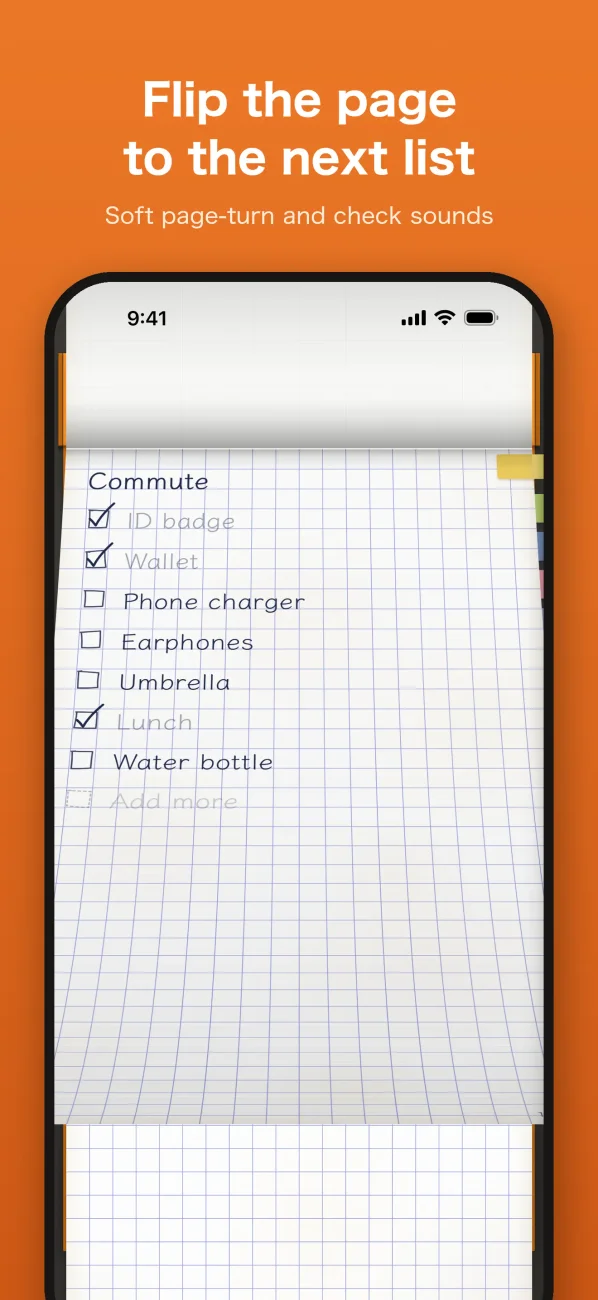
CheckPad is a checklist app that feels like writing on a grid paper memo pad: for packing, shopping, and last checks before you head out.
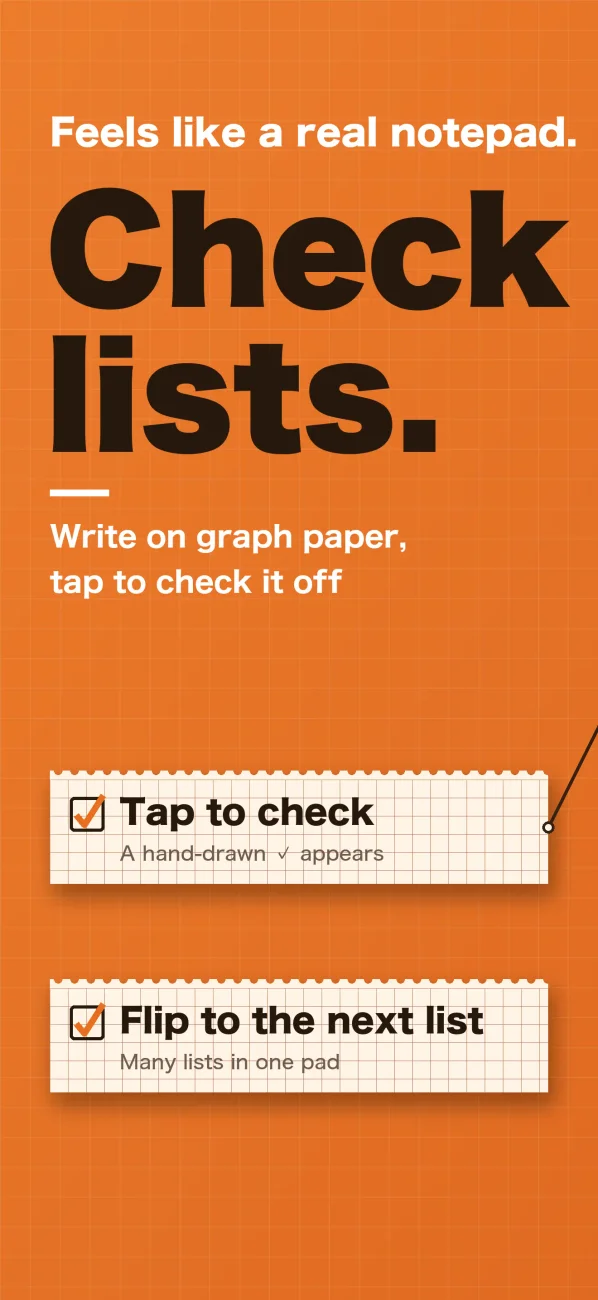
What matters most is how it feels — just like a real memo pad.
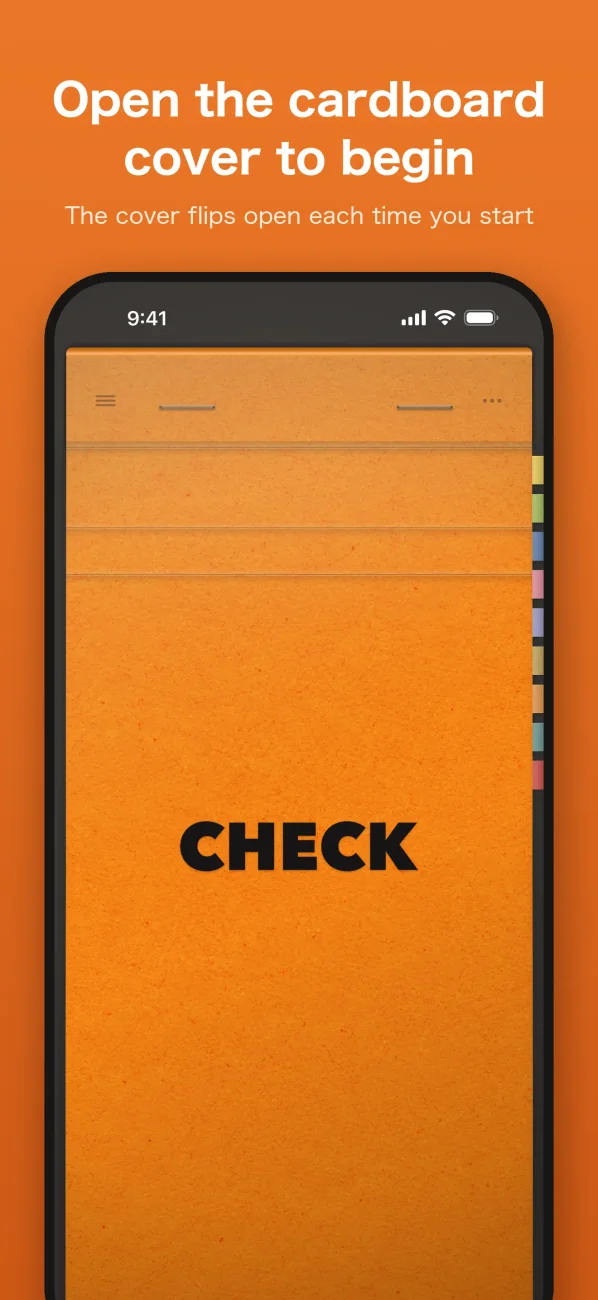
Packing, shopping, last checks before you head out. Open the cover, write, check things off, and tear the page away when you're done. All the satisfaction of a paper pad, right in your hand.
- Just like a real memo pad
• Grid paper texture, light on the cover, and paper that shows its use.
• 5 paper types — grid, light grid, dot, lined, or blank. Switch anytime in Settings.
• Flip pages up to move between lists.
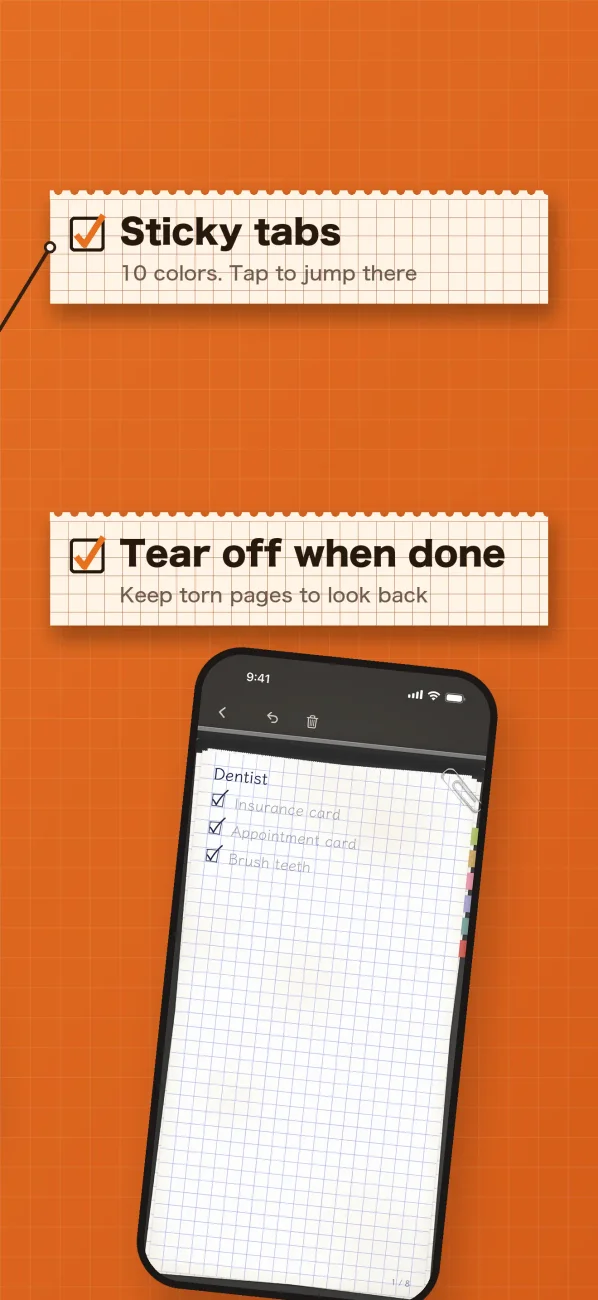
• Tear off a page along the perforation when you're done. Torn pages are kept in "Torn Pages," so you can look back or use them again.
• When you open the app, the cover opens.
• Pages flipping, the cover opening, check marks, pages tearing, sticky notes — all kept soft.
• You can turn animations and sounds off in Settings.
- Write and check
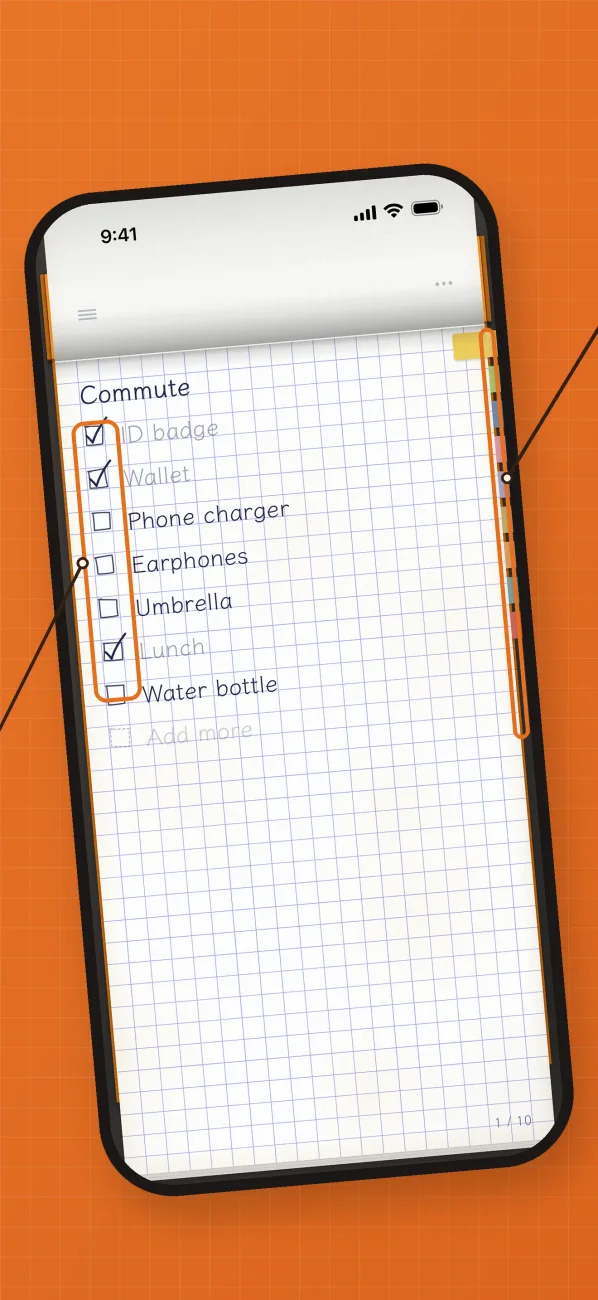
• One checklist per page — just add a title and items.
• Tap an item to check it. Uncheck everything to use a list again.
• Use Edit to rewrite or reorder items.
• Share any list as text.
• A short tutorial lets you try each step the first time you open the app. Open How to Use in Settings any time.
- Sticky notes
• Give each list a sticky note in one of 10 colors.
• Write a label of up to 3 characters on a sticky note. The first character shows from other pages.
• Notes peek out from the right edge of the pad — tap one to flip to that list. Tap the right edge to stick one at that height.
- Start from an example
• Get going quickly with examples like Commute, Travel Packing, Weekend Shopping, Gym Bag, and Camping Gear. Look inside an example before you add it.
- Choose the look
• Paper: Grid / Grid (Light) / Dot / Lined / Blank
• Paper color: White / Cream
• Paper and cover condition: New / Worn / Vintage (Worn unlocks after you open the app on 7 days, Vintage after 30; right away with Premium)
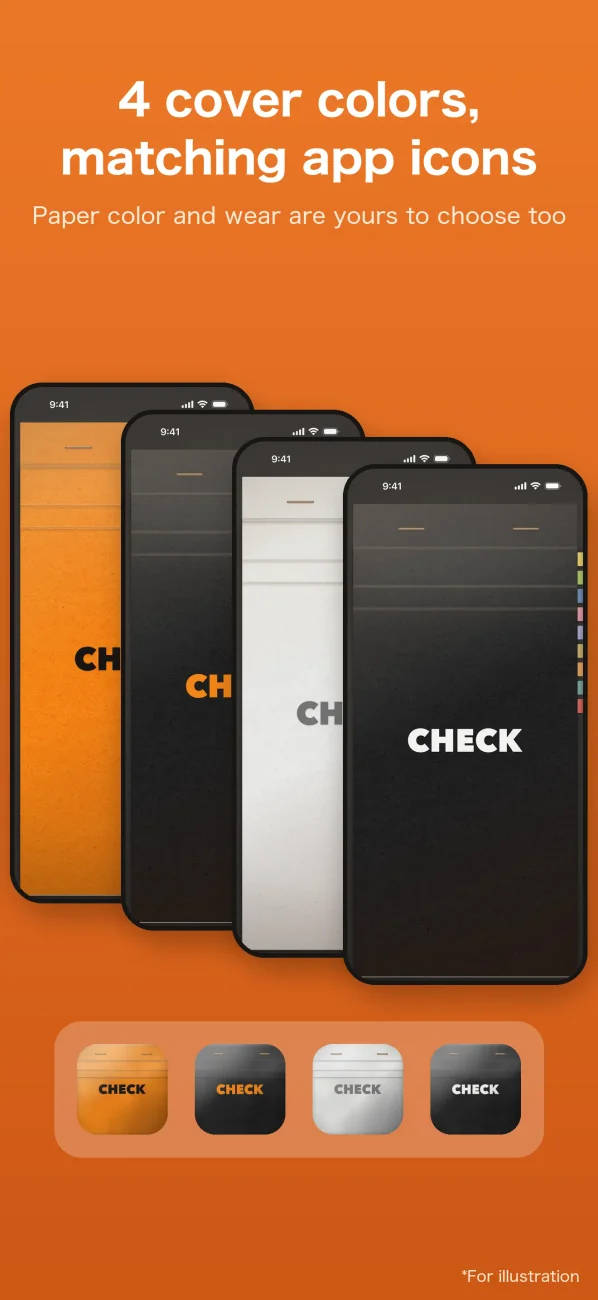
• Cover: textured like real cardstock. Orange / Black / White / Black (White Logo). You can also hide the cover logo. Your Home Screen icon matches your cover
• Font: Handwriting / Pencil / Sign Pen / Quirky / Scribble / System
• Background: Black / Walnut / Birch / Maple / Old Desk / Gray
• Ink color: Blue-Black / Black / Sepia / Green
• Text size: Small / Medium / Large / Extra Large / Automatic
- Private and secure
• Lock the app with Face ID or Touch ID.
• No ads. No analytics. No tracking.
• What you write stays on your device.
• Manual backup to a file and restore are free.
- Premium (one-time purchase)
Buy once, keep it forever.
• Unlimited items (free: up to 8 per page)
• Unlimited checklists (free: up to 3, torn pages included)
• Automatic iCloud backup
• Worn and Vintage looks right away
Terms of Use (EULA): https://www.apple.com/legal/internet-services/itunes/dev/stdeula/
Privacy Policy: https://daily-apps-showcase.pages.dev/privacy/checkpad/#en
Yang baru
Versi 1.1.2 · 24/11/2026
Minor improvements.
Privasi aplikasi
Yang dinyatakan Atsushi Ito di App Store tentang cara aplikasi ini menangani data.
-
Data tidak dikumpulkan
Pengembang tidak mengumpulkan data apa pun dari aplikasi ini.
Praktik privasi dapat bervariasi, misalnya berdasarkan fitur yang Anda gunakan atau usia Anda.
Informasi
- Penjual
- Atsushi Ito
- Kategori
- Produktivitas
- Versi
- 1.1.2
- Diperbarui
- 24/11/2026
- Dirilis
- 30/9/2026
- Ukuran
- 72,7 MB
- Memerlukan
- iOS 17.0 atau yang lebih baru
- Batasan usia
- 4+
- Harga
- Gratis
- Pembelian dalam aplikasi
- Ya
- Bahasa
- Inggris, Jepang
- Hak cipta
- © 2026 Atsushi Ito
Mungkin Anda juga suka
-
 Cetak Kertas GrafikTemplat & Planner Siap Cetak
-
 to.morrowProduktivitas
-
 TimeLog – Simple NotesProduktivitas
-
 Noteleaf: Handwritten NotesProduktivitas
-
 Notes Hive - Notepad & ListsProduktivitas
-
 SwiftSearch in PDFsProduktivitas
-
 Pengelola Tugas:TodoBlazePerencana & Pelacak Harian
-
 SmartLists: Voice AI Todo ListProduktivitas
-
 iXToolProduktivitas
-
 99 TasksProduktivitas