
- Batasan usia4+
- KategoriMusik
- PengembangJonathan Froese
- BahasaInggris+ 7 lainnya
- Ukuran15,3 MB
Tertaut ke halaman resmi App Store
Download.org tidak menyimpan file ChoirXML apa pun. Tombol ini membuka halaman aplikasi di App Store, tempat Jonathan Froese menerbitkannya. Halaman terakhir diperiksa pada 21/11/2026.
Tangkapan layar



Tentang
Pengembang belum menyediakan teks ini dalam bahasa Anda.
ChoirXML reads printed choral scores and turns them into MusicXML – the file every common notation app can open. An old sheet, a scan or a photo becomes an editable score you can listen to, transpose, re-engrave or share with your choir.
IMPORT
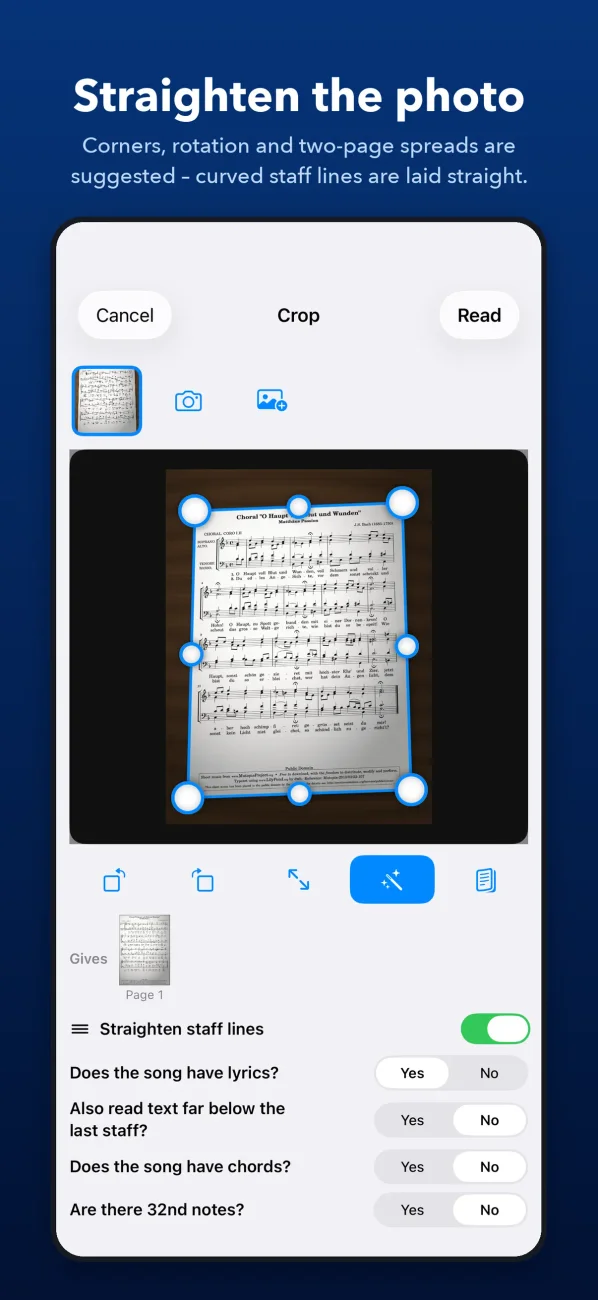
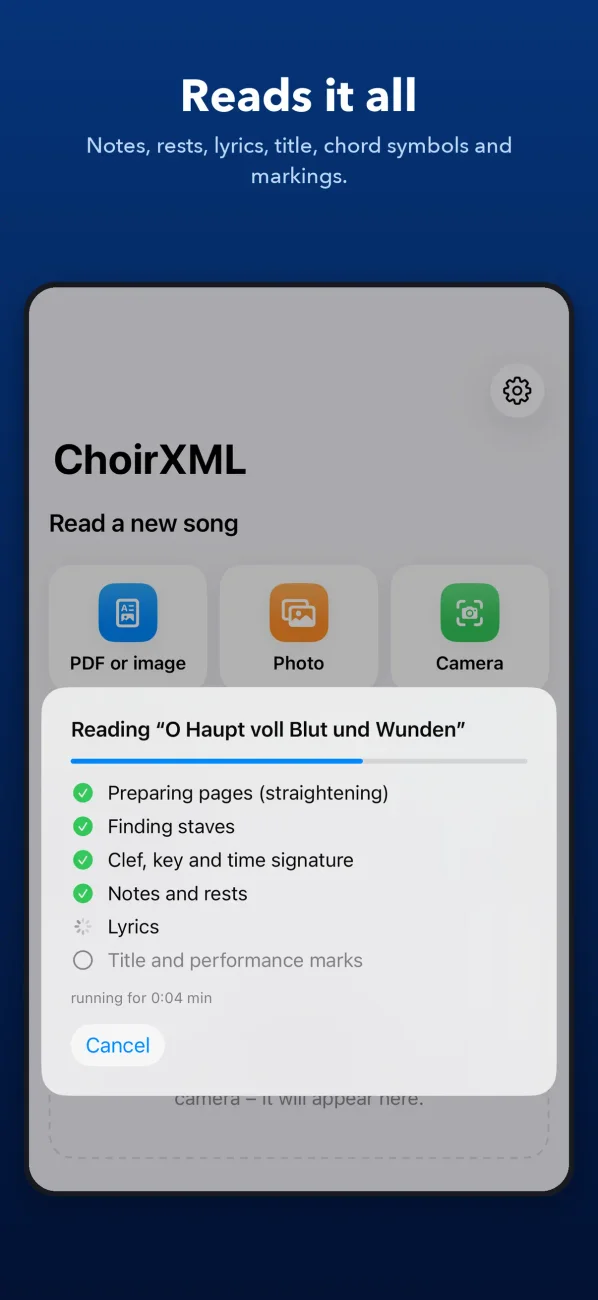
• PDF or image from Files, a photo from your library, or scan with the camera
• share music straight to ChoirXML from other apps such as Mail or WhatsApp
• several pages into one song
• pages are straightened automatically
• choose the kind of score or let ChoirXML tell: choir, piano, choir with piano, instrumental
RECOGNITION
• staves, clefs, key and time signatures, including changes along the way
• notes and rests down to sixteenths, dots, triplets, chords and several voices per staff
• ties, slurs, fermatas, multi-bar rests and pickup bars
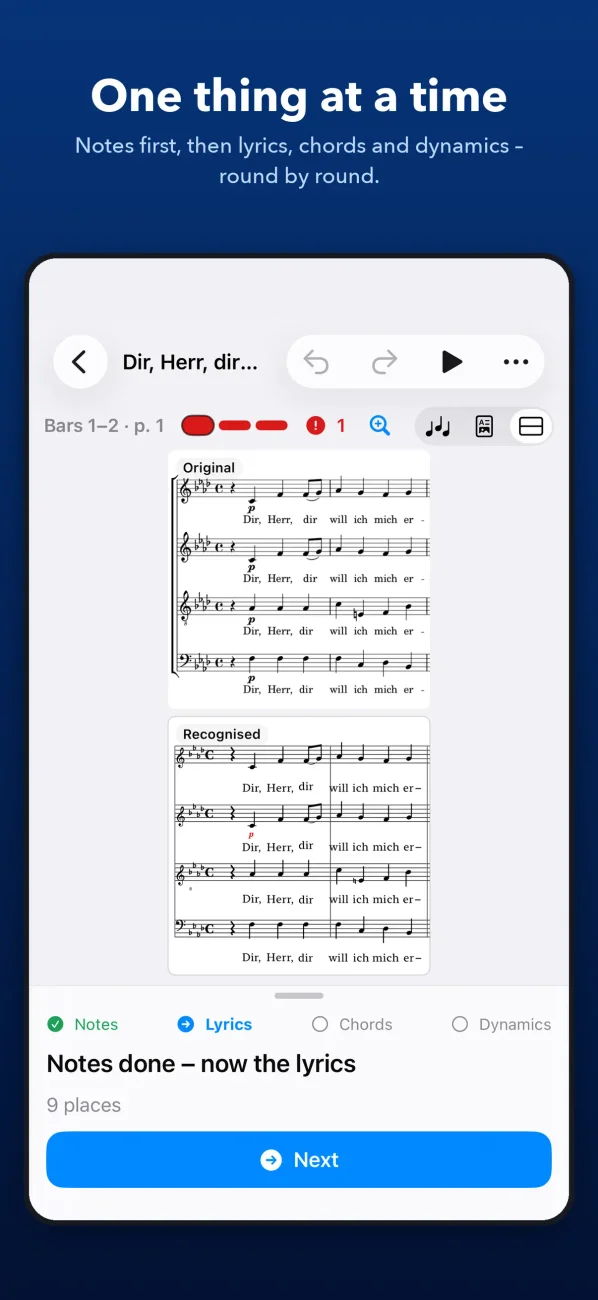
• lyrics with several verses – even when printed once for all voices
• dynamics (pp to ff), crescendo and diminuendo hairpins, accents, staccato, tenuto and breath marks
• chord symbols above the notes
• pale, grey photocopies too
CHECK AND CORRECT
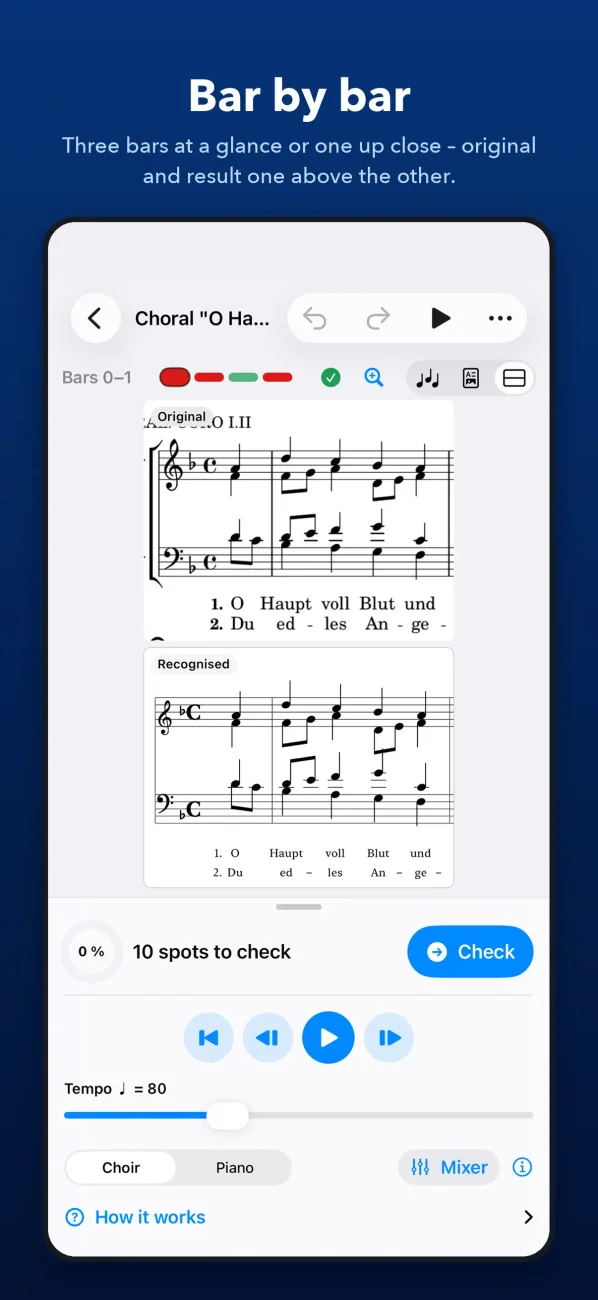
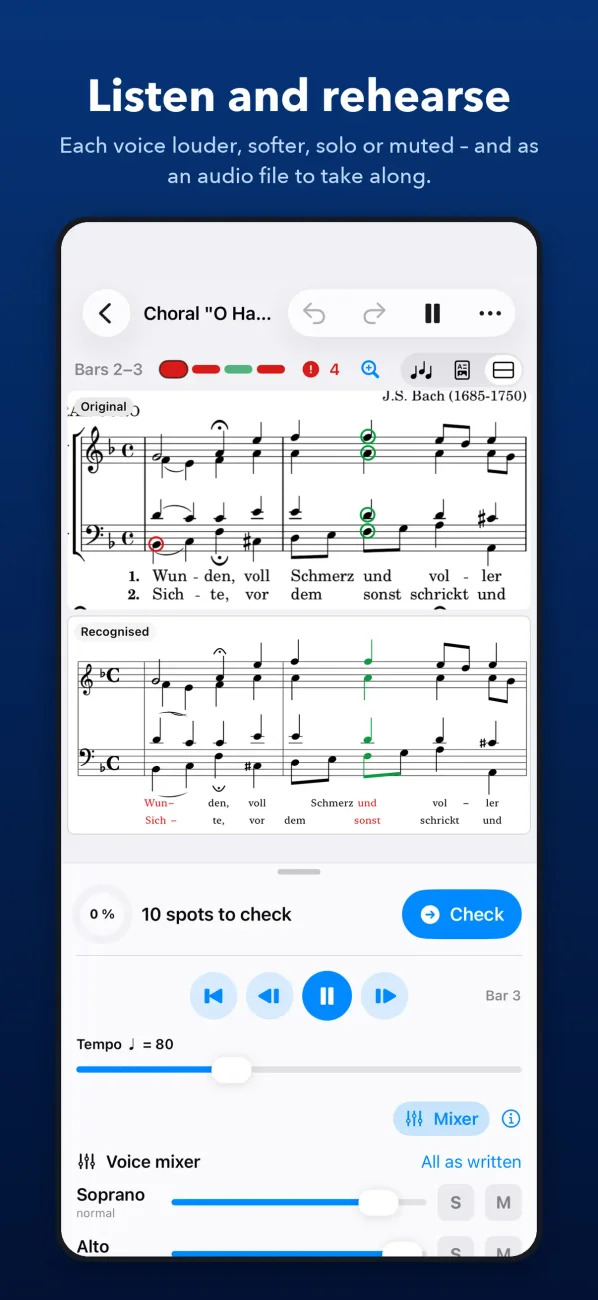
Your original on top, the recognised music below – bar by bar in the same place. Only what was uncertain is marked in red, and ChoirXML asks exactly about it: Is the length right? Is the pitch right? Does this syllable belong to this note? A loupe shows that spot of the original.
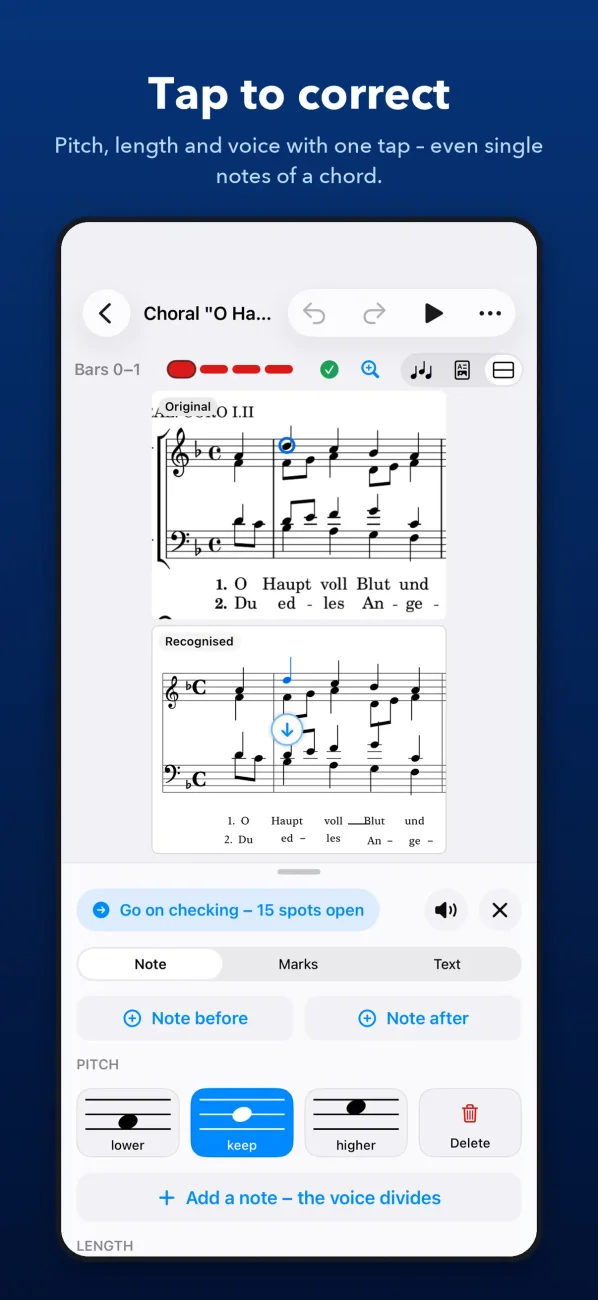
• tap a note to change pitch, length, accidental, voice or expression
• delete single notes of a chord
• insert missing notes for one voice or for both – also onto the stem of a note where the voice divides
• insert missing bar lines, set or remove a pickup bar
• confirm a voice that sings only a few notes of its own right where they stand
• assign a syllable by tapping its note
• set clefs, keys, time signatures, slurs, fermatas, final bars and repeats
• undo and redo every change
LISTEN
Play back what was recognised before you share it: with a recorded grand piano and a choir sound, the singing voices as a choir or as a piano. The sounding notes light up, and you set the tempo.
EXPORT
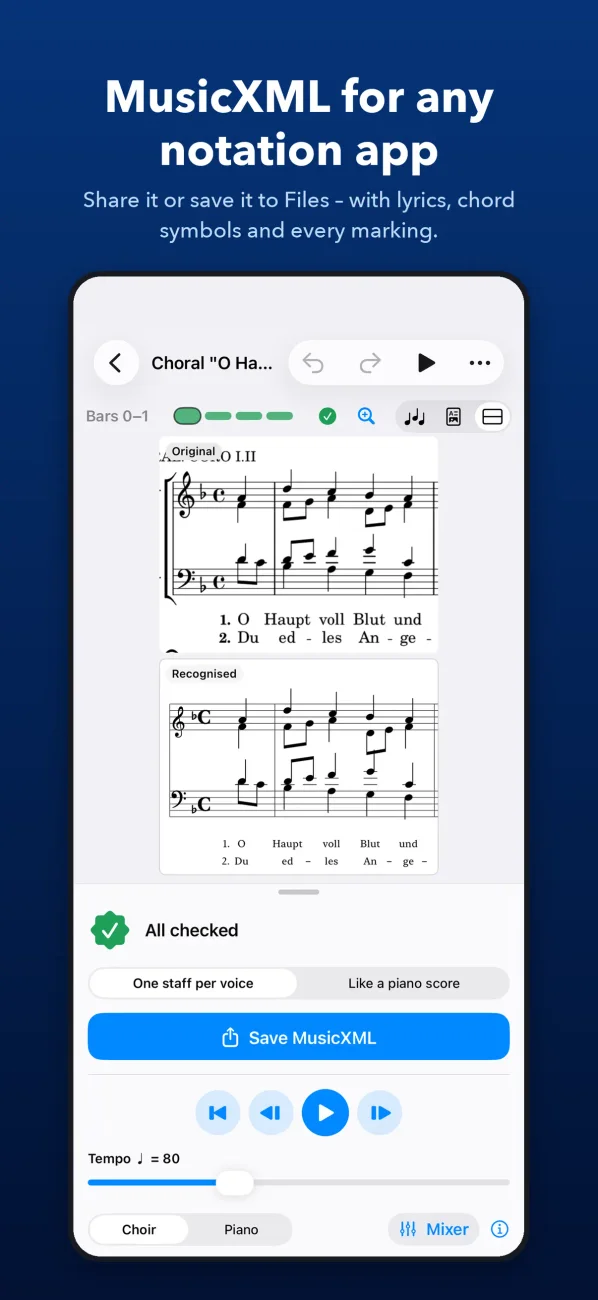
MusicXML with all voices, verses, markings and chord symbols – with one staff per voice (soprano, alto, tenor, bass, each with its own sound and part in your notation app) or like a piano score on two staves. Save it to Files or share it straight to your notation app.
PRIVATE
Everything happens on your iPhone or iPad. No account, no subscription, no ads, no data collection. Your music leaves the device only when you share it.
GOOD TO KNOW
Recognition works best with cleanly printed music. Handwriting, smudged copies or very dense scores need more corrections – ChoirXML shows you exactly where. Please respect the rights to the music you scan.
Yang baru
Versi 1.1.5 · 19/11/2026
Ties are recognised much more reliably. Also: export as PDF or MusicXML with transposing, and writing from the back of the page is no longer read.
Privasi aplikasi
Yang dinyatakan Jonathan Froese di App Store tentang cara aplikasi ini menangani data.
-
Data tidak dikumpulkan
Pengembang tidak mengumpulkan data apa pun dari aplikasi ini.
Praktik privasi dapat bervariasi, misalnya berdasarkan fitur yang Anda gunakan atau usia Anda.
Informasi
- Penjual
- Jonathan Froese
- Kategori
- Musik
- Versi
- 1.1.5
- Diperbarui
- 19/11/2026
- Dirilis
- 14/10/2026
- Ukuran
- 15,3 MB
- Memerlukan
- iOS 17.0 atau yang lebih baru
- Batasan usia
- 4+
- Harga
- Gratis
- Bahasa
- Inggris, Dansk (Denmark), Belanda, Prancis, Jerman, Italia, Polski (Polandia), Spanyol
- Hak cipta
- © 2026 Jonathan Fröse