- Batasan usia4+
- KategoriProduktivitas
- PengembangACHILLEFS KALATHAS
- BahasaInggris
- Ukuran84,3 MB
Tertaut ke halaman resmi App Store
Download.org tidak menyimpan file Chronuli apa pun. Tombol ini membuka halaman aplikasi di App Store, tempat ACHILLEFS KALATHAS menerbitkannya. Halaman terakhir diperiksa pada 23/11/2026.
Tangkapan layar
Tentang
Pengembang belum menyediakan teks ini dalam bahasa Anda.
Chronuli — Focus through visual time islands
Chronuli is a visual focus timer that transforms your tasks, routines, and goals into customizable time islands. Organize your day, stay focused, and track your progress in a calm, visual workspace.
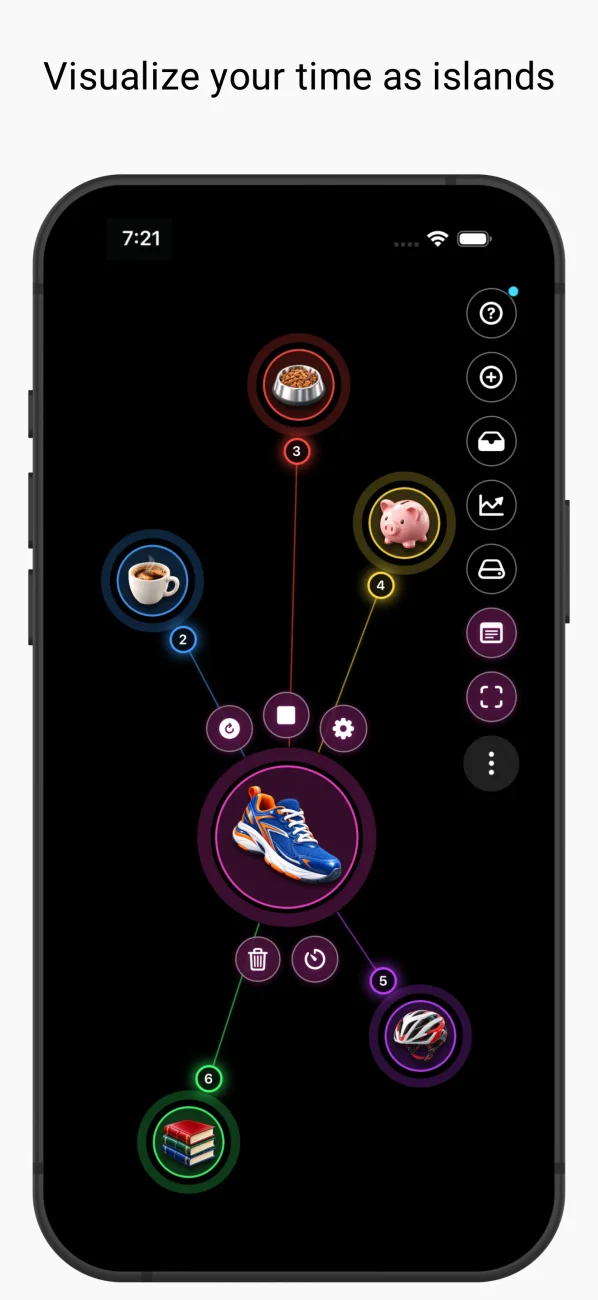
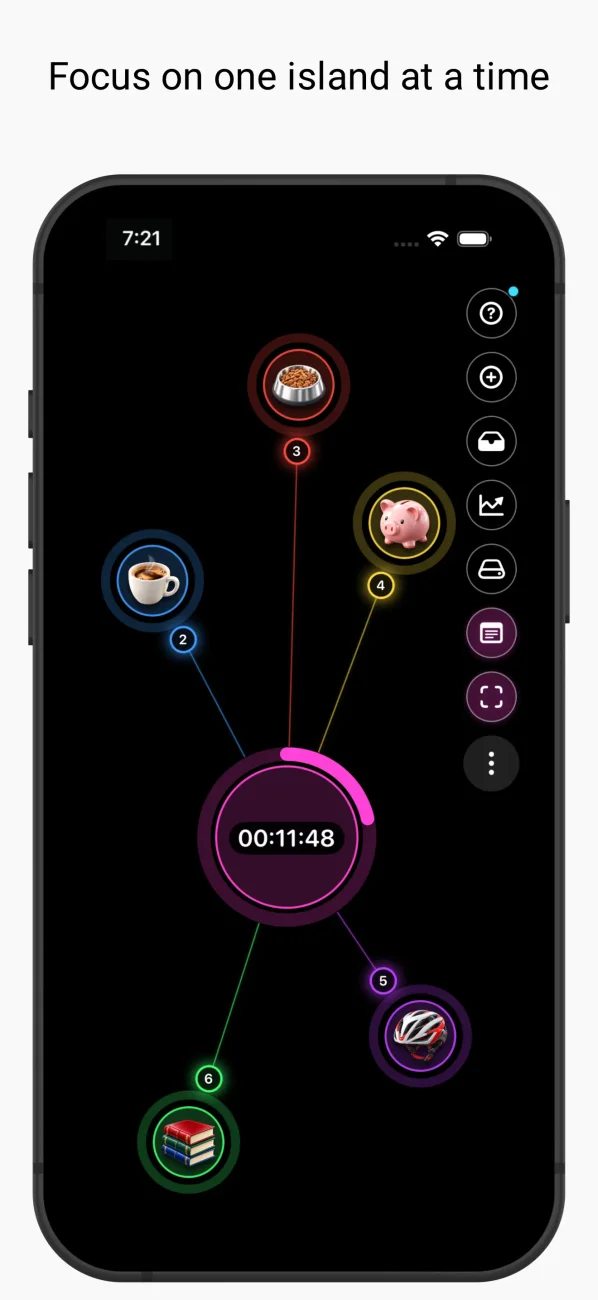
Each island can represent a different task, routine, or goal, helping you build a workspace that feels visual, calm, and easy to understand.
**What you can do**
- Create multiple focus islands for different tasks
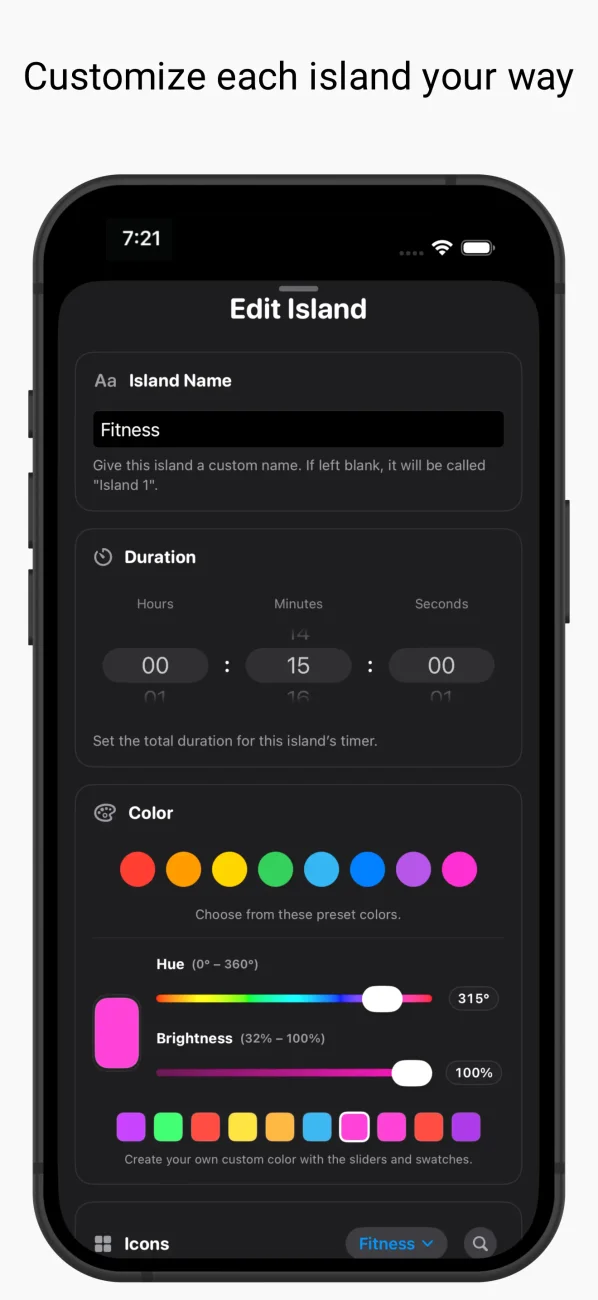
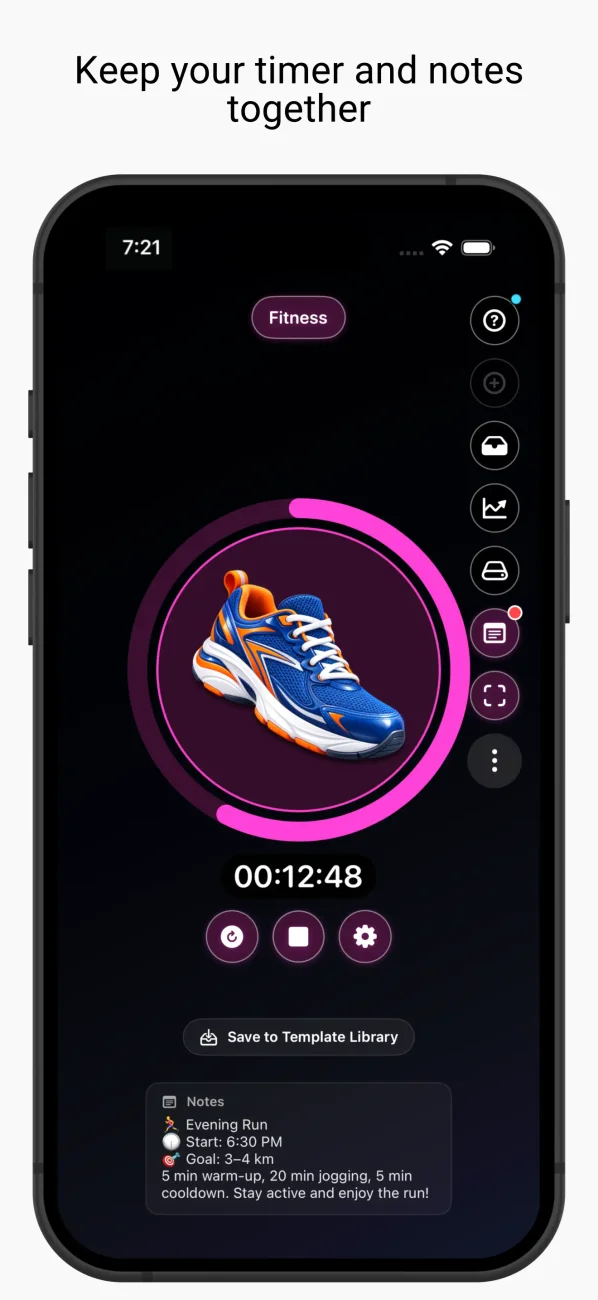
- Customize each island with its own name, color, icon, duration, notes, and custom image
- Use Countdown or Stopwatch mode
- Press and hold a running island to pause or resume
- Double-tap an island to reveal its controls
- Move and arrange islands freely across your workspace
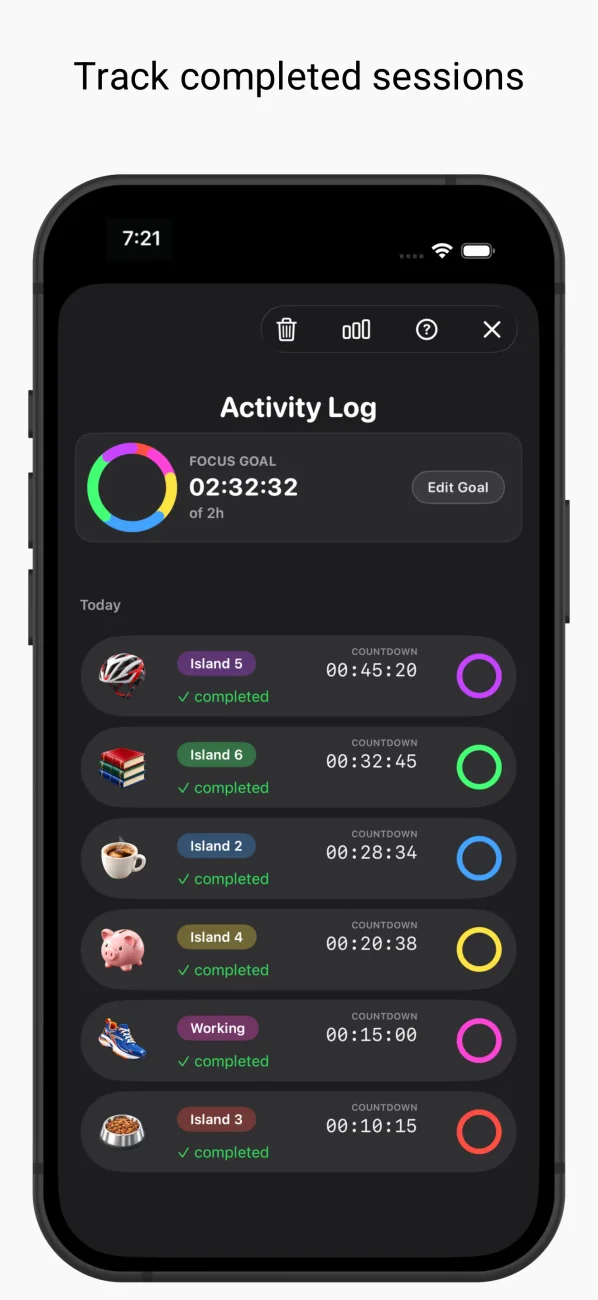
- Automatically save completed sessions in your Activity Log
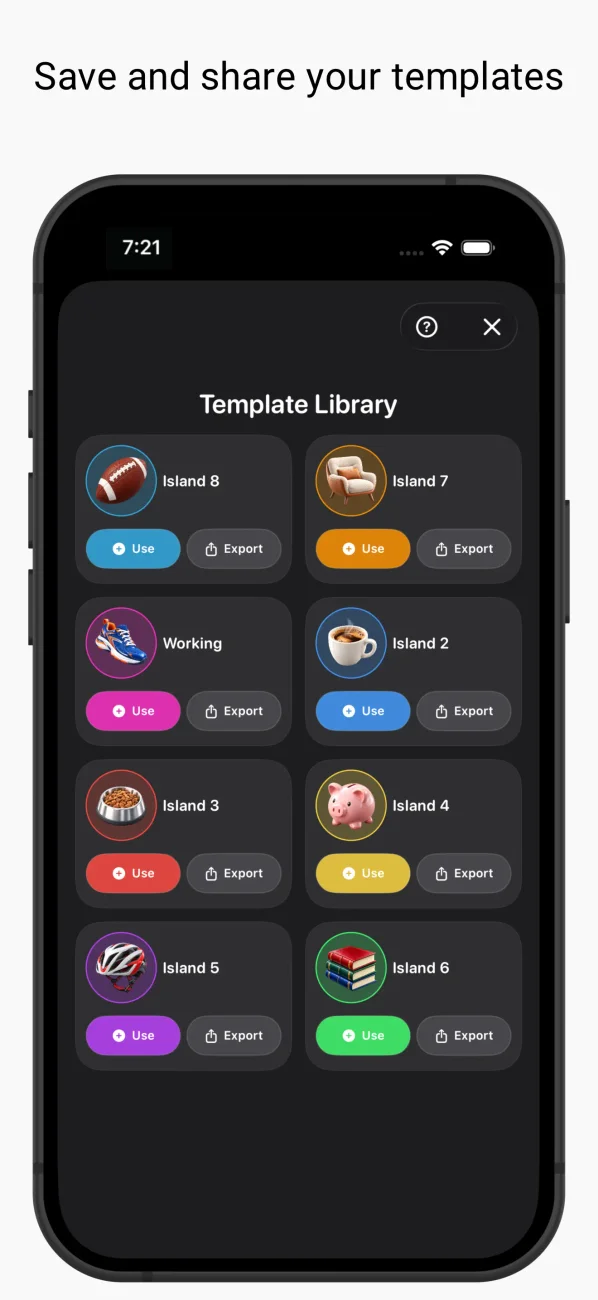
- Save, reuse, and share setups with Template Library
- Use Auto Chain to continue from one island to the next
- Start and stop timers from the interactive Island Timer Home Screen widget
- Cycle through your islands and set a custom duration for the next run directly through the widget and its editor
- Track your progress with the small Focus Goal widget
- Receive timer-completion notifications with a clear, distinctive alert sound
**Live Activities**
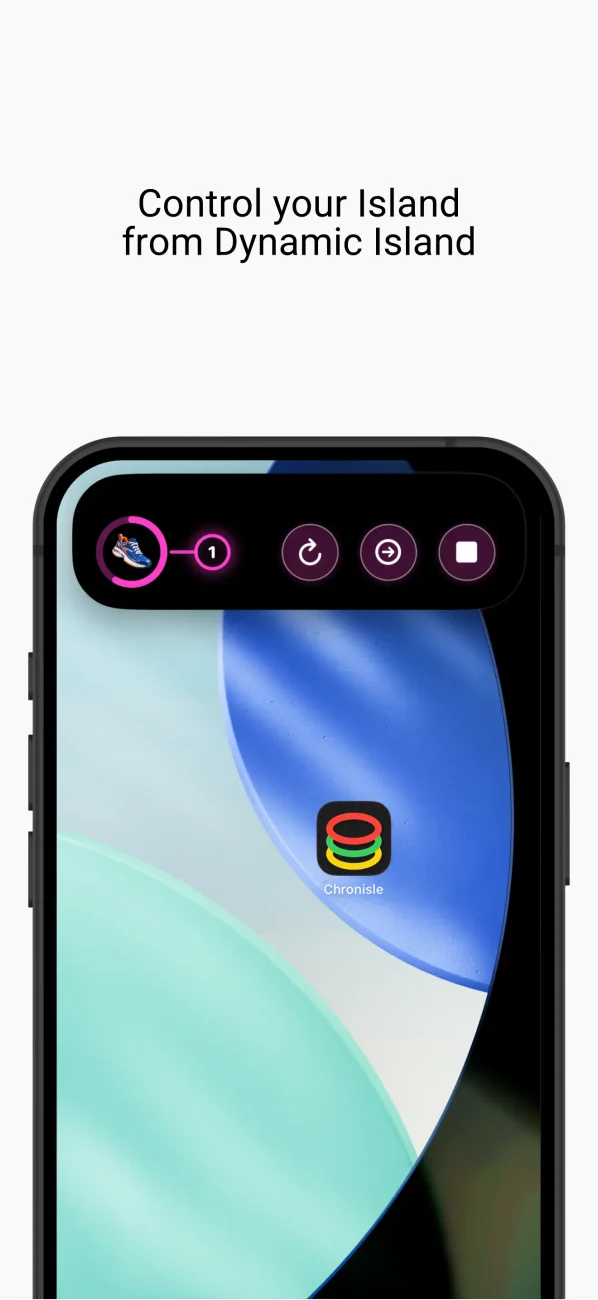
Follow your running session from the Lock Screen and use Restart, Next, and Stop controls. On supported iPhones, your session and controls can also appear in Dynamic Island.
**Why people use Chronuli**
- Stay organized without visual clutter
- Make focus sessions feel clearer and more motivating
- Track progress in a more visual way
- Build reusable setups for routines and repeated tasks
- Keep important focus tools visible without constantly reopening the app
**Privacy-first**
No account required. Your islands, sessions, and settings are stored locally on your device and are not automatically uploaded to our servers. Exported template files do not include custom user-selected images.
Yang baru
Versi 1.8.0 · 21/11/2026
Meet Chronuli!
Chronisle is now Chronuli, with a colorful new app icon and a refreshed welcome experience. Your existing islands, settings, and activity history remain intact.
What's new in version 1.8.0:
- Choose and preview personal completion sounds from Files.
- Export backups to Files and enable optional backup reminders.
- Enjoy improved floating toolbar stability while dragging islands.
- Feel subtle haptic feedback when adjusting a timer's next-run duration.
- Benefit from improved notification cancellation and interface stability.
Thank you for using Chronuli!
Privasi aplikasi
Yang dinyatakan ACHILLEFS KALATHAS di App Store tentang cara aplikasi ini menangani data.
-
Data tidak dikumpulkan
Pengembang tidak mengumpulkan data apa pun dari aplikasi ini.
Praktik privasi dapat bervariasi, misalnya berdasarkan fitur yang Anda gunakan atau usia Anda.
Informasi
- Penjual
- ACHILLEFS KALATHAS
- Kategori
- Produktivitas
- Versi
- 1.8.0
- Diperbarui
- 21/11/2026
- Dirilis
- 4/2/2026
- Ukuran
- 84,3 MB
- Memerlukan
- iOS 17.6 atau yang lebih baru
- Batasan usia
- 4+
- Harga
- Gratis
- Bahasa
- Inggris
- Hak cipta
- © 2026 Achillefs Kalathas
Mungkin Anda juga suka
-
 MethodicaProduktivitas
-
 TagTags – Your Day, TaggedProduktivitas
-
 Orbb - Bookmark EverythingProduktivitas
-
 Atelier TimesheetProduktivitas
-
 ToodoloProduktivitas
-
 Takt - Time TrackingProduktivitas
-
 Private TranscribeProduktivitas
-
 Voice to Text - SotiTalkProduktivitas
-
 SheetCollector:xlsx ods...pdfProduktivitas