
CloudSweep
Find Duplicate Photos & Files
Dirancang untuk iPhone, iPad, Mac
Gratis · Pembelian dalam aplikasi
- Batasan usia4+
- KategoriKegunaan
- PengembangAtchutarao Killamsetty
- BahasaInggris
- Ukuran7,3 MB
Tertaut ke halaman resmi App Store
Download.org tidak menyimpan file CloudSweep apa pun. Tombol ini membuka halaman aplikasi di App Store, tempat Atchutarao Killamsetty menerbitkannya. Halaman terakhir diperiksa pada 16/11/2026.
Tangkapan layar





Tentang
Pengembang belum menyediakan teks ini dalam bahasa Anda.
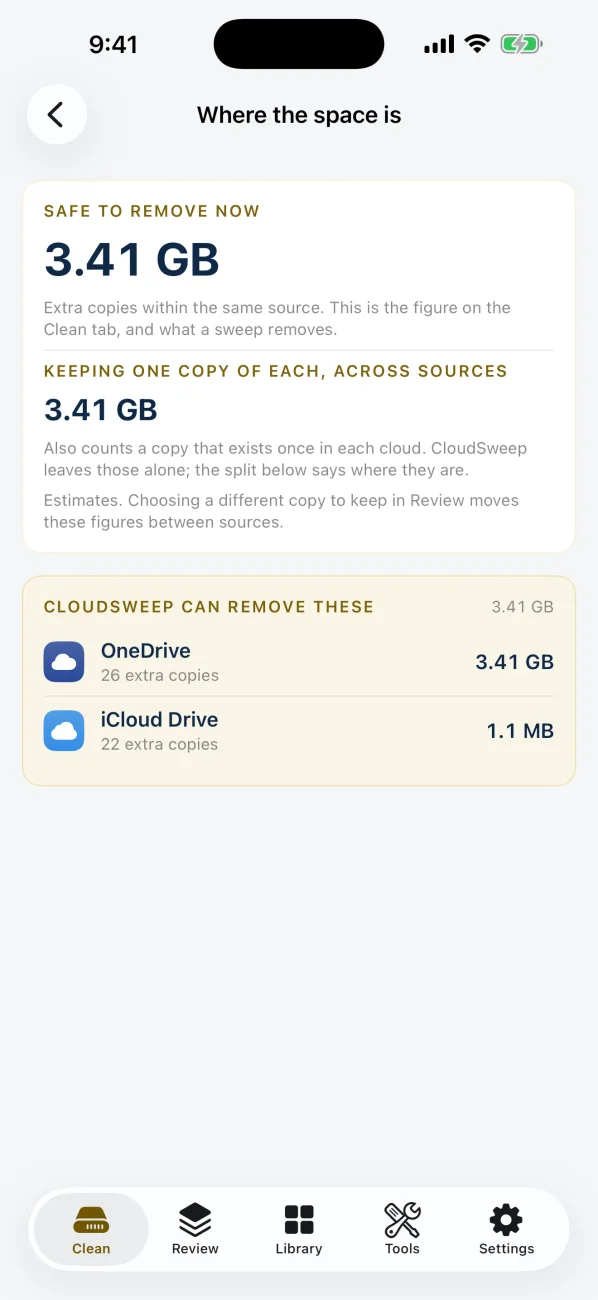
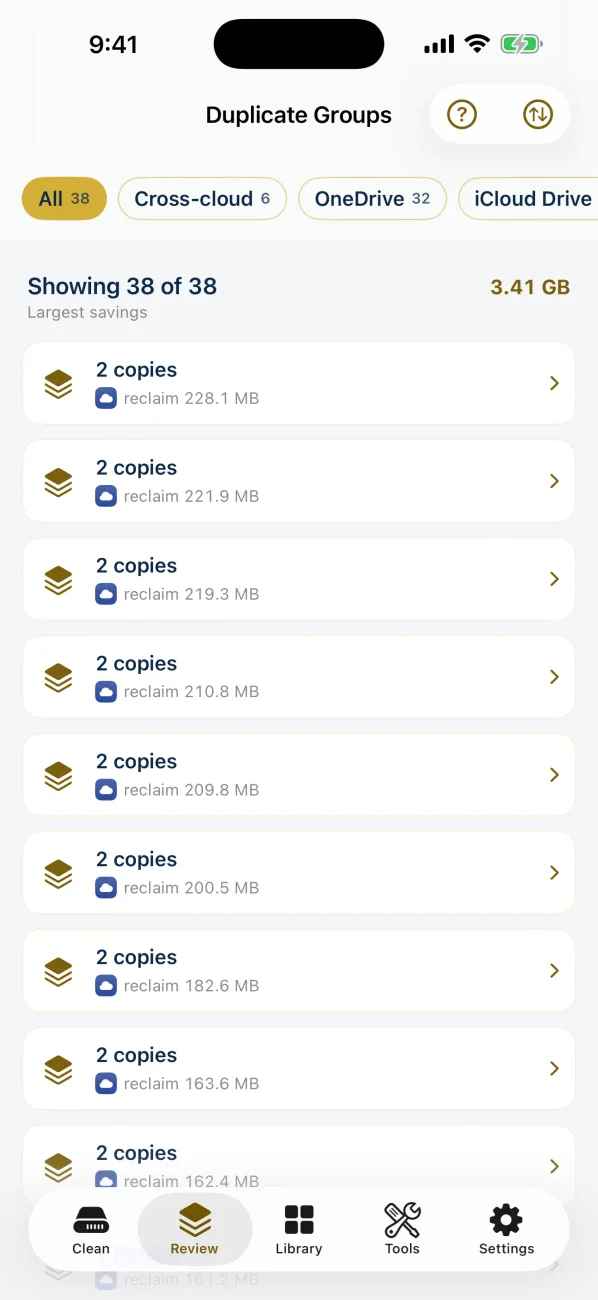
CloudSweep finds duplicate photos, videos and files on your device and across your clouds, then helps you clear the extra copies safely.
CONNECT YOUR STORAGE
• iPhone & iPad Photos library (works with iCloud Photos)
• iCloud Drive
• OneDrive
• Google Photos: scan a Takeout export
• Amazon Photos: scan your downloaded library
FIND EVERY DUPLICATE
• Exact matching by checksum: byte-identical copies within and across sources
• Visually similar matching: re-encoded, edited or resized copies, matched entirely on your device
• One shared index: scan each source once and CloudSweep finds duplicates inside every source AND across them
CLEAN UP SAFELY
• Every removal goes to a recoverable trash (about 30 days), never permanent
• At least one copy of a file always survives
• Copies are re-verified before deleting, so a file that changed since your scan is never touched
• Imported libraries (Google Photos Takeout, Amazon Photos) are copies of your originals, so CloudSweep guides you to the original and verifies your cleanup instead of pretending
• Favorites and photos in Shared Albums are protected by default: CloudSweep leaves them out of every cleanup
• Mark photos as junk while you review, see the whole set together, then clear it in one pass
• Recently removed lists what each cleanup took, with the way to get every file back
MOVE BETWEEN CLOUDS
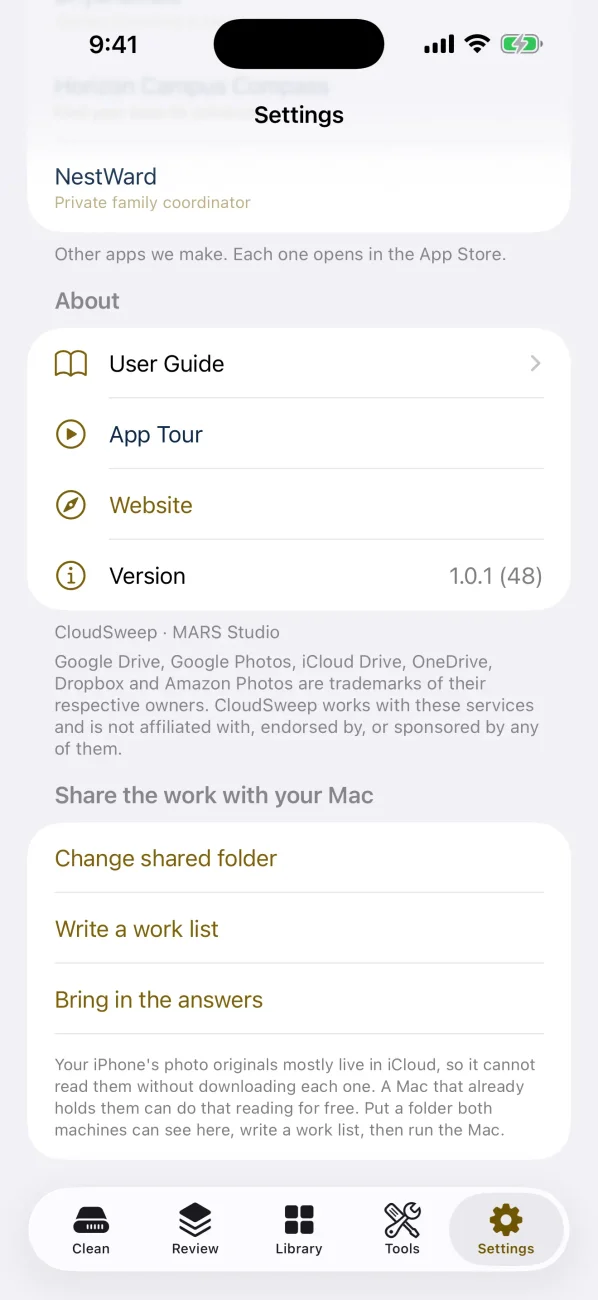
• Bring photos and videos from OneDrive, a Google Photos export or an Amazon Photos folder into your Photos library, or back up your Photos library to your iCloud Drive folder
• Every copy is written at original quality, read back and compared byte for byte before it counts
• Nothing leaves the source until you confirm the cleanup afterwards, and originals then go to a recoverable trash
MADE FOR EVERY SCREEN
• On iPad, iPhone Duo and a wide Mac window, the list of duplicate groups sits beside the group you are reviewing
• Fold or unfold iPhone Duo mid-task and you keep your place and your selection
• Layouts adapt to the largest text sizes
PRIVATE BY DESIGN
• All duplicate matching runs on your device
• No accounts on our side, no analytics, no tracking
• Sign-in tokens live only in your device Keychain
• Your files never touch our servers
FREE & PREMIUM
Scanning and reviewing duplicates are free forever, with 10 removals included. CloudSweep Premium unlocks unlimited removals: $2.99/month or $19.99/year.
Subscriptions are charged to your Apple Account and renew automatically unless cancelled at least 24 hours before the end of the period. Manage or cancel any time in your Apple Account settings.
Terms of Use (EULA): https://www.apple.com/legal/internet-services/itunes/dev/stdeula/
Privacy Policy: https://marsstudio.app/cloudsweep/privacy
Terms: https://marsstudio.app/cloudsweep/terms
Yang baru
Versi 1.0.2 · 13/11/2026
Made for iPad and iPhone Duo
On a wide screen, Review shows your duplicate groups beside the group you are looking at, so you can work through them without going back and forth. Clean, Library and Settings use two columns. Fold or unfold iPhone Duo mid-task and you stay where you were, with your selection intact.
On Mac
CloudSweep always opens its window after an update, and a wide window gets the same side by side Review.
Lighter moves
Moving thousands of photos and videos now writes far less to your device's storage.
Easier to read at large text sizes
The overview, the duplicate list and the scan buttons fit and wrap at the largest text sizes.
Also
- The grid for choosing what to move shows every selection clearly
- A Favorite kept back during a sweep is no longer selected again
- Clearer wording in a few places
Privasi aplikasi
Yang dinyatakan Atchutarao Killamsetty di App Store tentang cara aplikasi ini menangani data.
-
Data tidak dikumpulkan
Pengembang tidak mengumpulkan data apa pun dari aplikasi ini.
Praktik privasi dapat bervariasi, misalnya berdasarkan fitur yang Anda gunakan atau usia Anda.
Informasi
- Penjual
- Atchutarao Killamsetty
- Kategori
- Kegunaan
- Versi
- 1.0.2
- Diperbarui
- 13/11/2026
- Dirilis
- 18/8/2026
- Ukuran
- 7,3 MB
- Memerlukan
- iOS 18.0 atau yang lebih baru
- Batasan usia
- 4+
- Harga
- Gratis
- Pembelian dalam aplikasi
- Ya
- Bahasa
- Inggris
- Hak cipta
- © 2026 MARS Studio
Mungkin Anda juga suka
-
 PicSweep – Photo CleanerKegunaan
-
 Duplicate Storage Cleaner AIKegunaan
-
 FlyArchiveKegunaan
-
 Craft: Save iPhone StorageKegunaan
-
 Cleaner 360 - Clean Up PhoneKegunaan
-
 Trimbyte: Storage CleanerKegunaan
-
 CleanUp: Pembersih Foto & HPHapus foto duplikat, kosongkan
-
 Highon BMSKegunaan
-
 TandaWarna untuk SafariPenyorotan Web Pintar
-
 Pembersih Foto GandaBebaskan ruang di iPhone