Compasswork Geometry
Ruler & compass constructions
Dirancang untuk iPhone, iPad, iPod touch
Gratis · Pembelian dalam aplikasi
- Batasan usia4+
- KategoriPendidikan
- PengembangSlmon Mahlmann
- BahasaInggris+ 1 lainnya
- Ukuran2,2 MB
Tertaut ke halaman resmi App Store
Download.org tidak menyimpan file Compasswork Geometry apa pun. Tombol ini membuka halaman aplikasi di App Store, tempat Slmon Mahlmann menerbitkannya. Halaman terakhir diperiksa pada 23/11/2026.
Tangkapan layar

Tentang
Pengembang belum menyediakan teks ini dalam bahasa Anda.
Compasswork brings the geometry exercise book to your iPad and iPhone: graph paper, compass, set square and ruler – true to scale, so at 100 % zoom 1 cm on screen is 1 cm in real life. Made by a maths teacher for secondary school geometry.
MADE FOR DIGITAL BOARDS
Demonstrate constructions with compass and set square right on the projector, interactive whiteboard or classroom display – even where there is no traditional board anymore. In presentation mode the construction appears step by step and clearly visible, each step with a large caption. This makes Compasswork ideal for introducing and consolidating new content: follow the construction together, keep the written description and share it with the class as a PDF or via QR code.
CONSTRUCT LIKE ON PAPER
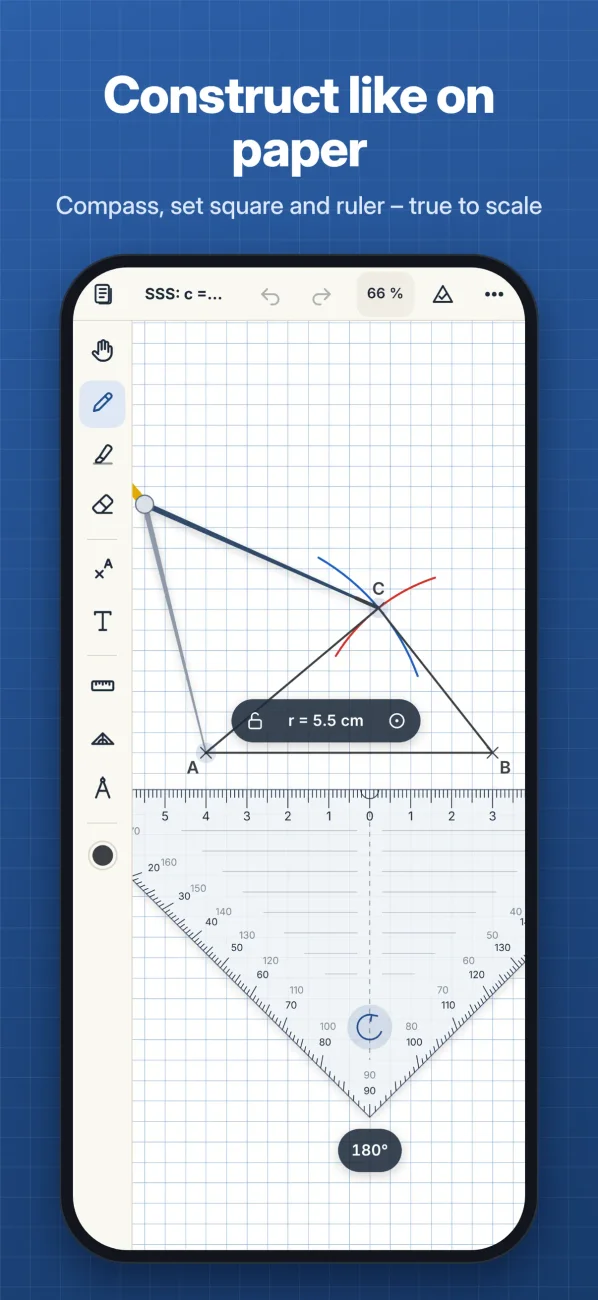
• Compass: set the point, open it to a radius or take a length, turn the handle to draw an arc – or type the radius
• Set square with millimetre and degree scales, 20 cm ruler
• Points snap to intersections and endpoints, lengths to whole millimetres, angles to whole degrees
• Apple Pencil draws, fingers pan and zoom, palm rejection keeps your hand out of the way
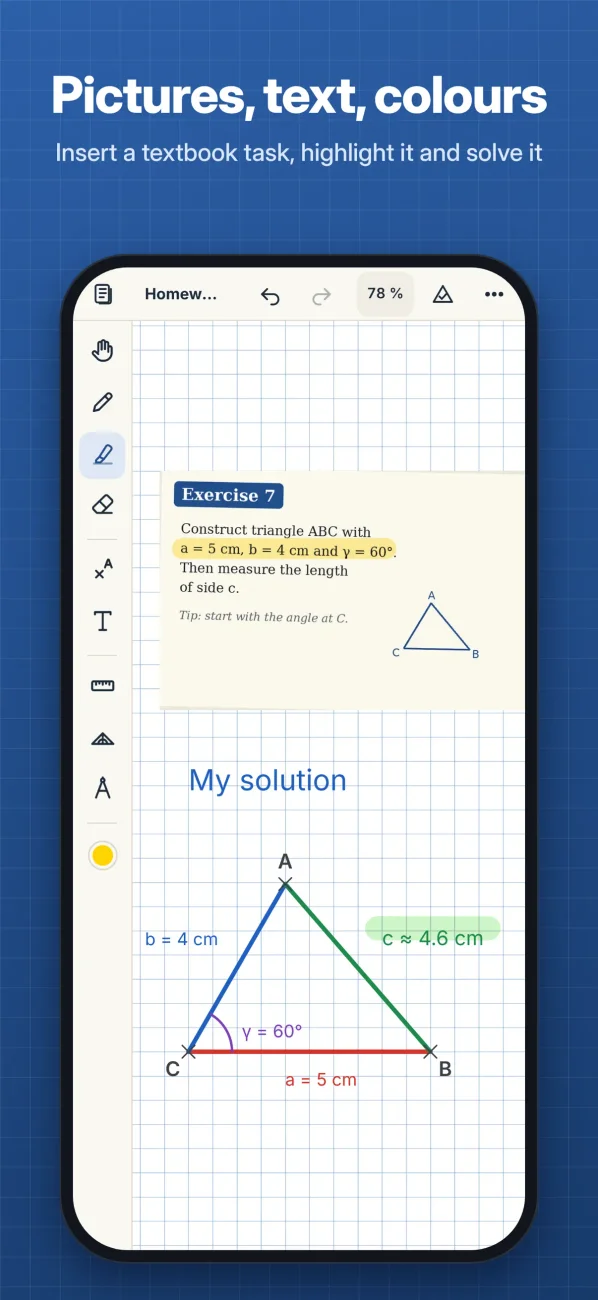
• Labels, text, colours, highlighter, eraser and undo
• Insert pictures, for example a task from the textbook
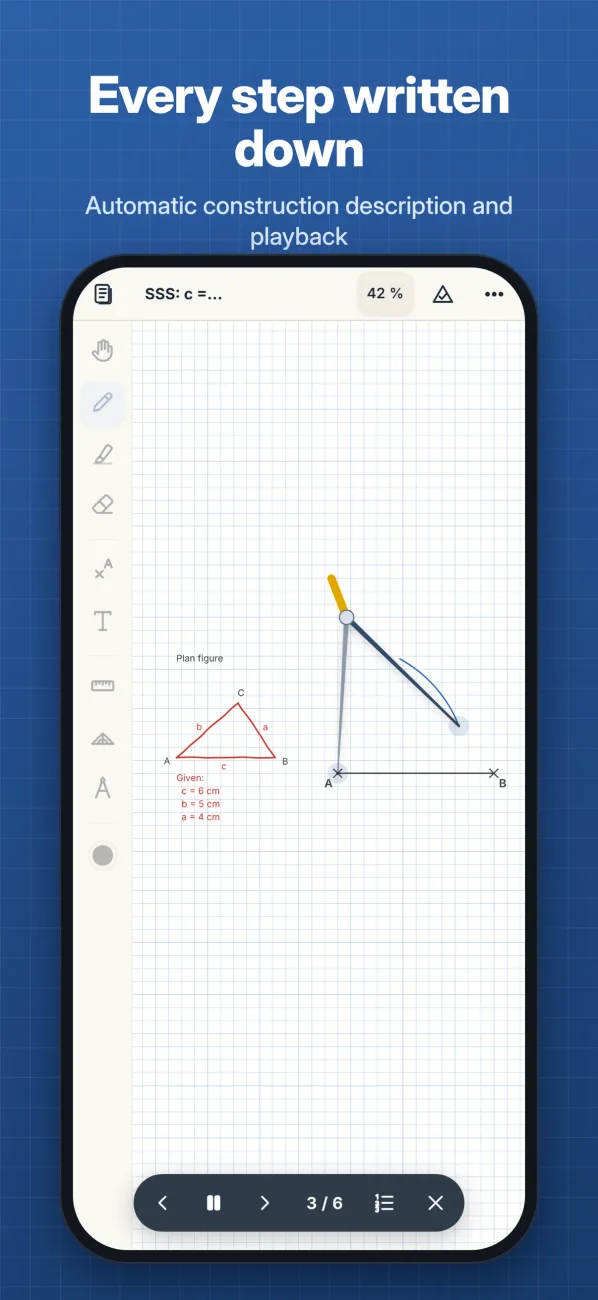
CONSTRUCTION DESCRIPTION AND PLAYBACK
• Compasswork works out from the drawing what was constructed and writes the steps as instructions
• Playback: the construction is redrawn step by step – compass and set square move visibly
• Have the steps read aloud and print them as a gap-fill text – great for language support
PRESENTING
• Presentation mode: a calm screen without toolbars, bolder lines and labels
• Show the construction step by step – by tapping, with an arrow key or a presenter, with the current step in large print
• Laser pointer: point things out without leaving marks
• Works with ordinary screen mirroring (AirPlay, HDMI)
LAB
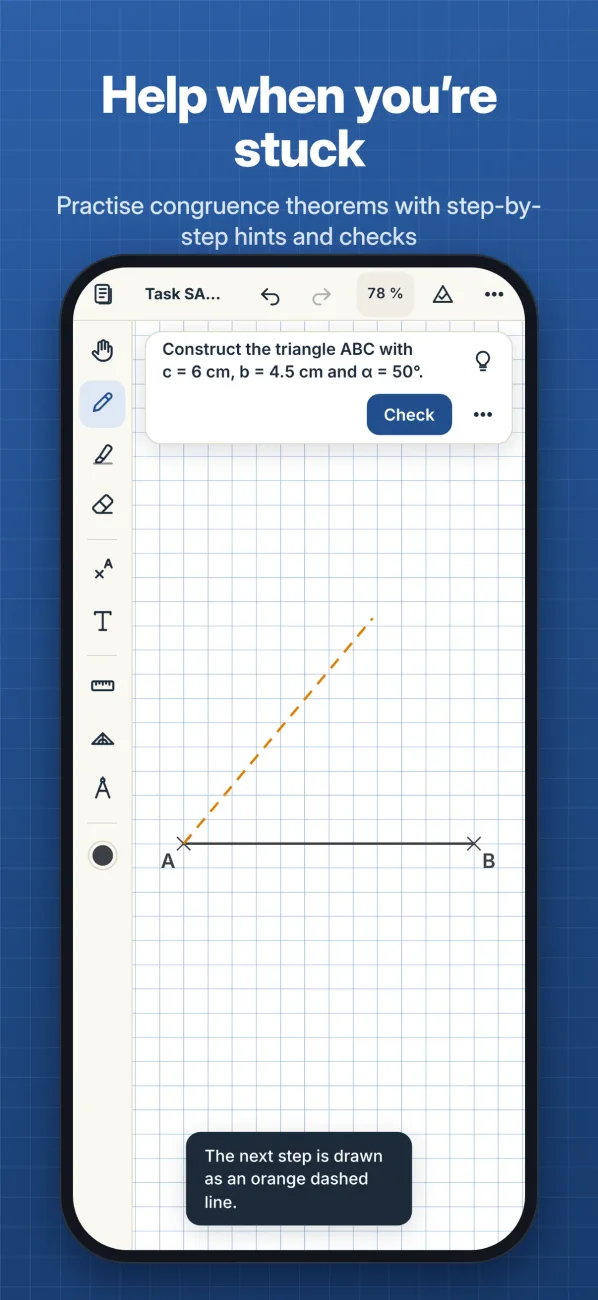
• Congruence theorems SSS, SAS, ASA and SSA with your own or random values, sketch and automatic check
• Basic constructions: perpendicular bisector, angle bisector, perpendicular from a point, perpendicular, parallel, circumcircle, incircle and Thales circle
• Step-by-step help: a hint, the next step, a ghost image, the solution
• Solids and nets: cube, cuboid, prisms, pyramids, tetrahedron, octahedron, cylinder, cone and sphere – rotate, fold, surface area and volume, congruent faces in colour
• All 11 nets of a cube and the quiz "Is this a cube net?"
FOR THE CLASSROOM
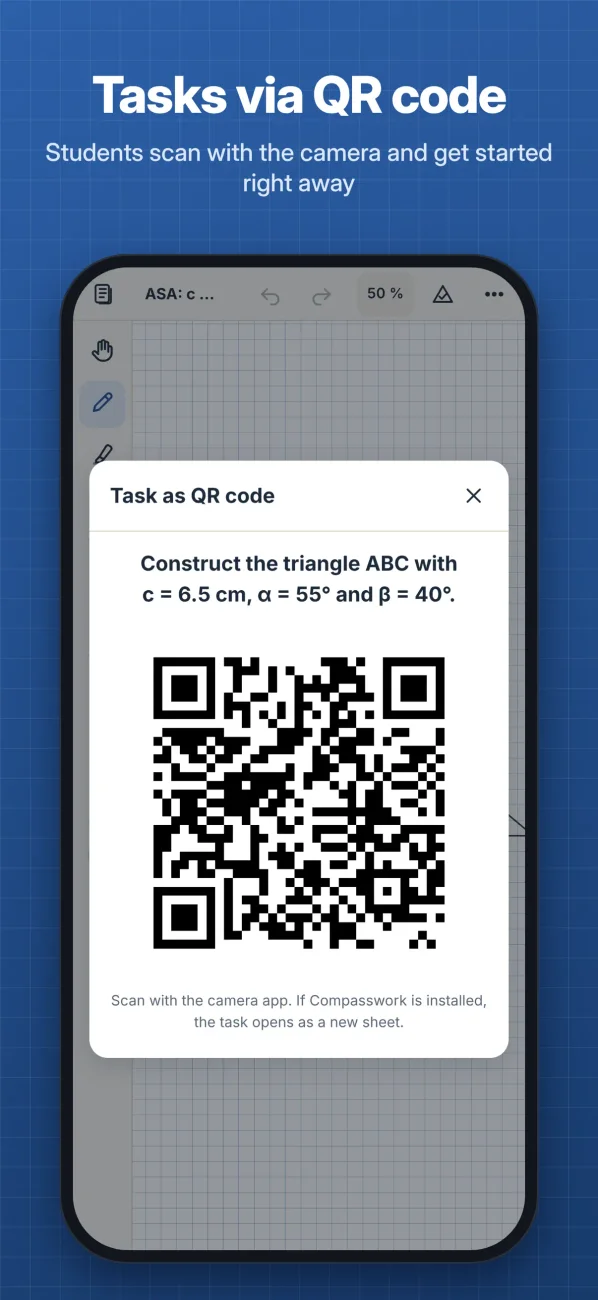
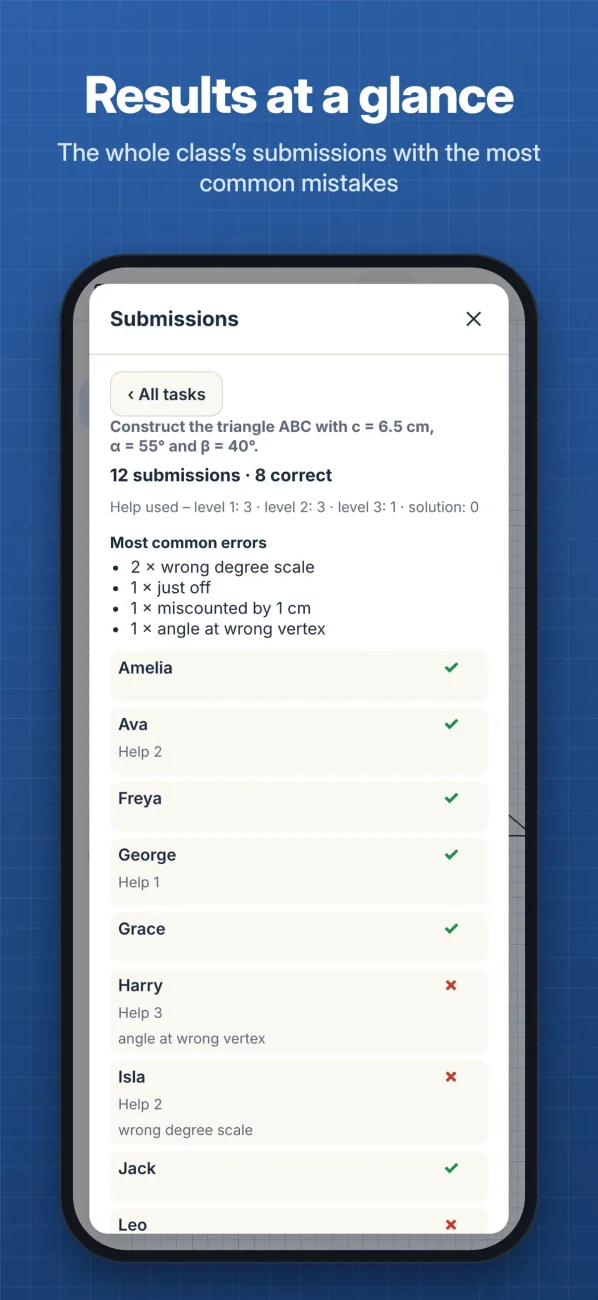
• Share tasks as QR codes: students scan with the camera and start on their own sheet straight away – handwritten notes included
• Results come back as QR codes, and the teacher sees an overview of the whole class
• PDF export at original size, with grid and construction description if you like
• Nets with glue tabs to print and build
• Video of the playback for explainer videos and learning platforms
• Folders and a backup of all sheets
FREE AND FULL VERSION
Free: all drawing tools, pictures, text and colours, playback with short descriptions, three sheets, and opening and checking QR tasks.
The full version is a one-time in-app purchase, no subscription, shareable with Family Sharing. It unlocks unlimited sheets, the written-out description, the lab, PDF and video export, creating QR tasks and collecting submissions, and presentation mode.
PRIVACY
No ads, no account, no tracking. All sheets stay on your device.
Yang baru
Versi 1.0.2 · 20/11/2026
• Presentation mode for projectors and whiteboards: show constructions step by step, laser pointer, bold display
• New share menu: QR code, PDF, file, video and submissions in one place
• QR codes now hold much more handwriting
• Solids: congruent faces in the same colour
Privasi aplikasi
Yang dinyatakan Slmon Mahlmann di App Store tentang cara aplikasi ini menangani data.
-
Data tidak dikumpulkan
Pengembang tidak mengumpulkan data apa pun dari aplikasi ini.
Praktik privasi dapat bervariasi, misalnya berdasarkan fitur yang Anda gunakan atau usia Anda.
Informasi
- Penjual
- Slmon Mahlmann
- Kategori
- Pendidikan
- Versi
- 1.0.2
- Diperbarui
- 20/11/2026
- Dirilis
- 3/11/2026
- Ukuran
- 2,2 MB
- Memerlukan
- iOS 15.0 atau yang lebih baru
- Batasan usia
- 4+
- Harga
- Gratis
- Pembelian dalam aplikasi
- Ya
- Bahasa
- Inggris, Jerman
- Hak cipta
- © 2026 Simon Mählmann
Mungkin Anda juga suka
-
 GeometrySketchPendidikan
-
 Rachii GeometryPendidikan
-
 Geometri: Buku PeganganRumus matematika & teorema
-
 EasyBosnianPendidikan
-
 JLPT Kanji N5-N4: JFT GuruPendidikan
-
 Geometry Drawing ToolPendidikan
-
 NiblyNotesPendidikan
-
 Gyaan AI - CBSE Notes & TestsPendidikan
-
 Students ResourcePendidikan
-
 Electric Field ExplorerPendidikan