
- Batasan usia17+
- KategoriReferensi
- PengembangOdeon Software Inc.
- BahasaInggris
- Ukuran153,4 MB
Tertaut ke halaman resmi App Store
Download.org tidak menyimpan file Cross+Reference apa pun. Tombol ini membuka halaman aplikasi di App Store, tempat Odeon Software Inc. menerbitkannya. Halaman terakhir diperiksa pada 14/11/2026.
Tangkapan layar



Tentang
Pengembang belum menyediakan teks ini dalam bahasa Anda.
Cross+Reference is a new way to Study the Bible. Read+Research+WriteItDown The App focuses on having a selected verse. This Sync verse gives context to what you are reading. The Sync Verse updates the content in other panels allowing them to be updated in the context of the Verse.
Are you a Diligent Seeker?
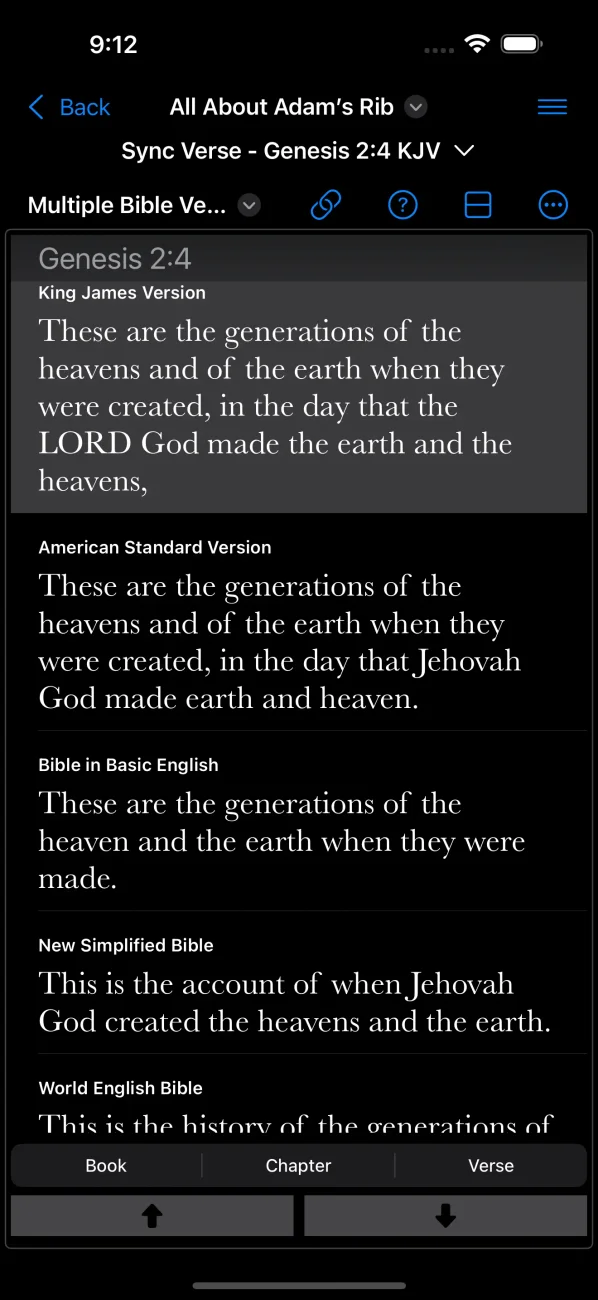
Cross+Reference is designed to help both the novice and experience Bible Scholars in research and improving their understanding of scriptures. You may display content to fill from one to ten Panels. Each Panel contains any of several content types from Bible verses to Notes and Videos. The full list of Panels is listed below by category. The Panel layouts are highly customizable and may be saved and recalled for quick access.
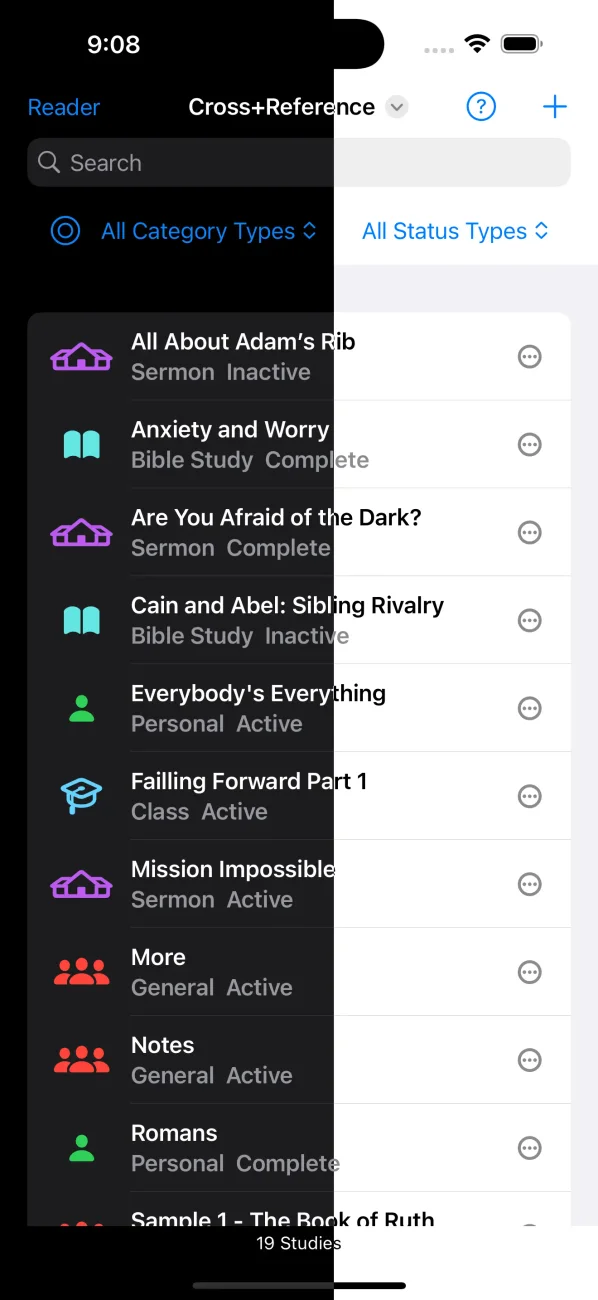
Automatically Sync your Study (collection of notes, videos, etc.) between iPhone and iPad.
Key Concepts:
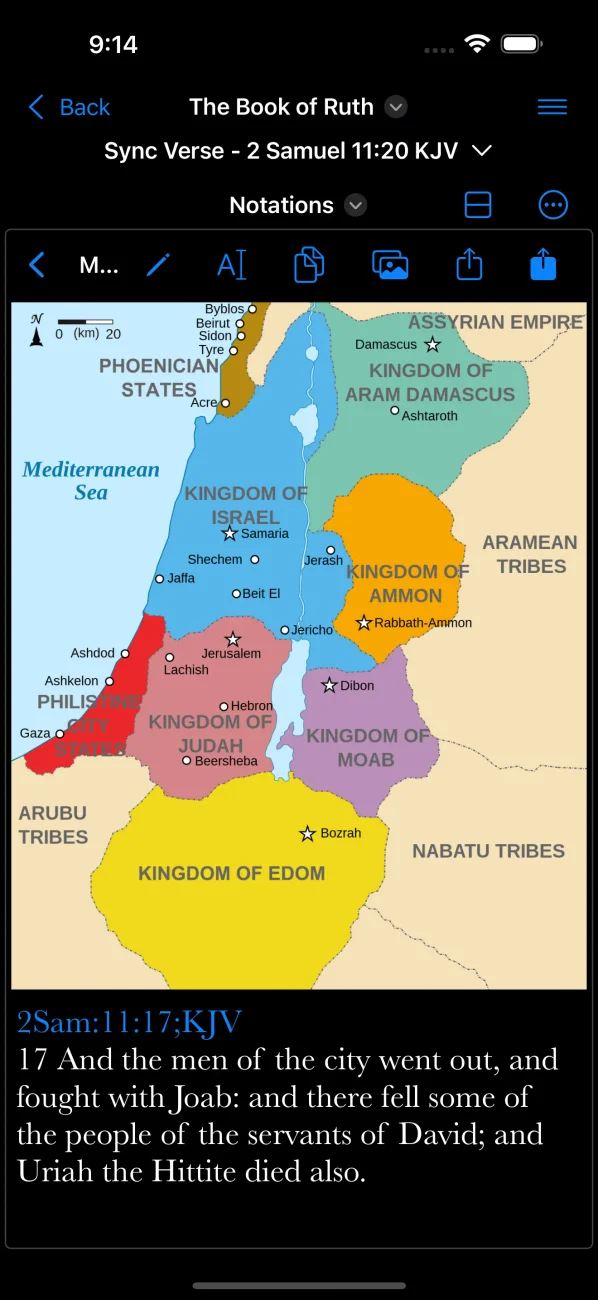
- Reading - Using the sync verse (see above) gives the Cross+Reference user the ability to quickly lookup a person or location without going to another App or the Web to get the details. The cities and kings of Israel are very important to understanding the deep details of how and why certain things happened the way they did through out the Bible. Using a research tool like the built in Easton Dictionary allows you to get context for the people and places of the selected verse. Cross+Reference quickly looks up each word in the selected verse and displays the found entries in a list. Selecting an entries displays the details. Additionally, Naves and Thompson concordances give similar ability with their content.
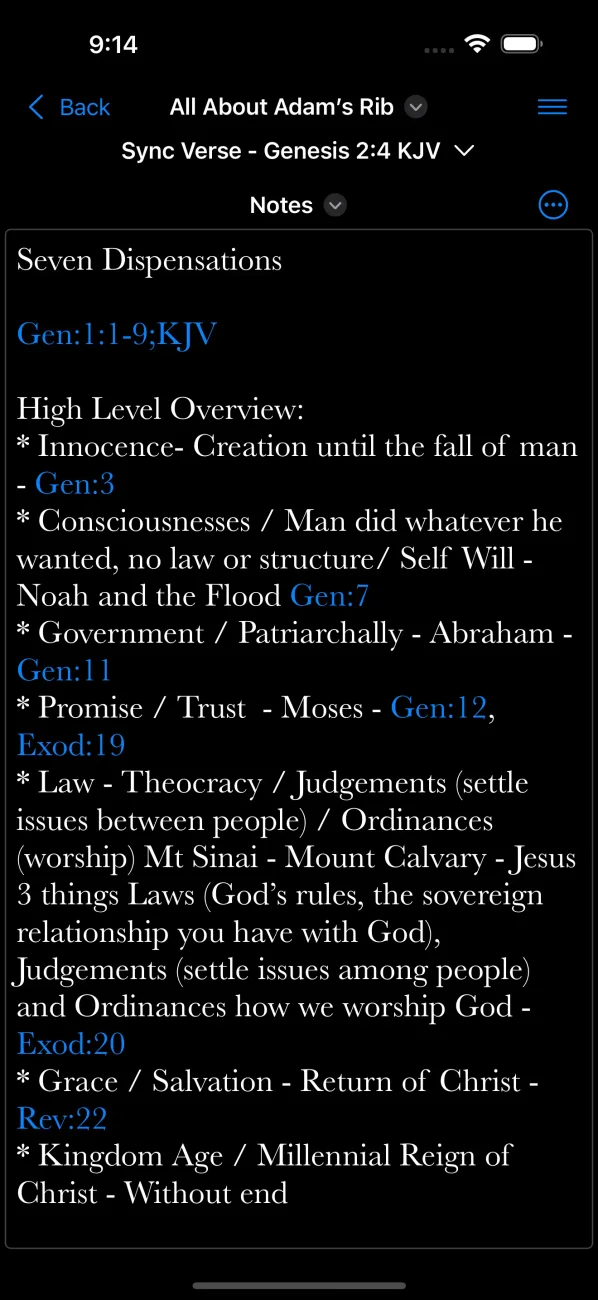
- When taking notes simply typing a Book:Chapter:Verse reference (1Sam:16:15 for example) highlights as a link that when tapped immediately updates the Primary Bible sync verse to that verse. These links can even be copied into other Applications such as Apple Notes and can be tapped on there and opened in Cross+Reference
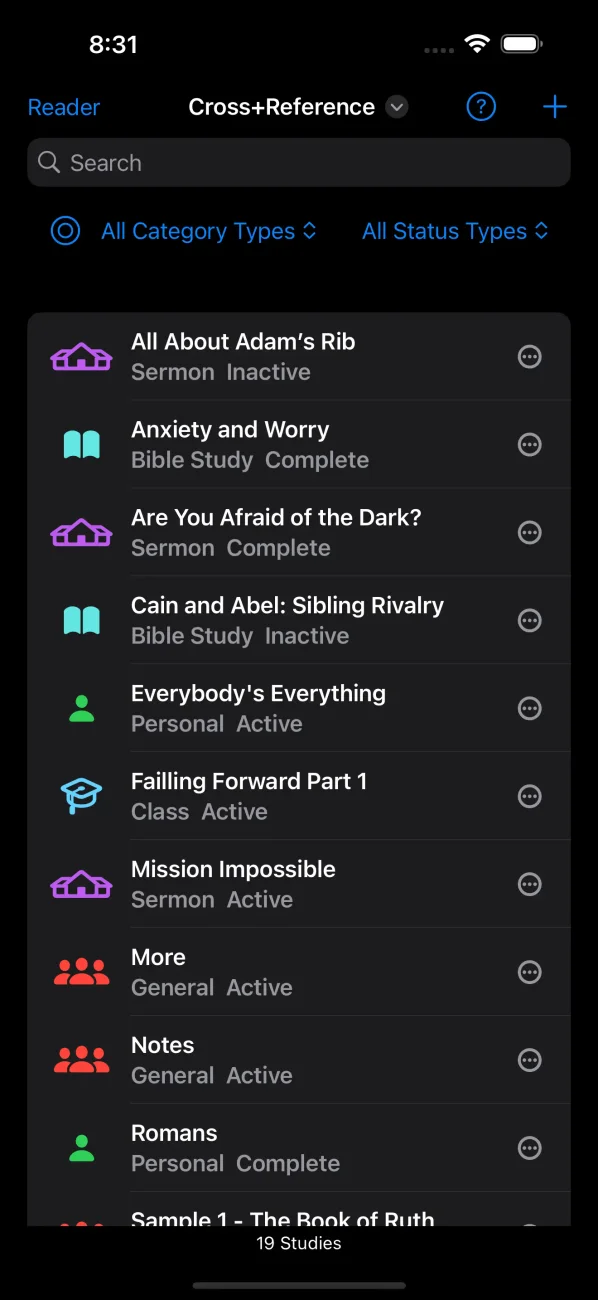
- The Study - A Cross+Reference Study is a user document that contains Notes, web pages, documents, Videos links and a variety of other content that relates to a specific Bible topic. Whether it is for a personal study, Bible Study notes or the outline for an upcoming sermon, Cross+Reference provides many of the tools to aid in reading and research.
Loads of features with lots to explore
With 14 different Panel Types (see panel help for details)
Reading Panels
Primary Bible Panel - the Bible version that updates the Sync verse. It has 3 variations
- Primary Bible - Select the Header to select the Version, Book Chapter and verse
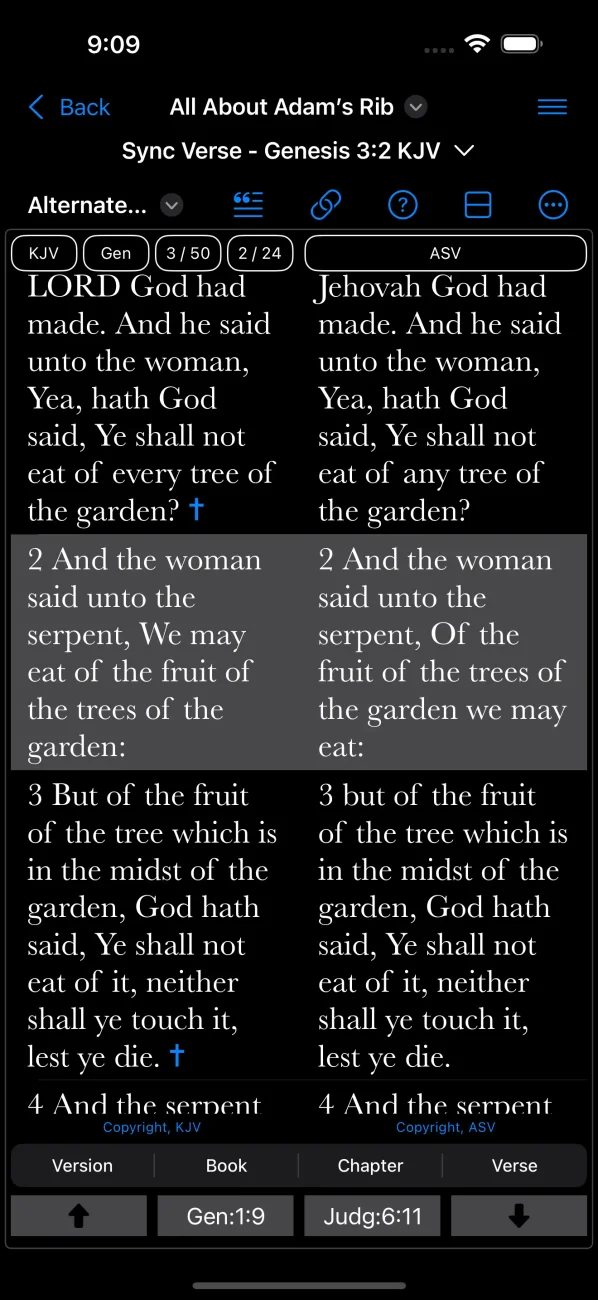
- Alternate Bible - Same as Primary but displays two Bible version side by side
- Verse Selection - Same as Primary but the Version, Book Chapter and verse overlay remains available while scrolling the Bible
Standalone Bible - same as Primary Bible except it does not update the Sync Verse
Reader Version - Chapter based instead of verse base. allows reading in a more traditional way
Multiple Bible Version - Allows displaying a the current Sync verse for Bible Version available
Favorite - Create and maintain favorite verses for easily recalling the verse text.
Research Panels
Chapter Overview - provides a short write up for quick access to the major events and topics in a chapter. Based on the Westminster Reference Bible summaries.
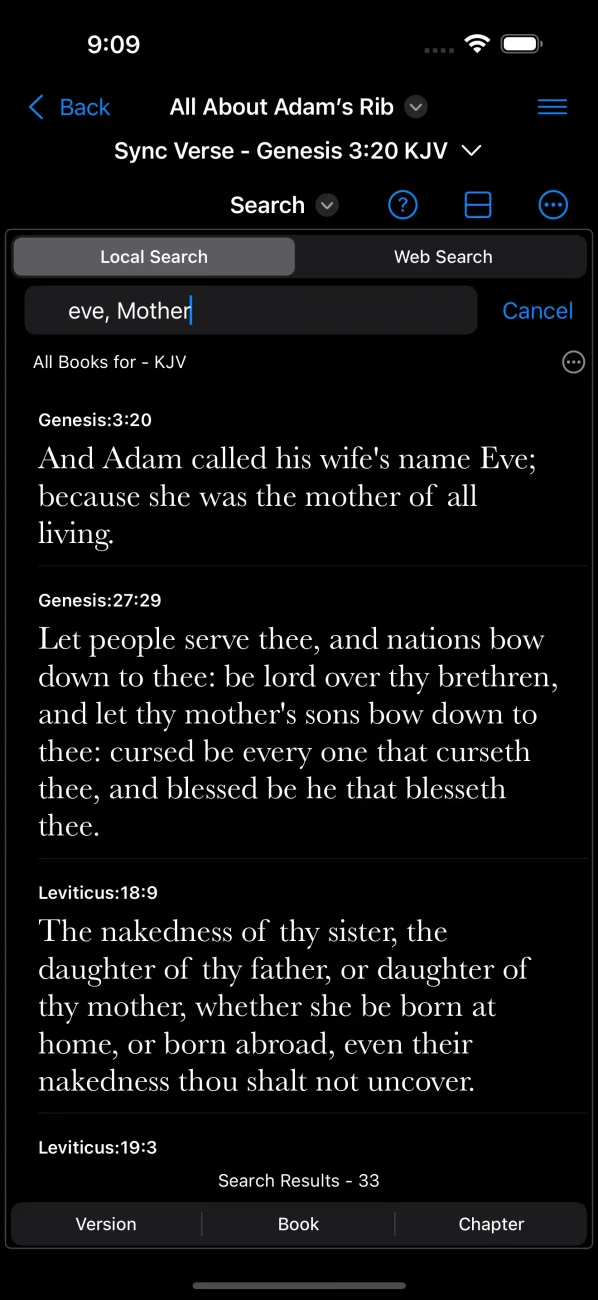
Search - Detailed search for finding specific word searches topics within the Bible. Also provides a convenient Web Search tab for searching the Web for a topic.
Verses Reference - See all the text related to the sync verse
Easton Dictionary
Thompson Topics
Naves Topical Concordance
WriteItDown Panels
Tag Bookmarks - Tag verses and research tools search terms for a Study
Notes - with Bible verse link detection
Notations
- Notes Notation - Note taking
- Bible Link Notation - A verse
- Image with Note Notation
- Web Notation - Web page
- Document Notations - PDF, Office, iWork Docs, and other doc types
- Video Notations - YouTube Video Links, Web Video URLs, video files from Photos and Files
Yang baru
Versi 1.40 · 22/6/2026
Display the current verse in full screen on iPad or iPhone. See the new "toggle button" on the left toolbar. Additionally you can also display current verse on connected external Monitor or AppleTV to share with a group for presentation. Once connected the play button will appear and tapping on it will display on the monitor/AppleTV
Privasi aplikasi
Yang dinyatakan Odeon Software Inc. di App Store tentang cara aplikasi ini menangani data.
-
Data tidak dikumpulkan
Pengembang tidak mengumpulkan data apa pun dari aplikasi ini.
Praktik privasi dapat bervariasi, misalnya berdasarkan fitur yang Anda gunakan atau usia Anda.
Informasi
- Penjual
- Odeon Software Inc.
- Kategori
- Referensi
- Versi
- 1.40
- Diperbarui
- 22/6/2026
- Dirilis
- 30/4/2025
- Ukuran
- 153,4 MB
- Memerlukan
- iOS 17.6 atau yang lebih baru
- Batasan usia
- 17+
- Harga
- Gratis
- Bahasa
- Inggris
- Hak cipta
- © Copyright, Odeon Software Inc, All Rights Reserved
Mungkin Anda juga suka
-
 Rooted Word: Bible StudyReferensi
-
 ScriptSearch: KJV Bible StudyReferensi
-
 TSK Bible CommentaryReferensi
-
 ConcordanceReferensi
-
 The Pastors Study BibleReferensi
-
 The Context BiblePendidikan
-
 Touch Bible: Read, Study & GoReferensi
-
 PocketBible Bible Study AppReferensi
-
 Bible Tiles: Draw & Type NotesReferensi
-
 Strongs KJVReferensi