CueConductor
Stems, streamers & counter
Dirancang untuk iPhone, iPad, Mac
Gratis · Pembelian dalam aplikasi
- Batasan usia4+
- KategoriMusik
- PengembangWholenote Music, Inc.
- BahasaInggris
- Ukuran10,4 MB
Tertaut ke halaman resmi App Store
Download.org tidak menyimpan file CueConductor apa pun. Tombol ini membuka halaman aplikasi di App Store, tempat Wholenote Music, Inc. menerbitkannya. Halaman terakhir diperiksa pada 14/11/2026.
Tangkapan layar




Tentang
Pengembang belum menyediakan teks ini dalam bahasa Anda.
Conduct hybrid orchestral performances and lead recording sessions with stems, click, scoring video, and the printed score — locked to one transport, on every stand.
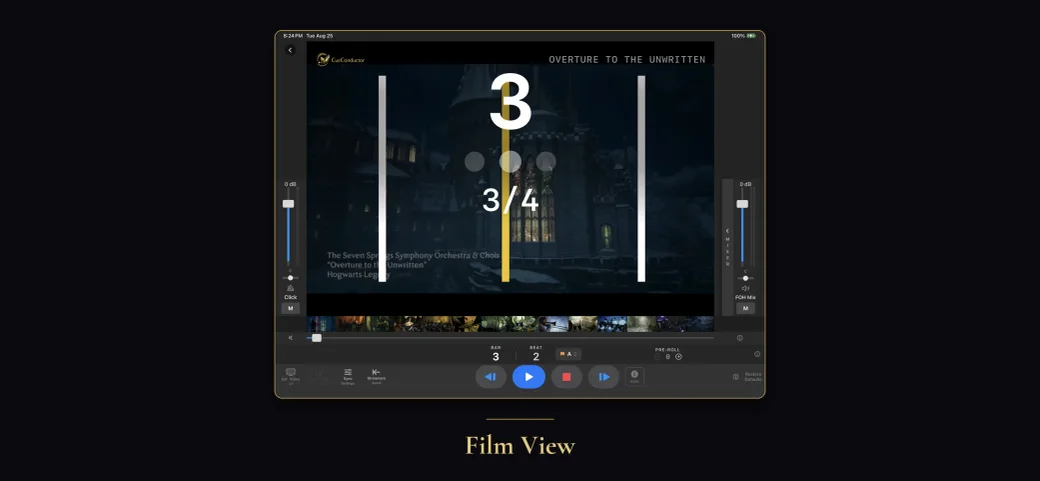
CueConductor is the workstation for conductors, performers, and engineers working where acoustic musicians meet pre-produced tracks. Load a package, hit play, and follow the counter, beat dots, color-coded streamers, and punches in real time. Conduct from the PDF score with pages that turn themselves, and put a CueConductor on every stand with the podium driving them all. No tempo map yet? Record or import audio in TempoMapper™, tap along, and turn a live performance into a finished cue. No external click box, no fragile cabling, no surprises.
FEATURES
• Load .conductpkg packages: stems, click, scoring video, PDF score and parts
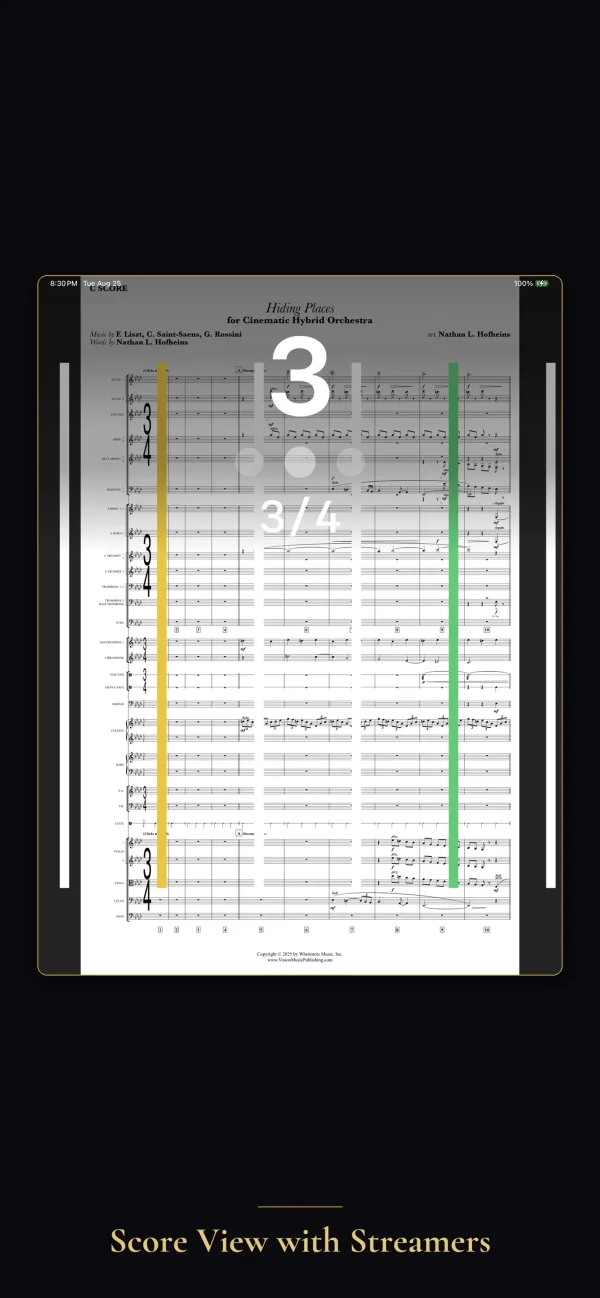
• Real-time counter, beat-grouped dots, color-coded streamers, punches
• Conduct from the score: auto page turns, Apple Pencil markup, Bluetooth pedals
• Score & Parts: one cue carries the full score and every part — each player picks their own and the device remembers it
• Conductor Mode: broadcast the show to every stand on the Wi-Fi — no cables, no MIDI
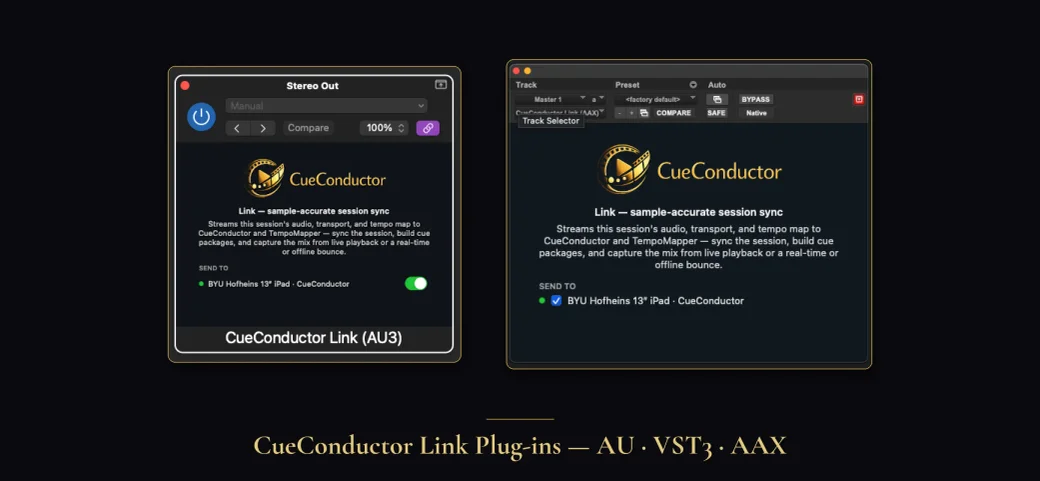
• Link to DAW: sample-accurate sync from an AU, VST3, or AAX plug-in — or classic MTC
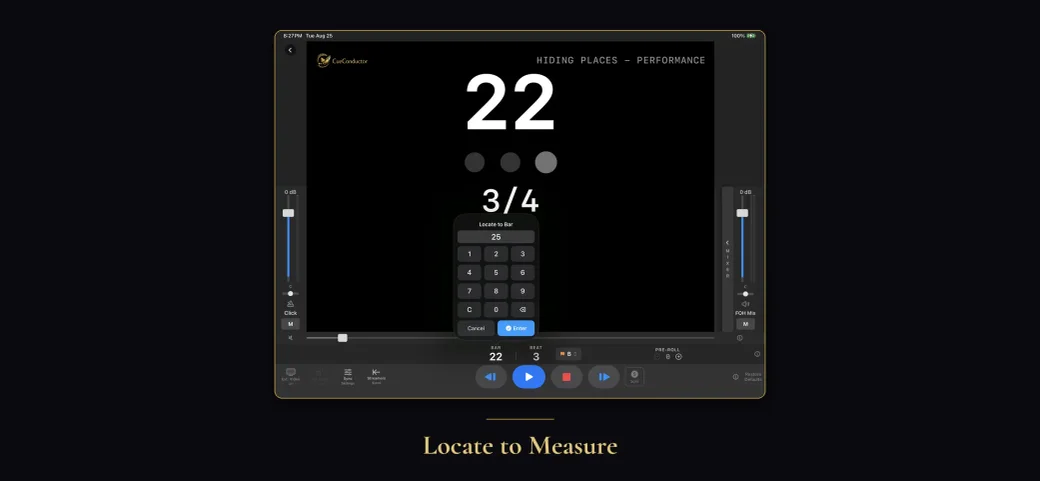
• Single-tap jump to any bar, rehearsal letter, or marker
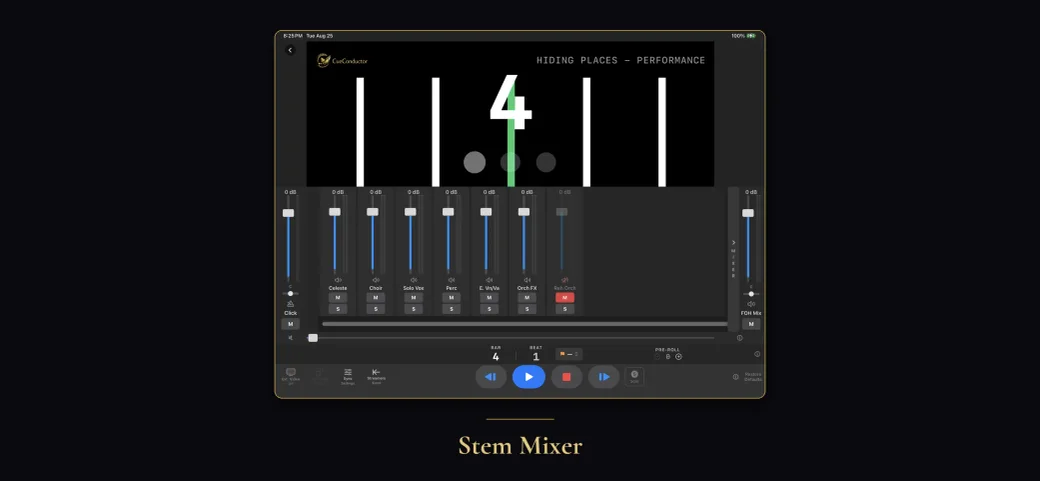
• Per-stem faders, mutes, and solo; independent click and FOH pan with mono fold
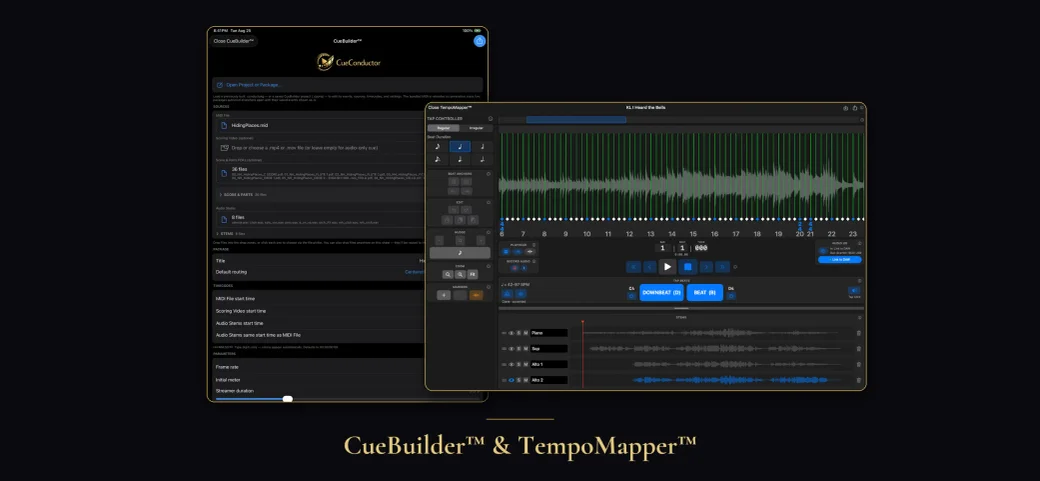
• TempoMapper™: record from any interface or import stems, tap the tempo as it plays, and fine-tune beat anchors on the waveform — transient snapping and a built-in click
• CueBuilder™: build packages from a MIDI file, stems, PDFs, and scoring video — or send TempoMapper's tempo map, click, and stems in with one tap
• Save works-in-progress as projects and finish them later
• Export QLab packages: overlay video with stems numbered for one drag into your cue list, plus setup notes for the FOH engineer
• Frame-accurate scoring video on an external display
• Catalog browser for licensed packages
ON THE CONCERT STAGE
Place your iPad next to the score — or use it as the score — patch it into the hall's PA, and stay in sync with pre-recorded tracks. Watch the counter, streamers, and punches; the orchestra hears only the music. In rehearsal, locate instantly to any bar or rehearsal letter.
Reading from tablets? Conductor Mode puts every stand on the Wi-Fi under your transport — counter, beat dots, streamers, and page turns, each player on their own part. One router at the podium runs the whole section.
IN THE STUDIO
Conductors — patch the control-room headphone mix into your phones alongside your iPad and see tempo, click, and stem playback privately.
Performers — download the package ahead of the session, locate to the tricky bars, hear the cues, walk in prepared.
Engineers — build a package from the MIDI file, stems, and video already in your Pro Tools, Logic, Cubase, or Digital Performer session. Insert the CueConductor Link plug-in on the main output and the session streams straight to the conductor's screen — sample-accurate, no MIDI setup, no timecode routing.
Composers and music directors — no tempo track? Record the performance (or drop in a bounce), tap the beats in TempoMapper, nudge the anchors onto the transients, and bounce a tempo-perfect MIDI map, click, and stems into CueBuilder. Rubato and all. Composed a cue wild, with no click? Tap in its tempo map and you have one — a click that breathes with your performance.
PRICING
Free to download with a 30-day trial of all features. After the trial, TempoMapper, CueBuilder, QLab Export, External Video, and External Sync require CueConductor Pro (in-app purchase). Playback, importing, the catalog, projects, and sharing stay free forever.
Licensed performance editions from Vision Music Publishing unlock External Sync and External Video for that title on every device — no subscription on the stands.
Works on iPhone, iPad, and Mac.
Yang baru
Versi 2.11.0 · 14/11/2026
Film in concert
• Programs put a whole evening's cues on one timeline. The master follows house timecode (or runs the clock itself), opens each cue as it arrives, and the stands follow as usual.
• The full film, with dialogue and effects, plays on its own Film strip and shows on the conductor's screen under the streamers.
• Programs can be edited, rehearsed and shared.
Audio
• Audio I/O: choose the device and the output pair for Click and Stems, on Mac and iPad.
• Two mixes, Conductor and FOH Mix, each with its own fader, mute, pan and outputs. The FOH Mix plays whenever an interface gives it somewhere to go, with or without External Video.
• The meters show what each mix is actually sending.
• Bluetooth earbuds on stands, with latency compensation and a calibrate button.
• External audio can have its own latency, separate from the picture.
Conducting and stands
• Pre-roll at the top of a cue: the first streamer rolls in and lands on beat one.
• Push cues to stands: the master hands a lite copy of the cue to every stand.
• Stands hold their lock through Wi-Fi gaps, one slow stand no longer stalls the others, and link quality is reported in plain words.
• Stop returns to where you pressed Play; double-tap for the top.
Display and layout
• Overlay Settings: per-device control over the counter, dots, streamers and the rest.
• Pick which display gets the external window, with full screen. On iPad, HDMI is taken over automatically.
• One layout for the film and score views, with settings sheets that float and drag.
Link plug-ins
• They install through the macOS Installer, so Pro Tools and Digital Performer load them.
• Fetch a catalog cue and drive CueConductor from the plug-in panel.
• Optionally set the room up when a session opens: launch the app, open External Video and lock.
Getting started
• A first-launch choice of role (Concert Conductor, Player or Studio Conductor, Engineer) sets sensible defaults.
• On-screen tips appear once per screen, and every settings sheet links to the new help site.
Fixes
• CueBuilder no longer freezes on the Mac.
• A parked cue no longer burns the processor.
• Cues starting near midnight at 29.97 and 23.976 join on time.
• The first-play AAE -9173 error in Pro Tools is gone.
Privasi aplikasi
Yang dinyatakan Wholenote Music, Inc. di App Store tentang cara aplikasi ini menangani data.
-
Data tidak dikumpulkan
Pengembang tidak mengumpulkan data apa pun dari aplikasi ini.
Praktik privasi dapat bervariasi, misalnya berdasarkan fitur yang Anda gunakan atau usia Anda.
Informasi
- Penjual
- Wholenote Music, Inc.
- Kategori
- Musik
- Versi
- 2.11.0
- Diperbarui
- 14/11/2026
- Dirilis
- 14/4/2026
- Ukuran
- 10,4 MB
- Memerlukan
- iOS 16.6 atau yang lebih baru
- Batasan usia
- 4+
- Harga
- Gratis
- Pembelian dalam aplikasi
- Ya
- Bahasa
- Inggris
- Hak cipta
- © Wholenote Music, Inc.