CueStack
Audio cues, timecode & replay
Dirancang untuk iPad
Gratis · Pembelian dalam aplikasi
- Batasan usia4+
- KategoriMusik
- PengembangUpload Studio Ltd.
- BahasaInggris
- Ukuran15,8 MB
Tertaut ke halaman resmi App Store
Download.org tidak menyimpan file CueStack apa pun. Tombol ini membuka halaman aplikasi di App Store, tempat Upload Studio Ltd. menerbitkannya. Halaman terakhir diperiksa pada 14/11/2026.
Tangkapan layar



Tentang
Pengembang belum menyediakan teks ini dalam bahasa Anda.
CueStack marks cue points on an audio track and replays any section on demand, so you can time lighting, video, and effects to the music. Set your points once, then tap any of them to jump there and replay that section live.
Built for live-event operators, video programmers, theatre and AV techs, and worship teams.
MARK & REPLAY
• Place cue points on the waveform and give each one a type
• Use the built-in types (Audio, Video, Lighting, Pyro, SFX) or create your own with a name, color, and shape
• Tap a cue to jump to it and replay that section
• Drag a cue along the waveform to adjust its timing
• Pinch to zoom for precise placement
ORGANIZE YOUR SHOW
• Group tracks into projects and setlists
• Reorder, rename, and manage everything on the iPad
• Import and export show bundles to back up a show or move it between iPads
TIMECODE (Full Version)
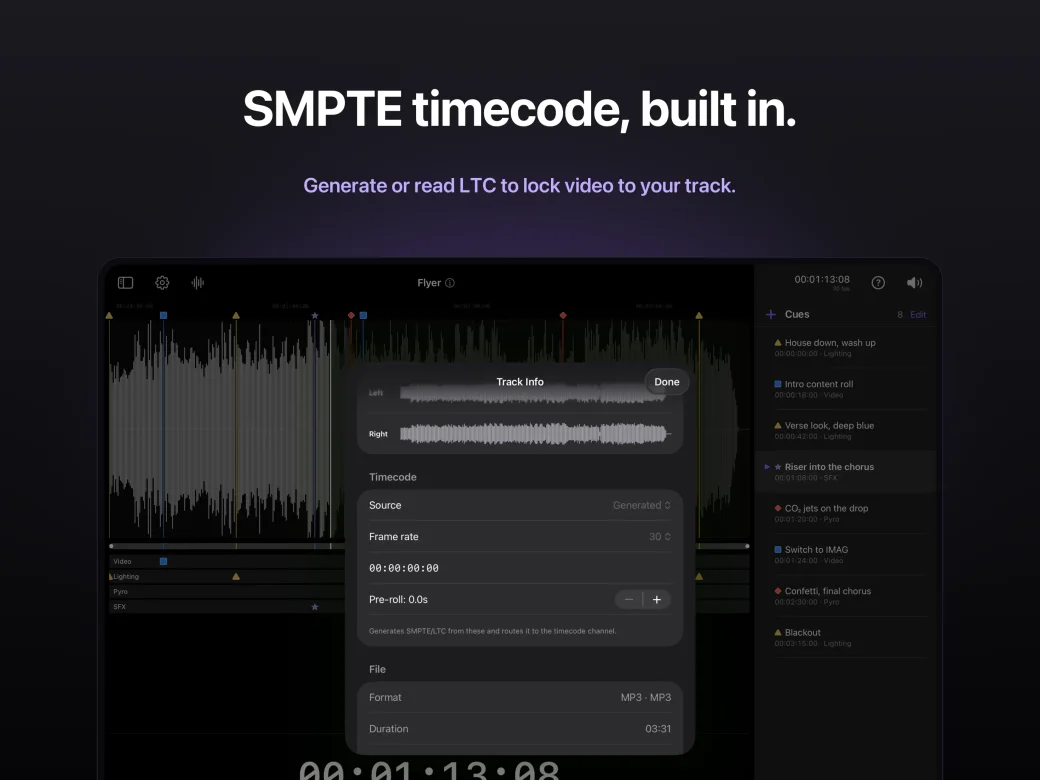
• Generate SMPTE/LTC linear timecode for any track
• Stripe and read timecode to lock CueStack to the rest of your rig
• Read running timecode on an in-app SMPTE clock, in frames or milliseconds
SHOW CONTROL (Full Version)
• Send and receive cues over OSC and MIDI
• Drive lighting and video consoles, media servers, and stream controllers, or let them drive CueStack
• MIDI Learn, MMC and MSC, and a fixed OSC address scheme
AUDIO ROUTING (Full Version)
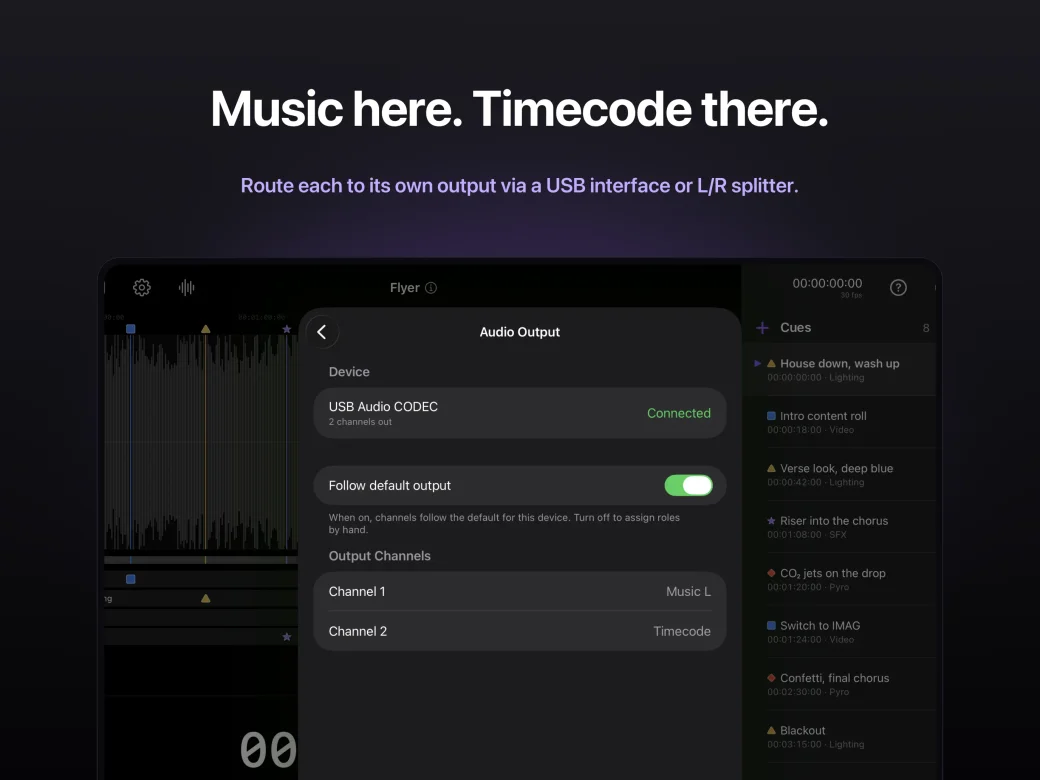
• Send music and timecode to separate outputs through a USB interface or a headphone splitter
• Keep music on the PA while timecode goes to your media server
NO ACCOUNT, NO CLOUD
• Everything runs on the iPad. No sign-in, no tracking.
• Your audio and your shows never leave the device.
FREE TO TRY
Download free and work with one project and three tracks. A one-time Full Version unlock removes the limits and adds timecode, show control, audio routing, and import and export.
Yang baru
Versi 1.0.2 · 17/8/2026
Three playback fixes.
Timecode: when a track with generated timecode played to its end, the LTC output kept counting past the end of the song until you pressed play, scrubbed, or switched tracks. It now stops on the last frame, the same way it does when you pause.
Interruptions: if a call, alarm, or Siri interrupted the app while a track was paused, playback could start on its own when the interruption ended. A paused track now stays paused. A playing track still resumes.
Stability: pressing play right after an audio output was unplugged, re-plugged, or interrupted could crash the app. It no longer does; playback simply resumes once the output is back.
Found a bug or have a request? Email support@cuestack.net
Privasi aplikasi
Yang dinyatakan Upload Studio Ltd. di App Store tentang cara aplikasi ini menangani data.
-
Data tidak dikumpulkan
Pengembang tidak mengumpulkan data apa pun dari aplikasi ini.
Praktik privasi dapat bervariasi, misalnya berdasarkan fitur yang Anda gunakan atau usia Anda.
Informasi
- Penjual
- Upload Studio Ltd
- Kategori
- Musik
- Versi
- 1.0.2
- Diperbarui
- 17/8/2026
- Dirilis
- 9/7/2026
- Ukuran
- 15,8 MB
- Memerlukan
- iOS 17.0 atau yang lebih baru
- Batasan usia
- 4+
- Harga
- Gratis
- Pembelian dalam aplikasi
- Ya
- Bahasa
- Inggris
- Hak cipta
- © 2026 Upload Studio Ltd.