
Cyclops AR
AR for VFX, Film & Archits
Dirancang untuk iPhone, iPad
Gratis · Pembelian dalam aplikasi
- Batasan usia4+
- KategoriFoto & Video
- PengembangThe Third Floor, Inc
- BahasaInggris
- Ukuran442,4 MB
Tertaut ke halaman resmi App Store
Download.org tidak menyimpan file Cyclops AR apa pun. Tombol ini membuka halaman aplikasi di App Store, tempat The Third Floor, Inc menerbitkannya. Halaman terakhir diperiksa pada 18/11/2026.
Tangkapan layar

Tentang
Pengembang belum menyediakan teks ini dalam bahasa Anda.
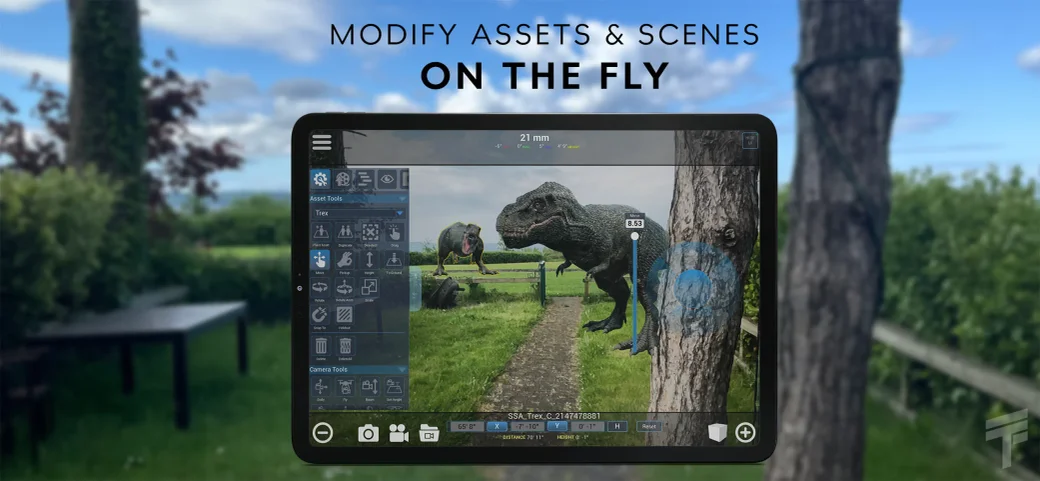
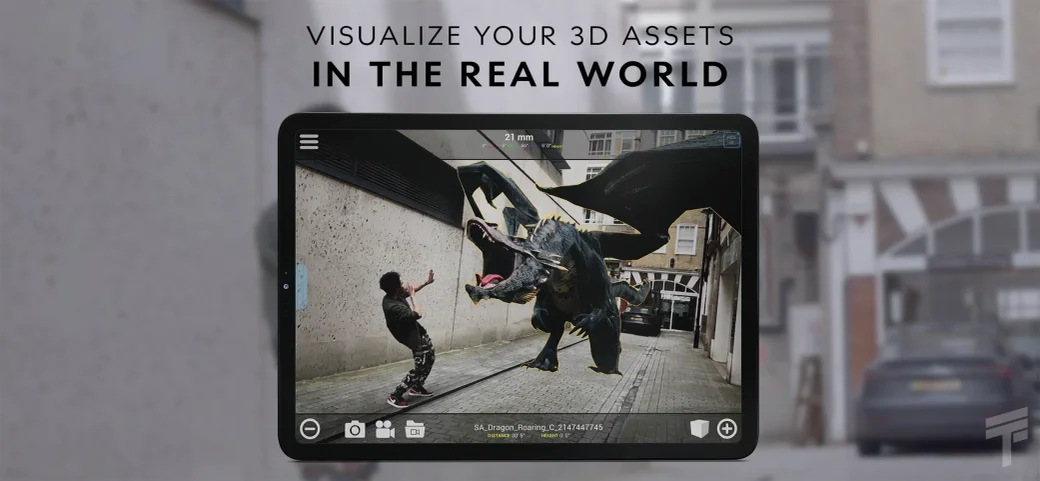
Cyclops is an advanced AR visualization tool for film/TV and architecture, relied on by industry professionals to easily visualize ideas in the real world. See digital creatures, set extensions or designs in context with actual sets, actors and locations. Scout building sites and design proposals aligned to real geography. Whether the content you are creating will be virtual or real, you can use Cyclops anywhere to provide a new perspective on the world. Use Cyclops anywhere to put your virtual ideas into real-world context.
For VFX Crew
Visualize CG characters, creatures and set extensions on set or on location, with simulcam-like capabilities in real time. Integrate VFX elements with powerful compositing tools. Preview, share and discuss how VFX elements will integrate into shots while scouting and shooting.
For Directors, Cinematographers, & Camera Operators
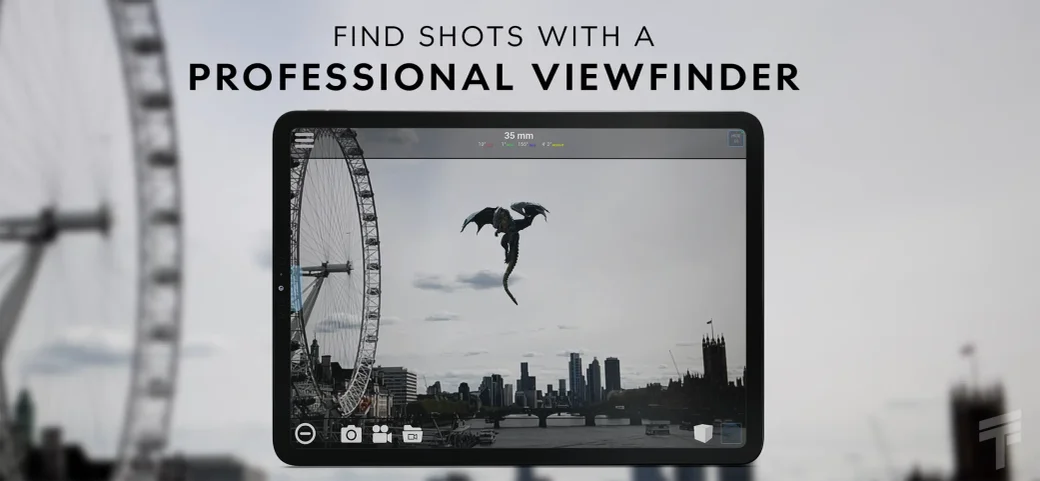
Block shots and create photoboards in AR or in Google Maps. “Find” shots by framing up virtual and real storytelling elements. Scout camera coverage, lenses and real locations to help prepare shot lists and shooting plans. Use as a digital viewfinder to properly review VFX shots with proper camera lens matching.
For Designers & Architects
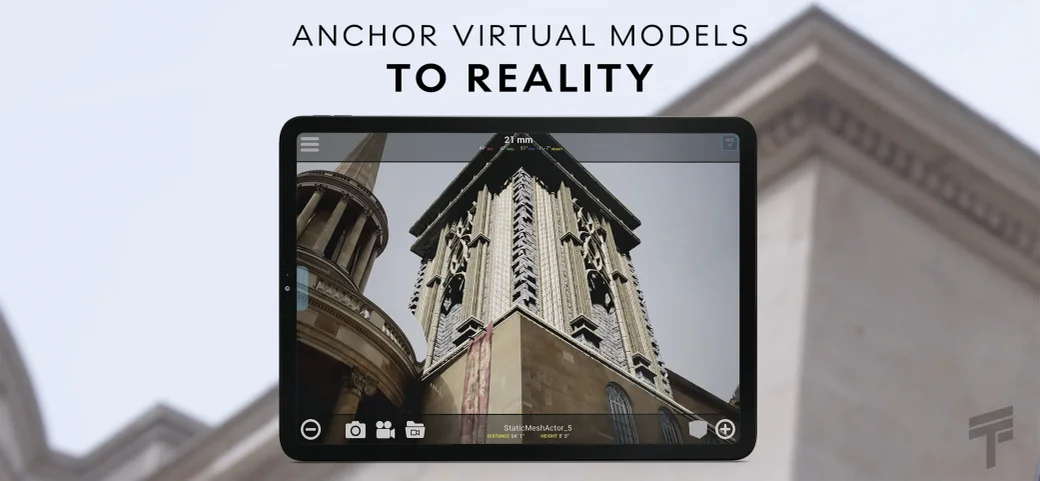
Visualize architecture projects in AR to see and share how designs fit the real world. Visualize designs in Google Maps to explore and present a proposed build within the actual geography. Create scenarios for lighting or drop in posed humans to capture video with scale reference.
Features & Tools:
Import your own FBX/OBJ models or export assets and levels from Unreal
Real-time animation, lighting and FX adjustment tools
Search-and-explore via Google Maps, with correct sun path information
Professional cinema camera & lens matching
Scene organization tools, including outliner, layers and bookmarks
Asset tools to move, rotate, & scale objects in the scene
Take photos and record videos with metadata/camera data
Export recorded cameras into Unreal
Game controller support
Range finder and measuring tape tool
Robust animation playback controls – scrub, adjust playback speed, set in/out points, & more
Built-in Photo and Video Gallery with custom info, metadata and sharing
Seamless import/export with Unreal Engine
Secure content delivery system
AI People compositing
Chromakey
Scene Lidar for holdout geometry
Built-in GPS alignment
Point Cloud Anchor tools to correctly save and load CG models in real-world locations
Scene-saving tools
Create your own complex assets in Unreal with different color, texture, or material options
Multiple operation modes, including Asset Mode, Shot Mode, VCAM Mode and Maps Mode
Secure platform. All content is stored on your device with no rendering in the cloud.
Hundreds of user-driven tools and features
Additional Info:
Cyclops is a subscription-based app. Multiple subscription levels and time frames are offered to fit user and project needs.
Maps - access to Maps Mode only
Assets - access to Maps and Asset modes
Pro - access to all modes.
You can enjoy a 1-week free trial.
iOS or iPadOS 16 or newer is required.
For the best experience with Cyclops, a 2021 or newer iPad Pro is recommended.
Please see our website for more info, tutorials & support.
http://cyclops.thethirdfloorinc.com
Yang baru
Versi 5.6.0 · 21/7/2026
Cyclops App 5.6 - Jul 24th, 2026
- Cyclops is now built using Unreal 5.6. Old DLCs will not work in this new version. pls re-download.
- FIX: Sample links now work again
- NEW: Sample placeable asset pack. 16 animated animal Smart Assets
- NEW: Support for Alembic smart asset (DLC only)
- NEW: Performance Preferences
-- Control: shadows, lighting, textures, AO, and more
-- 3 presets: Performance, Balanced, & Quality
-- Save/load custom settings
- UPDATED: New, improved, custom video recorder.
-- Cyclops no longer freezes to ask permission to record videos. Video recording starts instantly.
-- Video recorder is less likely to crash
-- Video recorder will still work after returning to Cyclops.
-- New full screen video playback
- UPDATED: spawned/imported asset naming is improved.
- UPDATED: Image & Object anchor save files now automatically timestamp and backup for file corruption protection.
- UPDATED Rendering. New preference so Post Process Volumes don’t affect the video image.
- UPDATED: added an option in Hide UI to display the animation scrub bar
- FIX: sporadic issues with Set Height and device height calculations
- FIX: issues with the asset To-Ground tool
- FIX: anchor visible icon updates properly when more than 5 image anchors or image constraints are listed
- FIX: anchor visible icon updates properly when more than 5 object anchors are listed
- FIX: issue with image/object anchors with the same name in different levels
- FIX: Object anchors now work properly in Asset Mode
- FIX: Drag Asset works on initial drag
Cyclops App 5.2.31 - Apr 13th, 2026
- Added 1.43 aspect ratio for IMAX
Cyclops App 5.2.30 - Mar 3th, 2026
- FIX: a bug with the To Ground asset button
Cyclops App 5.2.29 - Jan 26th, 2026
- FIX: a bug with video and photo thumbnails not appearing
Cyclops App 5.2.28 - Sep 15th, 2025
- FIX: Improved Object Target selection when multiple targets are present
- FIX: Adjusted tracking time out for Object Targets
- FIX: scan cube size preference
- FIX: Object Scanning wouldn’t work properly if the CG world had been rotated.
Cyclops App 5.2.27 - Sep 6th, 2025
- NEW: Panorama asset
-- Load LatLong panorama images and add them to your scene.
-- Supports EXR, HDR, PNG, JPG
-- Adjust exposure, brightness, color, height, and more
- NEW Object Anchors
-- Detect Object Targets
-- Add/Load Object Anchors, multiple anchors per-target
-- Rename, delete Object Anchors
-- Autoload preference
- NEW: Object Target Capture
-- Capture and save Object Targets (used to create Object Anchors)
-- Customizable object target size/area
-- Load, unload, save, rename, and delete Object Targets
- NEW: A collection of 8 TechnoCranes is now available as a sample asset, downloadable for free.
-- SuperTechnoPlus 30+, 50+, 75+
-- TechnoDolly 10, 15, 25
-- TechnoCrane 10+, 22+
- UPDATED: improved how we do AR plane & ground detection
-- Improved accuracy when placing assets on the ground
- UPDATED: Static Mesh Smart Asset class. Old Static Mesh Smart Assets may crash Cyclops
- UPDATE: Bluescreen asset is now included by default
- FIX: a bug in the screen color picker
- FIX: The Orbit tool wasn’t orbiting properly
- FIX: a bug with getting GPS info
- FIX: The Goto Current Location button in Maps was not working properly.
- FIX: objects getting selected after taking a photo
Cyclops App 5.2.26 - Aug 26th, 2025
- FIX: fixed the promo code redemption button
Cyclops App 5.2.25 - Aug 12th, 2025
- FIX: fixed issue where import would only allow one asset to be load at a time
Privasi aplikasi
Yang dinyatakan The Third Floor, Inc di App Store tentang cara aplikasi ini menangani data.
-
Data tidak dikumpulkan
Pengembang tidak mengumpulkan data apa pun dari aplikasi ini.
Praktik privasi dapat bervariasi, misalnya berdasarkan fitur yang Anda gunakan atau usia Anda.
Informasi
- Penjual
- The Third Floor, Inc.
- Kategori
- Foto & Video
- Versi
- 5.6.0
- Diperbarui
- 21/7/2026
- Dirilis
- 30/5/2024
- Ukuran
- 442,4 MB
- Memerlukan
- iOS 16.0 atau yang lebih baru
- Batasan usia
- 4+
- Harga
- Gratis
- Pembelian dalam aplikasi
- Ya
- Bahasa
- Inggris
- Hak cipta
- © 2019 The Third Floor Inc
Mungkin Anda juga suka
-
 Byplay CameraFoto & Video
-
 DragonFly CompanionFoto & Video
-
 the VFX screenFoto & Video
-
 Aximmetry Eye - VP & XR toolsFoto & Video
-
 Lightcraft JetsetFoto & Video
-
 Storytelling XRFoto & Video
-
 AR Video Camera: Mixed RealityFoto & Video
-
 Movie Effects - AI VFX VisualFoto & Video
-
 Beeble CameraFoto & Video
-
 ReplayarFoto & Video