- Batasan usia4+
- KategoriGrafik & Desain
- PengembangAlyra Ltd Co
- BahasaInggris
- Ukuran643,1 MB
Tertaut ke halaman resmi App Store
Download.org tidak menyimpan file Das Brush apa pun. Tombol ini membuka halaman aplikasi di App Store, tempat Alyra Ltd Co menerbitkannya. Halaman terakhir diperiksa pada 14/11/2026.
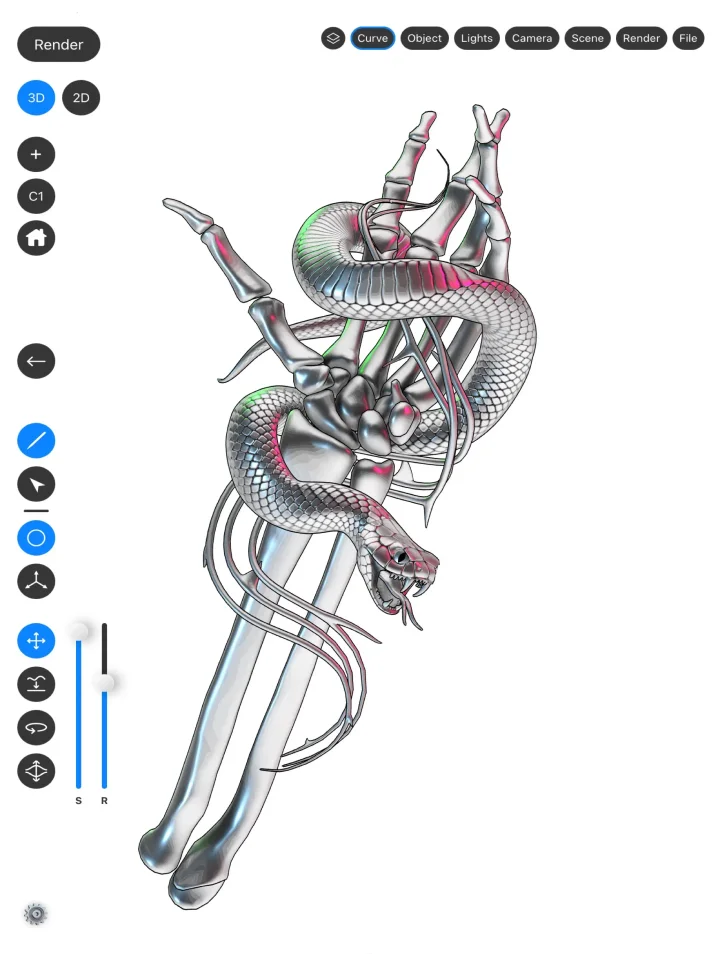
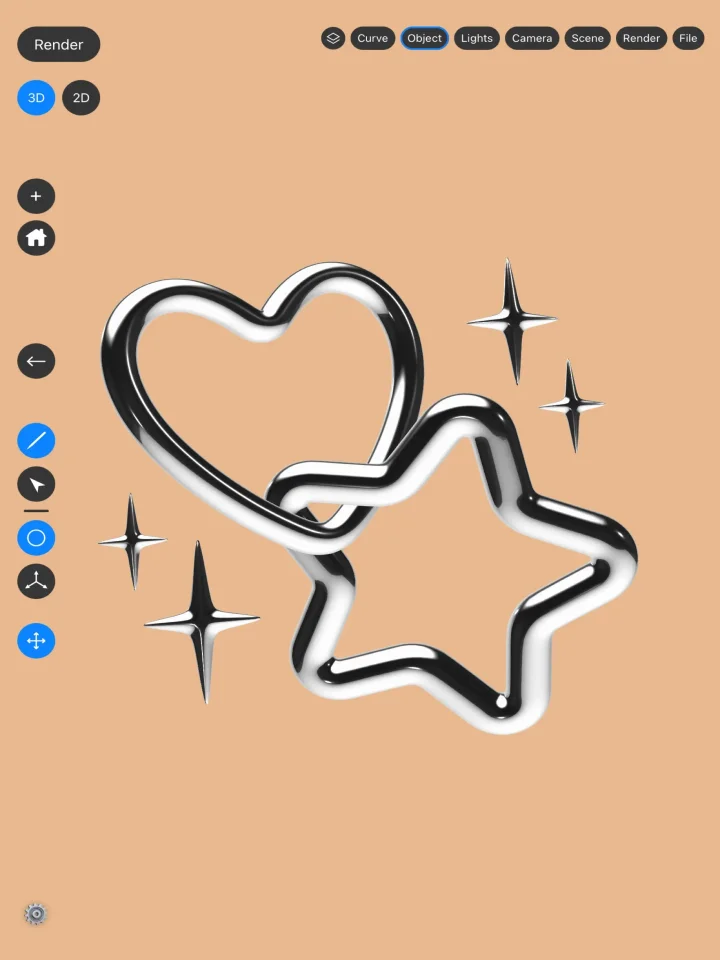
Tangkapan layar

Tentang
Pengembang belum menyediakan teks ini dalam bahasa Anda.
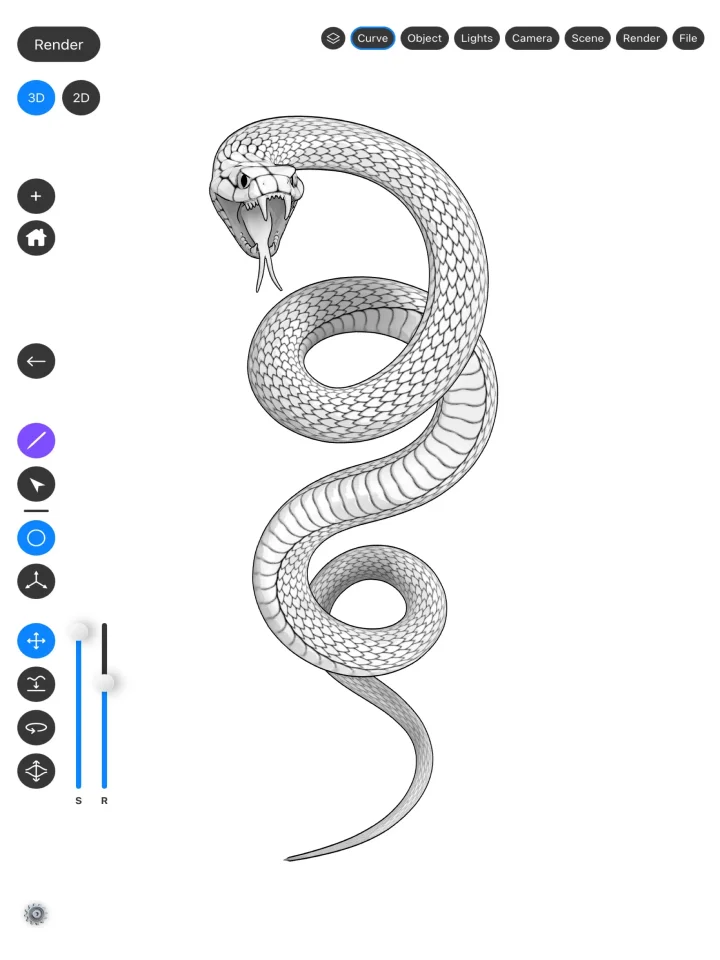
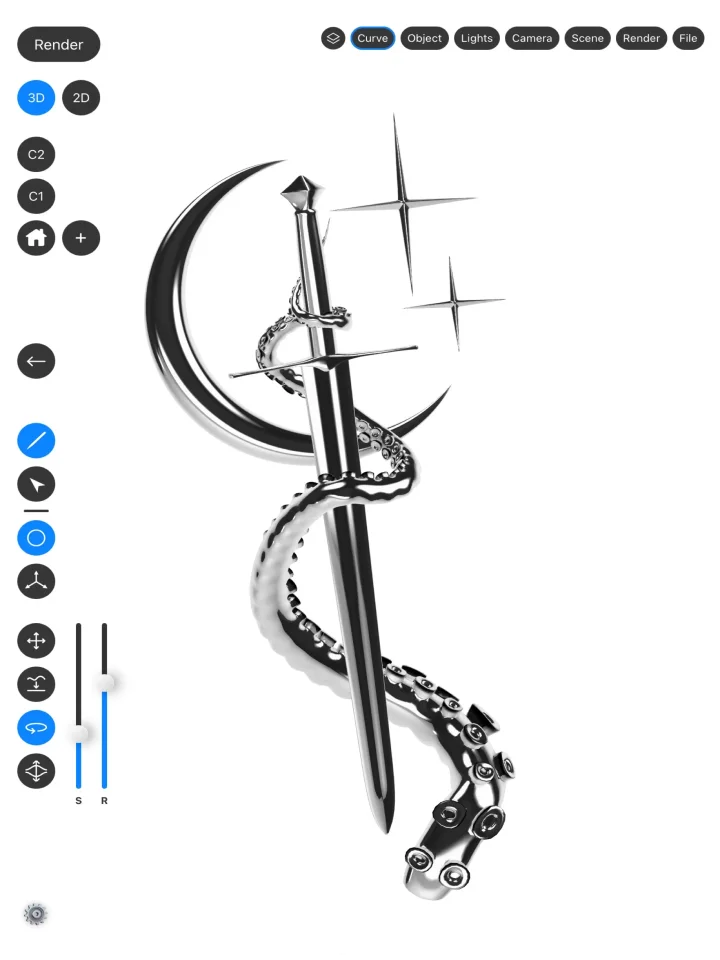
Das Brush turns pencil strokes into 3D forms you can pose and style for reference material or finished artwork.
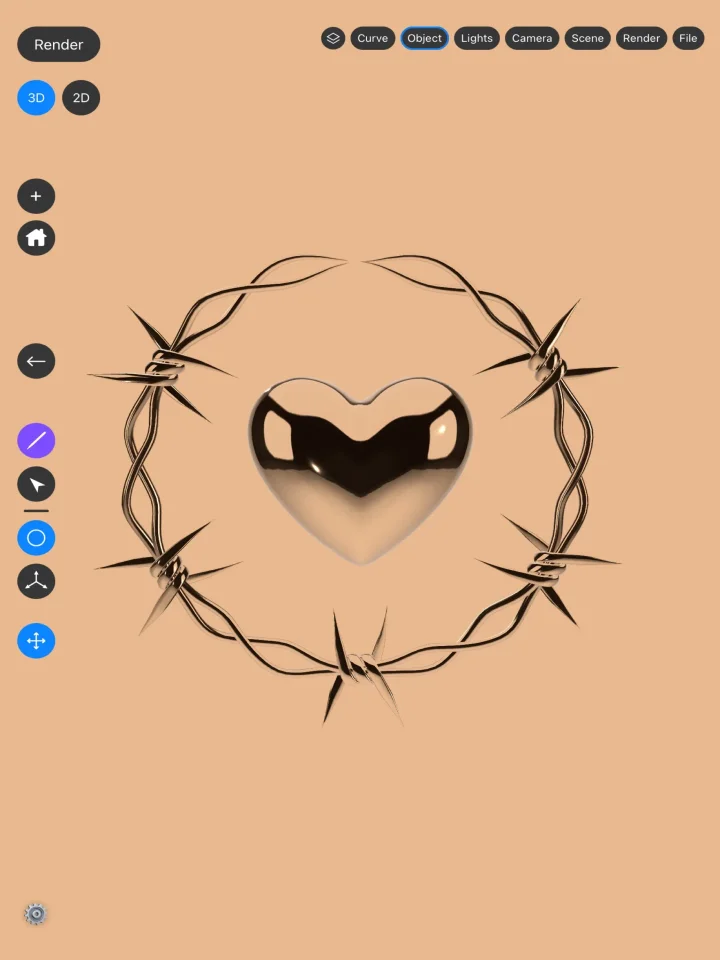
Draw with built-in snakes, chains, thorns, ribbons, tentacles, swords, stars, hearts, and more.
Built for tattoo artists, illustrators, and designers who want to draw complex forms faster while maintaining creative control.
Das Brush requires an Apple Pencil and a compatible iPad.
FEATURES
• Draw directly into 3D with Apple Pencil
• Shape curves using thickness, twist, roll, depth, smoothing, and transform tools
• Apply custom colors and shaders including metal, glass, and toon styles
• Light scenes with adjustable environment maps for unique reflections and lighting
• Save and share your scenes and materials with friends or colleagues
• Export JPG renders or transparent PNG renders to your photo library
From quick sketches and references to finished artwork, Das Brush gives you a playful way to create in 3D.
OFFLINE FIRST
Das Brush works fully offline after installation, aside from purchase validation.
No ads. Ever.
Access options are available in the app. Purchases directly support new tools, assets, and updates.
PERFORMANCE NOTE
For best performance while drawing or rendering, disable Low Power Mode or Battery Saver, as they can reduce responsiveness on some devices.
APPLE PENCIL TIP
If drawing input or sliders seem unresponsive, turn off Scribble in Settings > Apple Pencil. Scribble can interfere with drawing and slider input.
DISCLAIMER
Das Brush is made for creative sketching, concept art, decorative design, and visual exploration. Artistic assets provided in the app are not warranted to be technically, mechanically, or anatomically accurate.
Terms of Use (EULA) - https://alyra.ltd/tos-db
Privacy Policy - https://alyra.ltd/privacy-db
Yang baru
Versi 18.1 · 9/11/2026
New in v18.1:
Changelog:
- Thickness ramp adjustments now correctly affect the labeled curve end
- Fixed lighting previews lingering after switching or creating a scene
- Fixed corrupted renders showing repeated fragments and missing scene details
- Saved cameras now appear in Render after reopening the app from a cold start
Privasi aplikasi
Yang dinyatakan Alyra Ltd Co di App Store tentang cara aplikasi ini menangani data.
-
Data yang tidak ditautkan dengan Anda
Dapat dikumpulkan, tetapi tidak ditautkan dengan identitas Anda.
- Pembelian
- Pengenal
- Data penggunaan
- Diagnostik
Praktik privasi dapat bervariasi, misalnya berdasarkan fitur yang Anda gunakan atau usia Anda.
Informasi
- Penjual
- Alyra Ltd. Co.
- Kategori
- Grafik & Desain
- Versi
- 18.1
- Diperbarui
- 9/11/2026
- Dirilis
- 31/5/2026
- Ukuran
- 643,1 MB
- Memerlukan
- iOS 15.6 atau yang lebih baru
- Batasan usia
- 4+
- Harga
- Gratis
- Pembelian dalam aplikasi
- Ya
- Bahasa
- Inggris
- Hak cipta
- © Alyra Ltd Co
Mungkin Anda juga suka
-
 Vesica Studio: Sacred GeometryGrafik & Desain
-
 Animated Drawing by ArtModGrafik & Desain
-
 Tattoo Print SystemGrafik & Desain
-
 TatToolkitGrafik & Desain
-
 Meld - 3D ModelingGrafik & Desain
-
 PrintcilGrafik & Desain
-
 Sacred Geometry Drawing AppGrafik & Desain
-
 TopMod 3D: Design SoftwareGrafik & Desain
-
 Tattoo InkprepGrafik & Desain
-
 3D Model Print Simple EditGrafik & Desain