Dashlet: Custom Data Widgets
APIs and feeds on your screen
Dirancang untuk iPhone, iPad
Gratis · Pembelian dalam aplikasi
- Batasan usia4+
- KategoriKegunaan
- PengembangZiga Dolar
- BahasaInggris+ 6 lainnya
- Ukuran19,4 MB
Tertaut ke halaman resmi App Store
Download.org tidak menyimpan file Dashlet: Custom Data Widgets apa pun. Tombol ini membuka halaman aplikasi di App Store, tempat Ziga Dolar menerbitkannya. Halaman terakhir diperiksa pada 25/11/2026.
Tangkapan layar
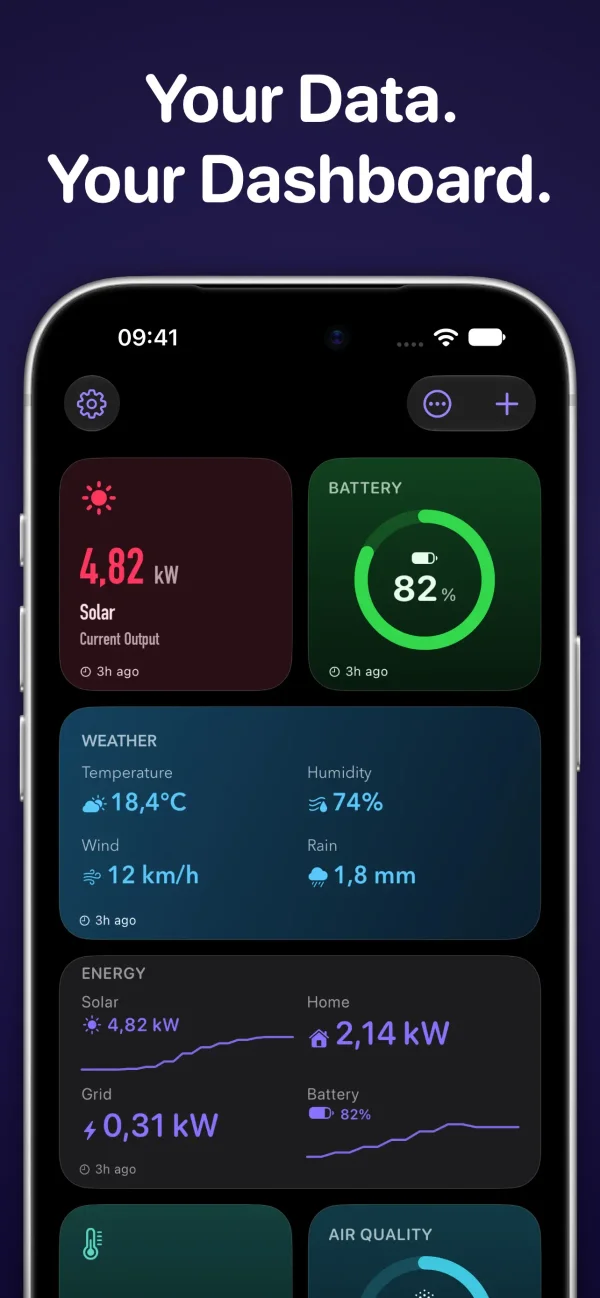
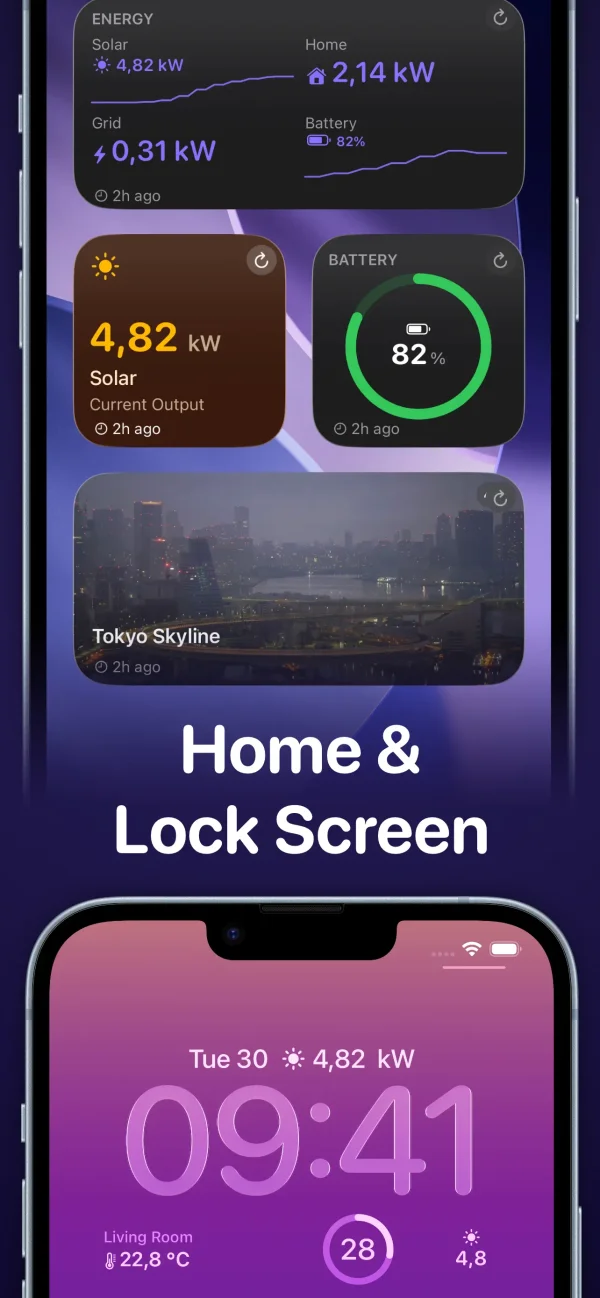
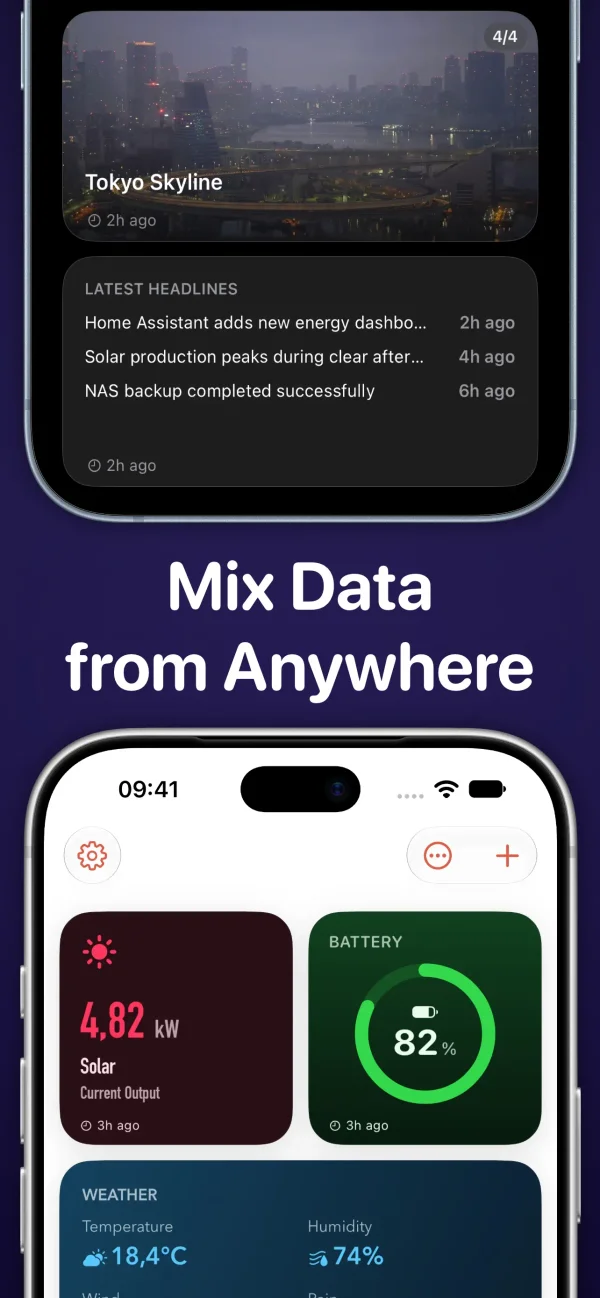
Tentang
Pengembang belum menyediakan teks ini dalam bahasa Anda.
# Put any data on your Home Screen.
Dashlet lets you build beautiful widgets from almost any online data source.
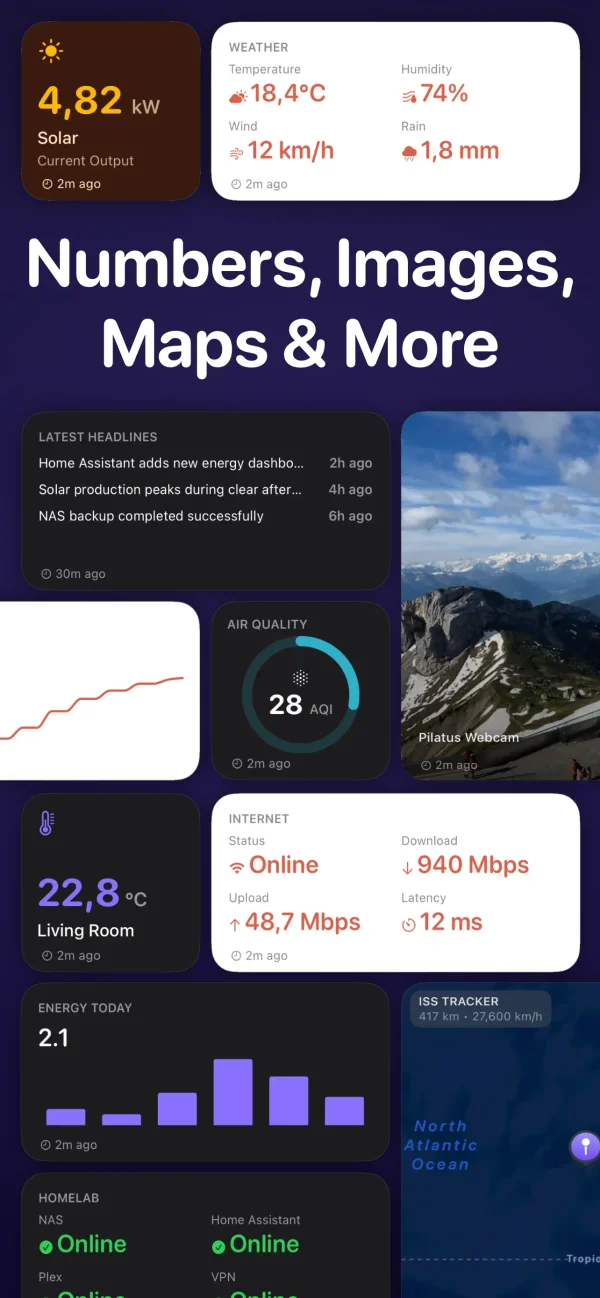
Display weather, scenic webcams, Home Assistant sensors, RSS feeds, server dashboards, solar production, package tracking, satellite positions, and much more; all on your Home Screen, Lock Screen, and Apple Watch.
No coding. No accounts. No cloud.
# Connect almost anything
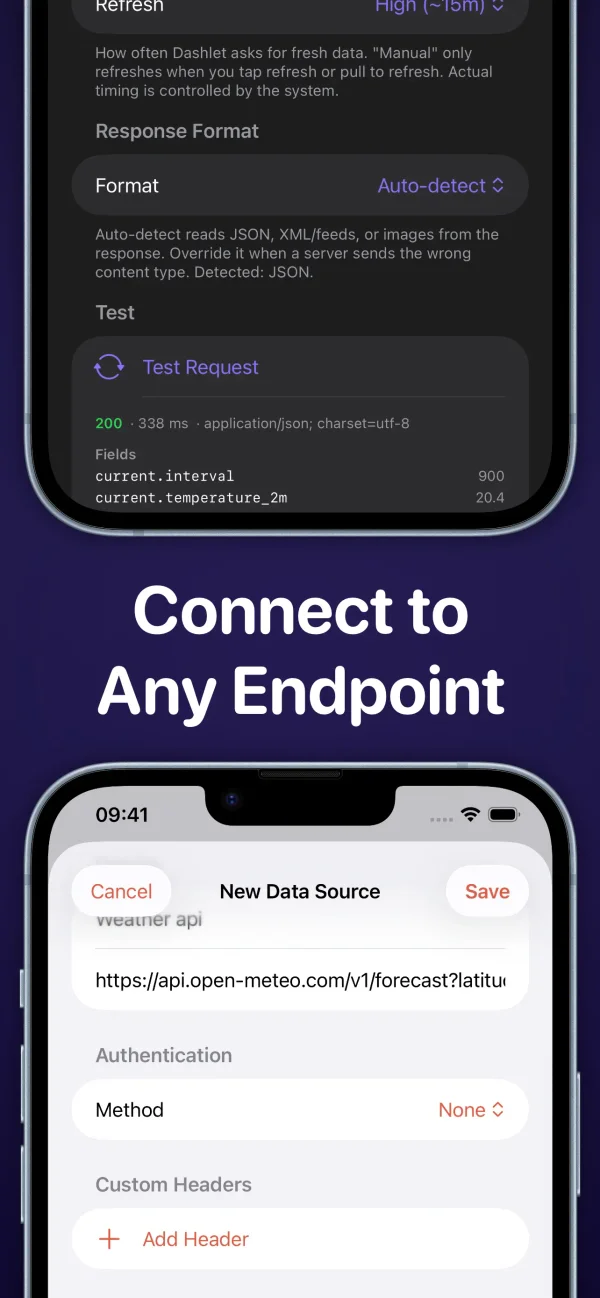
• HTTPS endpoints
• JSON, XML/RSS and images
• Bearer tokens, Basic Authentication and custom headers
• Secure Keychain storage
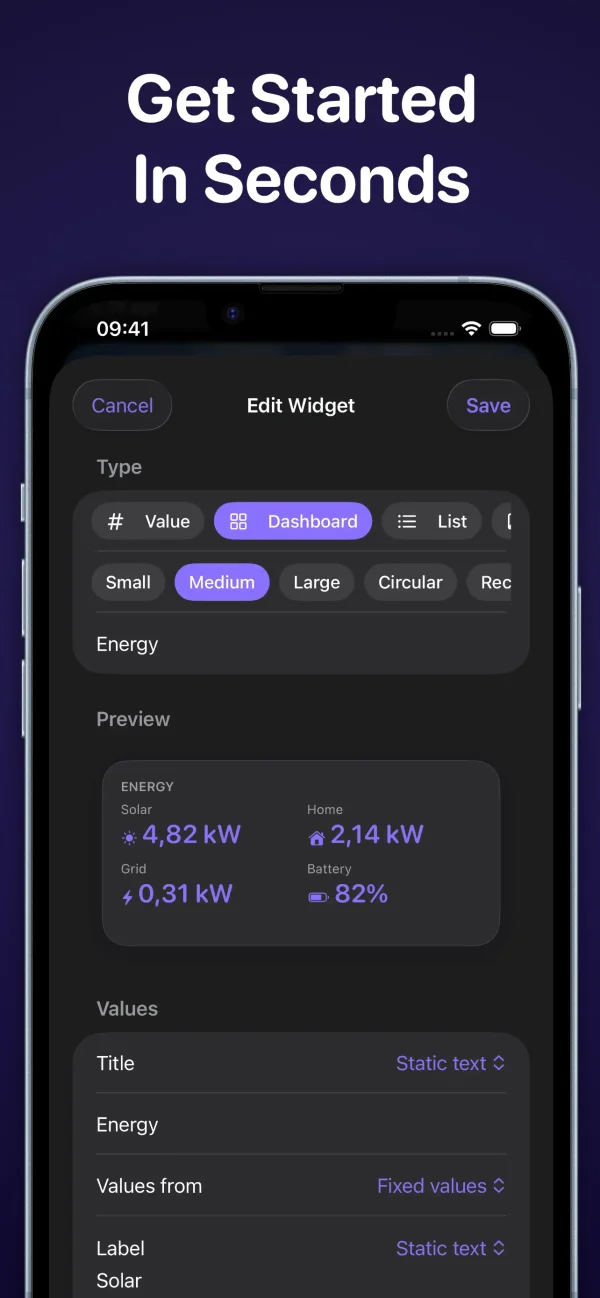
# Build widgets visually
Browse your response, pick the fields you want, and map them into widgets with an intuitive visual editor. No JSON paths or scripting required.
# Share a setup in a link
Send someone a data source, or a whole widget with its rows, formatting and theme, as a link. It opens filled in on their device, ready to save, and nothing is created until they keep it. Your tokens and passwords never travel with it.
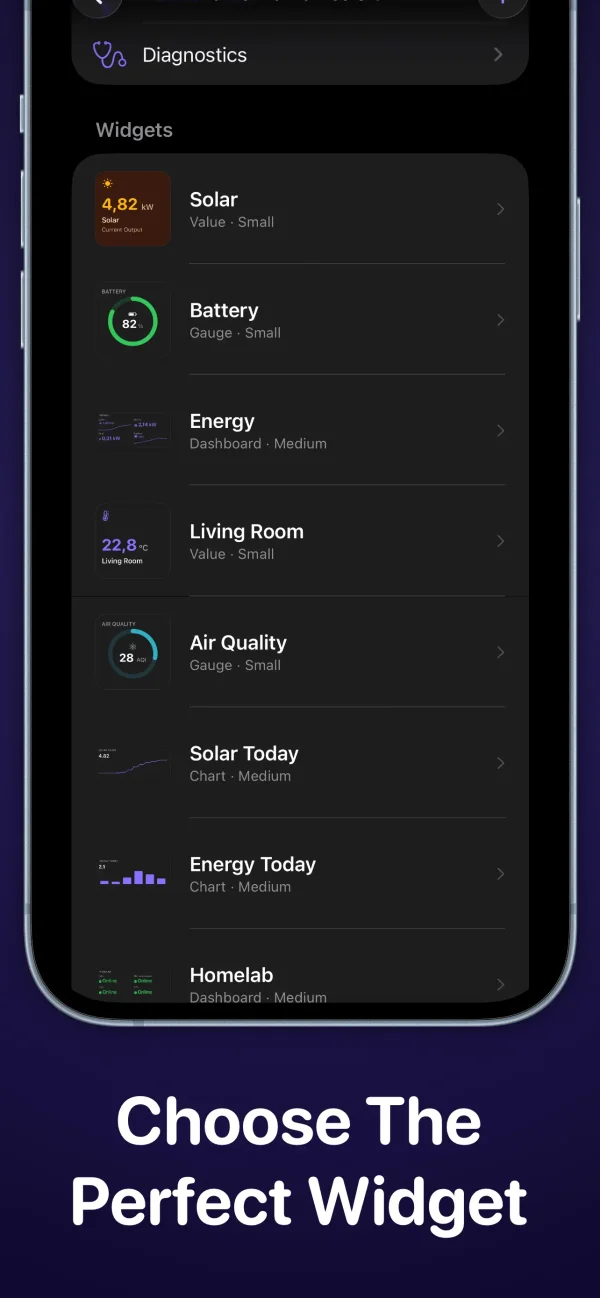
# Multiple widget types
• Value
• Dashboard
• List
• Image
• Image + Text
• Carousel
• Charts and Gauges
• Maps
# Designed for power users
Perfect for:
• Home Assistant
• Scenic webcams
• Photo feeds
• Weather
• Solar monitoring
• Server monitoring
• RSS feeds
• Package tracking
• Satellite tracking
• Smart homes
• Personal dashboards
# Always available
Dashlet caches your latest data so widgets continue working even when you're offline.
# Know when something changes
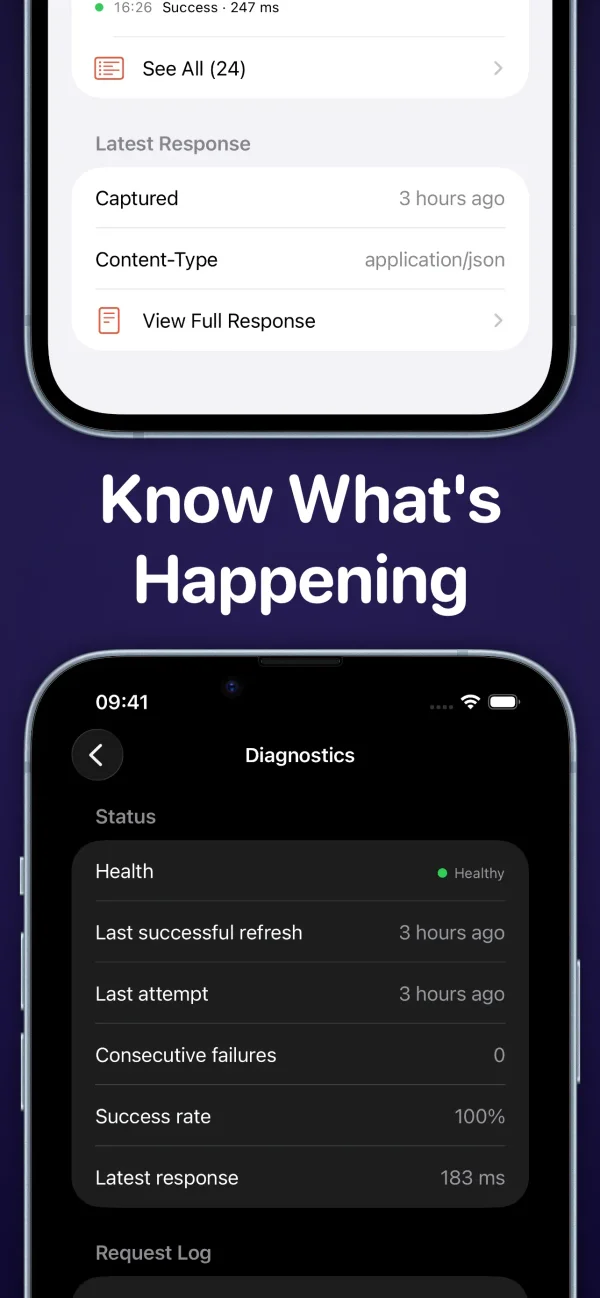
View request history, response times, success rates and endpoint health to quickly diagnose problems.
----
Terms of Service:
https://getdashlet.app/terms
Privacy Policy:
https://getdashlet.app/privacy
Terms of Use (Apple Standard EULA):
https://www.apple.com/legal/internet-services/itunes/dev/stdeula/
Yang baru
Versi 1.11 · 24/11/2026
Fresher data on your Apple Watch, image complications that update by themselves, and a quicker editor.
Fresher data on your Apple Watch:
Complications keep closer to each data source's schedule and update more often on their own, even while the iPhone app is closed. Newer data from your iPhone reaches the watch face more reliably too.
Image complications update by themselves:
Image widgets on the watch now refresh on their own, following a new image or a changed one without opening Dashlet on your iPhone.
Charts keep their history:
Charts of recorded values keep their bars when the watch refreshes them.
Know when data is out of date:
A small warning appears on a complication whose data has stopped updating.
See what reaches your watch:
The widget editor now says which sizes appear on Apple Watch. Image widgets no longer offer the Inline size.
Smoother and quicker:
The widget editor responds faster while you type, and the dashboard stays smoother while it refreshes.
Privasi aplikasi
Yang dinyatakan Ziga Dolar di App Store tentang cara aplikasi ini menangani data.
-
Data tidak dikumpulkan
Pengembang tidak mengumpulkan data apa pun dari aplikasi ini.
Praktik privasi dapat bervariasi, misalnya berdasarkan fitur yang Anda gunakan atau usia Anda.
Informasi
- Penjual
- Ziga Dolar
- Kategori
- Kegunaan
- Versi
- 1.11
- Diperbarui
- 24/11/2026
- Dirilis
- 15/7/2026
- Ukuran
- 19,4 MB
- Memerlukan
- iOS 18.0 atau yang lebih baru
- Batasan usia
- 4+
- Harga
- Gratis
- Pembelian dalam aplikasi
- Ya
- Bahasa
- Inggris, Prancis, Jerman, Italia, Portugis, Tionghoa Sederhana, Spanyol
- Hak cipta
- © 2026 Ziga Dolar
Mungkin Anda juga suka
-
 Nucleo LLM by Marte AIKegunaan
-
 Supplement Tracker - SuppsyKegunaan
-
 PulzeMarkKegunaan
-
 Perekam Suara AI: TranskripLabel pembicara & ringkasan AI
-
 Netsight - WiFi ToolsKegunaan
-
 VRLinkKegunaan
-
 Unicode: Math Symbol KeyboardKegunaan
-
 Folder Aplikasi: WidgetLoftWidget Layar Utama & Kunci
-
 Device Kit: Monitor SistemKecepatan Net · CPU · Baterai
-
 ntfyKegunaan