Day Memo - 記念日カウント
育児も車検も。お宮参り・百日祝い・七五三まであと何日
Dirancang untuk iPhone
Gratis · Pembelian dalam aplikasi
- Batasan usia4+
- KategoriGaya Hidup
- PengembangYuki Tagami
- BahasaJepang+ 1 lainnya
- Ukuran107,7 MB
Tertaut ke halaman resmi App Store
Download.org tidak menyimpan file Day Memo - 記念日カウント apa pun. Tombol ini membuka halaman aplikasi di App Store, tempat Yuki Tagami menerbitkannya. Halaman terakhir diperiksa pada 23/11/2026.
Tangkapan layar

Tentang
Pengembang belum menyediakan teks ini dalam bahasa Anda.
"How many days has it been?"
Day Memo quietly counts the days since the moments that matter to you.
The day your child was born. Your wedding day. The day you quit smoking. The day you bought your car.
Add the date once, and let the count grow.
■ Three ways to count
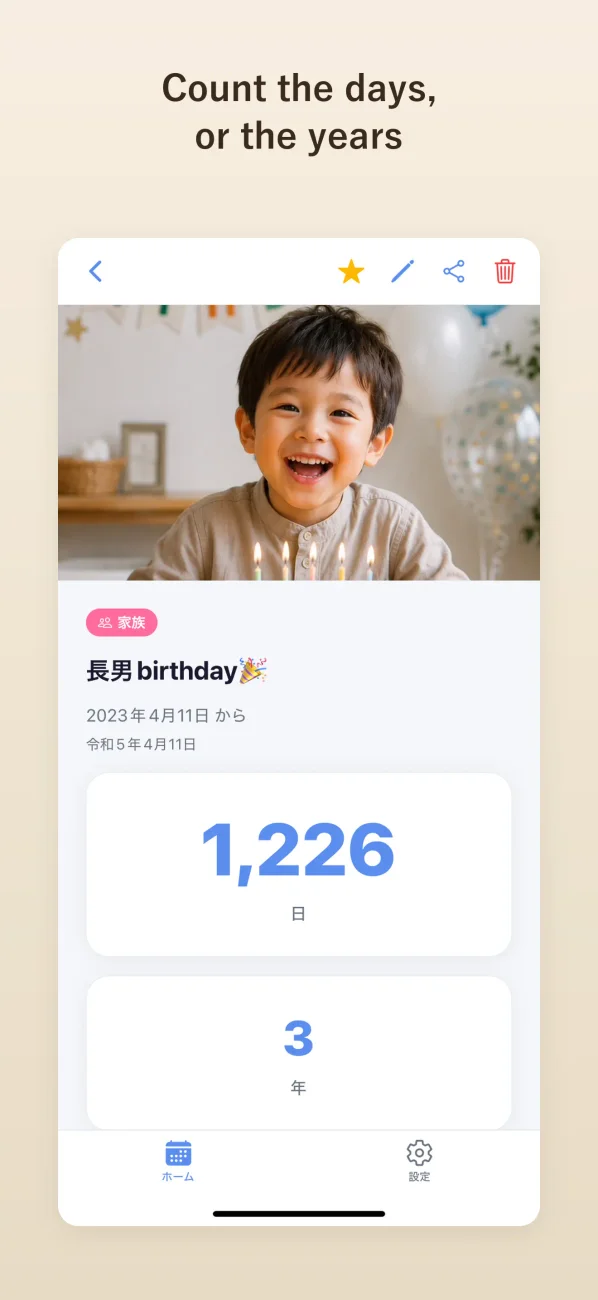
- Days elapsed: how long has it been?
- Years elapsed: which anniversary is this?
- Countdown: how many days until the next one?
Switch to countdown mode for things that live in the future, like an inspection or a renewal.
■ Milestones, handled for you
100 days, 6 months, 1000 days, and every anniversary after that.
Day Memo lets you know at 9 a.m. on the day, so nothing slips by.
Countdowns and "next date" events get a note on the day, too.
You can also set your own reminder on any event.
■ Home Screen and Lock Screen widgets
See today's count without opening the app.
Two sizes on the Home Screen, three on the Lock Screen.
The medium widget lists up to three events, each with its photo.
Which of your favourites appears changes from day to day, so an anniversary you had not thought about in a while can catch your eye again.
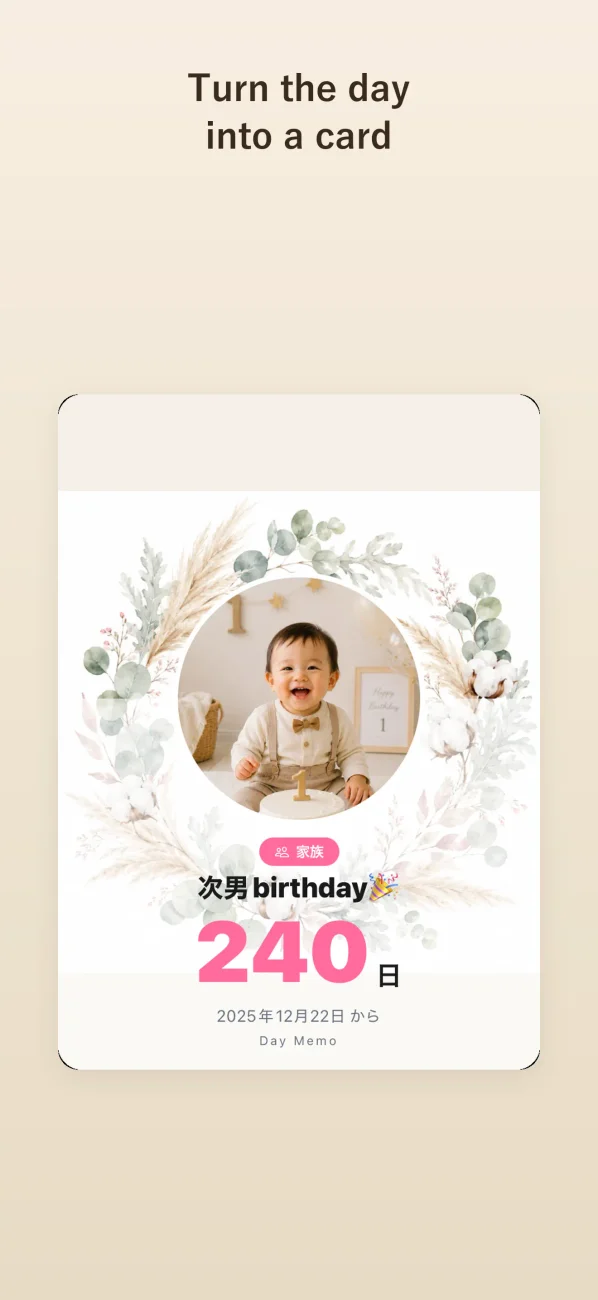
■ Share cards with your photo
Turn any count into a single image worth sharing.
Choose from 27 backgrounds, from soft pastel balloons and starry skies to Japanese designs featuring cherry blossoms and shrine gates (15 of them come with Day Memo Pro).
A caption with hashtags is generated for you with one tap.
■ A little about the date itself
Open an event and you will also see:
- Japanese era year
- Star sign
- Birthstone
- Chinese zodiac
■ Built to stay out of your way
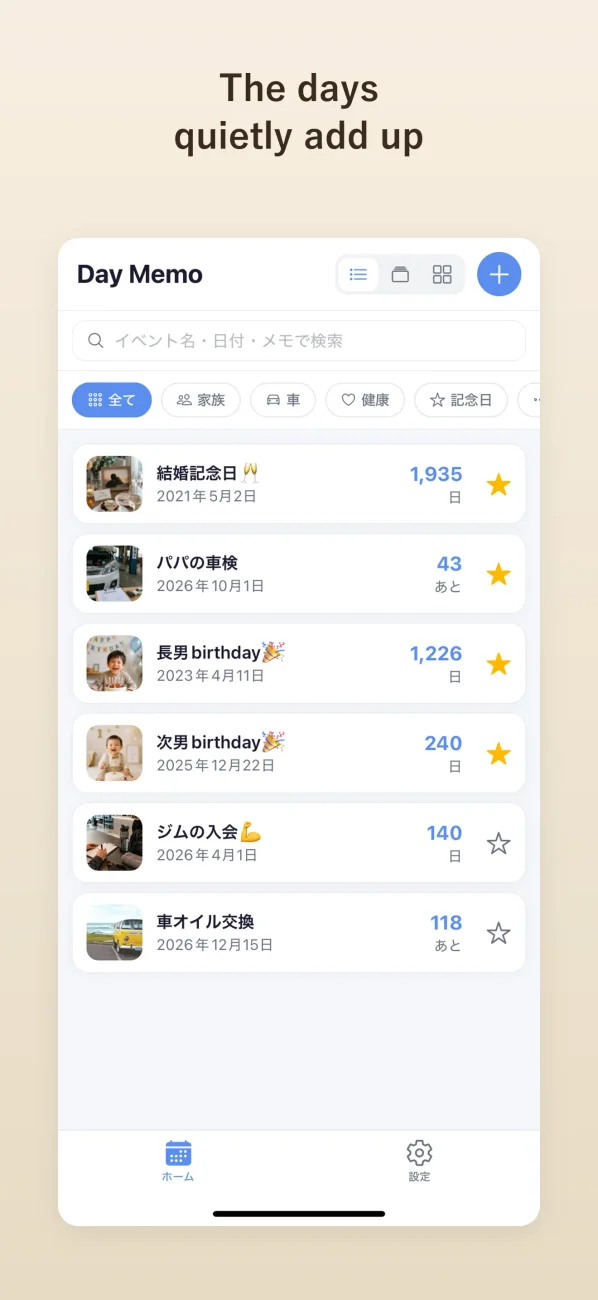
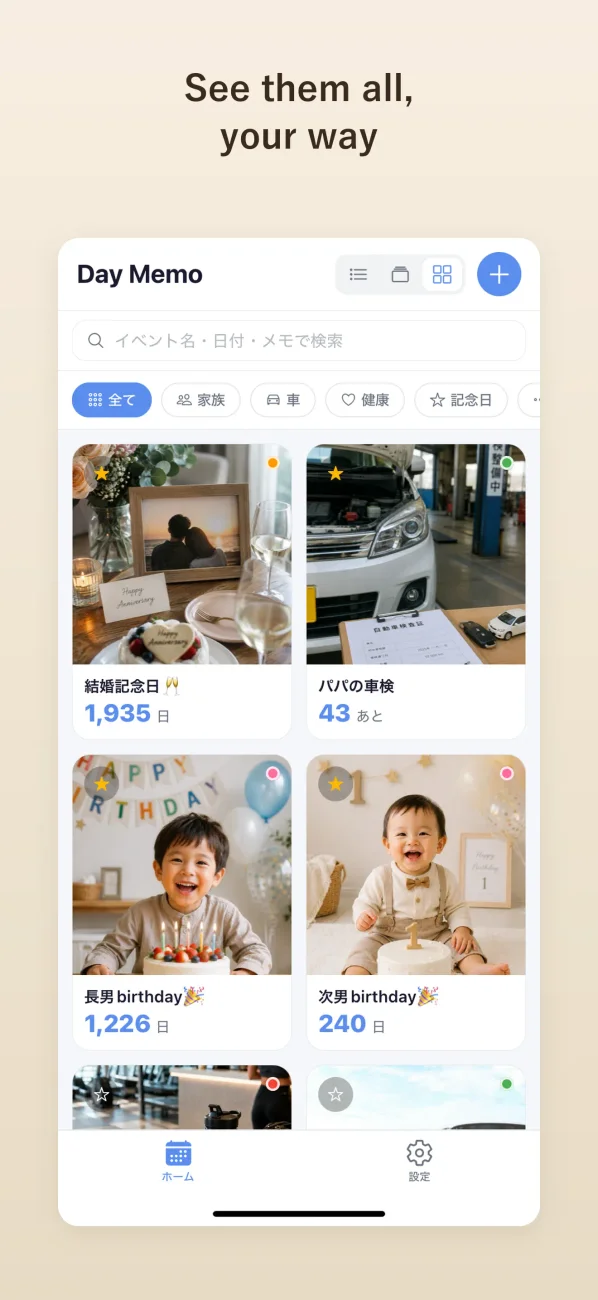
- Categories (Family, Car, Health, Anniversary, Other - add your own)
- Search by name, date or memo
- Pin favourites to the top, or arrange events in your own order
- Four colour themes
- Three text sizes
- English and Japanese
■ Your data stays on your device
No account. No sign-up.
Nothing you enter is ever sent to a server. Events and photos live only on your device.
Export a backup file whenever you like, and keep it wherever you choose.
Three digits become four before you notice.
Day Memo is a quiet place to keep that count.
Yang baru
Versi 1.6.0 · 20/11/2026
- Arrange your events in your own order
Tap the up-and-down arrows at the top right and choose "Arrange myself".
- The app now explains which events the widget shows
Events you mark as favourites appear on the widget, up to three on the medium size.
- Share cards and event pages now read "Since June 3, 2021"
Privasi aplikasi
Yang dinyatakan Yuki Tagami di App Store tentang cara aplikasi ini menangani data.
-
Data tidak dikumpulkan
Pengembang tidak mengumpulkan data apa pun dari aplikasi ini.
Praktik privasi dapat bervariasi, misalnya berdasarkan fitur yang Anda gunakan atau usia Anda.
Informasi
- Penjual
- Yuki Tagami
- Kategori
- Gaya Hidup
- Versi
- 1.6.0
- Diperbarui
- 20/11/2026
- Dirilis
- 22/8/2026
- Ukuran
- 107,7 MB
- Memerlukan
- iOS 16.4 atau yang lebih baru
- Batasan usia
- 4+
- Harga
- Gratis
- Pembelian dalam aplikasi
- Ya
- Bahasa
- Jepang, Inggris
- Hak cipta
- © 2026 Yuki Tagami