
Daymirror – Planner & Tracker
Plan & compare your time
Dirancang untuk iPhone, iPad, Mac
Rp 99ribu
- Batasan usia4+
- KategoriProduktivitas
- PengembangHWIHO KIM
- BahasaInggris+ 9 lainnya
- Ukuran18,4 MB
Tertaut ke halaman resmi App Store
Download.org tidak menyimpan file Daymirror – Planner & Tracker apa pun. Tombol ini membuka halaman aplikasi di App Store, tempat HWIHO KIM menerbitkannya. Halaman terakhir diperiksa pada 12/11/2026.
Tangkapan layar
Tentang
Pengembang belum menyediakan teks ini dalam bahasa Anda.
How different was the day you planned from the day you actually had?
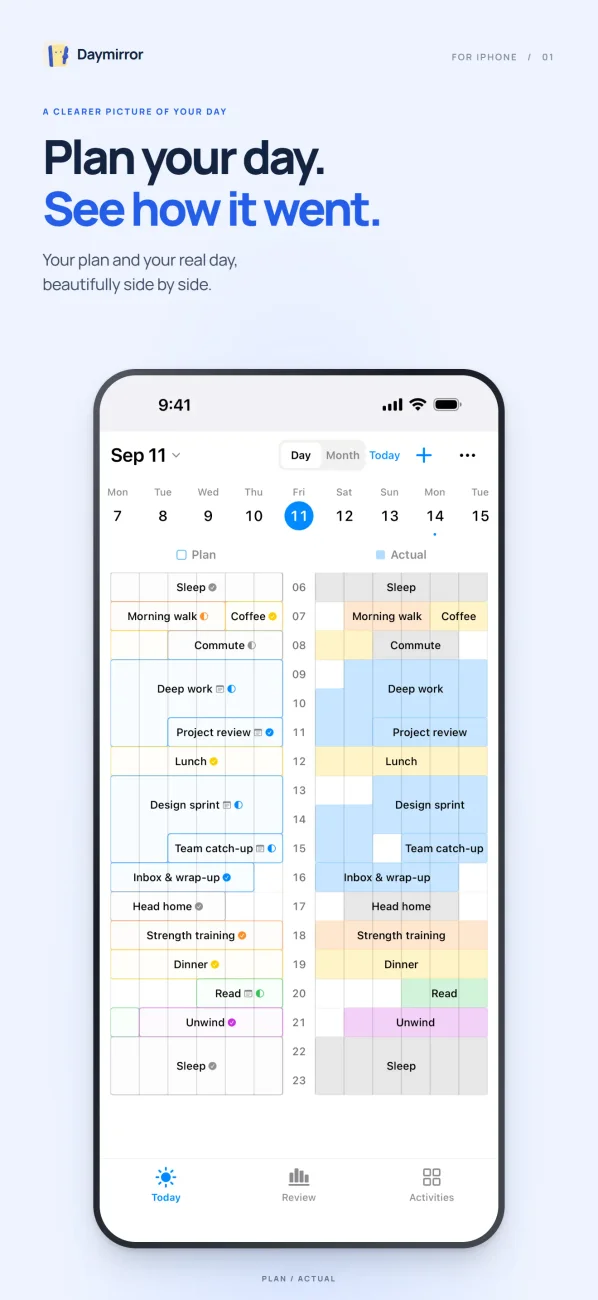
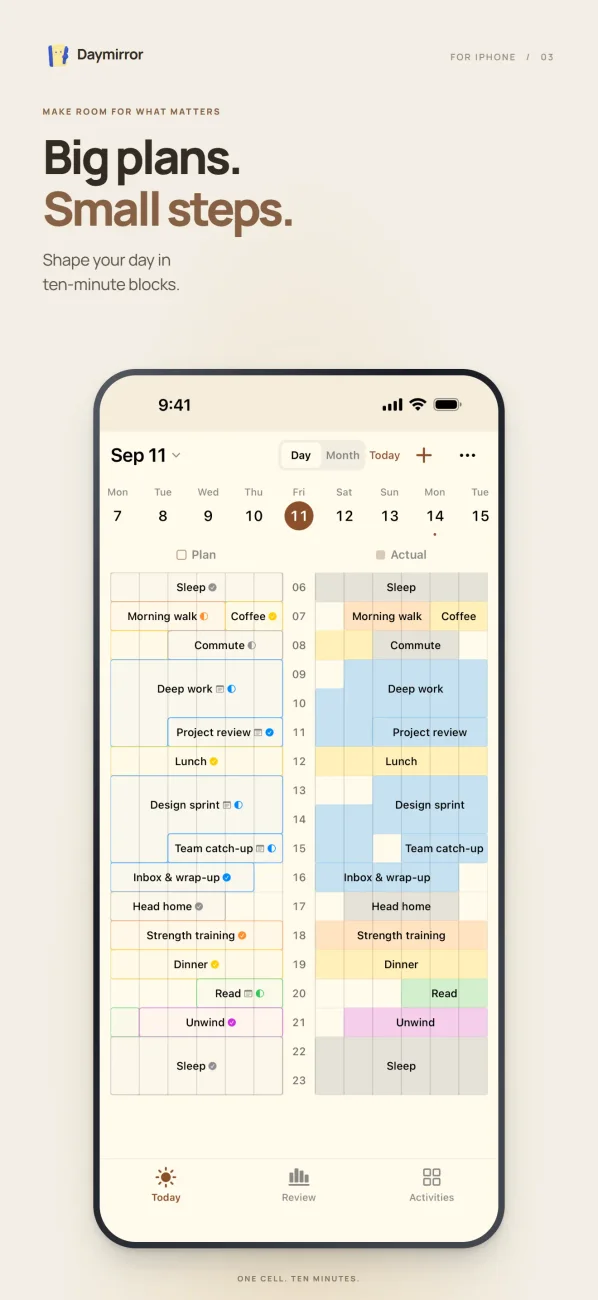
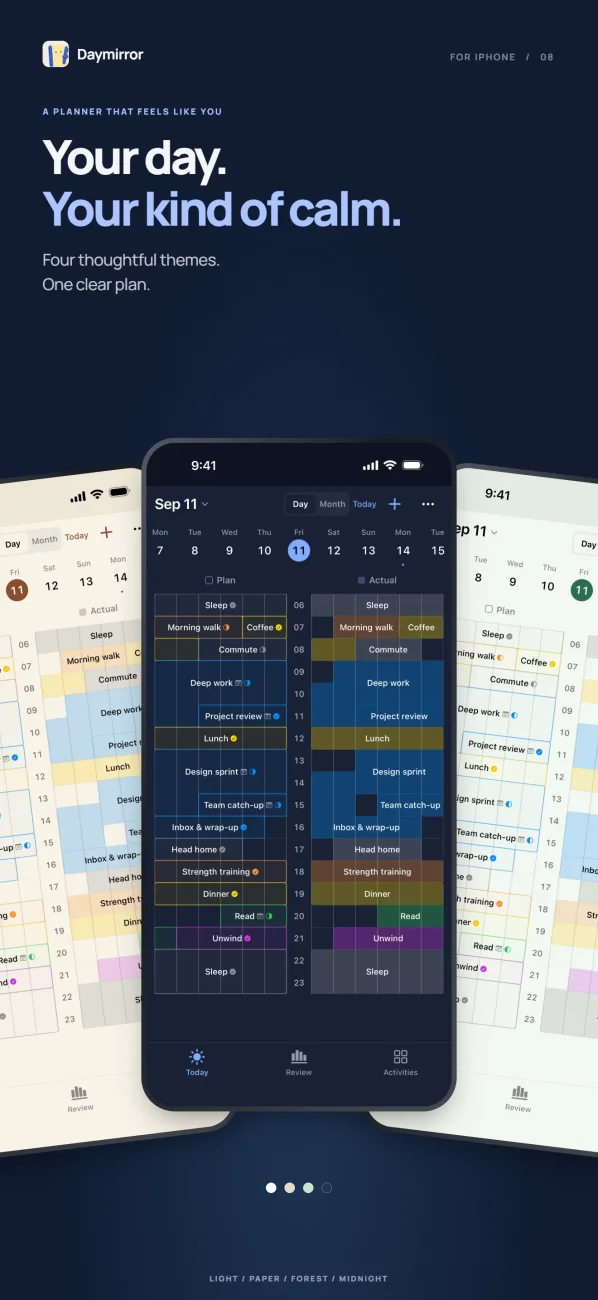
Daymirror is a ten-minute planner that puts your plan and your actual time side by side. Schedule the day, record what really happened, and see two honest numbers: Time Match (same activity at the planned time) and Plan Completion (planned time you filled, even if it shifted). No account, no ads — your data lives in your own iCloud.
■ TEN-MINUTE TIME BLOCKS
Tap an empty slot to create a plan. Hold to move it, drag its edge to resize, keep a note inside the block. View each hour as six cells or as a vertical timeline.
■ ACTUAL NEXT TO PLANNED
Followed the plan? Record it as actual in one tap. Did something else? Log it in the Actual column. Plans in progress can be recorded “until now”, so you can compare before the day is over.
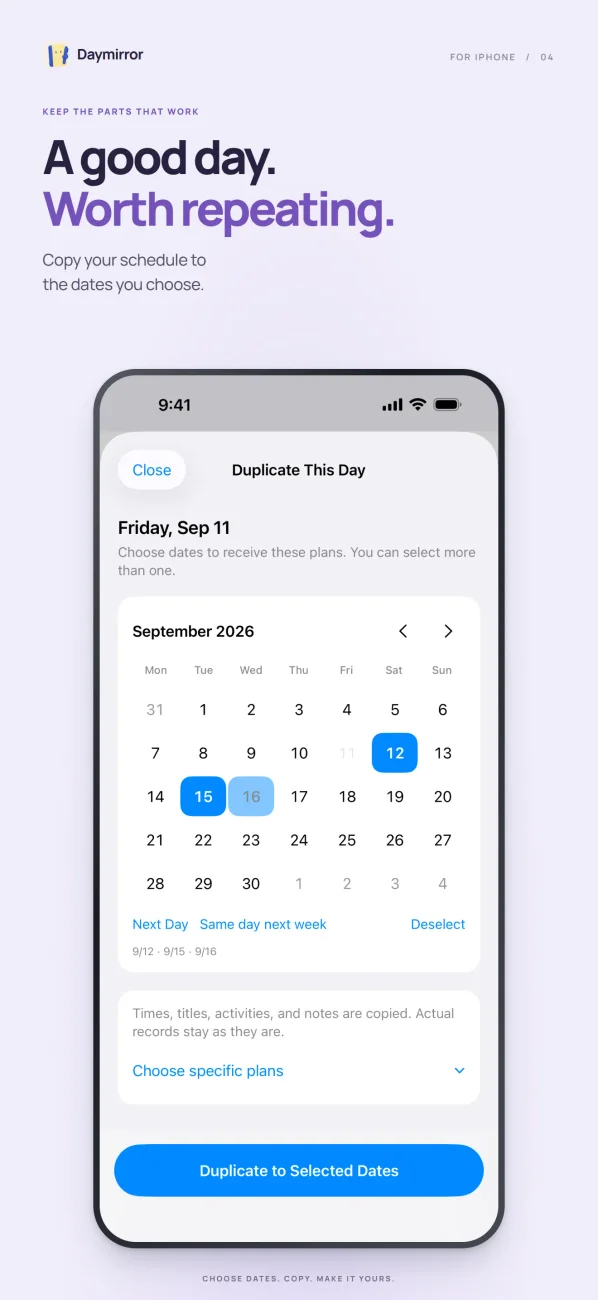
■ ROUTINES AND DUPLICATION
Build a workday or weekend routine and fill it into any dates. Copy a well-planned day to other days. When a routine changes, update or overwrite the plans it created.
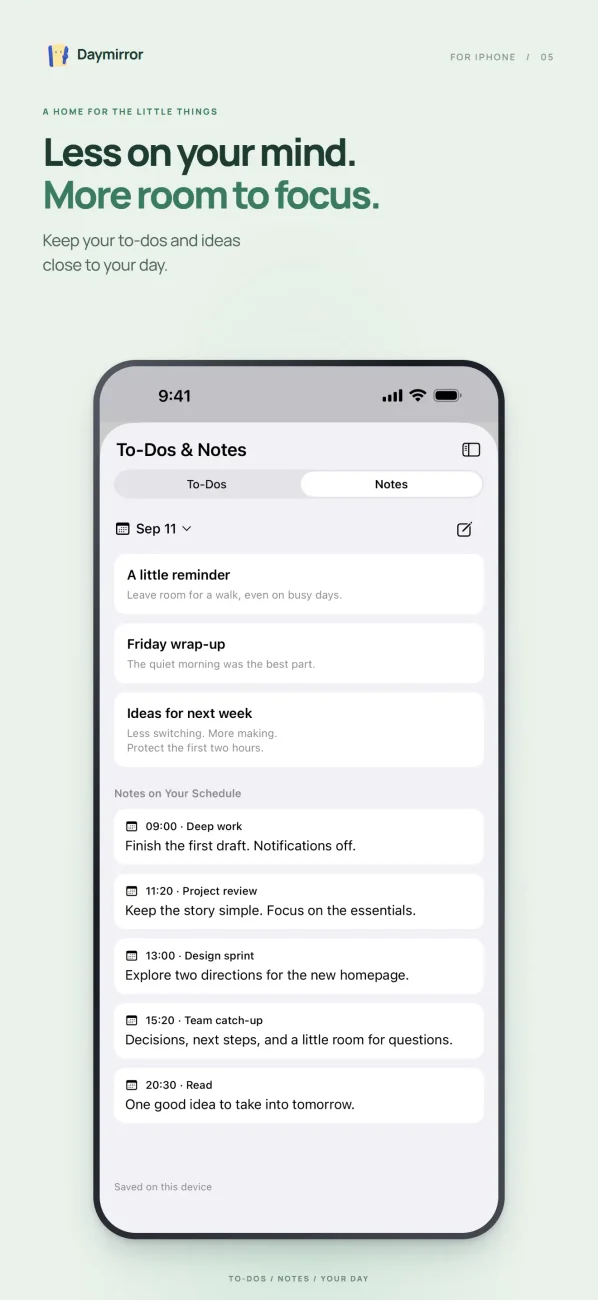
■ TO-DOS AND NOTES
Capture tasks and notes in one panel, sort tasks by date or inbox, and place a task on the timeline when you are ready to make time for it. Search and pin notes.
■ SEARCH
Find past plans and actual entries by title, note or activity and jump straight to that day.
■ WIDGETS
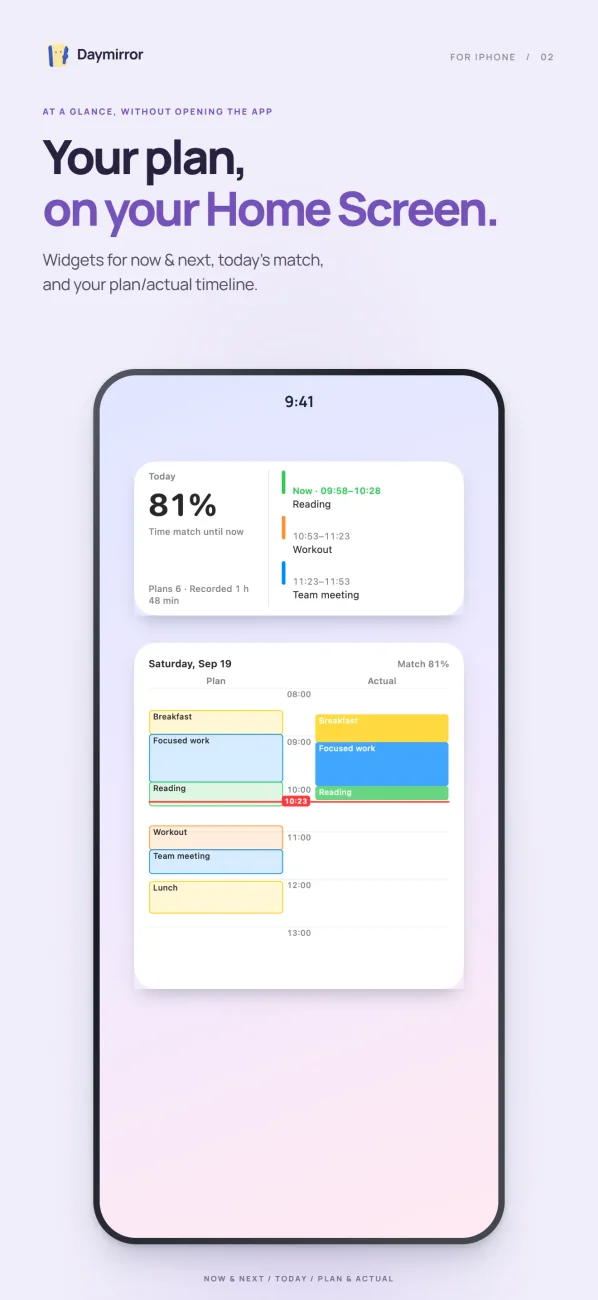
Home Screen: Now & Next (small), today’s match rate with upcoming plans (medium), a plan/actual timeline with a live “now” line (large). Lock Screen: current plan and “As Planned” quick recording. The same widgets run on the Mac desktop and in Notification Center.
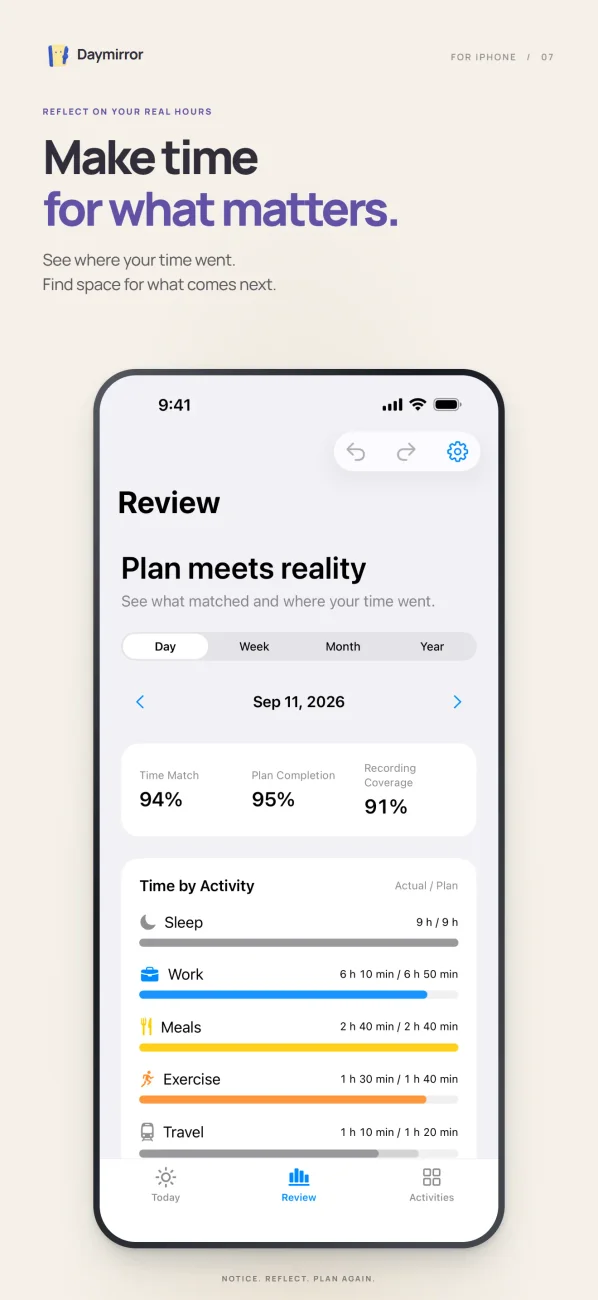
■ REVIEW
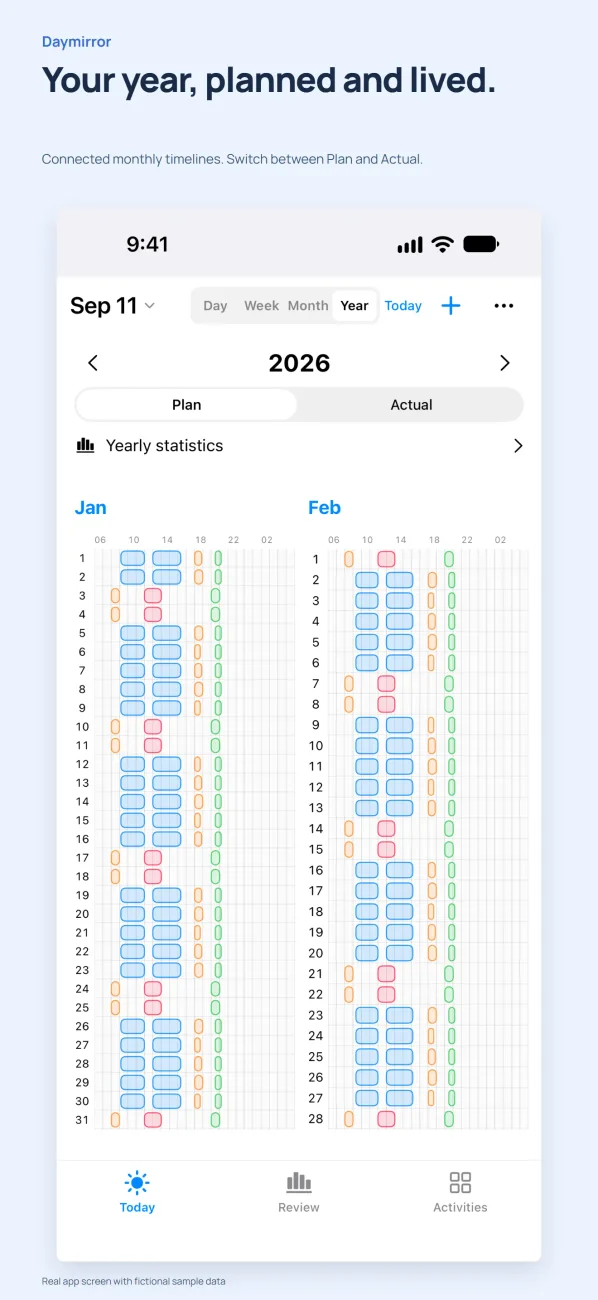
Daily, weekly, monthly and yearly Time Match, Plan Completion, recording coverage and per-activity planned vs actual hours. The month timeline puts dates on the vertical axis and hours across the top. Switch between Plan and Actual to see your patterns; monthly match rates remain in Review.
■ MAKE IT YOURS
Set when your day starts (05:00, say), the first weekday, a time zone and the hours to display. Themes, a large-text list view and VoiceOver support.
■ iPHONE, iPAD AND MAC
With the same Apple Account, plans, actual entries, routines, activities, to-dos and notes sync through your private iCloud database. Work offline and sync later; conflicts between devices are shown for you to resolve, never merged silently. Export everything as JSON.
No tracking, no ads, no separate account. iCloud sync requires an iCloud account, storage and an internet connection. Interface languages: English, Korean, Japanese, French, Italian, German, Spanish, Traditional Chinese and Vietnamese. Titles and notes you write are never translated.
Support: https://hiorio.com/apps/daymirror/support/#en
Privacy: https://hiorio.com/apps/daymirror/privacy/#en
■ WEEK VIEW AND TIME GOALS
Compare seven days of planned and actual time on one timeline. Set daily or weekly time goals for activities; progress and streaks use the time you actually recorded.
■ MANDALART GOAL BOARDS
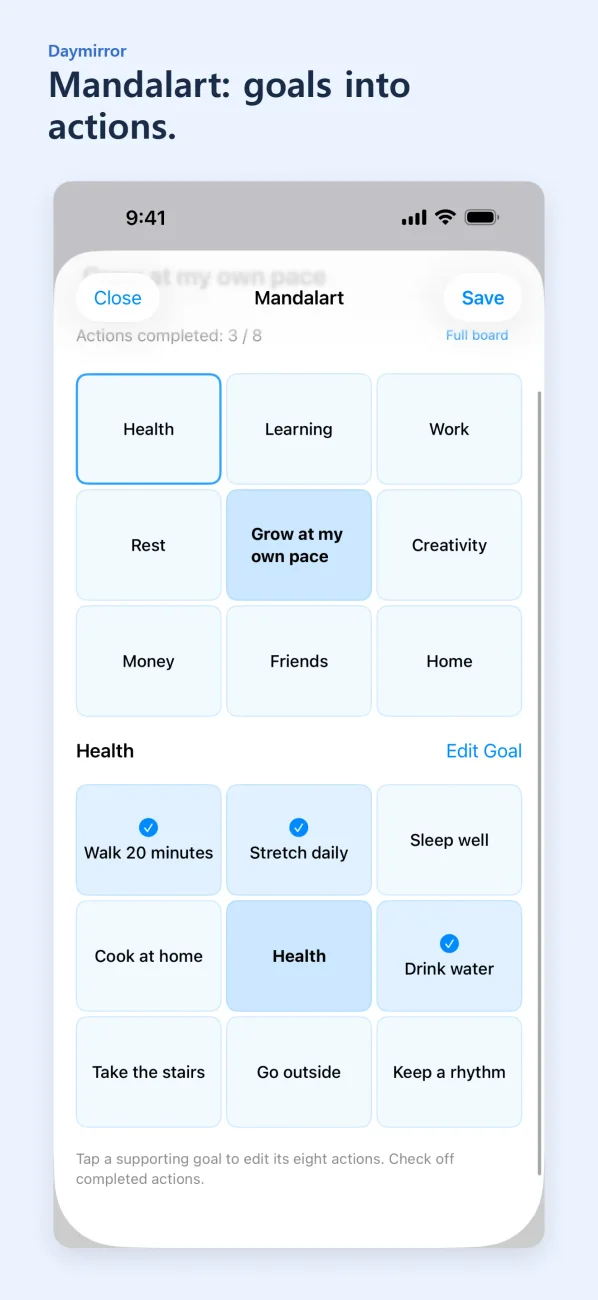
Turn one central goal into eight supporting goals and up to 64 actions. Edit a focused 3×3 grid, check off completed actions and view the full 9×9 board. Create and manage multiple boards in Activities > Mandalart.
YEAR VIEW AND ANNUAL STATISTICS
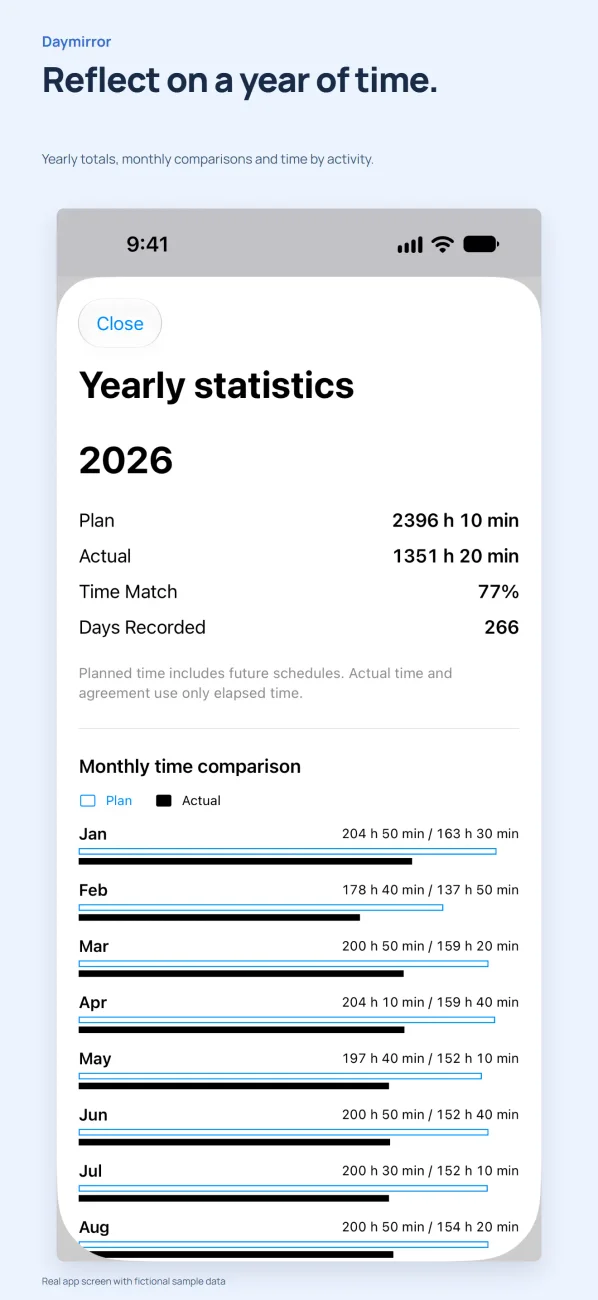
See all 12 monthly timelines in two columns. Switch between Plan and Actual; pinch to zoom on iPhone and iPad. Annual Statistics shows planned and actual time, Time Match, recorded days, monthly comparisons and activity totals. Planned totals include future schedules; Time Match compares elapsed time only. Add monthly planning notes and choose themes for individual months. Months start with no theme. Autumn and winter themes and Brazilian Portuguese are now available.
Yang baru
Versi 1.6 · 17/10/2026
• A year view connects your existing monthly timelines in two columns, with Plan/Actual switching and pinch to zoom.
• Annual Statistics adds planned and actual totals, Time Match, recorded days, monthly comparisons and time by activity.
• Added monthly planning notes, optional month themes, and autumn and winter themes.
• Reduced sideways movement when the year view fits the screen.
• Added Brazilian Portuguese, bringing the interface to 10 languages.
Privasi aplikasi
Yang dinyatakan HWIHO KIM di App Store tentang cara aplikasi ini menangani data.
-
Data tidak dikumpulkan
Pengembang tidak mengumpulkan data apa pun dari aplikasi ini.
Praktik privasi dapat bervariasi, misalnya berdasarkan fitur yang Anda gunakan atau usia Anda.
Informasi
- Penjual
- HWIHO KIM
- Kategori
- Produktivitas
- Versi
- 1.6
- Diperbarui
- 17/10/2026
- Dirilis
- 17/9/2026
- Ukuran
- 18,4 MB
- Memerlukan
- iOS 17.0 atau yang lebih baru
- Batasan usia
- 4+
- Harga
- Rp 99ribu
- Bahasa
- Inggris, Prancis, Jerman, Italia, Jepang, Korea, Portugis, Spanyol, Tionghoa Tradisional, Vietnamese
- Hak cipta
- © 2026 Hiorio
Mungkin Anda juga suka
-
 Prompt Snap: AI PromptsProduktivitas
-
 Memo with TagsProduktivitas
-
 메모리365(MEMOLEE365) 사진 인증 습관 달력Produktivitas
-
 Jotcal: Calm CalendarProduktivitas
-
 AI 링크 아카이빙, 블링크Produktivitas
-
 PromptMemo – AIProduktivitas
-
 Untangle: ADHD Planner & To-DoProduktivitas
-
 Handly MobileProduktivitas
-
 TwinTrack - Planner & Time LogProduktivitas
-
 GikaProduktivitas