DeskDays
Track office days privately
Dirancang untuk iPhone
Gratis · Pembelian dalam aplikasi
- Batasan usia4+
- KategoriProduktivitas
- PengembangSynodic LLC
- BahasaInggris
- Ukuran4,1 MB
Tertaut ke halaman resmi App Store
Download.org tidak menyimpan file DeskDays apa pun. Tombol ini membuka halaman aplikasi di App Store, tempat Synodic LLC menerbitkannya. Halaman terakhir diperiksa pada 15/11/2026.
Tangkapan layar

Tentang
Pengembang belum menyediakan teks ini dalam bahasa Anda.
Stop doing RTO math in your head.
DeskDays is a private tracker for hybrid workers with office-day targets. Set your return-to-office percentage, mark each workday, and see whether you're on pace before the month or quarter surprises you.
Office days are a budget. Spend them intentionally: if you're ahead, take tomorrow remote without a second thought. If you're behind, you know now, not at the end of the period.
SIMPLE DAILY TRACKING
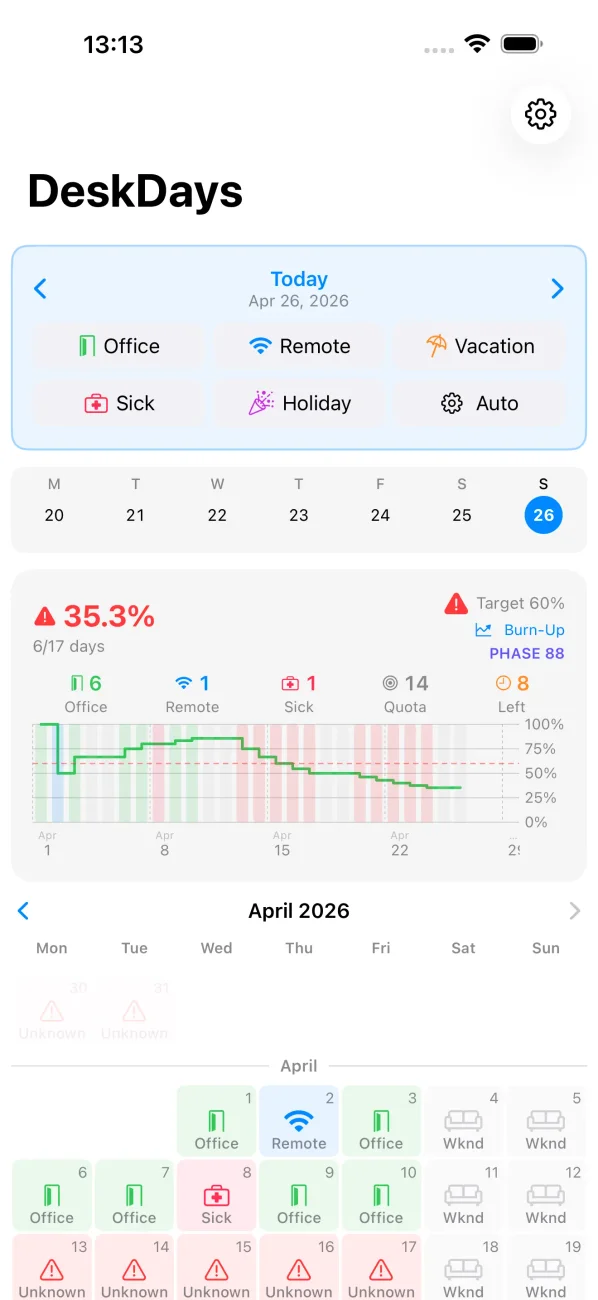
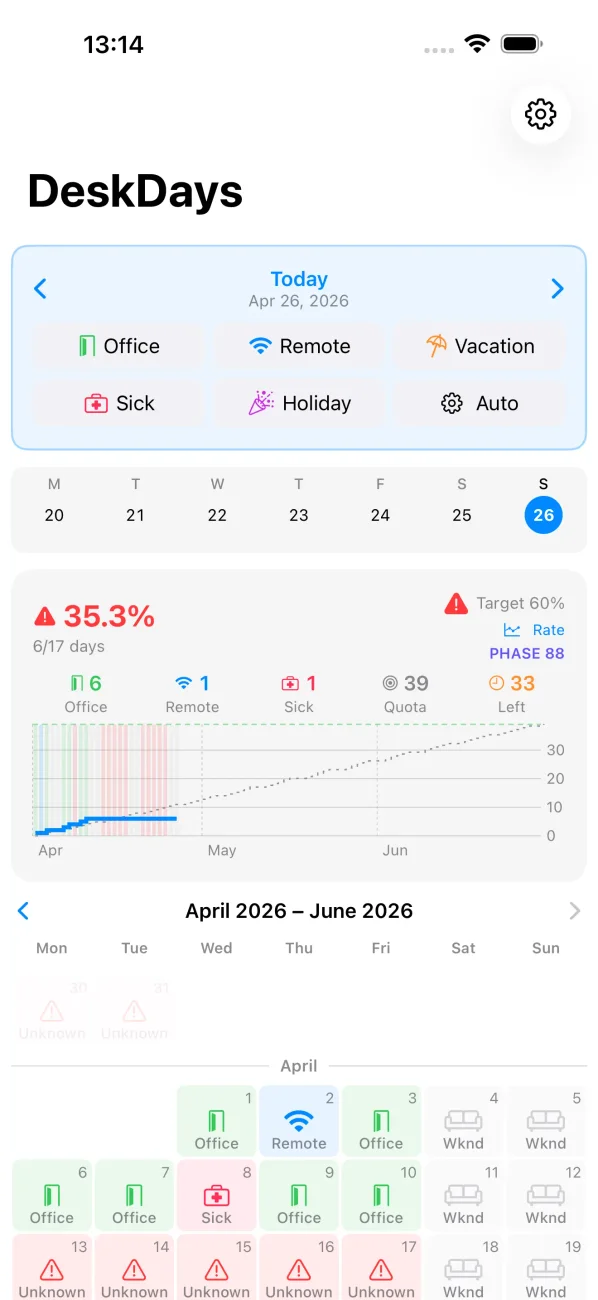
Mark each workday as Office, Remote, Sick, Vacation, or Holiday with a single tap. A color-coded calendar shows your full attendance history at a glance.
FLEXIBLE REPORTING
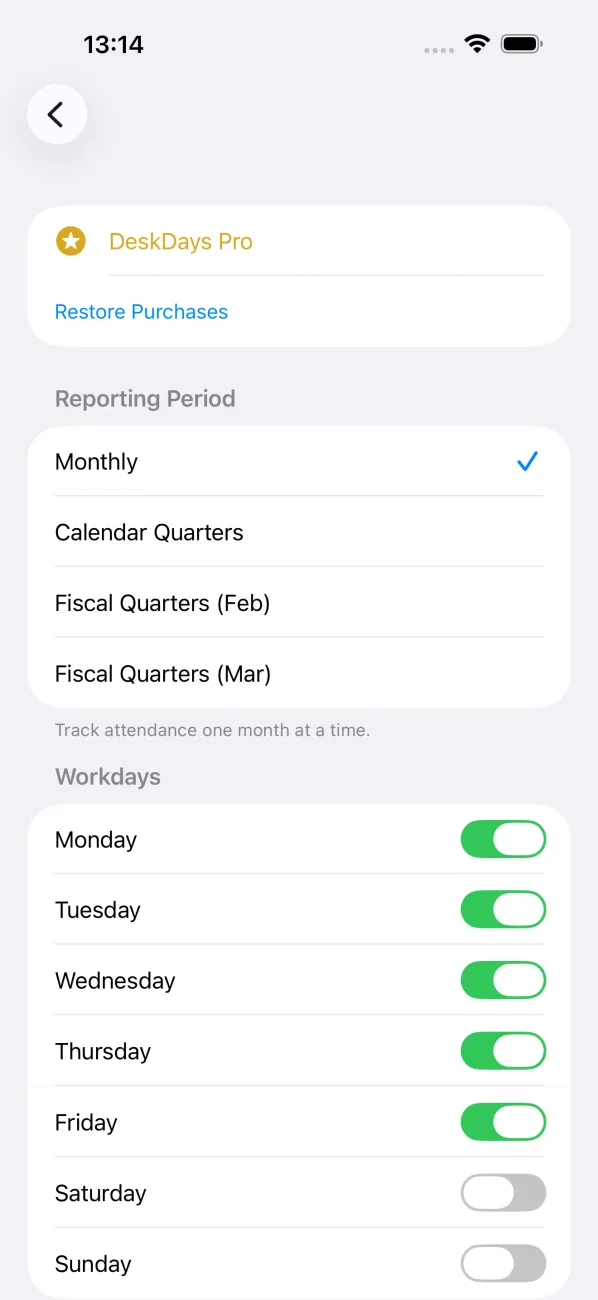
Track by month, calendar quarter, or fiscal quarter. Navigate between periods to review past performance or plan ahead. Choose whether sick days count against your target or not.
KNOW YOUR STATUS INSTANTLY
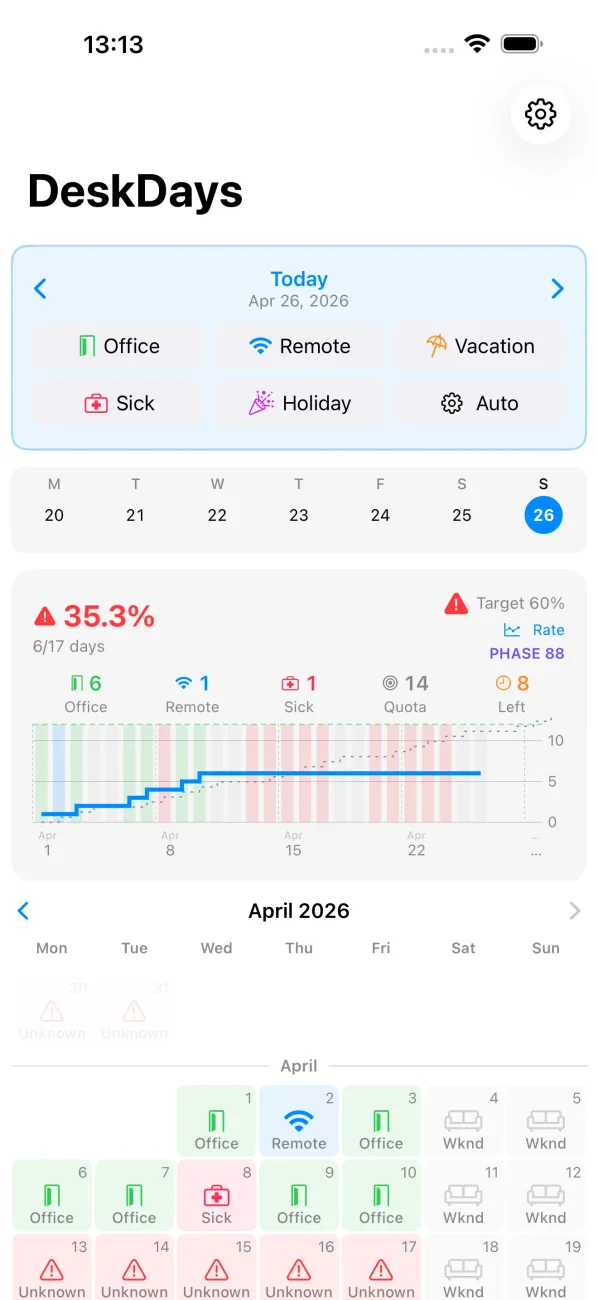
Your progress card shows your current attendance percentage, days logged, and days remaining this period. An on-track indicator updates in real time so there are no surprises at end of month.
WIDGETS & COMPLICATIONS
Add a home screen widget or Apple Watch complication to see your status without opening the app.
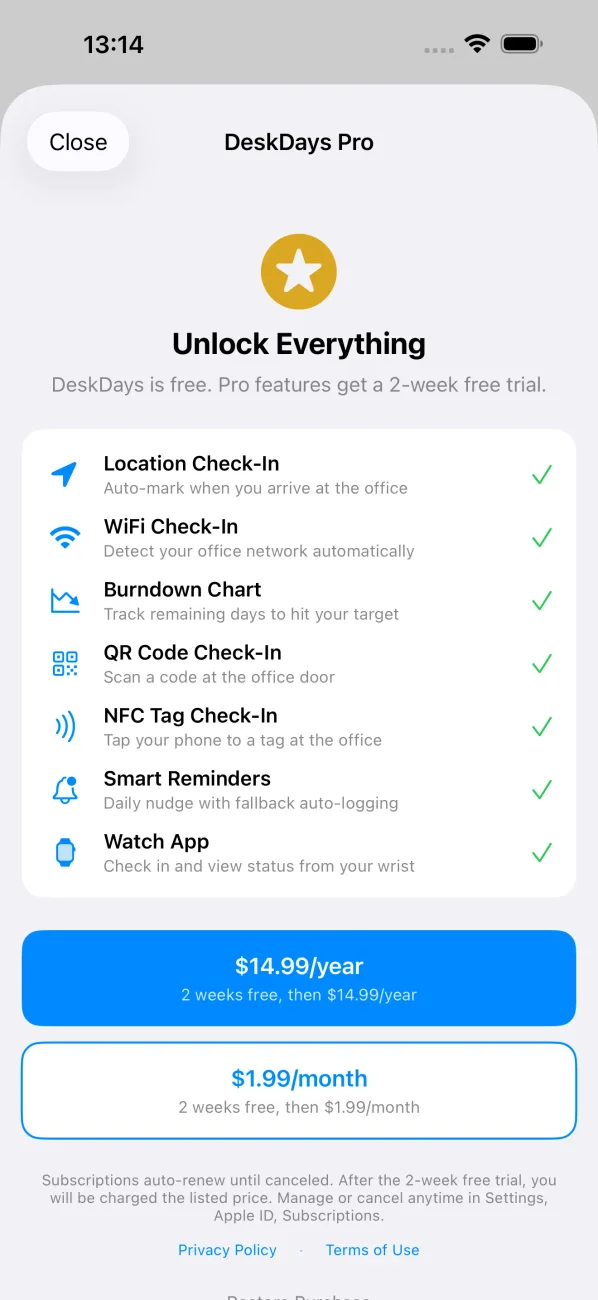
PRO: AUTOMATIC CHECK-IN
Prefer to log each day manually? One tap does it. Prefer hands-off? Opt into any of four private auto-check-in triggers you set up yourself — a WiFi network, a geofenced location, an NFC tag, or a QR code. Use one, use all four, or none.
PRO: PROGRESS CHART
See exactly how many office days you still need and whether you're ahead or behind pace, visualized against your target for the period.
PRO: APPLE WATCH
Glance at your attendance status and check in right from your wrist without touching your phone.
PRO: SMART REMINDERS
Daily notifications remind you to log attendance. Enable the fallback and DeskDays automatically logs you as remote at end of day if you haven't checked in — so your records stay complete.
SIRI & SHORTCUTS
Mark attendance or check your progress with Siri or the Shortcuts app. Automate your morning routine.
PRIVACY FIRST
Zero analytics. Zero tracking. Zero network calls. Zero third-party SDKs. All your attendance data lives on your device. No account required. No server. No cloud sync.
Free for everyday tracking. Unlock Pro with a monthly or yearly subscription (2-week free trial included).
Terms of Use (EULA): https://www.apple.com/legal/internet-services/itunes/dev/stdeula/
Yang baru
Versi 1.1.0 · 6/7/2026
Fixes a data persistence issue from earlier 1.1 builds — attendance records now reliably survive app updates and relaunches.
Also in this update: a guided onboarding walkthrough, a redesigned progress chart, CSV import for attendance data, a quick "today" button, and several Apple Watch improvements (undo check-in, offline caching, connection status, historical attendance view).
Privasi aplikasi
Yang dinyatakan Synodic LLC di App Store tentang cara aplikasi ini menangani data.
-
Data tidak dikumpulkan
Pengembang tidak mengumpulkan data apa pun dari aplikasi ini.
Praktik privasi dapat bervariasi, misalnya berdasarkan fitur yang Anda gunakan atau usia Anda.
Informasi
- Penjual
- Synodic LLC
- Kategori
- Produktivitas
- Versi
- 1.1.0
- Diperbarui
- 6/7/2026
- Dirilis
- 28/4/2026
- Ukuran
- 4,1 MB
- Memerlukan
- iOS 18.2 atau yang lebih baru
- Batasan usia
- 4+
- Harga
- Gratis
- Pembelian dalam aplikasi
- Ya
- Bahasa
- Inggris
- Hak cipta
- © 2026 Synodic Studio
Mungkin Anda juga suka
-
 PrismarkProduktivitas
-
 CountCal: Day TrackerProduktivitas
-
 WorkTracker: Shift & PayProduktivitas
-
 Majestific - Identity BuilderProduktivitas
-
 WorkLog: Time & Shift TrackerProduktivitas
-
 Remote Mouse, keyboard, moreProduktivitas
-
 WorkTime AutoProduktivitas
-
 WorkHours – Time TrackerProduktivitas
-
 Today Task - Daily PlannerProduktivitas
-
 AreUWFO : Office attendanceProduktivitas