Dirigo
Remote Control for Everything
Dirancang untuk iPhone, iPad
Gratis · Pembelian dalam aplikasi
- Batasan usia4+
- KategoriKegunaan
- PengembangBit 0100 Bit Software LLC
- BahasaInggris
- Ukuran64,7 MB
Tertaut ke halaman resmi App Store
Download.org tidak menyimpan file Dirigo apa pun. Tombol ini membuka halaman aplikasi di App Store, tempat Bit 0100 Bit Software LLC menerbitkannya. Halaman terakhir diperiksa pada 22/11/2026.
Tangkapan layar



Tentang
Pengembang belum menyediakan teks ini dalam bahasa Anda.
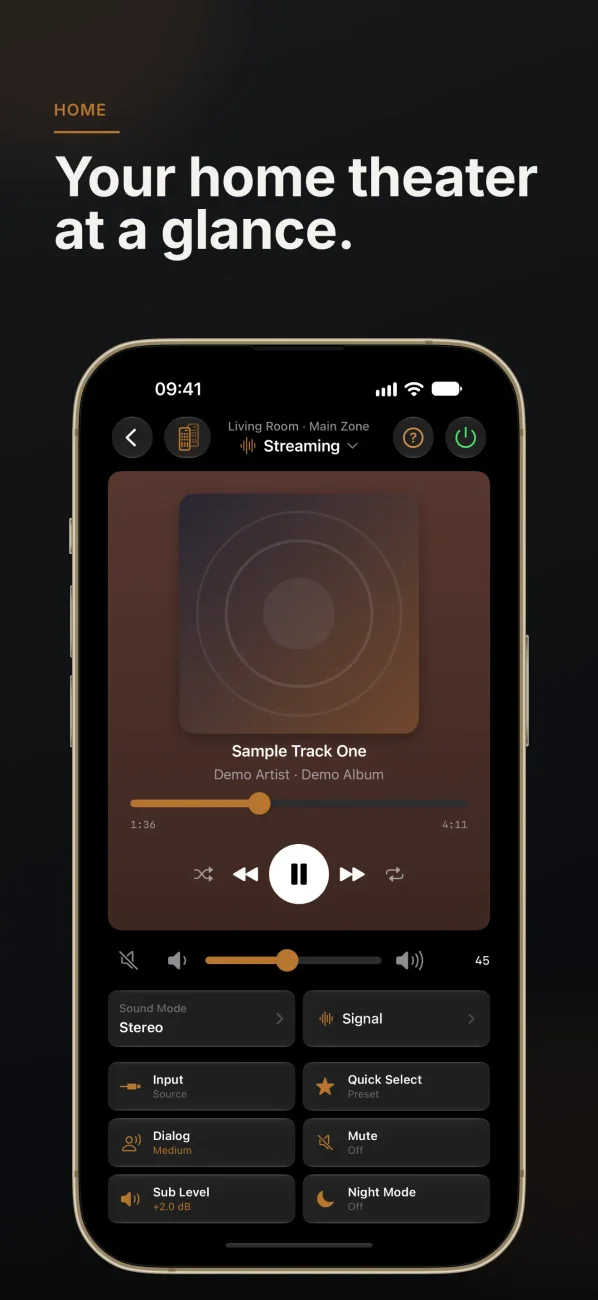
Dirigo is one remote for your home theater, on iPhone, iPad and Apple Watch. It controls current Marantz and Denon AV receivers directly over Wi-Fi, well beyond what the bundled remote can do, and with Home Assistant it works without one.
WHAT YOU CAN DO
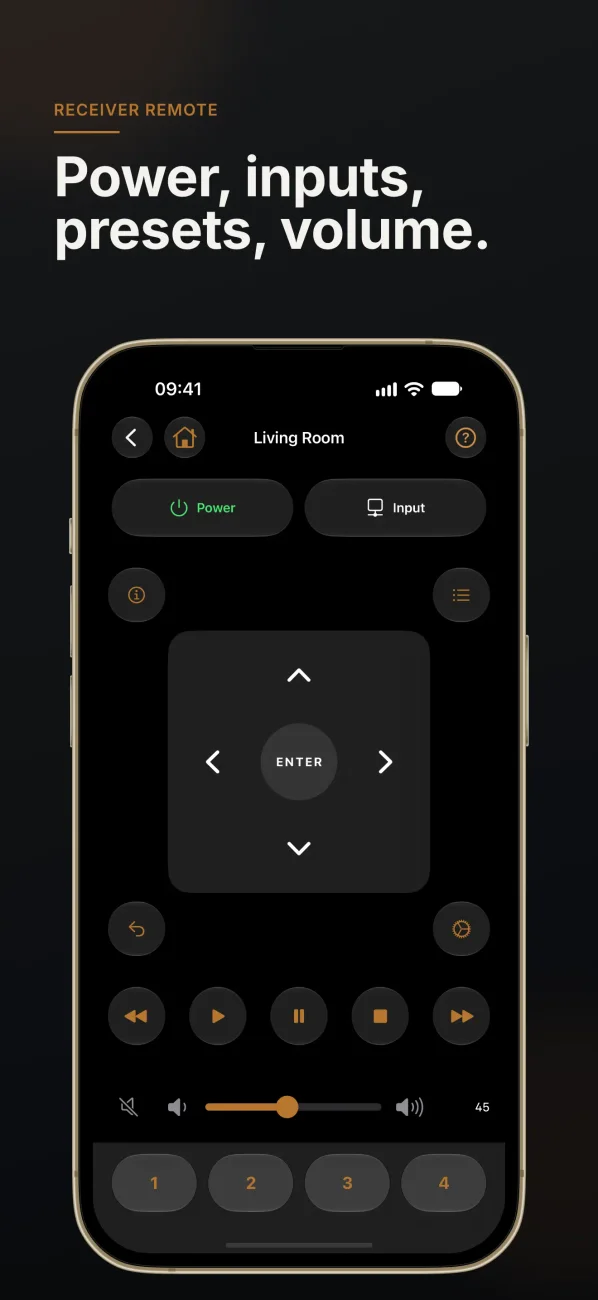
• Power, volume, every input and every surround mode your receiver supports
• Browse and play HEOS streaming sources — Qobuz, TIDAL, Amazon Music, TuneIn, and the rest
• Manage the queue, see what is playing, skip tracks, view history
• Control each zone on multi-zone receivers
• Configure room correction, speaker levels, HDMI output, video settings, and the deep menus your physical remote pretends don't exist
• Activate Quick Selects you have programmed on the receiver
• Home Screen and Lock Screen widgets, and an Apple Watch app
• Siri and Shortcuts ("Toggle mute with Dirigo", "Set volume with Dirigo")
ACTIVITIES
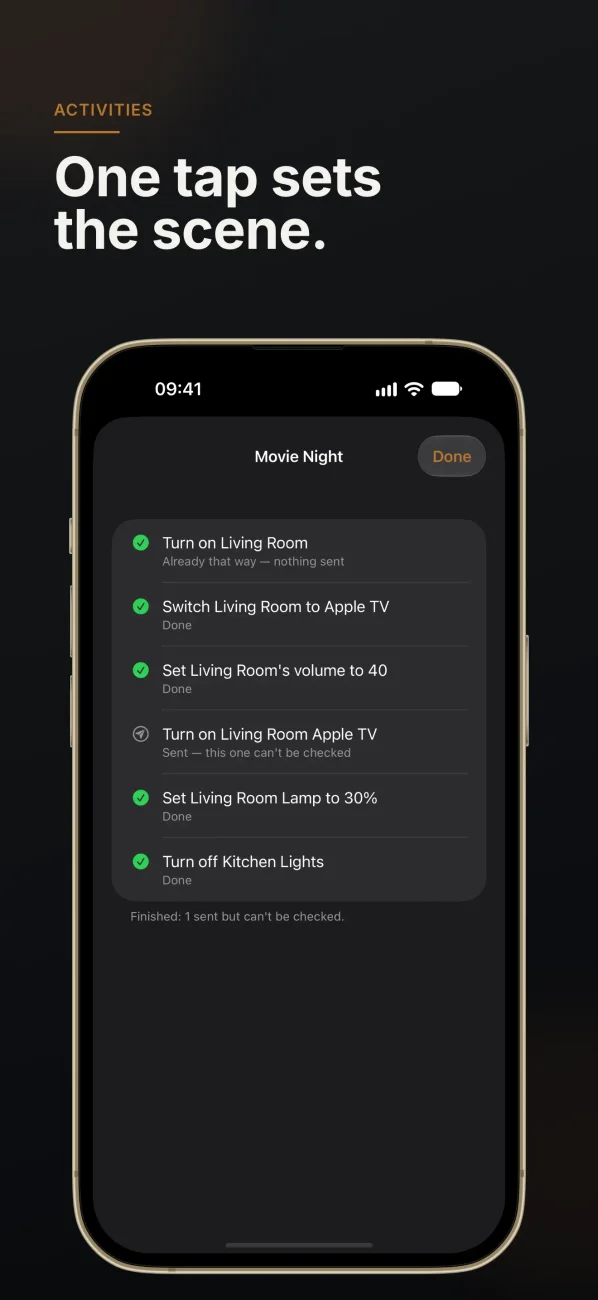
One tap sets the whole room: turn on the receiver and the TV, pick the input, set the volume and the lights. Every step reports what actually happened, and Activities run from Shortcuts too.
TELEVISION REMOTES
Pair the television or streaming box in the same room and Dirigo becomes its remote too.
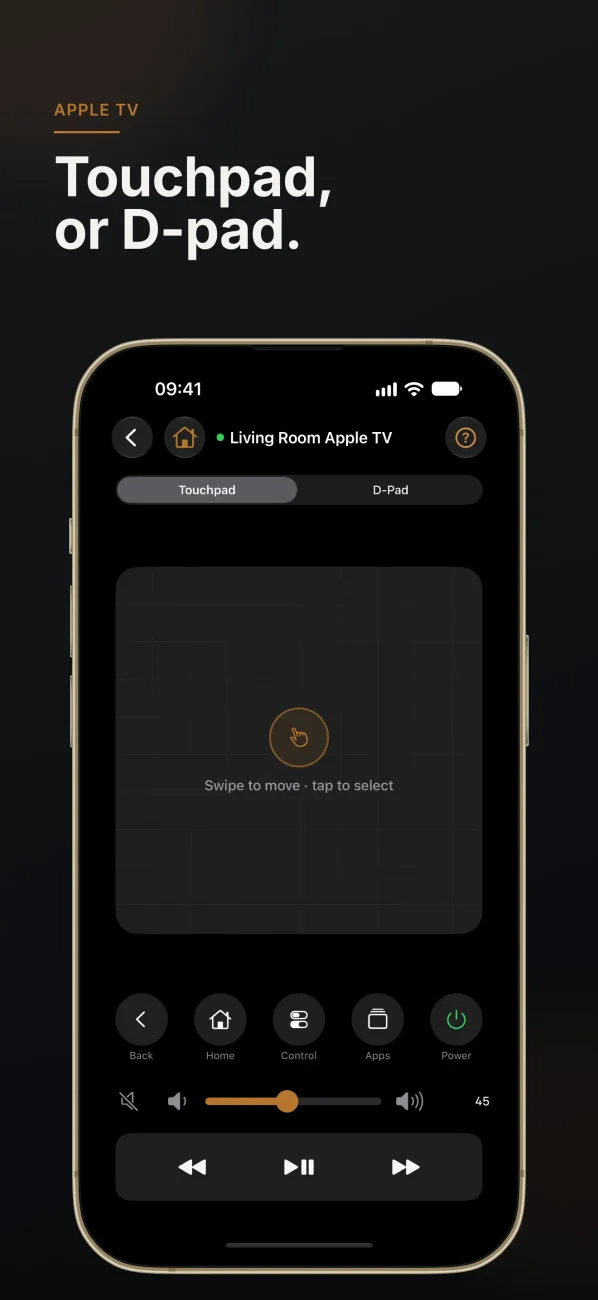
Apple TV gets a touchpad — swipe to navigate, tap to select — along with transport buttons and the Apple TV's own Control Centre and app switcher.
Android TV, Google TV and NVIDIA Shield get a D-pad, Back and Home, and play, pause and skip. Dirigo tells you which app is on screen.
Volume routes back to your receiver, and a now-playing card on your home screen shows what is on — title, artist, artwork, and how far through it is. Drag the progress bar to jump to a moment.
Pairing is a one-time setup: Dirigo finds the television on your network and you type in the code it puts on screen.
CUSTOM REMOTES (HOME ASSISTANT)
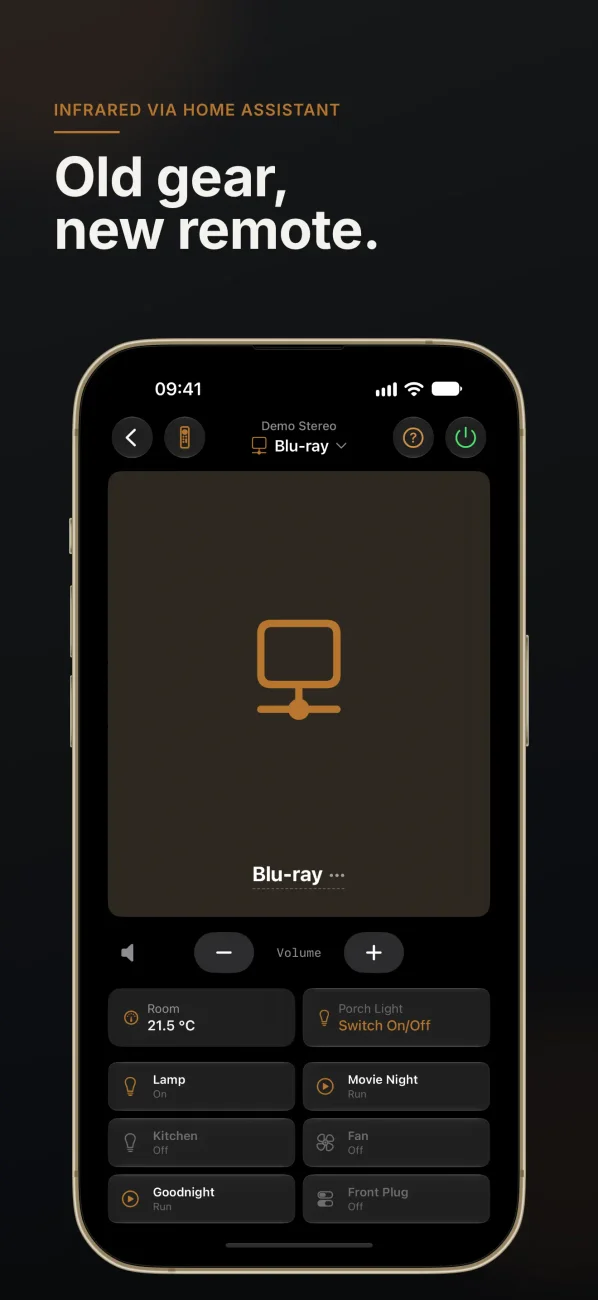
Build remotes from the devices on your own Home Assistant server.
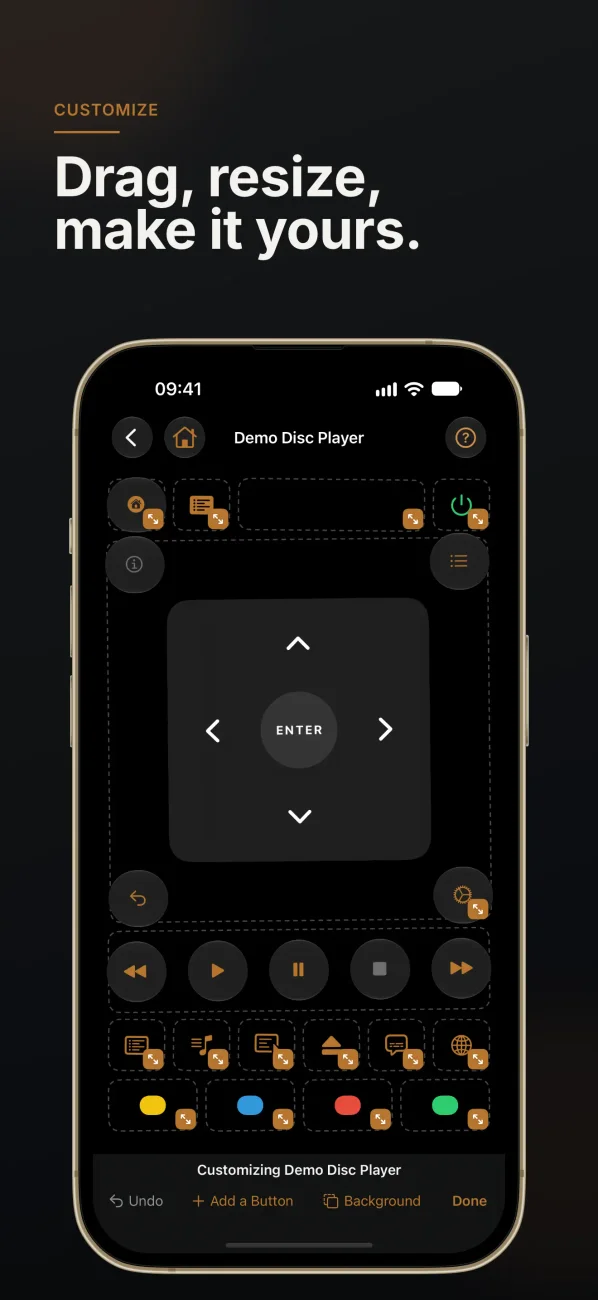
• Add lights, switches, fans, buttons, scenes, scripts and sensor readings, and arrange them your way
• Add a D-pad or a transport row and choose what each button drives
• A Now Playing remote for a Home Assistant media player: artwork, progress, play and skip, volume
• Show an infrared appliance on the Home screen: its inputs, volume and power, with a full remote for everything else
• Put Home Assistant lights and scenes on your receiver's Home screen buttons
• No Denon or Marantz receiver? Choose "Connect Home Assistant" when you first open Dirigo
DEMO MODE
No receiver to test against? Tap "Explore Demo Mode" on the Welcome screen to explore the app with a synthetic receiver, Apple TV and Android TV.
PRIVACY
Dirigo collects nothing. No analytics, no identifiers, no third-party tracking SDKs, no Dirigo account. All receiver, television and Home Assistant control happens on your local Wi-Fi network; Dirigo refuses Home Assistant Cloud and internet addresses. If you connect Home Assistant, its access token is stored in your iPhone's keychain and sent only to your own Home Assistant server. The only public-internet activity is album art: when you browse a HEOS streaming source, or show a Home Assistant media player whose cover is hosted by a music service, iOS loads the picture from that service's own image address, anonymously. Full policy at bit0100bitsoftware.com/dirigo-privacy.
REQUIREMENTS
A current-generation Denon or Marantz AV receiver with HEOS (Cinema 50, SR-series, AVR-X-series and similar), or a Home Assistant server. iOS 18 or later. Your receiver or Home Assistant server must be on the same Wi-Fi network as your iPhone. Apple TV pairing requires tvOS 18 or later. Android TV pairing works with Android TV and Google TV devices that support the built-in remote pairing service, including NVIDIA Shield.
Dirigo is an independent third-party app and is not affiliated with, endorsed by, or sponsored by Sound United, Denon, Marantz, Apple, Google, NVIDIA, or the Open Home Foundation. Home Assistant is a trademark of the Open Home Foundation.
Yang baru
Versi 3.8 · 16/11/2026
Dirigo 3.8 puts your receiver in Control Center.
CONTROL CENTER, LOCK SCREEN AND ACTION BUTTON
• Receiver Power turns the main zone on or off without opening Dirigo, and shows whether it is on
• Receiver Mute mutes or unmutes it, and shows whether it is muted
• Run Activity: pick one of your Activities; a press opens Dirigo and runs it, step by step
• Add them from Control Center (tap +, then Add a Control, and search for Dirigo), the Lock Screen, or Settings > Action Button
• Every press is sent once and never repeated
SIGNAL INFO
• The sample rate shows again while music plays
• A new signal no longer keeps the previous one's channel layout
• Speaker Info lights only the speakers the signal actually uses
HOME ASSISTANT
• Dirigo no longer holds a receiver's control connection open on models that allow only one, so Home Assistant and control systems keep working beside it
Privasi aplikasi
Yang dinyatakan Bit 0100 Bit Software LLC di App Store tentang cara aplikasi ini menangani data.
-
Data tidak dikumpulkan
Pengembang tidak mengumpulkan data apa pun dari aplikasi ini.
Praktik privasi dapat bervariasi, misalnya berdasarkan fitur yang Anda gunakan atau usia Anda.
Informasi
- Penjual
- Bit 0100 Bit Software LLC
- Kategori
- Kegunaan
- Versi
- 3.8
- Diperbarui
- 16/11/2026
- Dirilis
- 29/7/2026
- Ukuran
- 64,7 MB
- Memerlukan
- iOS 18.0 atau yang lebih baru
- Batasan usia
- 4+
- Harga
- Gratis
- Pembelian dalam aplikasi
- Ya
- Bahasa
- Inggris
- Hak cipta
- © 2026 Bit 0100 Bit Software LLC