Diskio: Disk & SSD Speed Test
Read, write & external drives
Dirancang untuk iPhone
Rp 49ribu
- Batasan usia4+
- KategoriKegunaan
- PengembangSergii Khliustin
- BahasaInggris+ 5 lainnya
- Ukuran9,2 MB
Tertaut ke halaman resmi App Store
Download.org tidak menyimpan file Diskio: Disk & SSD Speed Test apa pun. Tombol ini membuka halaman aplikasi di App Store, tempat Sergii Khliustin menerbitkannya. Halaman terakhir diperiksa pada 12/11/2026.
Tangkapan layar
Tentang
Pengembang belum menyediakan teks ini dalam bahasa Anda.
How fast is your storage? Measure sequential read and write speeds on your iPhone or a compatible external drive. Go beyond one number with repeat runs and a detailed report.
SEE THE WHOLE RESULT
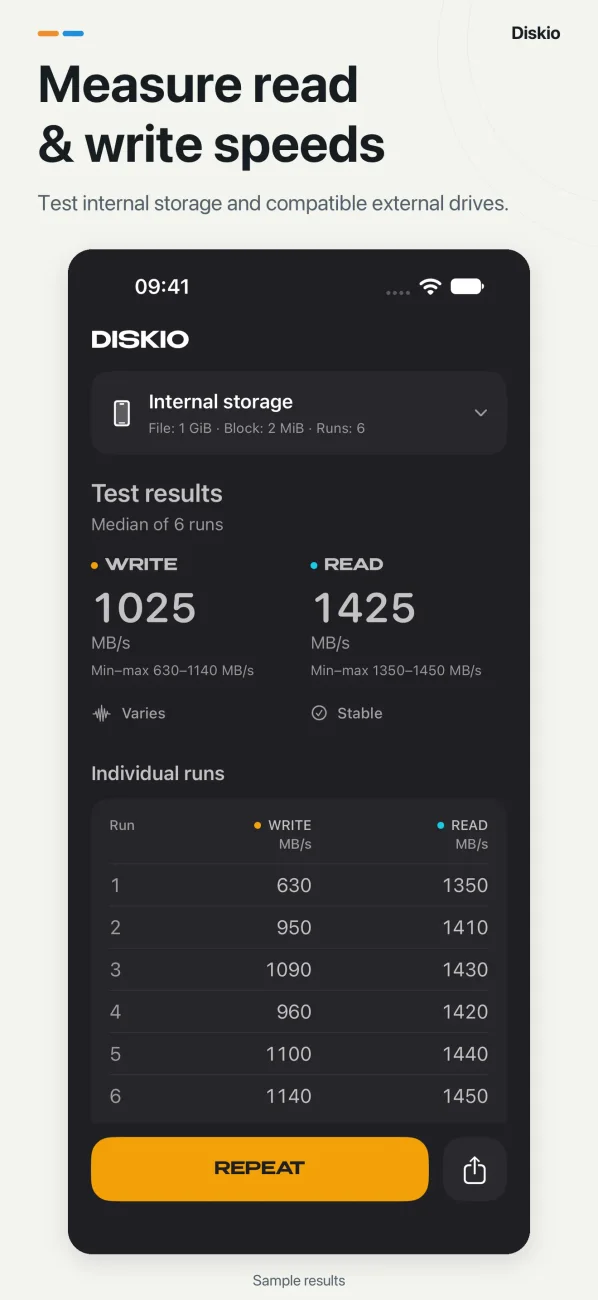
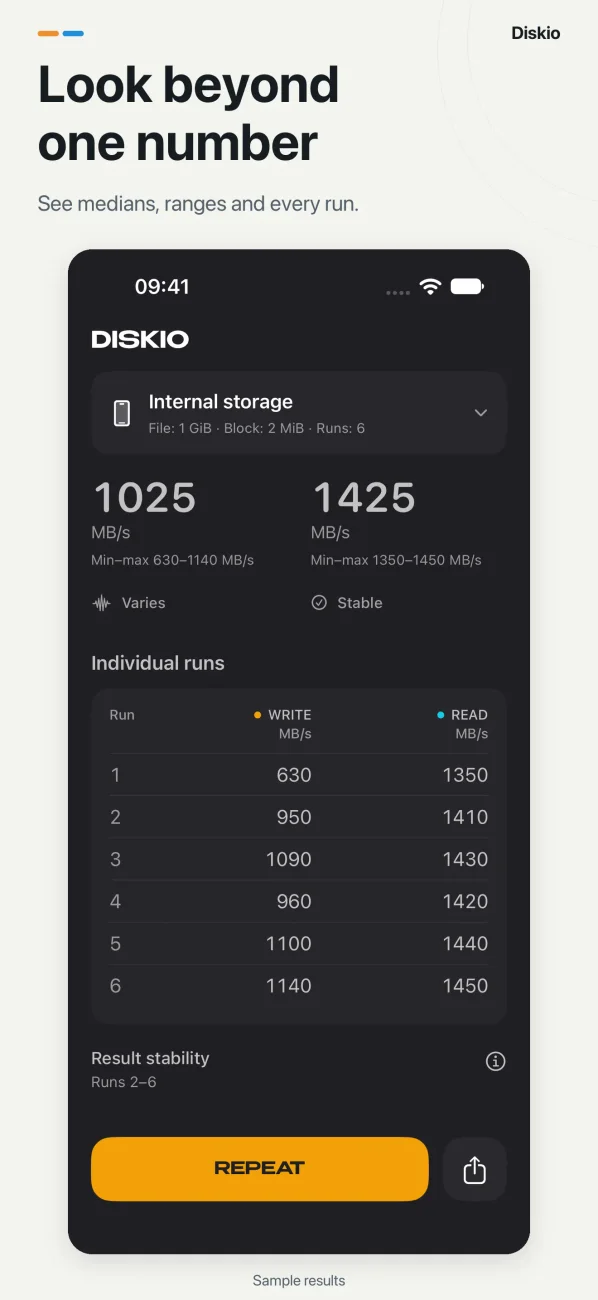
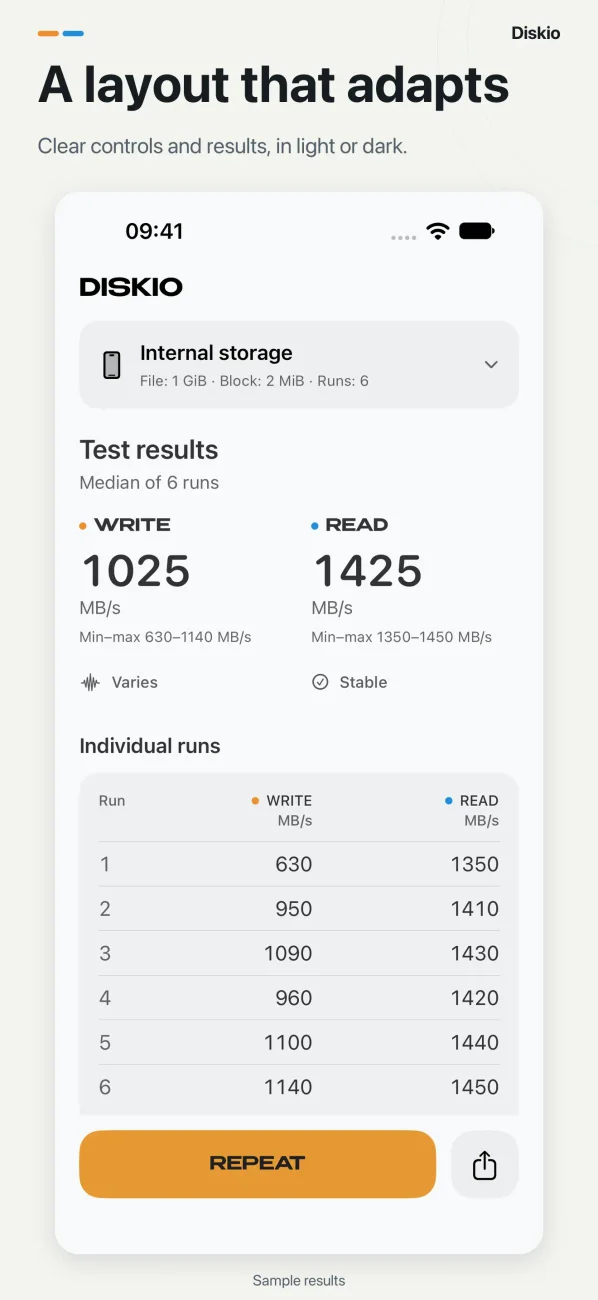
Choose 1, 3 or 6 runs. With 3 or 6 runs, see median read and write speeds, minimum and maximum values, and the result of every run.
CHECK CONSISTENCY
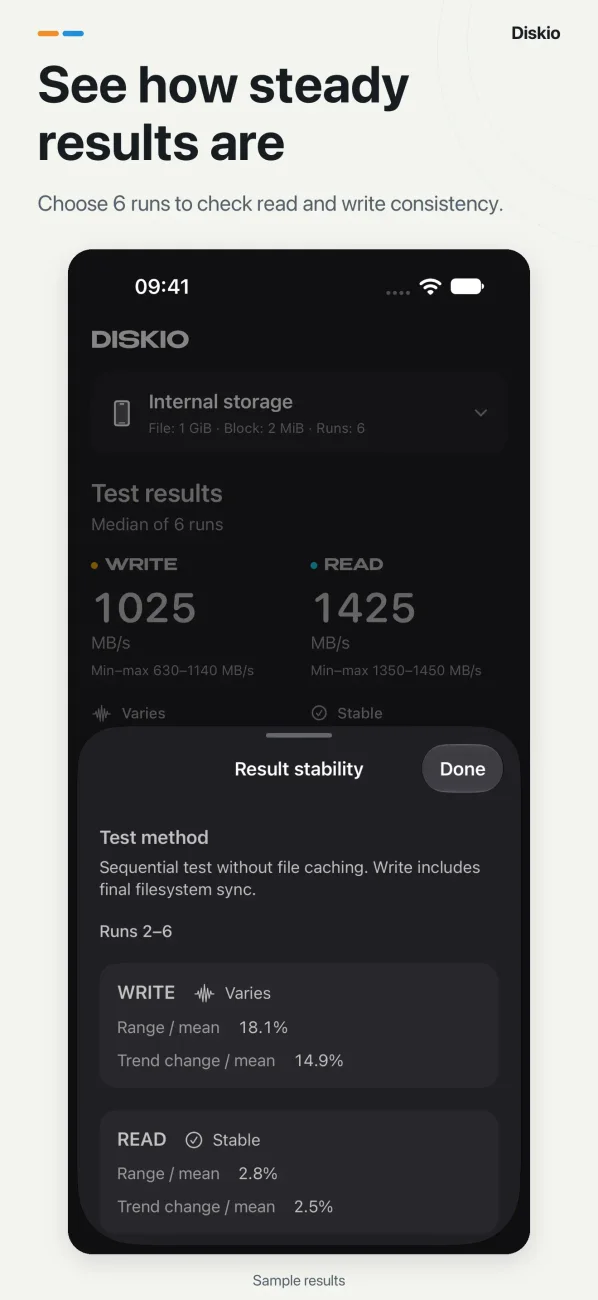
Choose 6 runs to assess read and write stability separately over the last five. See whether results are stable or vary, with the criteria explained in the app.
TEST YOUR SETUP
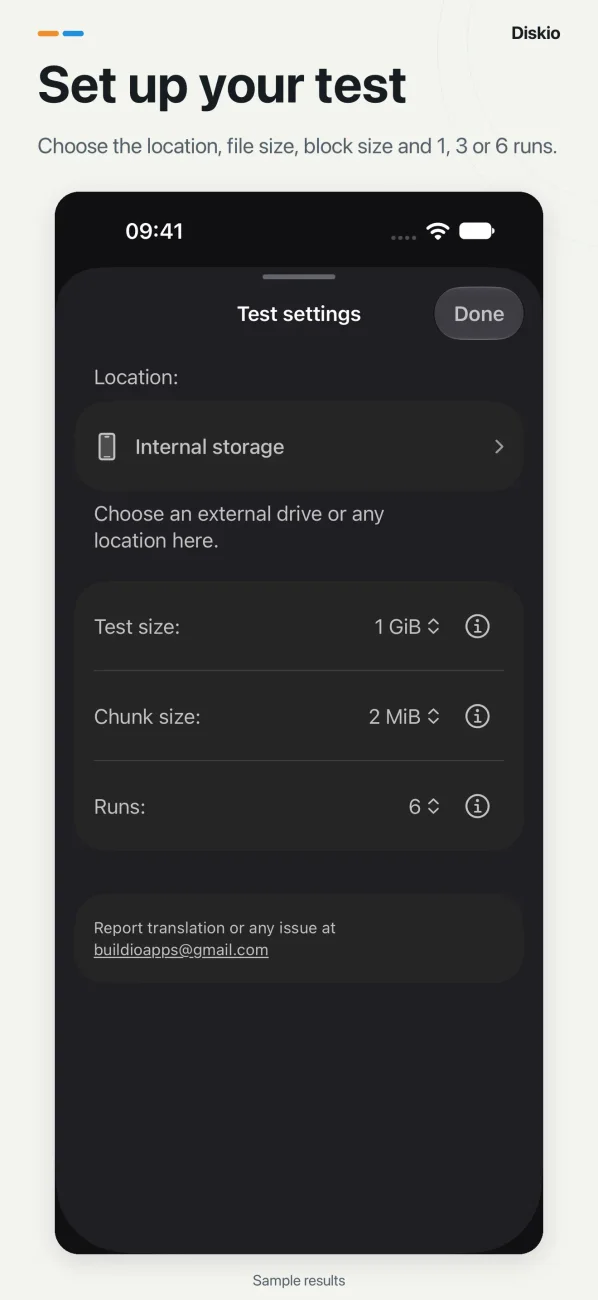
Use your iPhone's internal storage or select a compatible, writable external drive through Files. Choose a test file from 1 to 5 GiB and a block size of 1, 2, 4, 8 or 16 MiB. The defaults are 6 runs, a 1 GiB file and a 2 MiB block.
UNDERSTAND THE MEASUREMENT
Speeds are shown in MB/s, and write timing includes final filesystem synchronization. Follow each write and read phase as the test runs.
SHARE THE DETAILS
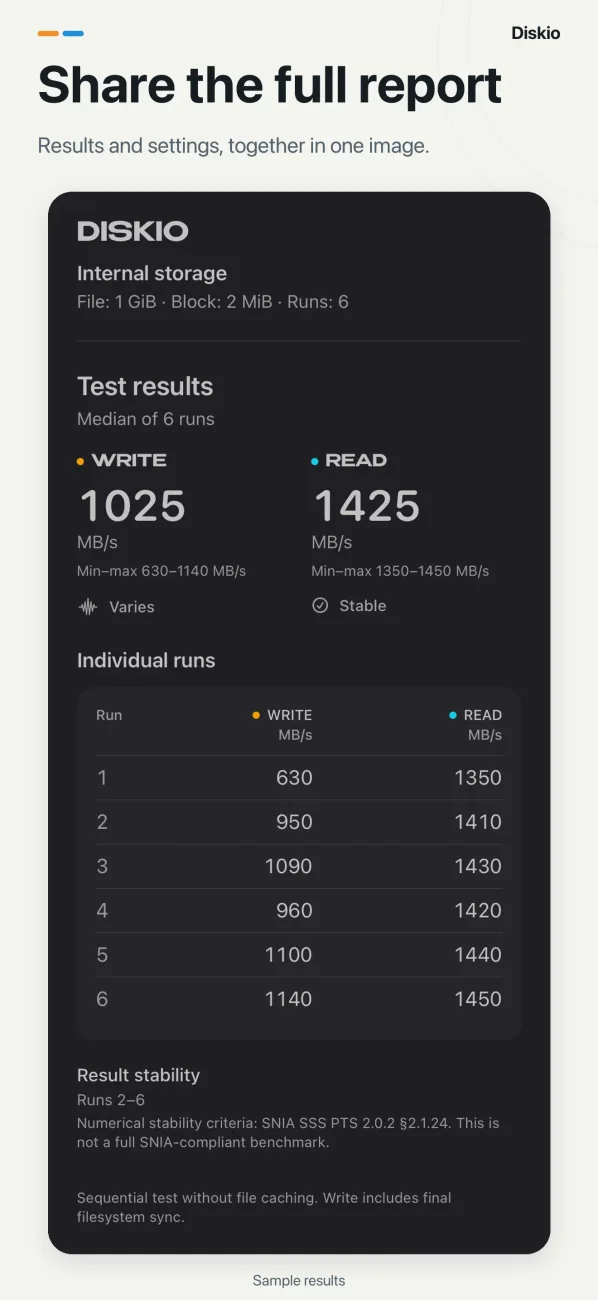
Send a result card with the full report, test settings and, after 6 runs, the stability assessment. The interface supports light and dark appearances, larger text and Reduce Motion.
ADAPTS TO YOUR DISPLAY
On iPhone Duo, an expanded layout gives controls and results their own space. Your report stays available as the layout changes, and narrow windows use a compact view.
GET STARTED
1. Select your storage and test settings.
2. Start the test and keep Diskio open.
3. Review the report or share your results.
A test needs enough free space for a temporary file. External storage must be accessible and writable through Files. Results depend on the device, storage, connection, free space and test settings.
The stability assessment adapts numerical criteria from SNIA SSS PTS. It is not a full SNIA-compliant benchmark, a drive-health check or a sustained-performance rating. Results from version 3.0 onward may differ from older versions because the measurement method was revised.
Yang baru
Versi 3.1.0 · 9/10/2026
• An adaptive layout for iPhone Duo gives test controls and results their own space.
• Your report and open panels remain available as the layout changes, while narrow windows stay compact.
• Improved handling when you leave or return to Diskio.
Privasi aplikasi
Yang dinyatakan Sergii Khliustin di App Store tentang cara aplikasi ini menangani data.
-
Data yang digunakan untuk melacak Anda
Dapat digunakan untuk melacak Anda di aplikasi dan situs web milik perusahaan lain.
- Pengenal
-
Data yang tidak ditautkan dengan Anda
Dapat dikumpulkan, tetapi tidak ditautkan dengan identitas Anda.
- Pengenal
- Diagnostik
Praktik privasi dapat bervariasi, misalnya berdasarkan fitur yang Anda gunakan atau usia Anda.
Informasi
- Penjual
- Sergii Khliustin
- Kategori
- Kegunaan
- Versi
- 3.1.0
- Diperbarui
- 9/10/2026
- Dirilis
- 2/10/2023
- Ukuran
- 9,2 MB
- Memerlukan
- iOS 16.0 atau yang lebih baru
- Batasan usia
- 4+
- Harga
- Rp 49ribu
- Bahasa
- Inggris, Jerman, Jepang, Tionghoa Sederhana, Spanyol, Ukraina
- Hak cipta
- © 2026 Sergii Khliustin