DocSnap — PDF Scanner
Scan to PDF, OCR & AI
Dirancang untuk iPhone
Gratis · Pembelian dalam aplikasi
- Batasan usia4+
- KategoriProduktivitas
- PengembangAleksandr Aleksandrov
- BahasaInggris+ 9 lainnya
- Ukuran43,0 MB
Tertaut ke halaman resmi App Store
Download.org tidak menyimpan file DocSnap — PDF Scanner apa pun. Tombol ini membuka halaman aplikasi di App Store, tempat Aleksandr Aleksandrov menerbitkannya. Halaman terakhir diperiksa pada 20/11/2026.
Tangkapan layar
Tentang
Pengembang belum menyediakan teks ini dalam bahasa Anda.
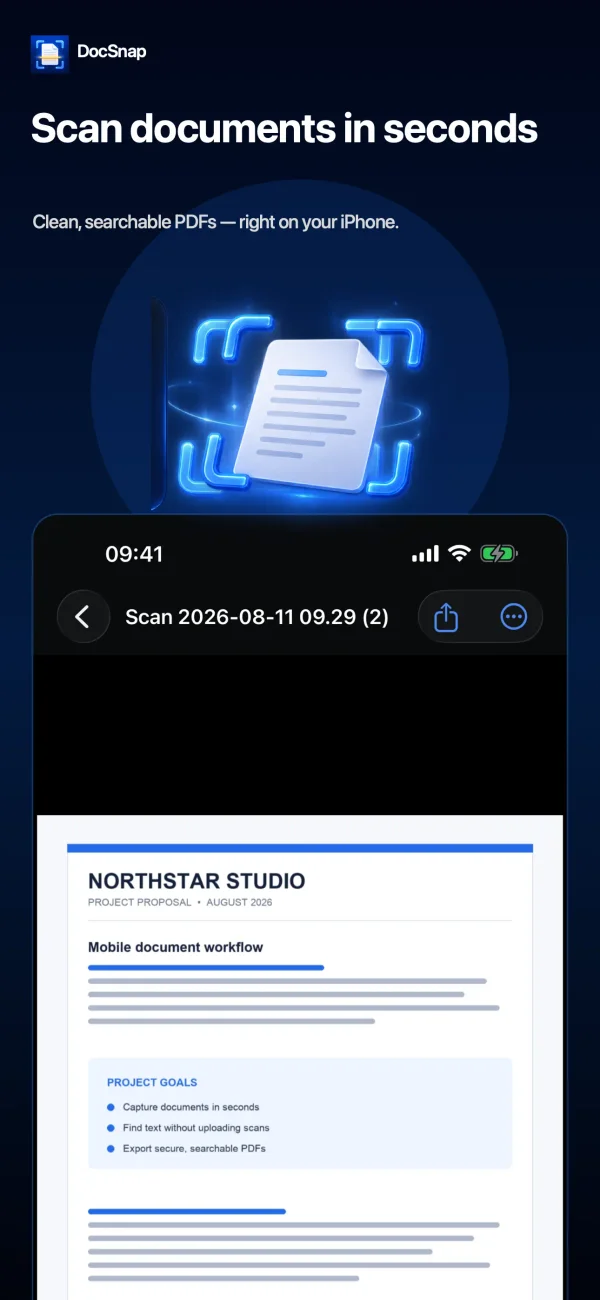
DocSnap turns paper into clean, searchable PDFs — and then helps you understand what is in them.
SCAN
Point the camera at a document and DocSnap finds the edges, straightens the page and removes shadows. Multi-page scans, batch capture, and filters for colour, greyscale and high-contrast black & white.
READ
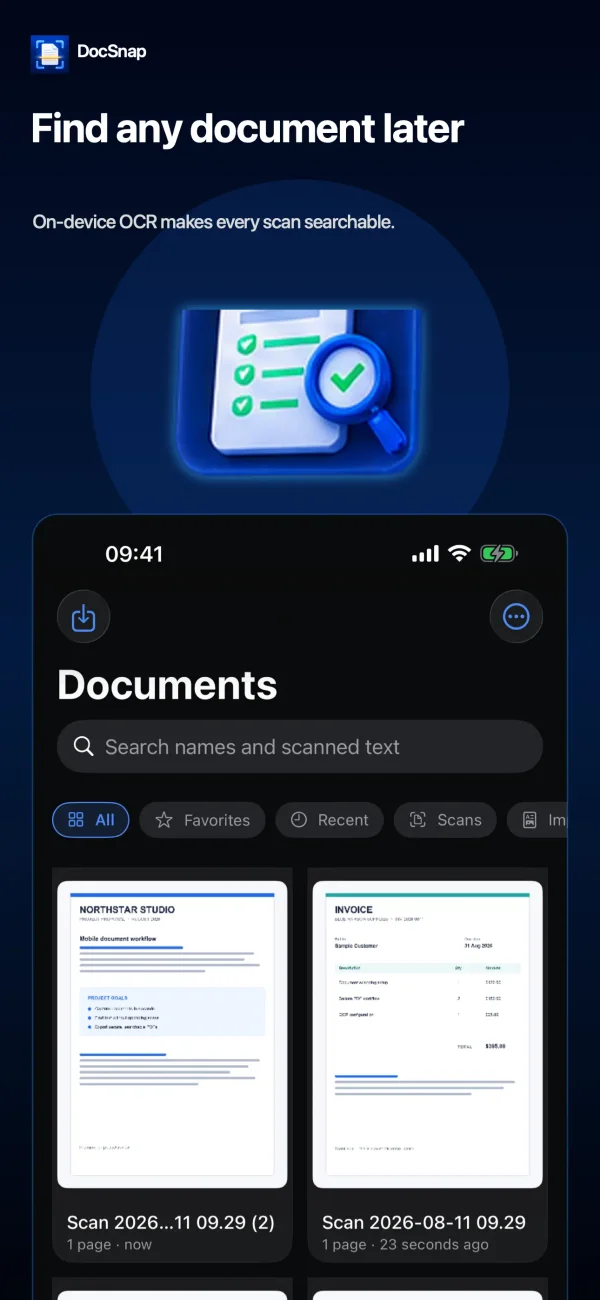
Text recognition runs on your iPhone using Apple's Vision framework. Every scan becomes searchable, so you can find a document later by a word printed inside it — not just by its name.
UNDERSTAND — DocSnap AI
• Summarise a long document into what actually matters
• Ask questions about a document and get answers with the page they came from
• Extract totals, dates, invoice numbers, names and contact details
• Translate recognised text into another language
• Get a sensible file name based on what the document really is
Every summary and answer shows the page it came from, so you can check it. AI can be wrong, and DocSnap is built to let you verify rather than trust.
PRIVATE BY DESIGN
DocSnap keeps everyday document work on your iPhone. Scanning, text recognition, PDF creation, editing and search all run locally, and your original scans and PDFs stay on your device.
DocSnap AI is optional and off until you turn it on. When you choose an AI feature, only the recognised text needed for that request is sent for processing — never your page images, never the PDF file, never your signatures or document passwords.
You decide when AI is used, and you can turn it off and delete every saved result at any time.
There is no account, no sign-up and no tracking.
PDF TOOLS
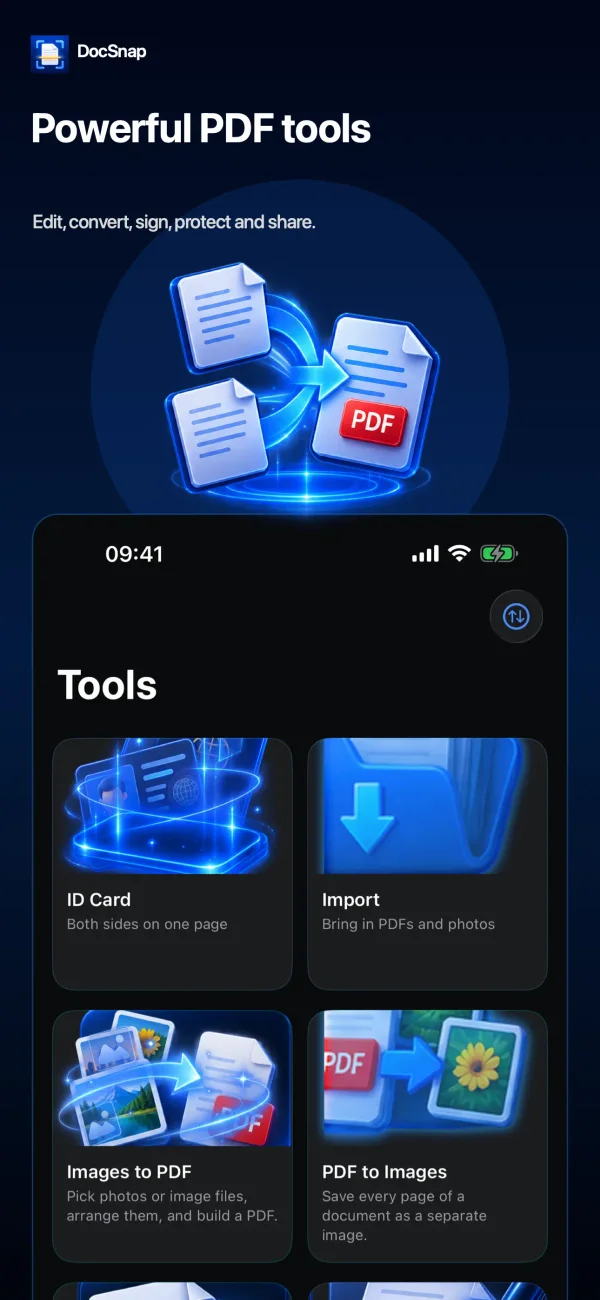
• Merge several documents into one
• Split a document into separate files
• Compress large PDFs down to a sensible size
• Convert images to PDF and PDF pages back to images
• Sign documents with your finger
• Password-protect a PDF before you send it
• Export as PDF, JPEG, PNG or plain text
EVERYDAY DETAILS
• Face ID or Touch ID lock, with the app hidden in the app switcher
• Reorder, rotate, crop and delete pages
• Full VoiceOver support and Dynamic Type
• Dark Mode
• Works in ten languages
FREE AND PRO
Scanning, PDF export, page editing and filters are free, always. Free users also get text recognition on a few documents each month and a few DocSnap AI analyses to try.
DocSnap Pro unlocks unlimited text recognition, search inside documents, all the PDF tools, signatures and password protection. Available as a monthly or yearly subscription, or as a one-time Lifetime purchase.
DocSnap AI runs on our servers rather than on your iPhone, so every plan includes a monthly number of requests rather than unlimited use. Subscriptions include a generous allowance; Lifetime includes 30 requests each month and unlocks every on-device Pro feature permanently. One summary, question, extraction or translation is one request, however long the document. Smart renaming and automatic labelling are free.
Terms of Use: https://scanpdf.top/terms
Privacy Policy: https://scanpdf.top/privacy
Yang baru
Versi 1.0.2 · 26/8/2026
PDF tools are easier to reach, Import is back in the Tools catalogue, and drawing redaction areas now works reliably. This update also improves document editing, localisation and overall stability.
Privasi aplikasi
Yang dinyatakan Aleksandr Aleksandrov di App Store tentang cara aplikasi ini menangani data.
-
Data yang tidak ditautkan dengan Anda
Dapat dikumpulkan, tetapi tidak ditautkan dengan identitas Anda.
- Konten pengguna
Praktik privasi dapat bervariasi, misalnya berdasarkan fitur yang Anda gunakan atau usia Anda.
Informasi
- Penjual
- Aleksandr Aleksandrov
- Kategori
- Produktivitas
- Versi
- 1.0.2
- Diperbarui
- 26/8/2026
- Dirilis
- 19/8/2026
- Ukuran
- 43,0 MB
- Memerlukan
- iOS 17.0 atau yang lebih baru
- Batasan usia
- 4+
- Harga
- Gratis
- Pembelian dalam aplikasi
- Ya
- Bahasa
- Inggris, Prancis, Jerman, Italia, Jepang, Korea, Portugis, Rusia, Spanyol, Vietnamese
- Hak cipta
- © 2026 Aleksandr Aleksandrov
Mungkin Anda juga suka
-
 PDF Editor & Scanner DokumenScan, Edit, Tanda Tangan & OCR
-
 IMAR GPS 4GProduktivitas
-
 Omera: AI Writing KeyboardProduktivitas
-
 Sky GPSProduktivitas
-
 Dоlа АI|Asisten & PembantuCari dan Buat dengan AI
-
 FollowbikecarProduktivitas
-
 PixVideo - AI Video GenerateProduktivitas
-
 XMEYE PLUSProduktivitas
-
 Penerjemah bahasa suara!Terjemahan mudah bahasa asing
-
 CleverType - AI KeyboardProduktivitas