- Batasan usia17+
- KategoriPerjalanan
- PengembangJesse Luo
- BahasaInggris
- Ukuran29,2 MB
Drively mungkin sedang tidak tersedia di App Store
Halaman di toko tidak dapat dijangkau saat terakhir kami periksa. Tautan tetap mengarah ke halaman resmi App Store.
Tangkapan layar


Tentang
Pengembang belum menyediakan teks ini dalam bahasa Anda.
Every drive you take is data you never get to see.
A racing driver ends every session with a debrief: the telemetry comes off the car, and an engineer walks them through what their hands and feet actually did. DriveSafe does that for the drive to school.
Tap Start when you pull away, then put the phone down. There is no live score, on purpose — nothing on this screen is worth looking at while you are moving. When you park, the debrief is waiting.
HOW SMOOTH WERE YOU, REALLY
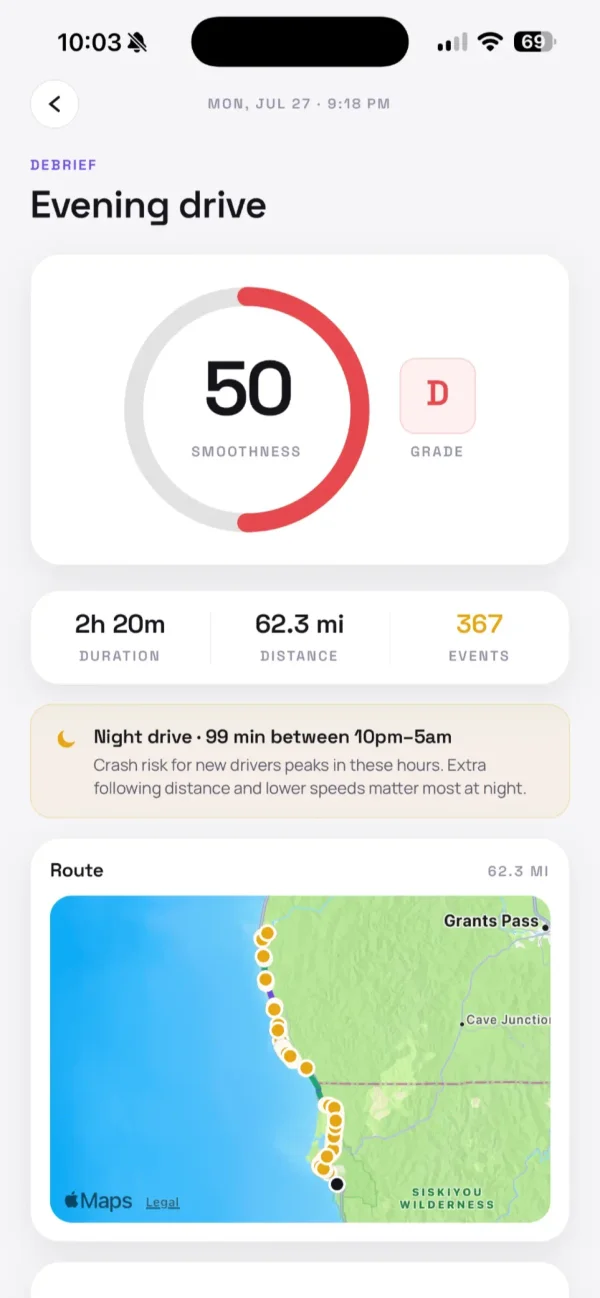
The score is built on jerk: how quickly your acceleration changes. Planned, progressive inputs score high. Sudden ones score low. It is the difference between a passenger who keeps reading their phone and one who reaches for the door handle.
EVERY TIME YOU PICKED UP YOUR PHONE
DriveSafe detects phone handling while the car is moving, marks each one on the timeline, and takes points off for it. It is the one thing in the score that has nothing to do with smoothness, and it is there because a phone in your hand is the habit worth breaking first.
WHEN YOU DROVE LATE
Drive after dark and the debrief says so. Crash risk for new drivers peaks in those hours, so the note asks for more following distance and lower speeds. It changes no number — it just makes sure you saw it.
BEFORE YOU SET OFF
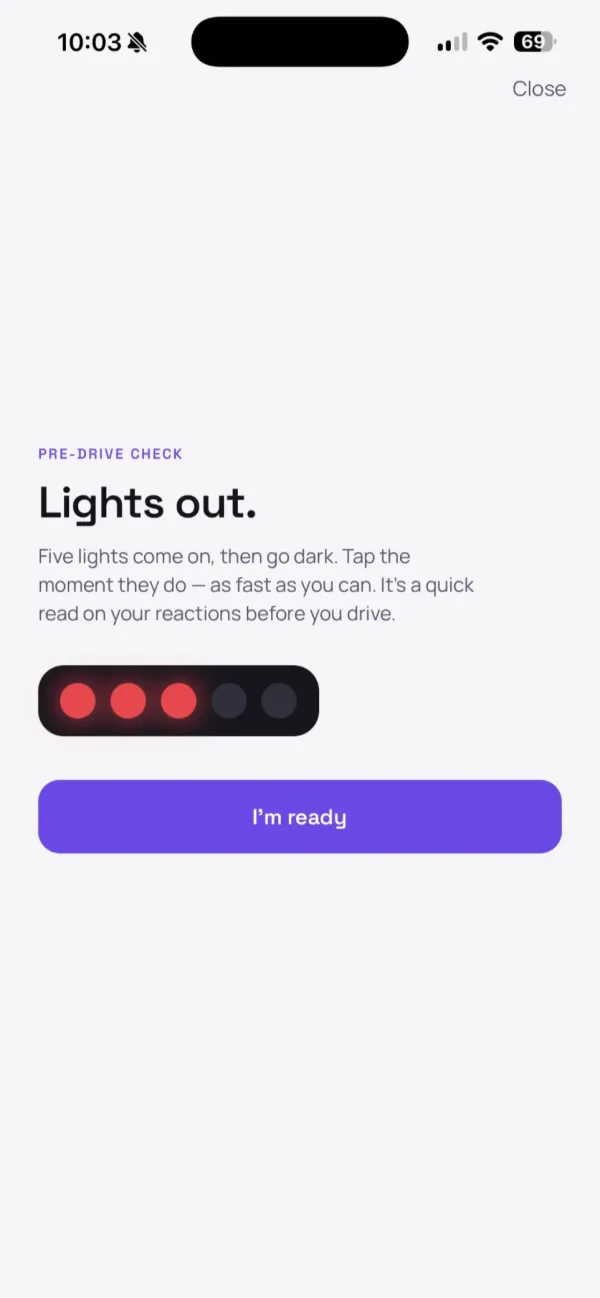
A reaction-time check with racing start lights. Tired, or not sure you should be driving at all? Run it and see your number against your own baseline, then decide.
WHAT THE DEBRIEF SHOWS YOU
- Your route, drawn green through red, so you can see which corner actually cost you
- Every braking, cornering, and acceleration event — tap one for the accelerometer trace behind it
- Distance, driving time, and the highest g-force you pulled
- Lifetime average and personal best, so you can watch yourself get better
THINGS YOU START TO NOTICE
That you brake harder when you are running late. That the roundabout you take every single day is your roughest ten seconds. That you reach for your phone at exactly the same junction every morning. Nobody has ever shown you this about your own driving.
Everything works with no account, and trips stay on your phone. Sign in with Apple to back them up across devices.
The score measures smoothness and phone handling. It is not a safety rating, it is not an assessment of you as a driver, and it is not validated against crash outcomes. A perfectly smooth drive can still be a bad one.
Location is used in the background during a trip so your route keeps recording with the screen off, and is only read between tapping Start and the end of the trip.
Privasi aplikasi
Yang dinyatakan Jesse Luo di App Store tentang cara aplikasi ini menangani data.
-
Data yang ditautkan dengan Anda
Dapat dikumpulkan dan ditautkan dengan identitas Anda.
- Lokasi
- Info kontak
- Pengenal
- Data lainnya
Praktik privasi dapat bervariasi, misalnya berdasarkan fitur yang Anda gunakan atau usia Anda.
Informasi
- Penjual
- Jesse Luo
- Kategori
- Perjalanan
- Versi
- 1.0
- Diperbarui
- 4/9/2026
- Dirilis
- 3/9/2026
- Ukuran
- 29,2 MB
- Memerlukan
- iOS 15.1 atau yang lebih baru
- Batasan usia
- 17+
- Bahasa
- Inggris
- Hak cipta
- © 2026 Hucan Studio