
DualTextScanner
Scan. Refine. Revisit.
Dirancang untuk iPhone, iPad
Pembelian dalam aplikasi
- Batasan usia4+
- KategoriProduktivitas
- PengembangAIビジョンテクノロジー株式会社
- BahasaJepang
- Ukuran25,5 MB
DualTextScanner mungkin sedang tidak tersedia di App Store
Halaman di toko tidak dapat dijangkau saat terakhir kami periksa. Tautan tetap mengarah ke halaman resmi App Store.
Tangkapan layar
Tentang
Pengembang belum menyediakan teks ini dalam bahasa Anda.
DualText Scanner is a book scanner app for iPhone and iPad that lets you capture, enhance, read, search, and organize paper books and PDFs.
Photograph book pages one by one and save them as easy-to-read digital data. Captured pages can be enhanced with distortion correction, shadow removal, whitening, contrast adjustment, and text enhancement.
■ Free Version and Pro Version
This app is free to download.
The free version lets you save up to two books and try scanning, image correction, OCR, and the built-in viewer.
By upgrading to the Pro version through an in-app purchase, the book limit is removed. As long as your device has enough storage space, you can manage paper books and PDFs as your own searchable digital bookshelf.
The Pro version is a one-time purchase upgrade, not a subscription.
■ Manage Scans by Book
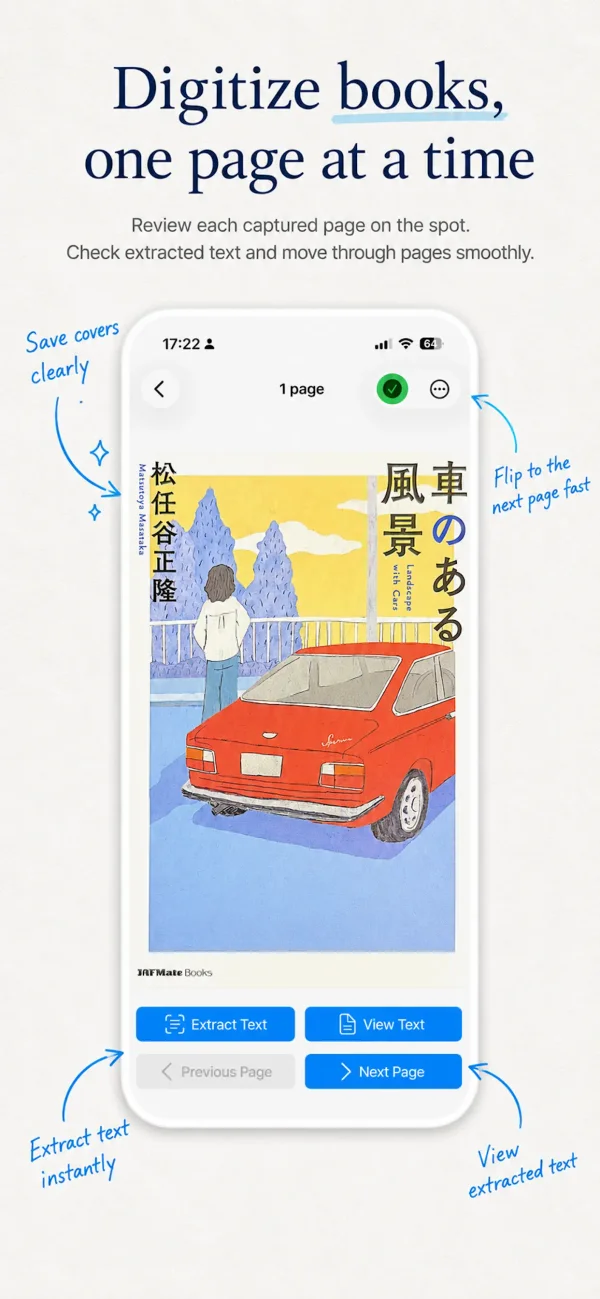
Scanned pages are managed by book. If you stop scanning partway through, you can check the next page number and resume later.
You can gradually add pages and build your digital bookshelf over time.
■ Easy Capture and Page Correction
When taking photos, the app displays a document detection overlay to help you check the page area.
After capturing a page, you can manually adjust the four corners to correct open books or slightly curved pages.
Perspective correction, shadow removal, whitening, and text enhancement help turn paper pages into clean, readable images.
■ Vertical and Horizontal OCR
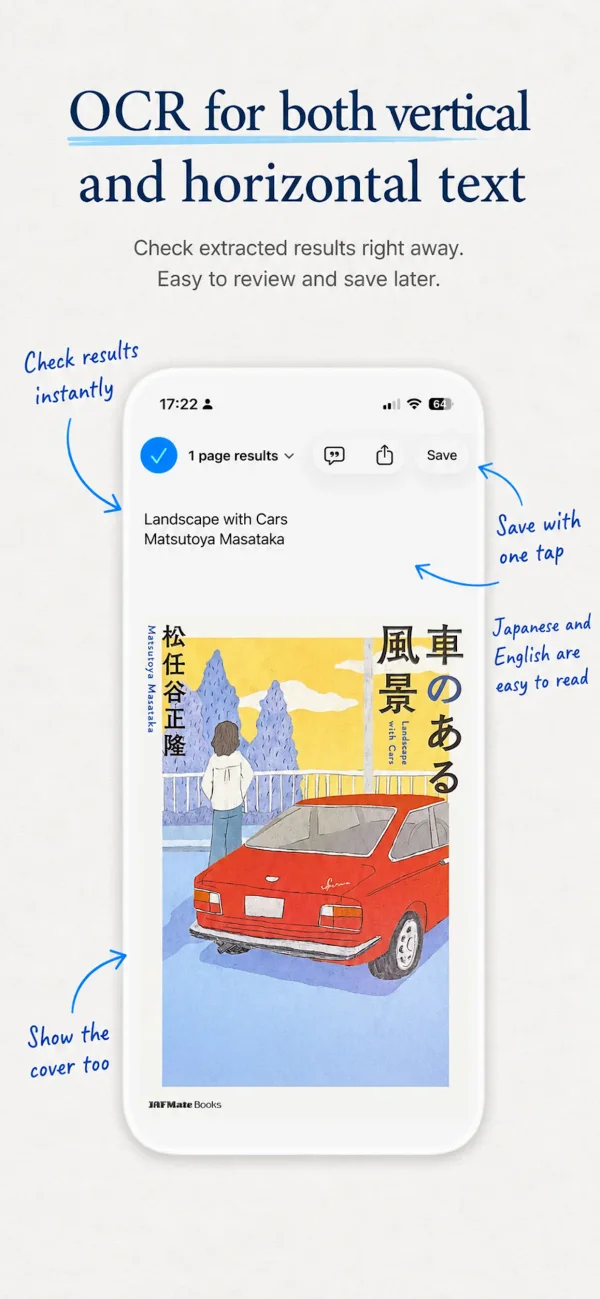
DualText Scanner supports OCR for both vertical and horizontal Japanese text.
You can extract text from novels, practical books, reference materials, textbooks, and other book pages.
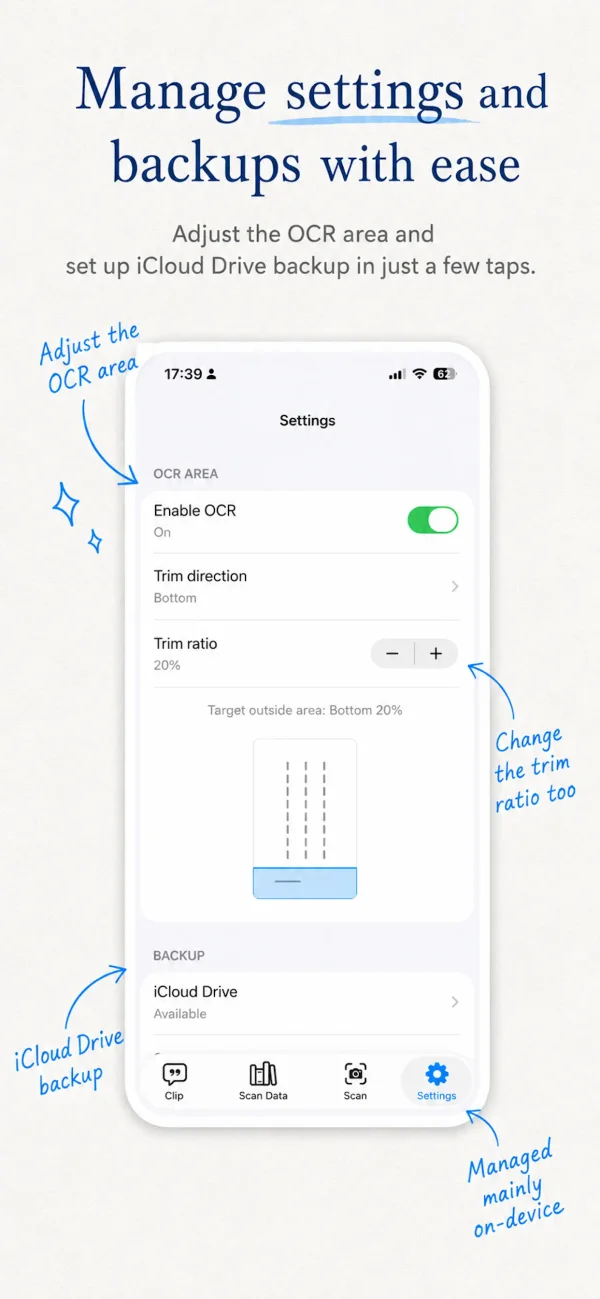
You can also exclude top, bottom, left, and right areas from OCR. This helps avoid page numbers, chapter titles, margins, or repeated text, making it easier to focus on the main text.
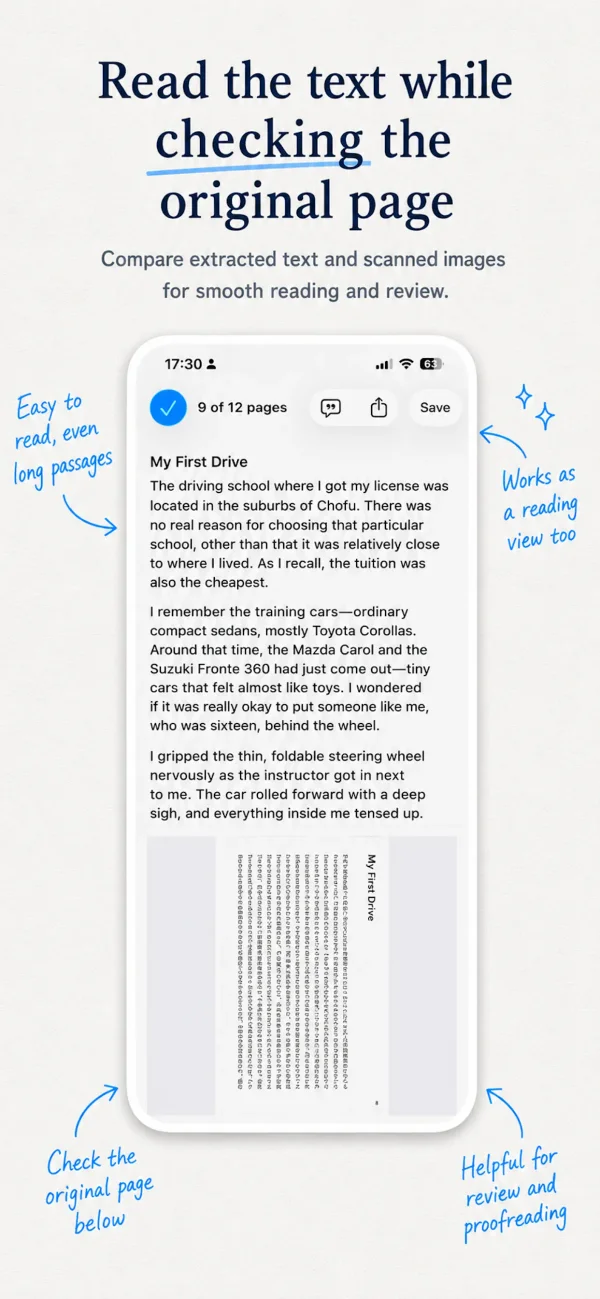
Extracted text can be edited while viewing the page image. On iPad or in landscape orientation, the image and text editor can be displayed side by side.
■ Export Searchable PDFs
Captured pages can be exported as PDF files.
By embedding OCR text into the PDF, you can create searchable PDFs for computers.
■ Export Text as CSV or Plain Text
OCR text can be reviewed by book and exported as CSV or plain text.
This is useful for study, research, note organization, checking text before quoting, and working with other apps.
■ E-Book Style Viewer
Saved pages can be read in the built-in viewer.
You can choose horizontal or vertical page turning, depending on the book and your preferred reading style.
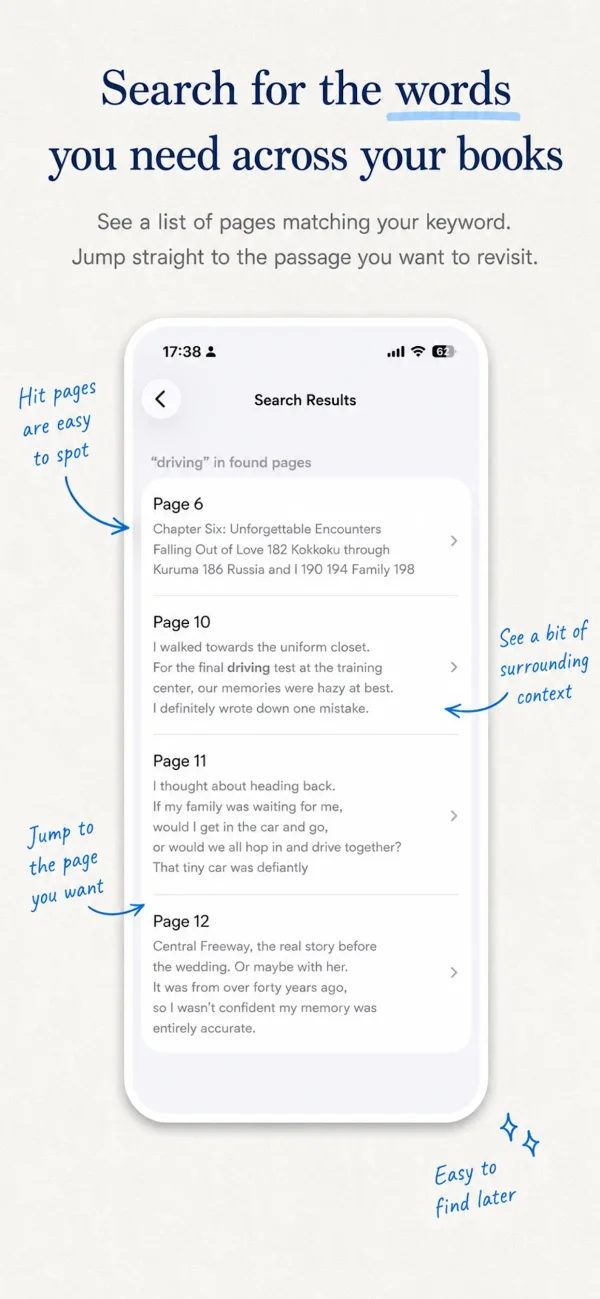
The viewer includes keyword search and search history, allowing you to quickly move to pages that contain the words you are looking for.
■ Clip Feature
You can save favorite passages or sections as clips.
Each clip can include the book title, author, page number, and text. Clips can be viewed across books and are useful for reading notes, study notes, and organizing references.
Saved clips can also be copied or exported as CSV.
■ PDF Import
You can import existing PDFs, convert each page into an image, and register them as book data.
Imported PDFs can also be used with image correction, OCR, text editing, and viewer reading.
■ Backup and Restore
You can back up book images, extracted text, clips, settings, and other data together.
The backup destination can be selected by the user, such as iCloud Drive or the Files app.
By restoring a backup file on another device, you can recreate the same book environment.
■ Privacy
DualText Scanner does not send book images or extracted text to our company servers.
Main processing such as image correction and OCR is performed on the device.
When sharing PDFs, CSV files, extracted text, or other data with external apps or cloud services, please check the terms and privacy policy of the destination service and manage the data at your own discretion.
DualText Scanner helps you create book data that you can read, search, and use later.
Organize your important books as your own searchable digital bookshelf.
Yang baru
Versi 1.0.2 · 2/9/2026
【v1.0.2 (Build 0)】
- You can now set the text orientation to horizontal or vertical for each book.
- Text extraction now supports two- and three-column layouts.
- You can now batch-extract text from unprocessed pages after continuous scanning.
- Text orientation, column layout, and extraction method can now be changed from the book details screen.
Privasi aplikasi
Yang dinyatakan AIビジョンテクノロジー株式会社 di App Store tentang cara aplikasi ini menangani data.
-
Data tidak dikumpulkan
Pengembang tidak mengumpulkan data apa pun dari aplikasi ini.
Praktik privasi dapat bervariasi, misalnya berdasarkan fitur yang Anda gunakan atau usia Anda.
Informasi
- Penjual
- AI Vision Technology Ltd.
- Kategori
- Produktivitas
- Versi
- 1.0.2
- Diperbarui
- 2/9/2026
- Dirilis
- 1/6/2026
- Ukuran
- 25,5 MB
- Memerlukan
- iOS 16.0 atau yang lebih baru
- Batasan usia
- 4+
- Pembelian dalam aplikasi
- Ya
- Bahasa
- Jepang
- Hak cipta
- © AI Vision Technology Ltd.
Mungkin Anda juga suka
-
 Zero Scanner: PDF Scan & OCRProduktivitas
-
 CoPaMemo - Custom KeyboardProduktivitas
-
 FlipScan: Book & Notes ScannerProduktivitas
-
 UnplaQuest: Screen Time RPGProduktivitas
-
 MonoMemo - 階層型メモ帳&ToDoリストProduktivitas
-
 Levity Markdown NotesProduktivitas
-
 ObsideckProduktivitas
-
 コピペ手帳 - 定型文キーボードProduktivitas
-
 Bookmarkers Pro:Manajer PintarUntuk Safari,Chrome,Edge,Opera
-
 MiniQuestProduktivitas