- Batasan usia4+
- KategoriPendidikan
- PengembangSuzuki Educational Software Co.,Ltd.
- BahasaJepang+ 1 lainnya
- Ukuran34,6 MB
Tertaut ke halaman resmi App Store
Download.org tidak menyimpan file E-REPORT COMP apa pun. Tombol ini membuka halaman aplikasi di App Store, tempat Suzuki Educational Software Co.,Ltd. menerbitkannya. Halaman terakhir diperiksa pada 26/11/2026.
Tangkapan layar

Tentang
Pengembang belum menyediakan teks ini dalam bahasa Anda.
E-REPORT COMP is an app which can create a report, a leaflet, and a brochures to see on the iPad.
The thing just a little bit different from paper can be created. For example, photos switched automatically, video or audio flows during viewing.
Other than Japanese class, you can take advantage in a variety of classes such as society and science.
In addition, you can perform taken, edit, browse with only this soft.
Therefore, you can use immediately photos and videos taken, you can create the report.
And you can show what was created immediately.
The Main Features:
Edit:
- Create a character box, can be enter.
- The text can set up size and a color by one text unit.
- In text box, line boundary text check is done automatically.
- Because some templates are available, it is possible to complete the brochure and report in a short period of time.
- Photos can be placed up to 6 pieces in one place.
In addition, you can select switch photos by flick operation or switch photos automatically.
- It is possible to launch the camera from the Edit mode, you can shoot animation and photos, and can record sound with a microphone.
The taken photo, and an animation and the recorded sound can be used immediately.
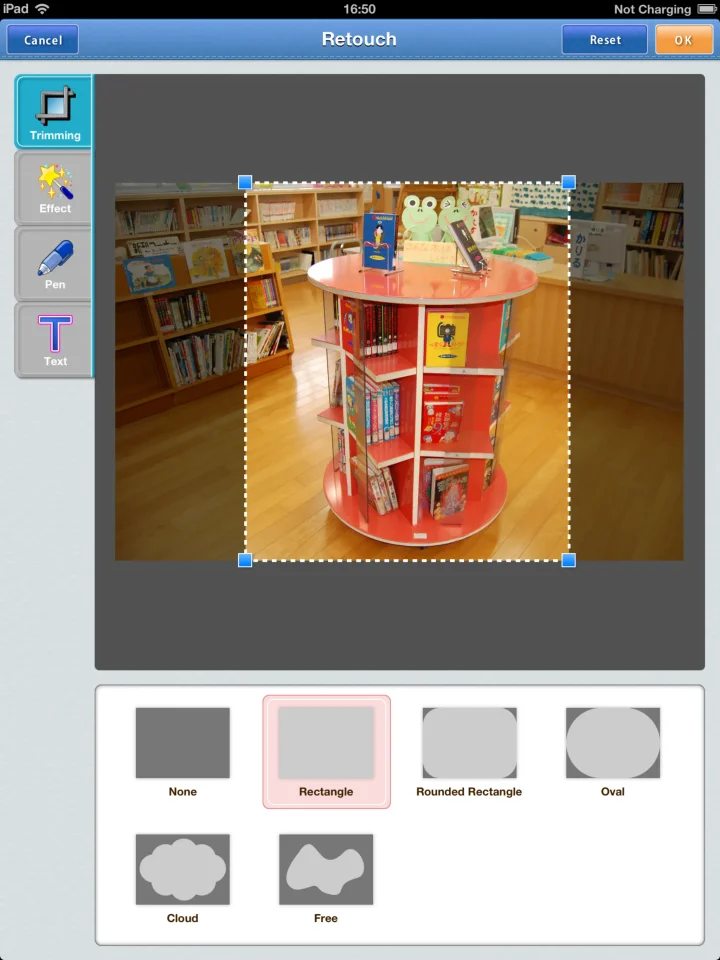
- In the photo processing, you can perform color correction, trimming, and writing with the Pen tool.
- Play of audio and video, you can specify each of the start and end points.
- How to turn over a page can be changed at any time.
- A page can be added until 50 pages per file.
Browes Mode:
- When swiping, a page is turned over and the next page can be seen.
You can see in the behavior close to the actual brochure and the report.
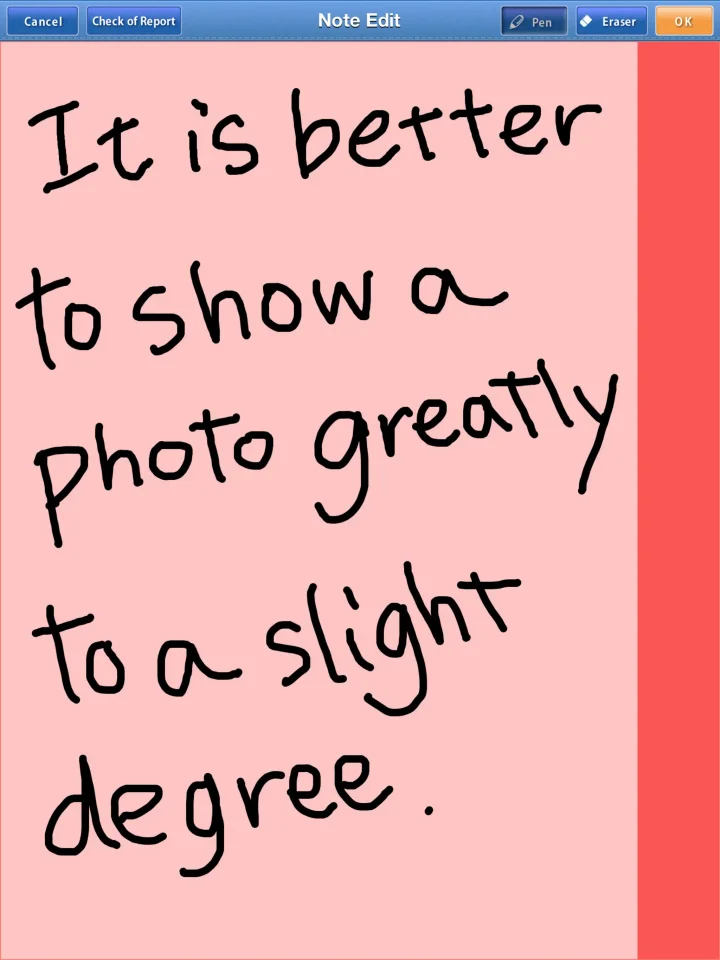
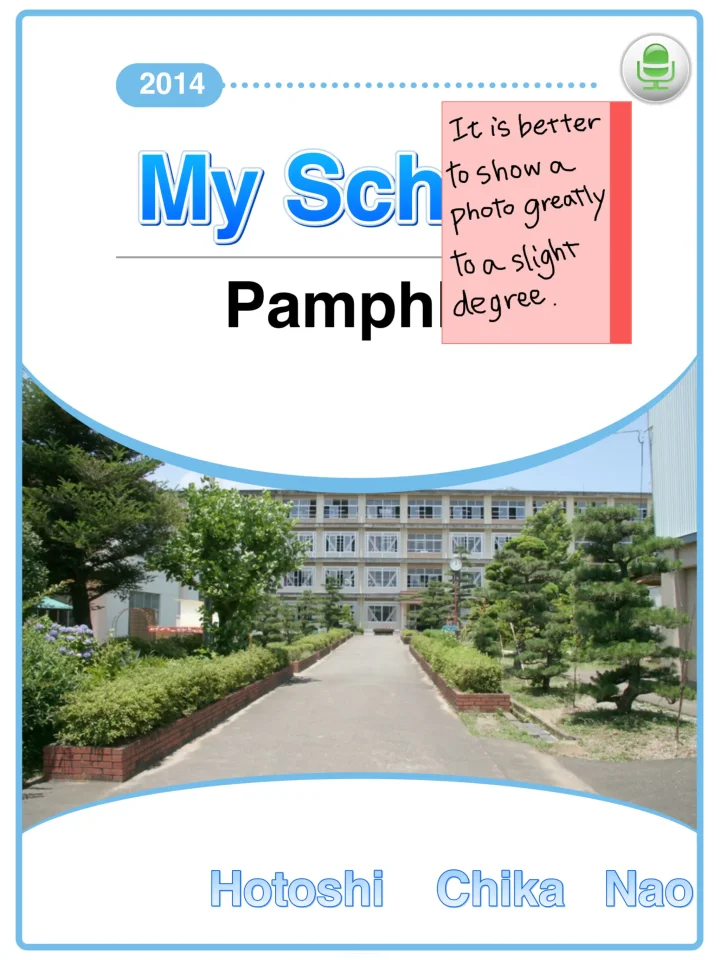
- A note can be pasted.
A note can be chosen from two kinds.
- A note is swipe and can write a text
- A pasted notes, you can change the position by swiping after a long-tap.
- Paste the notes, and return to the edit mode, you will see the notes that you pasted in browse mode.
With looking at the contents of the note, you can formulated the contents.
Other:
- The created data can choose a copy from iTunes and can take it out by tying to iTunes.
A format can be chosen from two types of E-Report Comp format or PDF format.
- By using the combination report, if reports in the same direction, you can be combined into a single data that is falling apart.
Changing and deletion of a page can be performed after combination.
- It is possible to send the report to terminal on the receiving state. The report send, Wi-Fi environment is necessary.
You can also receive a report by the state to receive the report of the terminal.
Let's make new type reports, leaflets, and brochures using E-Report Comp.
Yang baru
Versi 1.4.7 · 25/11/2026
Minor bugs have been fixed.
Privasi aplikasi
Yang dinyatakan Suzuki Educational Software Co.,Ltd. di App Store tentang cara aplikasi ini menangani data.
-
Data tidak dikumpulkan
Pengembang tidak mengumpulkan data apa pun dari aplikasi ini.
Praktik privasi dapat bervariasi, misalnya berdasarkan fitur yang Anda gunakan atau usia Anda.
Informasi
- Penjual
- Suzuki Educational Software Co.,Ltd.
- Kategori
- Pendidikan
- Versi
- 1.4.7
- Diperbarui
- 25/11/2026
- Dirilis
- 27/10/2013
- Ukuran
- 34,6 MB
- Memerlukan
- iOS 15.0 atau yang lebih baru
- Batasan usia
- 4+
- Harga
- Rp 229ribu
- Bahasa
- Jepang, Inggris
- Hak cipta
- © 2013-2026 Suzuki Educational Software Co.,LTD.