EasyConnection
EasyConnection轻量安全 SSH 远程连接客户端
Dirancang untuk iPhone, iPad
Gratis
- Batasan usia4+
- KategoriKegunaan
- Pengembang宇 徐
- BahasaInggris+ 3 lainnya
- Ukuran19,7 MB
Tertaut ke halaman resmi App Store
Download.org tidak menyimpan file EasyConnection apa pun. Tombol ini membuka halaman aplikasi di App Store, tempat 宇 徐 menerbitkannya. Halaman terakhir diperiksa pada 14/11/2026.
Tangkapan layar

Tentang
Pengembang belum menyediakan teks ini dalam bahasa Anda.
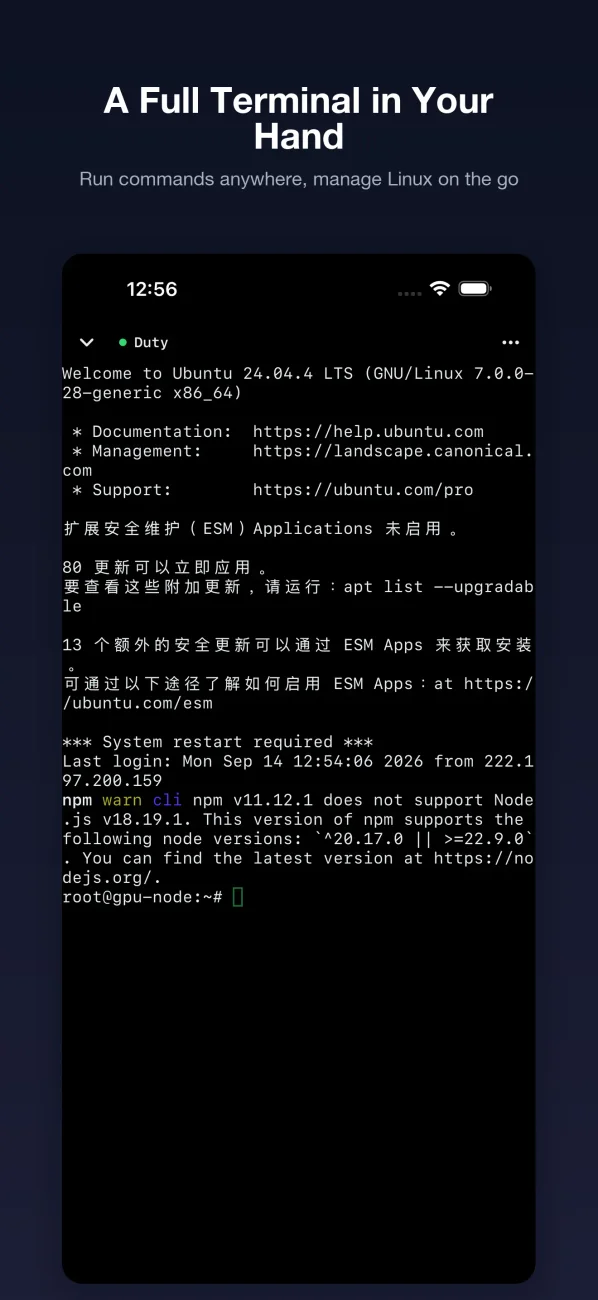
EasyConnection is a lightweight SSH remote terminal designed exclusively for iPhone and iPad. It allows you to connect to and manage remote servers anytime and anywhere without a computer. Equipped with a newly upgraded AI coding assistant for iPad, it empowers intelligent mobile remote development and server operations.
Connect Anytime Without a Computer
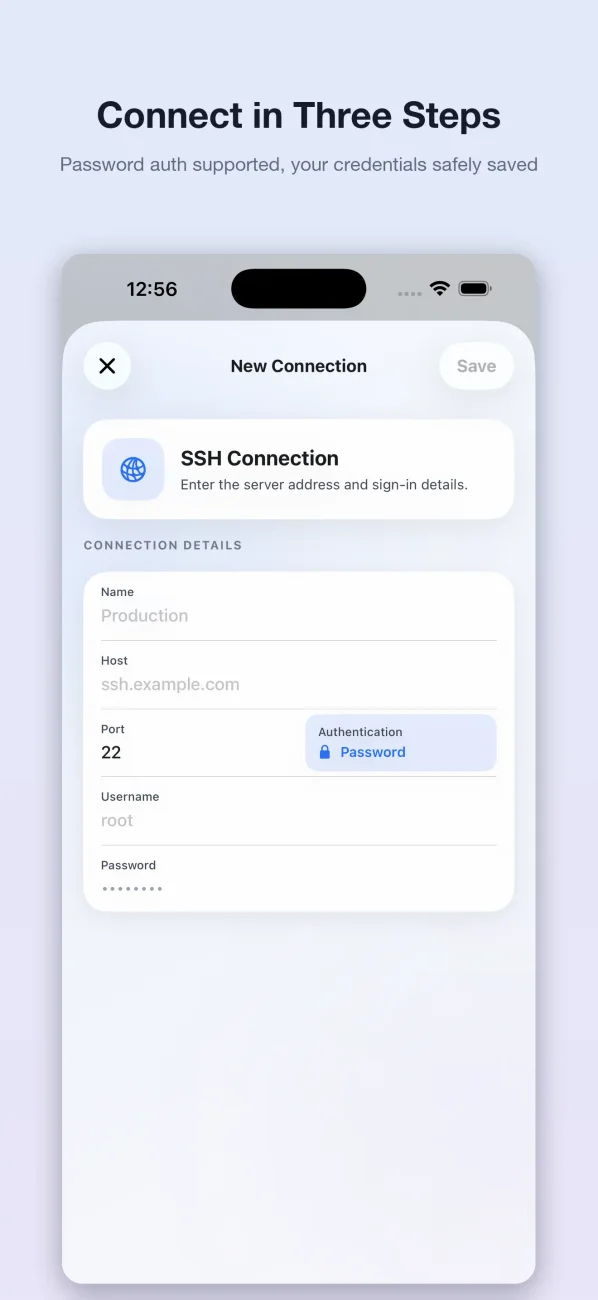
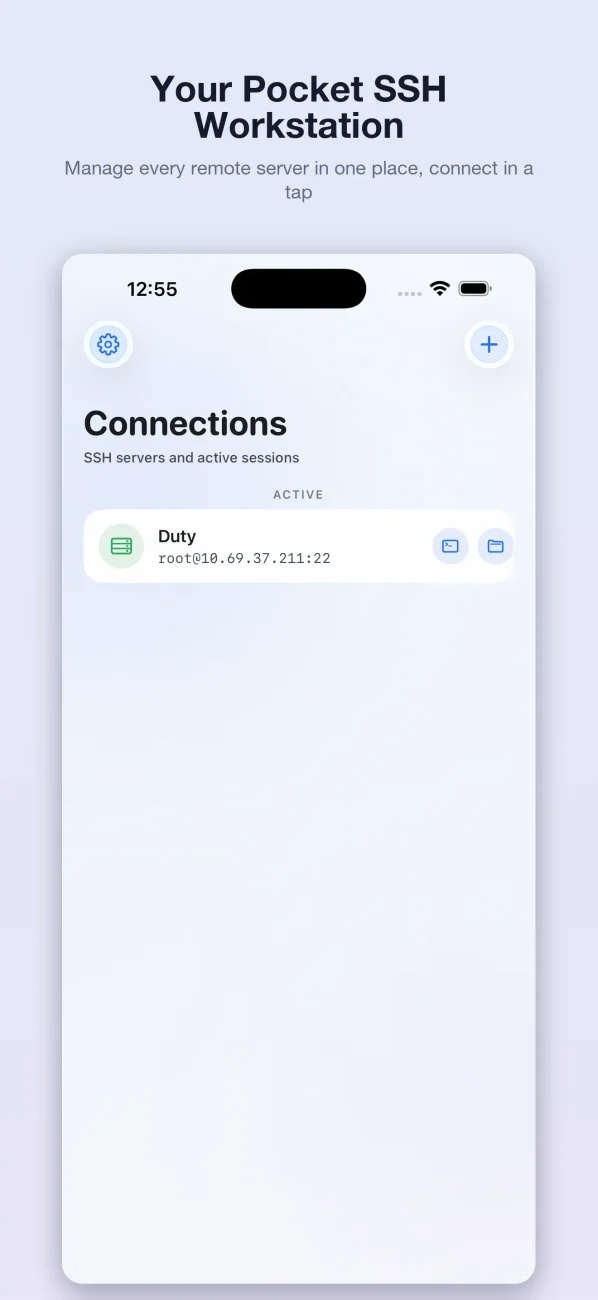
Initiate SSH connections directly from your iPhone or iPad with password authentication supported. All connection data is securely stored locally without cloud uploads. Manage multiple servers centrally with custom grouping, create sessions instantly, and check connection status in real time for efficient server management.
Full-Featured Terminal Experience
Built-in professional terminal emulator supports all common Linux commands and interactive tools such as vim and htop. It provides copy, paste and font size adjustment functions, as well as dedicated mobile shortcut keys to boost operational efficiency. Multi-tab session support enables simultaneous management of multiple servers for seamless multi-task operations.
SFTP File Management
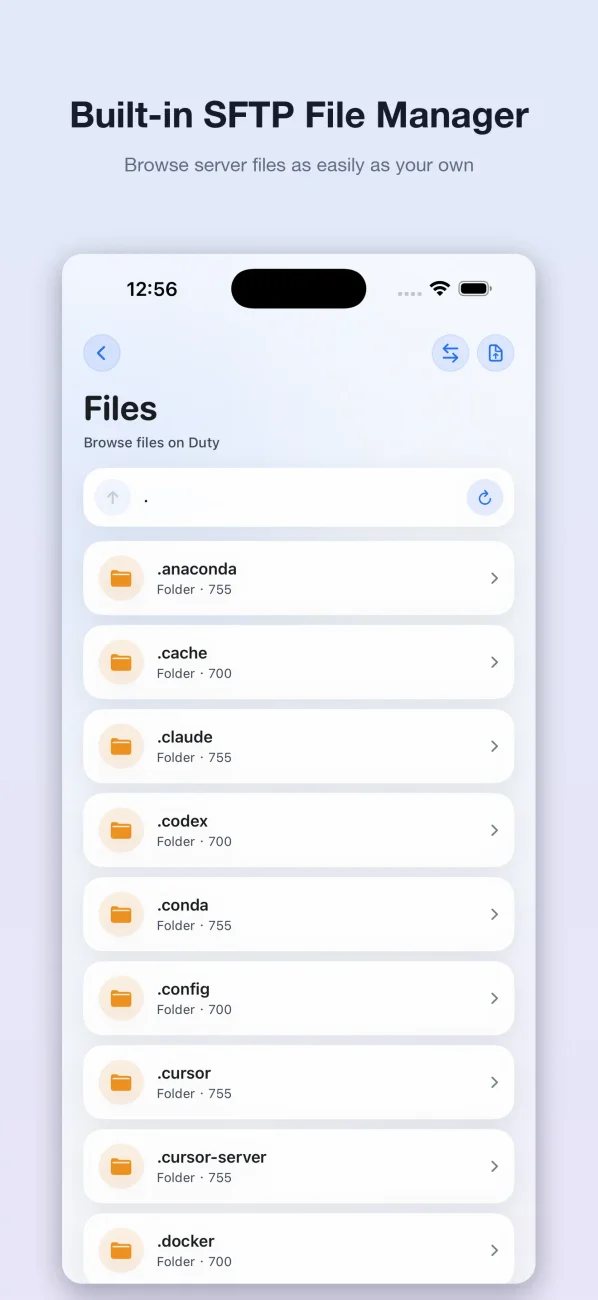
Integrated full-featured SFTP file management allows you to browse and manage server files and directories visually. Support file upload and download between mobile devices and servers, as well as creating, renaming, moving and deleting files or folders. You can view and edit remote text and configuration files directly in the app without switching to third-party tools.
Exclusive Code Mode for iPad
Tailored for iPad, the integrated workspace combines a file tree, code editor and terminal in one interface to support one-stop remote development and debugging. It features multi-tab code editing, full syntax highlighting, horizontal scrolling, adjustable font size and automatic project state recovery. All opened file tabs can be restored when re-entering projects. Port forwarding is also supported to easily access local development services on servers.
Exclusive AI Coding Assistant for iPad (New Upgrade)
The brand-new AI coding assistant empowers intelligent mobile remote development and operations. It is compatible with OpenAI, Anthropic and other mainstream models, supporting custom private model access. Chat history is independently saved by servers and projects with complete isolation and retrievable records. The AI can read project directories and code structures to understand project logic deeply, and create files, folders and modify remote code according to your instructions. The file tree and editor refresh automatically after AI modifications without manual reloading. AI responses support Markdown, code blocks, lists and quotes for reusable and well-formatted results. Intelligent context compression optimizes long conversation stability and avoids common interaction errors. Strict directory isolation ensures all AI operations are limited to the current project directory, fully protecting server and code security.
Security & Optimized Experience
All server configurations and access credentials are stored locally with no cloud transmission to prevent data leakage. Dark mode is available for long-hour use. The UI is perfectly adapted for both iPhone and iPad. The app is lightweight, fast-launching and low-resource consuming, bringing a smooth and efficient mobile operation experience.
Whether you need to troubleshoot online issues, check service logs, manage remote files, edit code, or complete development tasks with AI assistance on iPad, EasyConnection enables you to handle server operations and development efficiently without a computer.
Yang baru
Versi 2.3 · 24/10/2026
Add some functions
Privasi aplikasi
Yang dinyatakan 宇 徐 di App Store tentang cara aplikasi ini menangani data.
-
Data tidak dikumpulkan
Pengembang tidak mengumpulkan data apa pun dari aplikasi ini.
Praktik privasi dapat bervariasi, misalnya berdasarkan fitur yang Anda gunakan atau usia Anda.
Informasi
- Penjual
- 宇 徐
- Kategori
- Kegunaan
- Versi
- 2.3
- Diperbarui
- 24/10/2026
- Dirilis
- 9/9/2026
- Ukuran
- 19,7 MB
- Memerlukan
- iOS 17.0 atau yang lebih baru
- Batasan usia
- 4+
- Harga
- Gratis
- Bahasa
- Inggris, Jepang, Korea, Tionghoa Sederhana
- Hak cipta
- © 2026 Xuyu Inc.