Electronics Tools & Calc Pro
Circuits, Filters & Components
Dirancang untuk iPhone, iPad, iPod touch
Rp 119ribu
- Batasan usia4+
- KategoriPendidikan
- PengembangAnas Abubakar
- BahasaInggris+ 14 lainnya
- Ukuran58,1 MB
Tertaut ke halaman resmi App Store
Download.org tidak menyimpan file Electronics Tools & Calc Pro apa pun. Tombol ini membuka halaman aplikasi di App Store, tempat Anas Abubakar menerbitkannya. Halaman terakhir diperiksa pada 17/11/2026.
Tangkapan layar
Tentang
Pengembang belum menyediakan teks ini dalam bahasa Anda.
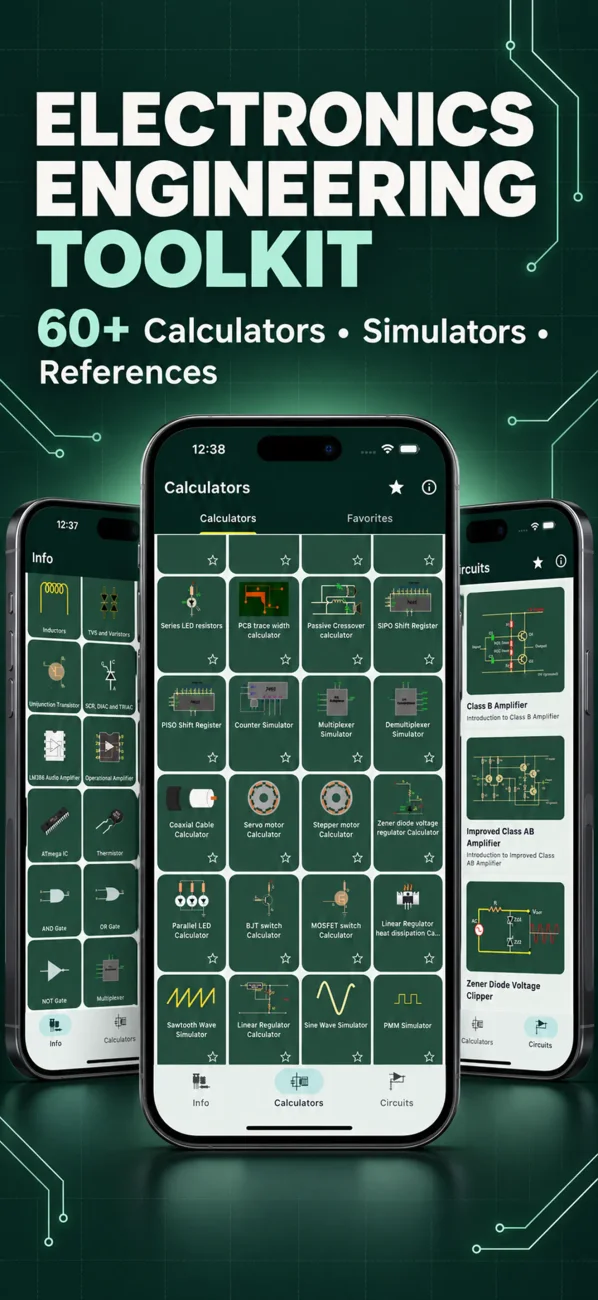
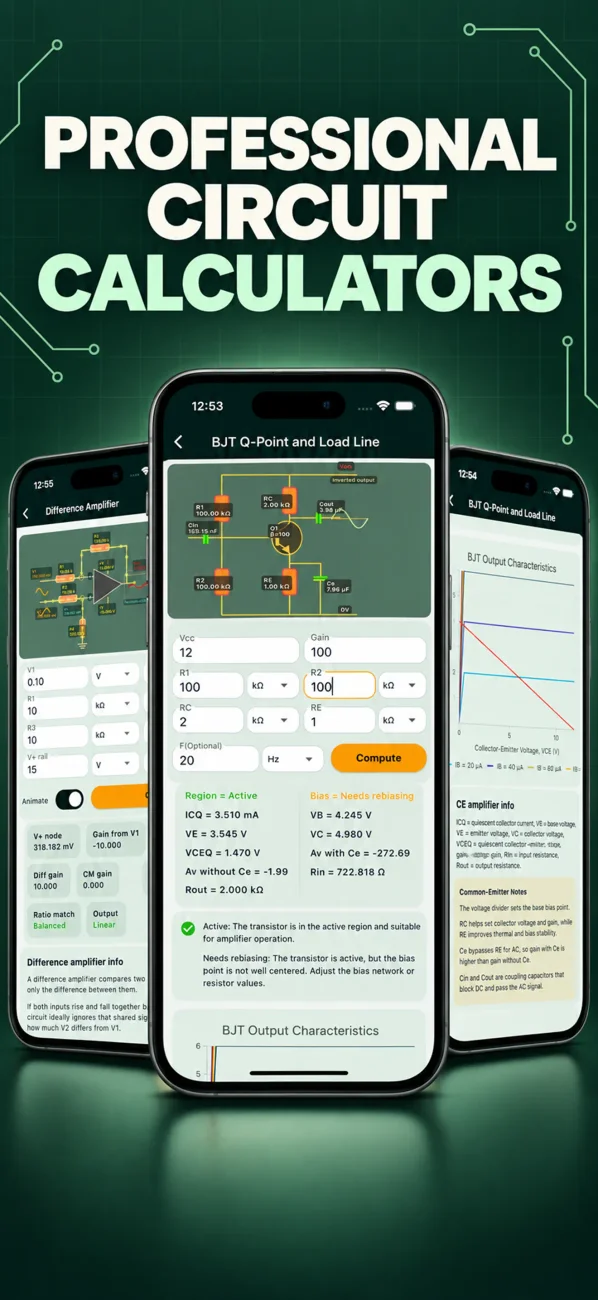
Calculate, simulate, and understand electronic circuits with more than 60 calculators, interactive tools, and illustrated engineering references.
Electronics Tools & Calculator is an all-in-one toolkit for students, engineers, technicians, makers, and electronics enthusiasts. Use it to study circuit theory, select components, check designs, or troubleshoot projects with practical calculators and clear circuit visuals.
MORE THAN 60 ELECTRONICS CALCULATORS
Solve problems across a wide range of topics:
• Ohm’s law, voltage, current, resistance, and power
• Series and parallel resistors and capacitors
• Four-band, five-band, and SMD resistor codes
• Voltage and current dividers
• DC power and ripple voltage
• RC, RL, LC, and RLC circuits
• LED resistor and parallel LED calculations
• Capacitor and inductor charging
• Star-to-delta and delta-to-star conversions
ACTIVE AND PASSIVE FILTER DESIGN
Design and explore:
• RC, RL, and LC filters
• Butterworth and Chebyshev filters
• Active and passive filters
• Sallen-Key active filters
• Band-pass and band-reject filters
• Twin-T notch filters
Selected advanced calculators include response graphs, helping you visualize how component values affect circuit behavior.
AMPLIFIERS AND SEMICONDUCTORS
Work with practical tools for:
• 555 timer astable and monostable circuits
• BJT analysis, biasing, Q-point, and switching
• MOSFET switching
• Inverting, non-inverting, and difference amplifiers
• Class A, Class B, and Class AB amplifiers
• Differential amplifiers and current mirrors
• LM386 audio amplifier circuits
POWER, RF, AND DESIGN TOOLS
Explore calculations for:
• Linear regulators and heat dissipation
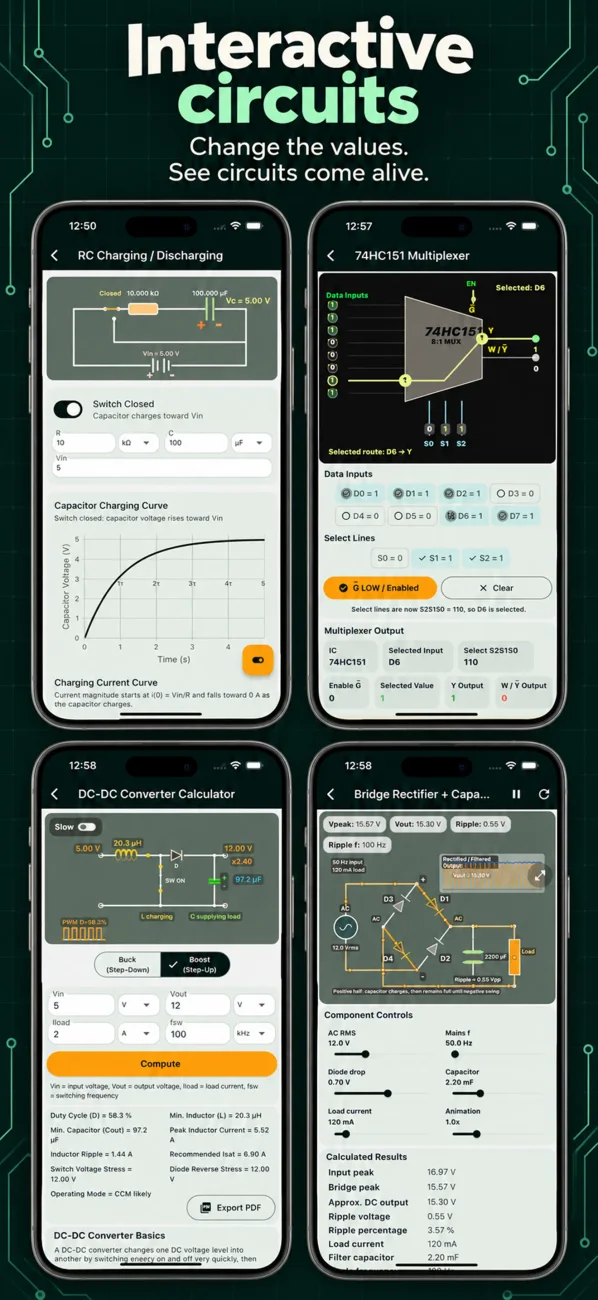
• Buck and boost converters
• Rectifiers and Zener regulators
• Clippers, clampers, and voltage multipliers
• PCB trace width
• Air-core and multilayer inductors
• Transformers
• Coaxial cables and waveguides
• Antenna length and skin depth
• dBm, watts, and decibel conversions
• Servo and stepper motors
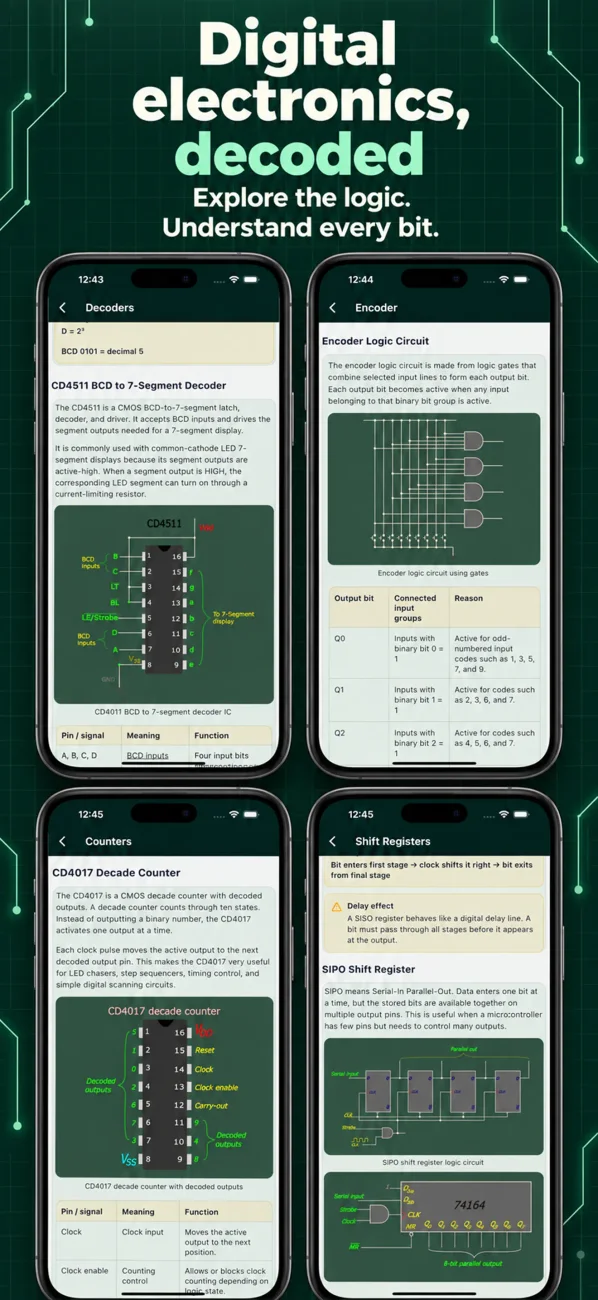
DIGITAL ELECTRONICS
Study essential digital circuits with clear diagrams and truth tables:
• Logic gates
• Flip-flops and counters
• Multiplexers and demultiplexers
• Encoders and decoders
• Shift registers
• Common digital integrated circuits
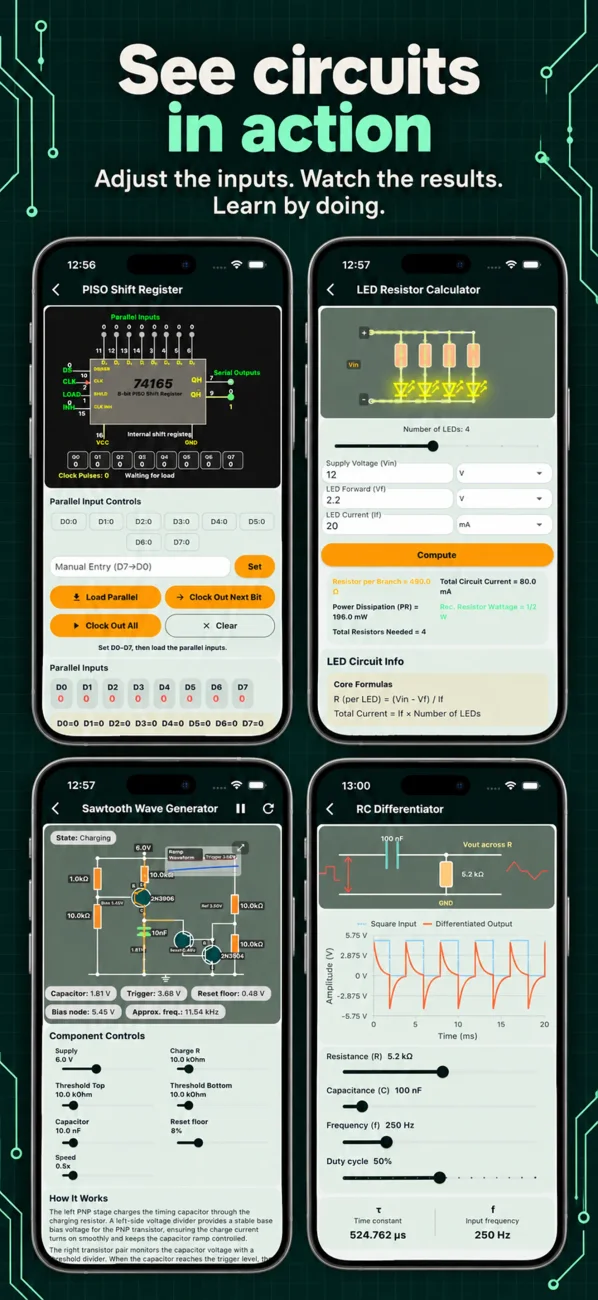
INTERACTIVE CIRCUIT TOOLS
Explore circuit behavior through interactive simulations and strong visual explanations. Adjust values, examine circuit configurations, and connect formulas with practical electronic designs.
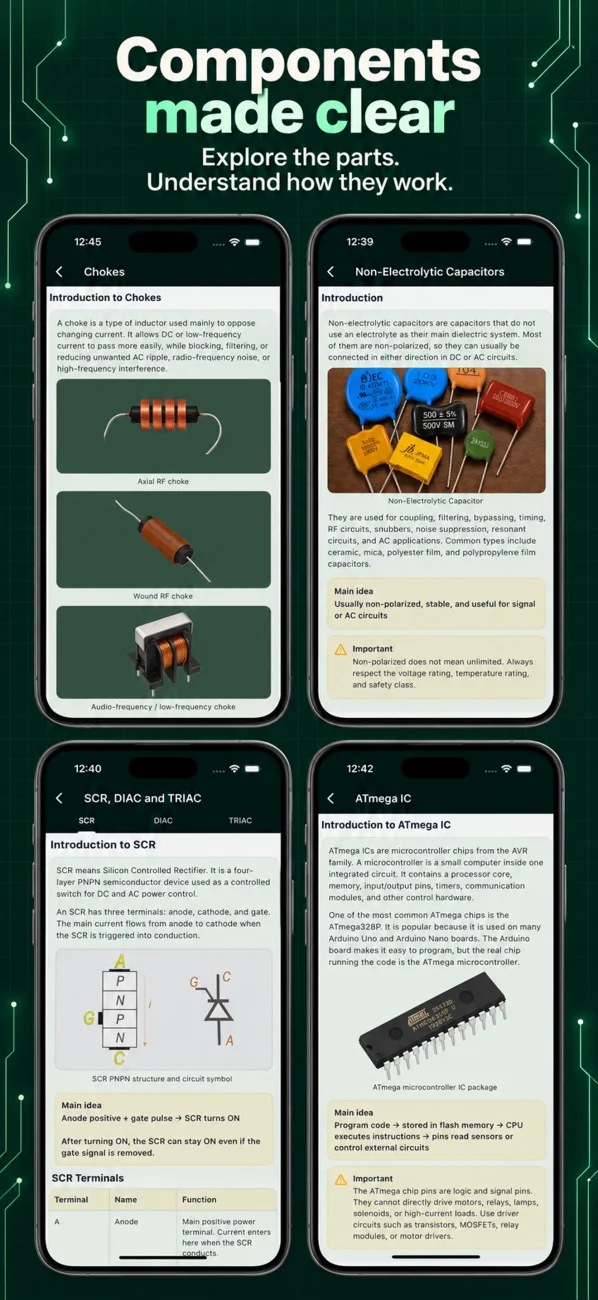
ILLUSTRATED ELECTRONICS REFERENCES
Access more than 30 guides covering resistors, capacitors, inductors, transformers, diodes, BJTs, MOSFETs, IGBTs, UJTs, SCRs, DIACs, TRIACs, operational amplifiers, regulators, 555 timers, sensors, digital logic, Arduino boards, and ATmega microcontrollers.
The guides combine explanations, equations, circuit diagrams, pinouts, truth tables, and practical notes to connect theory with real-world applications.
DESIGNED FOR FASTER WORK
• Search calculators by name
• Save frequently used tools to Favorites
• View response graphs in selected calculators
• Export results from selected tools as PDF documents
• Automatically switch between light and dark appearance
• Use an interface designed for phones and larger screens
• Choose from 15 supported languages
• Access additional features through optional Pro tools
Whether you are learning electronics, designing a filter, analyzing an amplifier, or checking values at the workbench, Electronics Tools & Calculator keeps useful tools and references close at hand.
Important: This app is intended for education and design assistance. Always verify calculations, component ratings, circuit requirements, and safety considerations before building or operating electronic equipment.
Yang baru
Versi 6.5 · 2/10/2026
added more languages
Privasi aplikasi
Yang dinyatakan Anas Abubakar di App Store tentang cara aplikasi ini menangani data.
-
Data tidak dikumpulkan
Pengembang tidak mengumpulkan data apa pun dari aplikasi ini.
Praktik privasi dapat bervariasi, misalnya berdasarkan fitur yang Anda gunakan atau usia Anda.
Informasi
- Penjual
- Anas Abubakar
- Kategori
- Pendidikan
- Versi
- 6.5
- Diperbarui
- 2/10/2026
- Dirilis
- 18/8/2021
- Ukuran
- 58,1 MB
- Memerlukan
- iOS 15.0 atau yang lebih baru
- Batasan usia
- 4+
- Harga
- Rp 119ribu
- Bahasa
- Inggris, Arab, Prancis, Jerman, Bahasa Indonesia, Italia, Jepang, Korea, Polski (Polandia), Portugis, Rusia, Tionghoa Sederhana + 3 lainnya
- Hak cipta
- © Saulawa 2024
Mungkin Anda juga suka
-
 Digital Electronics ProPendidikan
-
 Electronic Component Codes ProReferensi
-
 555 Timer & Oscillators ProPendidikan
-
 iCircuit 3DPendidikan
-
 Arduino Modules ProArduino Sensors & Modules
-
 Arduino Programming ProArduino langkah demi langkah
-
 C++ Programming ProPendidikan
-
 555 Timer & Oscillators GuidePendidikan
-
 Digital Electronics GuidePendidikan
-
 Electronic Circuits CalculatorPendidikan