- Batasan usia17+
- KategoriKegunaan
- PengembangShanghai Zhuangyian New EnergyTechnology Co.,Ltd
- BahasaInggris+ 6 lainnya
- Ukuran26,8 MB
Tertaut ke halaman resmi App Store
Download.org tidak menyimpan file EVWB Install apa pun. Tombol ini membuka halaman aplikasi di App Store, tempat Shanghai Zhuangyian New EnergyTechnology Co.,Ltd menerbitkannya. Halaman terakhir diperiksa pada 17/11/2026.
Tangkapan layar
Tentang
Pengembang belum menyediakan teks ini dalam bahasa Anda.
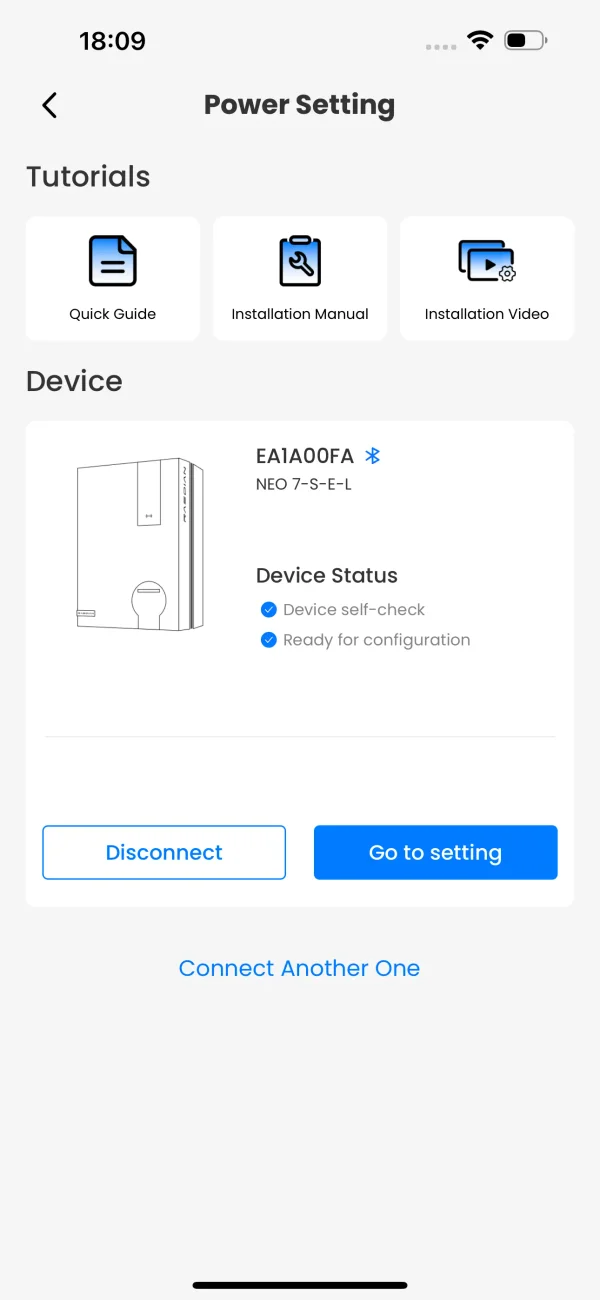
EVWB Install is an app designed for professional installers to configure and maintain EVWB charging stations.
EVWB Install supports all models, including EVII LITE, CLEVER, C&I, C&I PRO, and Twin. Once configured with EVWB Install, the charging station can be connected via the EVwallbox app, third-party apps, or a CMS.
Before connecting the charging station with the EVWB Install app, ensure the following:
Your phone has a stable internet connection and Bluetooth is enabled.
EVWB Install connects and configures an EVWB AC charging station via Bluetooth.
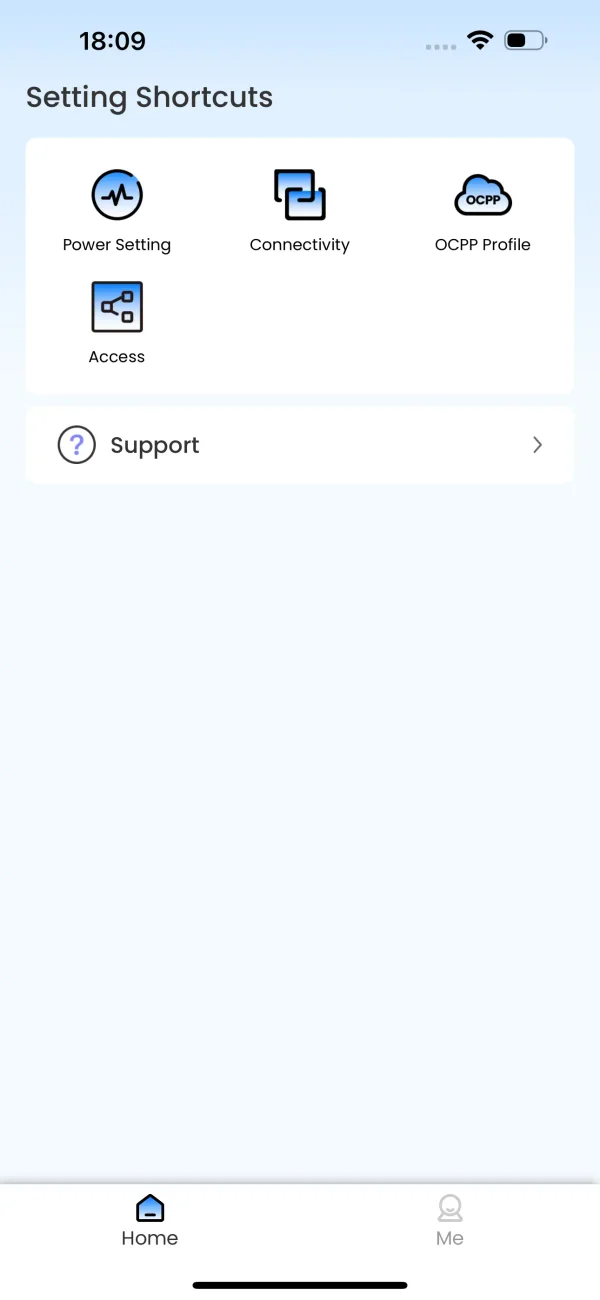
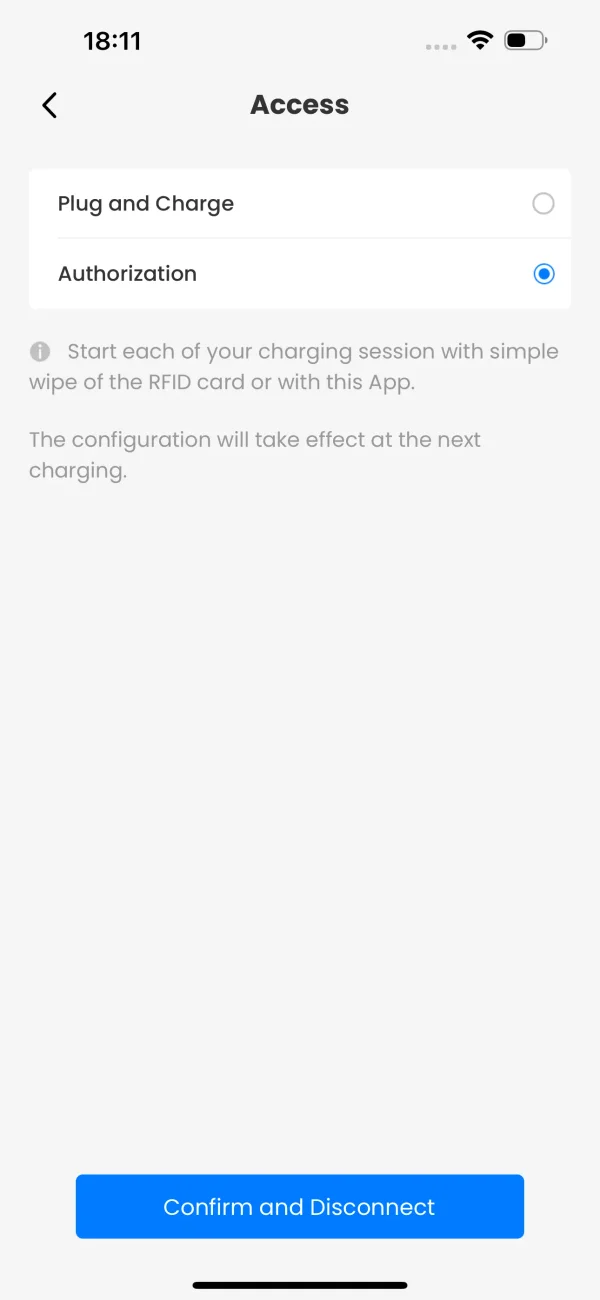
With the EVWB Install app, installers can:
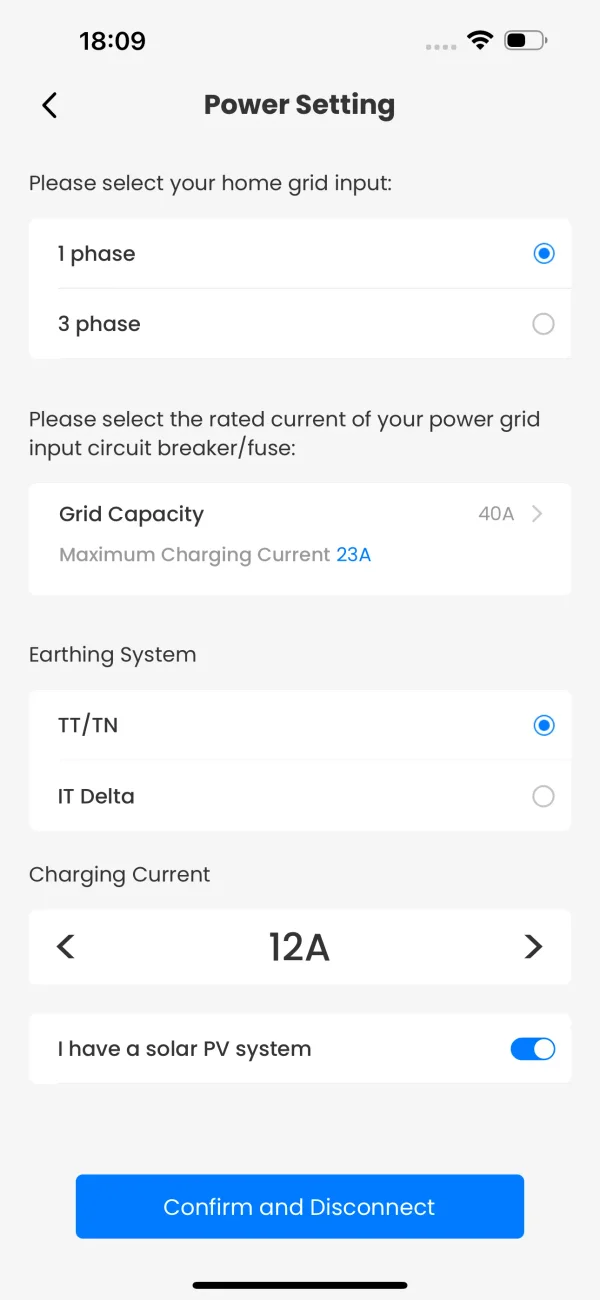
- Power Settings: Configure power grid settings, such as maximum charging current and earthing system.
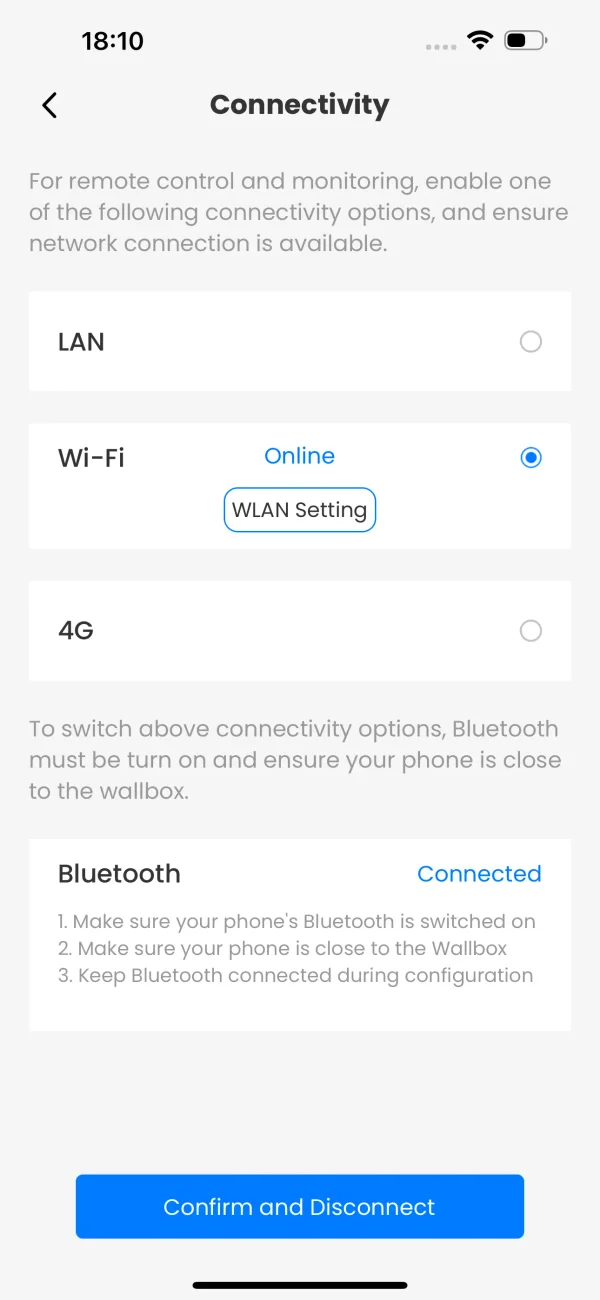
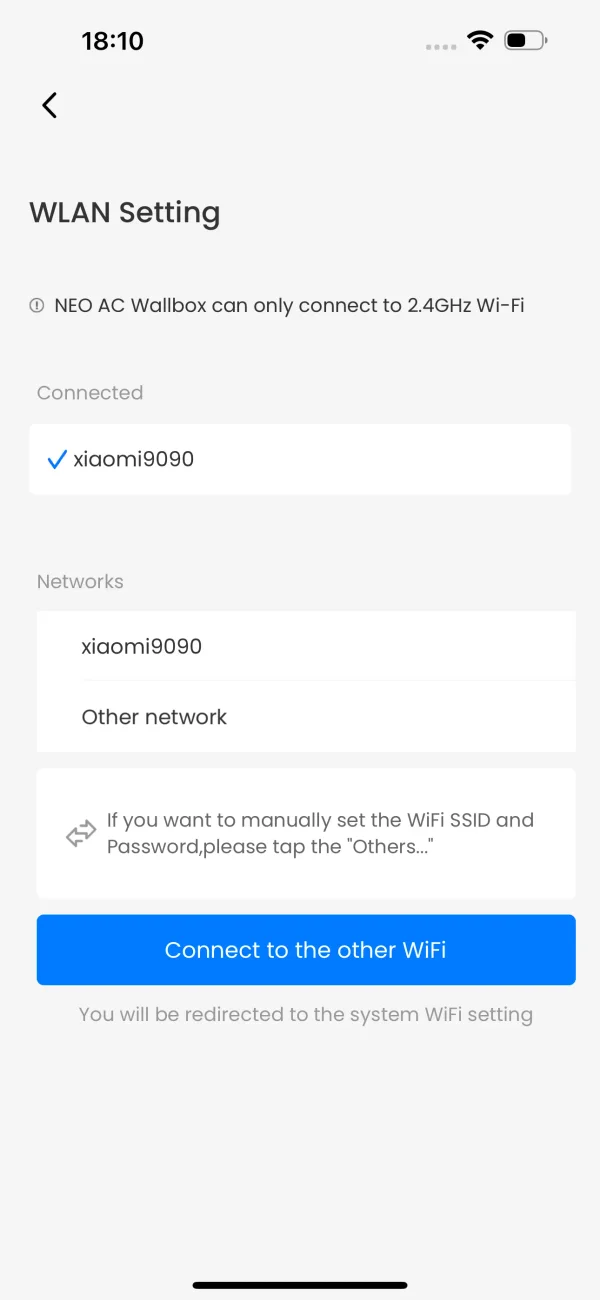
- Connectivity Settings: Choose the connection method for the charging station (Wi-Fi, LAN, or 4G if available).
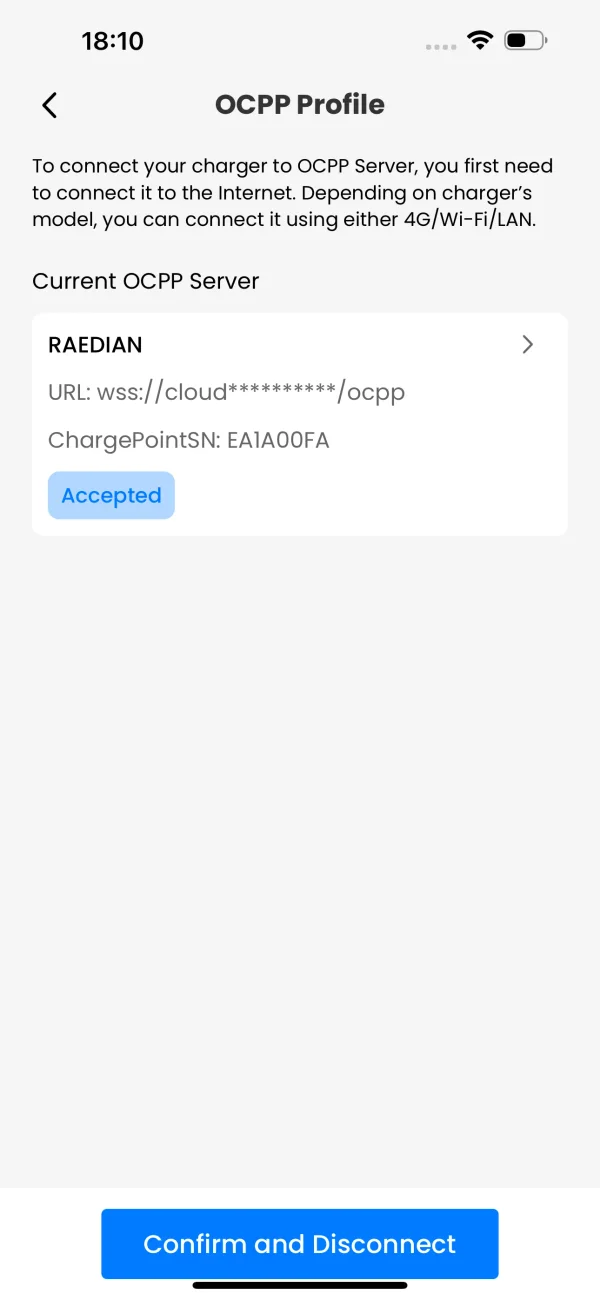
- OCPP Settings: Configure the charging station to connect to a third-party OCPP back-end or default to the EVWB back-end.
When configuring the charging station to connect to a third-party OCPP back-end, please ensure:
-Consult the third-party back-end support to determine whether a specific Charge Point Serial Number is required for connection.
-The charging station takes approximately 3-5 minutes to verify the security of the link. After verification, it will automatically reboot and attempt to establish a connection. Check the target back-end (portal or app) to confirm successful connection.
We are committed to improving the installation, configuration, and maintenance experience. Ensure that the EVWB Install app is updated to the latest version. If necessary, update the charging station firmware as well.
For detailed installation instructions, please refer to the installation manual. The EVWB Install app also provides online documentation for reference. For the latest installation information, visit our official website: https://www.evwallbox.com.
Privasi aplikasi
Yang dinyatakan Shanghai Zhuangyian New EnergyTechnology Co.,Ltd di App Store tentang cara aplikasi ini menangani data.
-
Data yang ditautkan dengan Anda
Dapat dikumpulkan dan ditautkan dengan identitas Anda.
- Lokasi
- Info kontak
- Konten pengguna
- Pengenal
- Diagnostik
Praktik privasi dapat bervariasi, misalnya berdasarkan fitur yang Anda gunakan atau usia Anda.
Informasi
- Penjual
- Shanghai Zhuangyian New EnergyTechnology Co.,Ltd.
- Kategori
- Kegunaan
- Versi
- 1.0.0
- Diperbarui
- 29/4/2025
- Dirilis
- 28/4/2025
- Ukuran
- 26,8 MB
- Memerlukan
- iOS 13.0 atau yang lebih baru
- Batasan usia
- 17+
- Harga
- Gratis
- Bahasa
- Inggris, Belanda, Prancis, Jerman, Italia, Bokmål Norsk, Spanyol
- Hak cipta
- © 2025 Shanghai Zhuangyian New Energy Technology Co., Ltd