
Exposure Check
False Color & EL Zone Tool
Dirancang untuk iPhone, iPad
Rp 99ribu
- Batasan usia4+
- KategoriFoto & Video
- PengembangGame Night Films
- BahasaInggris
- Ukuran30,1 MB
Tertaut ke halaman resmi App Store
Download.org tidak menyimpan file Exposure Check apa pun. Tombol ini membuka halaman aplikasi di App Store, tempat Game Night Films menerbitkannya. Halaman terakhir diperiksa pada 12/11/2026.
Tangkapan layar


Tentang
Pengembang belum menyediakan teks ini dalam bahasa Anda.
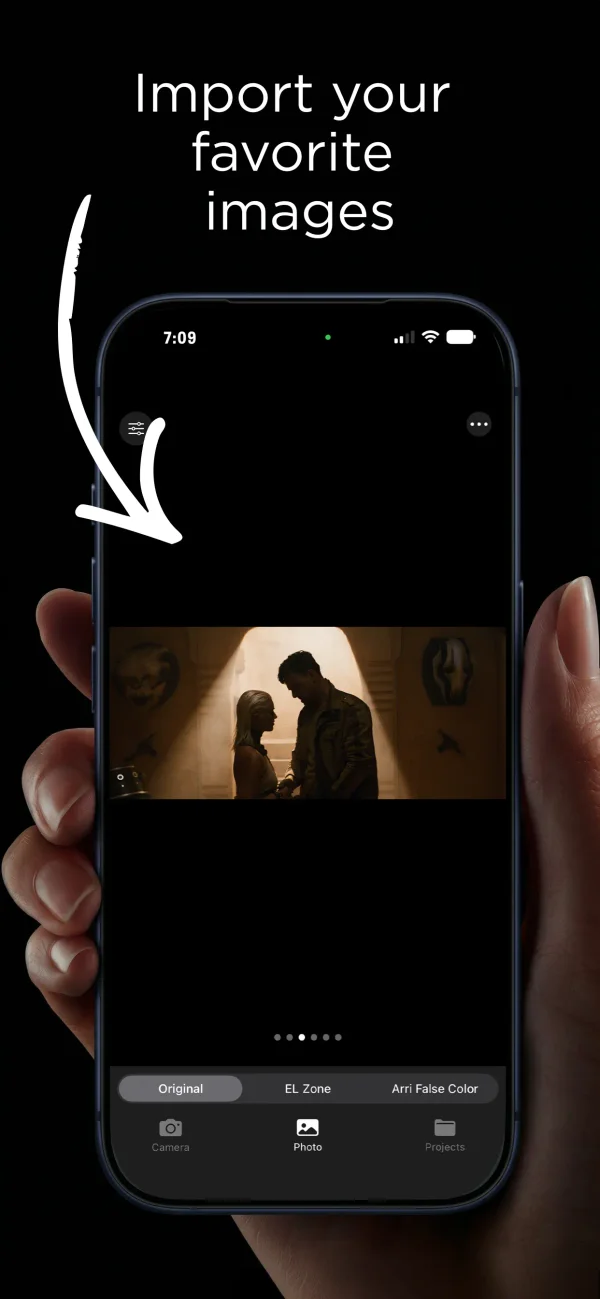
Exposure Check brings professional-grade exposure analysis to your iPhone, iPad, and Mac for 1 low price! False color imaging — used by cinematographers on set worldwide — reveals exactly where your highlights clip and shadows crush before it's too late. Use this tool to import images from Movies, TV Shows, and more to reveal how professional cinematographers exposed their final graded images.
SHOOT IN APPLE LOG
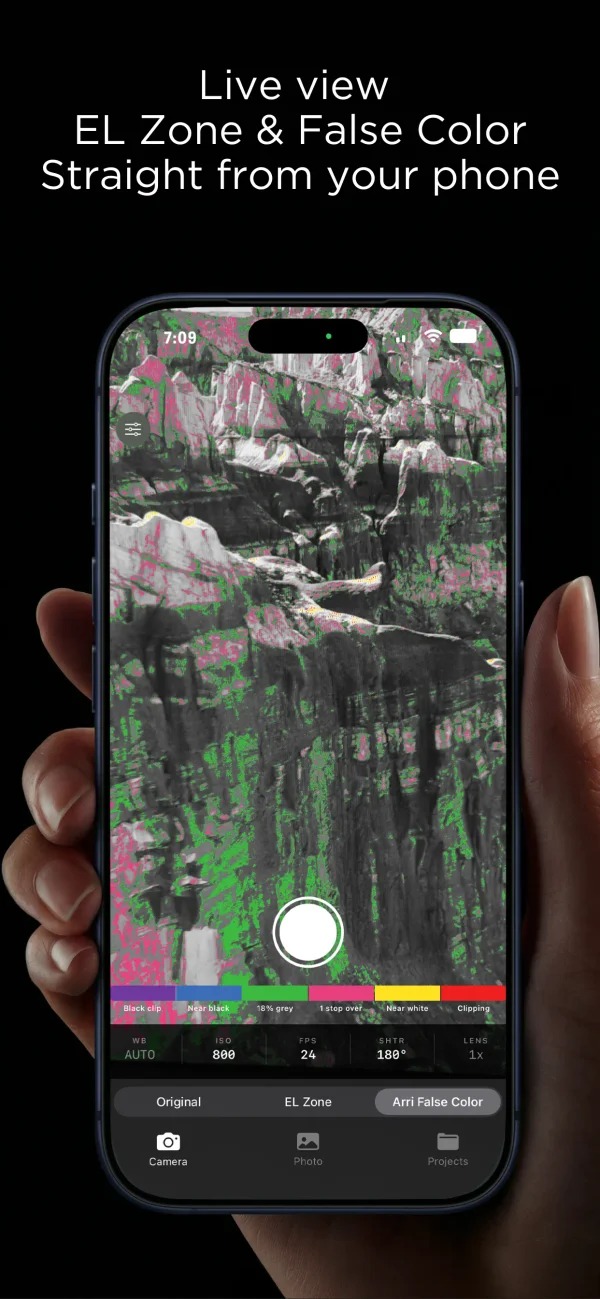
Capture with the in-app camera in Apple Log and read exposure the way you would on a pro monitor. Zone and False Color overlays follow the exact Apple Log curve, so every zone lines up with true scene stops — the full dynamic range of your sensor, measured in real light.
REAL-TIME FALSE COLOR CAMERA
See your scene through a live false color overlay as you shoot. Instantly identify overexposed highlights, underexposed shadows, and perfectly exposed midtones — the same tools used on professional film sets, now in your pocket.
TAP TO METER
Tap anywhere in the frame for an instant zone readout and a recommended f-stop. Simulate any lens aperture with the IRIS control and get a recommendation to place your subject at 18% middle gray — before you roll.
ZONE SYSTEM ANALYSIS
Exposure Check maps your image into distinct one-stop tonal zones so you can evaluate exposure with precision and intent.
MANUAL CAMERA CONTROLS
Take full control with manual ISO, shutter angle, white balance, frame rate, and lens selection — plus pinch-to-zoom lens switching and a live, draggable histogram.
ANALYZE ANY PHOTO
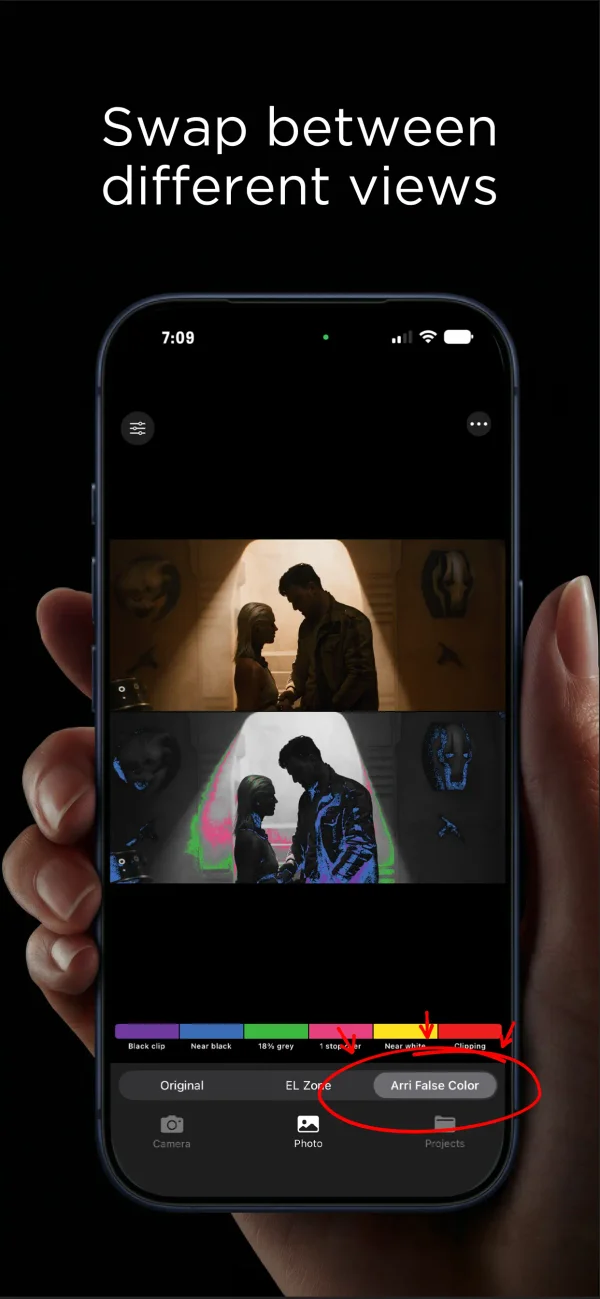
Import photos from your library and run Zone or False Color analysis instantly. The stacked compare view shows your original and analyzed image together so you can see exactly what the exposure is doing.
ORGANIZE WITH PROJECTS
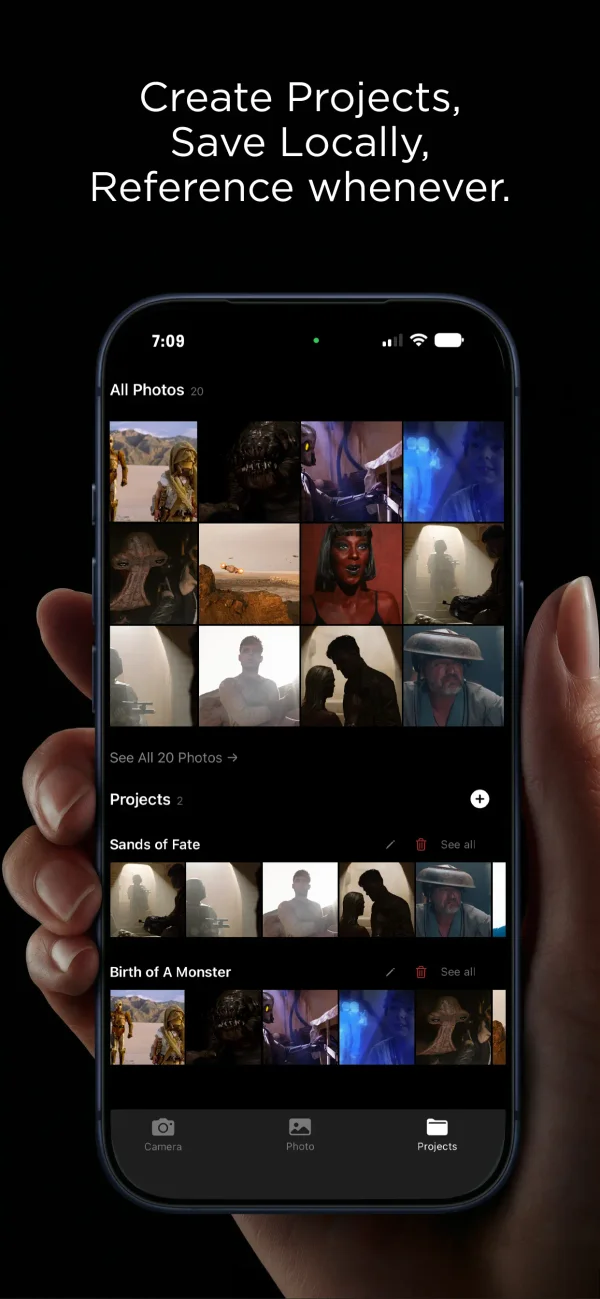
Create projects to keep your shots organized. Import directly from your photo library, move and copy images between projects, and review your work in a clean full-screen viewer with smooth swipe navigation.
KEY FEATURES
-Live Apple Log capture with real-time Zone and False Color overlays
-Exact Apple Log curve — every zone is a true scene stop
-Tap to meter: zone readout + recommended f-stop anywhere in the frame
-Simulated IRIS with 18% gray recommendations
-Manual ISO, shutter angle, white balance, FPS, and lens controls
-Pinch-to-zoom lens switching and a live, draggable histogram
-Import and analyze photos from your library
-Stacked compare view — original above, analyzed below
-Adjustable color reference bar
-Project organization with multi-select, move, and copy
-Full-screen image viewer with smooth swipe navigation
-Share processed images directly from the app
-iPhone, iPad, and Mac supported
A note on accuracy: On graded or imported images, overlays reflect the how the image was graded — not the exposure captured on set. For true scene-stop readings, shoot in Apple LOG with the built-in camera.
Whether you're on set, shooting in the field, or reviewing work in post — Exposure Check gives you the exposure tools professionals rely on.
Yang baru
Versi 4 · 15/7/2026
The biggest update to Exposure Check yet.
Recalibrated exposure engine
• Zone and False Color overlays now follow the exact Apple Log curve — every zone lines up with true scene stops.
• Tap anywhere for a zone readout and a recommended f-stop.
• Simulated IRIS: preview any aperture and get a recommendation to place your subject at 18% gray.
• New ISO steps (250 / 500) for finer exposure control.
A smoother, cleaner app
• Overlays renamed to simply "Zone" and "False Color," with clearer readouts.
• Project photos now open full screen on iPad and swipe smoothly between images — just like the Photo tab.
• Faster thumbnails and browsing throughout.
• New What's New screen and About section with quick access to support.
Reminder: true Zone readings require a LOG image from a camera. iPhones Pro models with Apple log are capable of this. On graded or imported images, overlays are for reference only based on the final grade.
Privasi aplikasi
Yang dinyatakan Game Night Films di App Store tentang cara aplikasi ini menangani data.
-
Data tidak dikumpulkan
Pengembang tidak mengumpulkan data apa pun dari aplikasi ini.
Praktik privasi dapat bervariasi, misalnya berdasarkan fitur yang Anda gunakan atau usia Anda.
Informasi
- Penjual
- Game Night Films LLC
- Kategori
- Foto & Video
- Versi
- 4
- Diperbarui
- 15/7/2026
- Dirilis
- 14/4/2026
- Ukuran
- 30,1 MB
- Memerlukan
- iOS 16.0 atau yang lebih baru
- Batasan usia
- 4+
- Harga
- Rp 99ribu
- Bahasa
- Inggris
- Hak cipta
- © 2026 Game Night Films
Mungkin Anda juga suka
-
 False Color ViewerPengukur Cahaya Eksposur
-
 Tech Scout CameraFoto & Video
-
 CineTempFoto & Video
-
 Marker for Creators: TimecodeFoto & Video
-
 Cadrage Director's ViewfinderViewfinder untuk sutradara
-
 Chromagraph CameraFoto & Video
-
 Vuer HDRFoto & Video
-
 Accsoon SEEFoto & Video
-
 Blackmagic Remote MonitorFoto & Video
-
 Sony | Monitor & ControlFoto & Video