
F-CAD
2D Drafting, Dimensions & DXF
Dirancang untuk iPhone, iPad
Gratis · Pembelian dalam aplikasi
- Batasan usia4+
- KategoriGrafik & Desain
- PengembangKenta Tokiyoshi
- BahasaInggris+ 12 lainnya
- Ukuran9,3 MB
Tertaut ke halaman resmi App Store
Download.org tidak menyimpan file F-CAD apa pun. Tombol ini membuka halaman aplikasi di App Store, tempat Kenta Tokiyoshi menerbitkannya. Halaman terakhir diperiksa pada 26/11/2026.
Tangkapan layar


Tentang
Pengembang belum menyediakan teks ini dalam bahasa Anda.
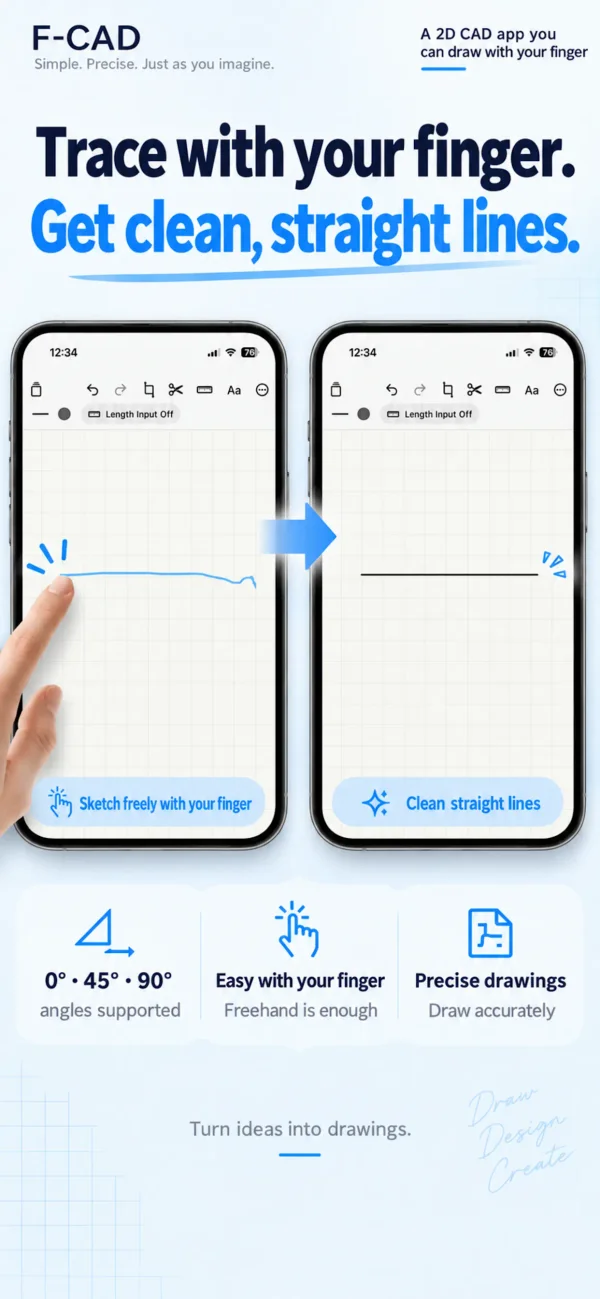
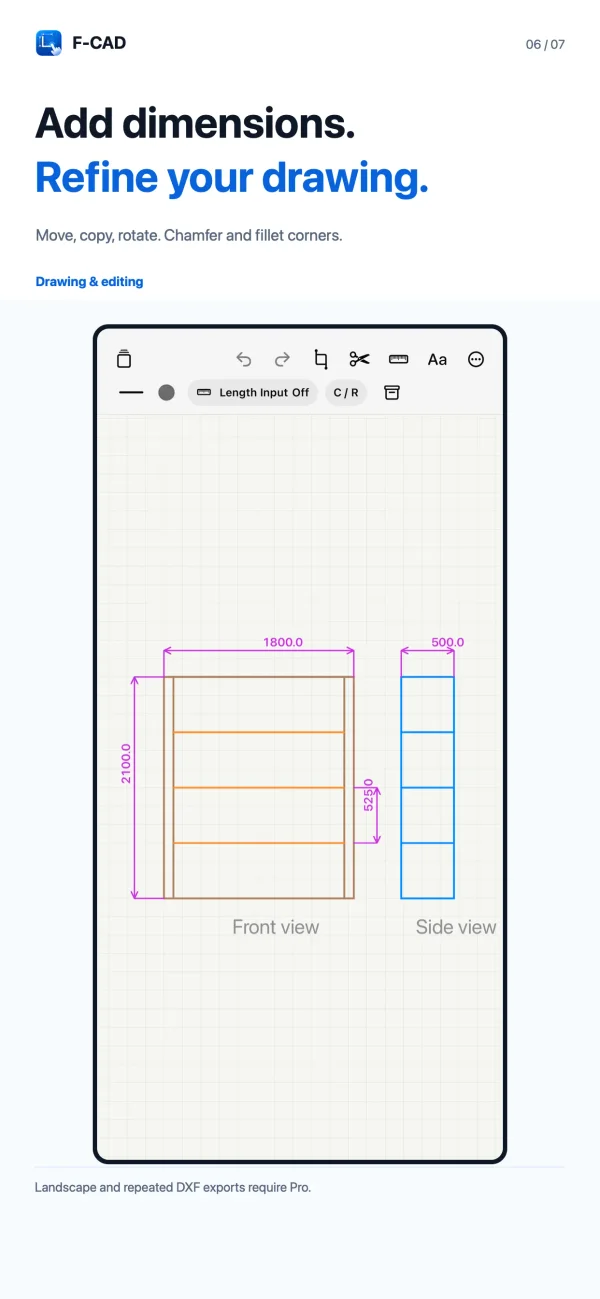
F-CAD is a simple 2D drafting app that feels like paper and a ruler. Draw shapes with your finger and add dimensions to turn ideas into plans for DIY projects, furniture layouts and room measurements.
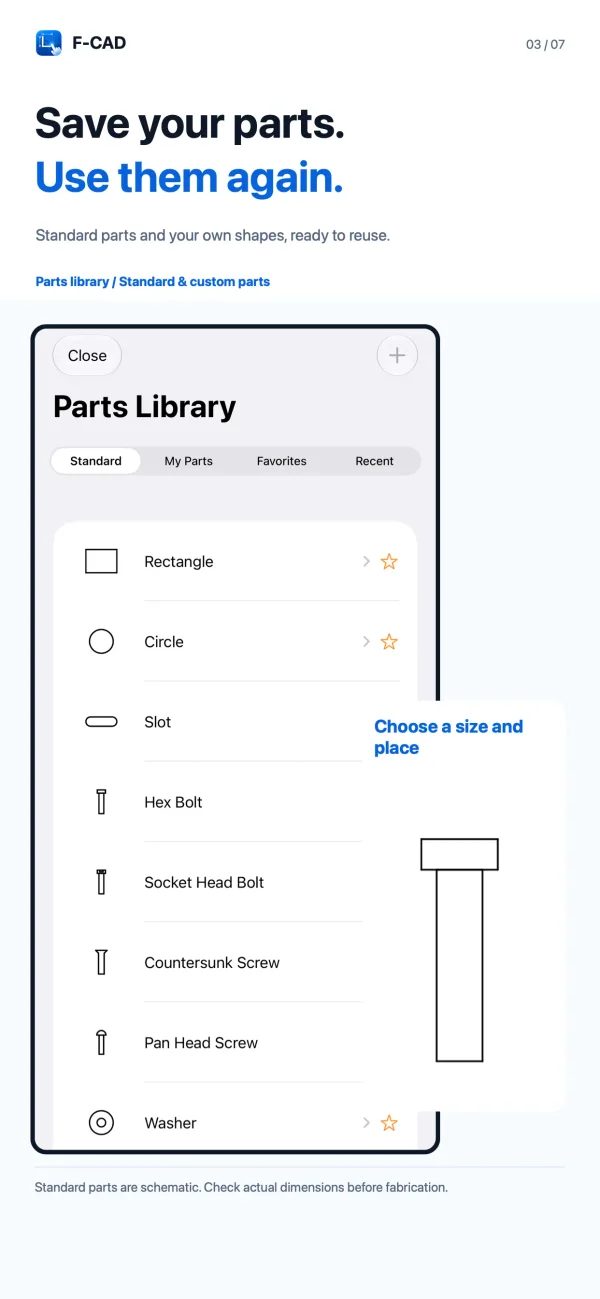
Save your own shapes in the parts library and reuse them, or place dimensioned standard parts. Add chamfers and fillets, and move, rotate, or resize geometry with handles and numeric input.
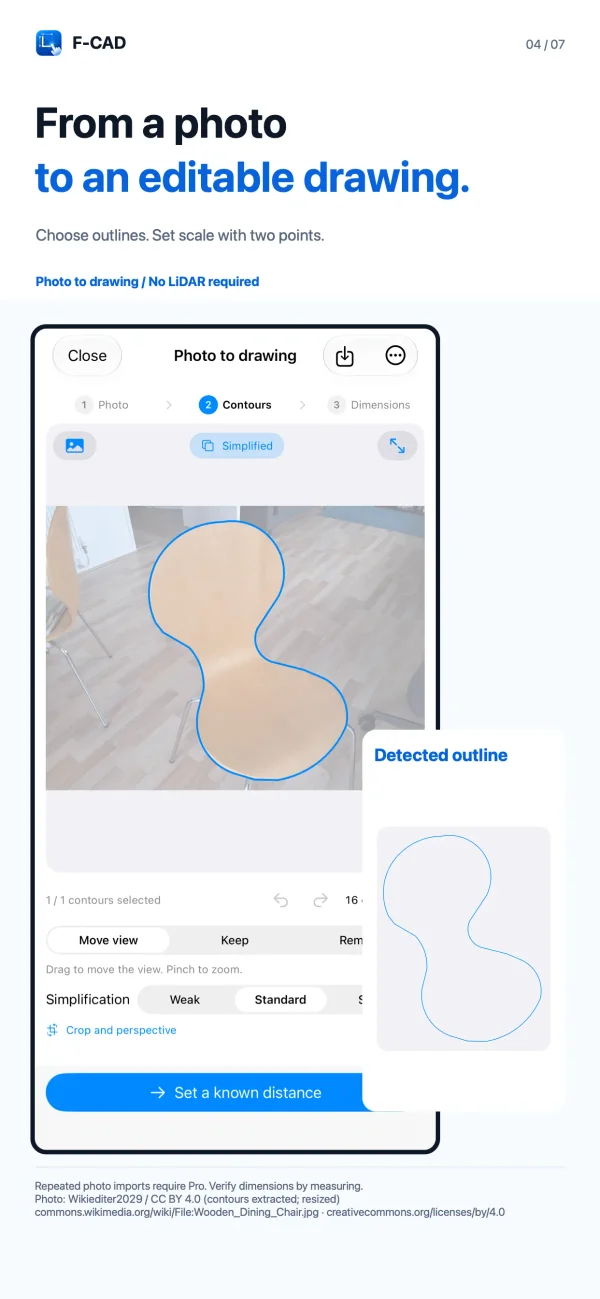
Trace over a photo or import automatically detected shape candidates. Set the scale using two points and their known distance, prepare the geometry in a dedicated workspace, and place it in your drawing.
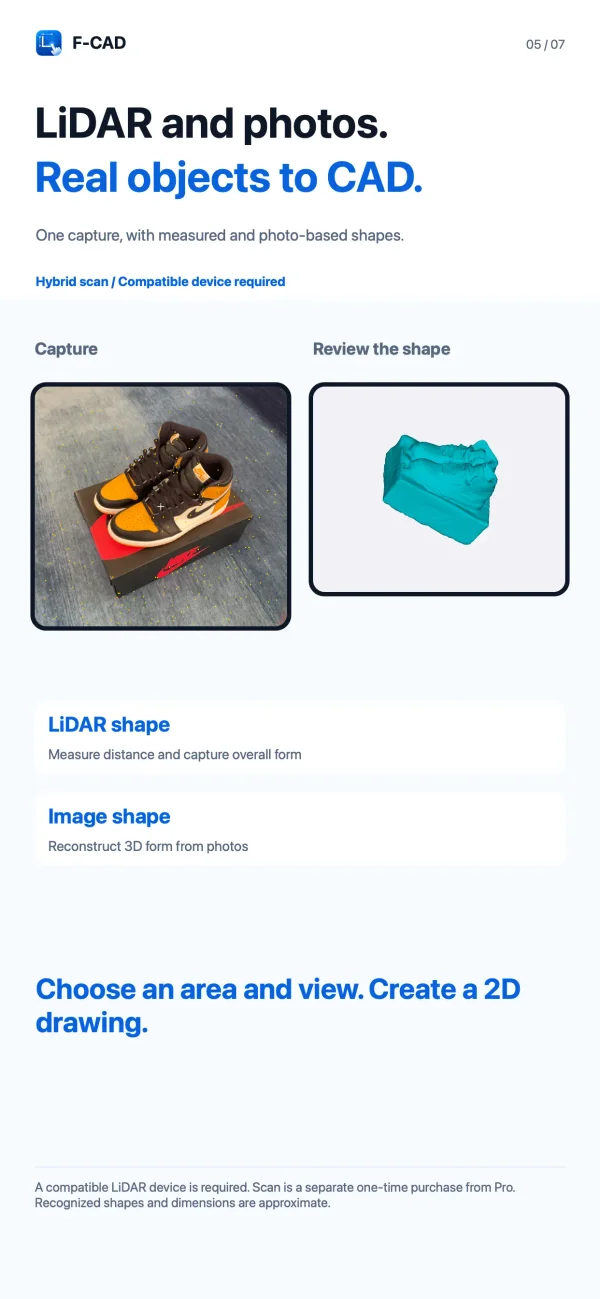
On compatible LiDAR devices, object scanning and room/furniture recognition can create starting geometry for 2D views, three-view drawings, and room layouts. Recognized shapes and dimensions are approximate.
Draw with your finger and snap to endpoints, midpoints, intersections and circle centers. Use parallel copy, trim, rotate, groups, line styles, colors and text with straightforward touch controls.
Add length, diameter and angle dimensions. Pick any two points for horizontal, vertical or aligned measurements, and use the magnifier for precise point selection.
Drawings are stored in real millimeters. From small DIY parts to room layouts, two-finger pan and zoom keep navigation fast and natural.
Share and import editable F-CAD drawing files (.fcad). Use AirDrop or Files to transfer drawings between iPhone and iPad and continue editing. This is file transfer, not automatic synchronization.
Available features and Pro
On iPhone, basic drafting is available in portrait. On iPad, you can try straight-line drawing in portrait. Editing tools on iPad, and landscape drawing on both iPhone and iPad, require a one-time Pro purchase.
One DXF export is included on iPhone. DXF export on iPad, and further exports on iPhone, require Pro.
One Pro purchase unlocks all iPad editing tools and Pro features on iPhone. No subscription. Already purchased? Restore Purchases with the same Apple Account.
On iPhone, one photo-to-drawing import is included; subsequent imports require Pro.
3D Scan & Room Recognition
This is a separate one-time purchase from F-CAD Pro. It does not include iPad editing, landscape drafting, or Pro DXF export features. Those require F-CAD Pro separately.
Actual capture requires a compatible LiDAR-equipped iPhone or iPad. Other devices can try the demos.
LiDAR + image scanning captures measured geometry and a photo-reconstructed model together. Follow the capture-direction guide, then turn outlines and visible openings into editable 2D geometry.
Photo-to-drawing, LiDAR, LiDAR + image, and room recognition each offer one trial per Apple Account. Internet verification is required before use. A trial is used when capture starts, or when photo geometry is confirmed for placement. Cancellation or failure does not restore it. The iPad scan workspace requires Pro.
Trial management stores a pseudonymous account identifier and usage records on a server. Photos, drawings and 3D models are not uploaded.
Yang baru
Versi 1.3 · 25/11/2026
• Bend a straight line into an editable arc using its handle.
• Copy an entire group parallel to a reference edge, and use object snaps while adjusting arcs.
• Assign actions to Apple Pencil double tap and squeeze, with haptic feedback on compatible hardware.
• Configure trackpad and mouse controls, including zoom sensitivity.
• Select the part of a photo to convert and turn upside-down 3D scan results upright.
• Cleaner selection menus. New 3D Scan purchases are unavailable on devices without LiDAR.
Privasi aplikasi
Yang dinyatakan Kenta Tokiyoshi di App Store tentang cara aplikasi ini menangani data.
-
Data yang ditautkan dengan Anda
Dapat dikumpulkan dan ditautkan dengan identitas Anda.
- Pengenal
- Data penggunaan
Praktik privasi dapat bervariasi, misalnya berdasarkan fitur yang Anda gunakan atau usia Anda.
Informasi
- Penjual
- Kenta Tokiyoshi
- Kategori
- Grafik & Desain
- Versi
- 1.3
- Diperbarui
- 25/11/2026
- Dirilis
- 28/10/2026
- Ukuran
- 9,3 MB
- Memerlukan
- iOS 17.0 atau yang lebih baru
- Batasan usia
- 4+
- Harga
- Gratis
- Pembelian dalam aplikasi
- Ya
- Bahasa
- Inggris, Arab, Belanda, Prancis, Jerman, Italia, Jepang, Korea, Polski (Polandia), Portugis, Tionghoa Sederhana, Spanyol + 1 lainnya
- Hak cipta
- © 2026 Kenta Tokiyoshi
Mungkin Anda juga suka
-
 CAD设计 - CADesignGrafik & Desain
-
 DDesigner-Design iconsGrafik & Desain
-
 Esquisse: Architect NotebookGrafik & Desain
-
 DrafterPro 2D CAD & DWG EditorGrafik & Desain
-
 AI Desain Interior: RumahDekorasi Ruangan & Kamar Tidur
-
 Floor Plans - ATMOS StudioGrafik & Desain
-
 CAD Studio: DWG Viewer&EditorGrafik & Desain
-
 Decora AI - Home DesignGrafik & Desain
-
 Color MasterGrafik & Desain
-
 DIY Crafter - 3D woodworkingGrafik & Desain