
Flashcard Wallet
Study smarter, remember more
Dirancang untuk iPhone, iPad
Gratis · Pembelian dalam aplikasi
- Batasan usia4+
- KategoriPendidikan
- PengembangRohmiapps Inc.
- BahasaInggris+ 4 lainnya
- Ukuran6,6 MB
Tertaut ke halaman resmi App Store
Download.org tidak menyimpan file Flashcard Wallet apa pun. Tombol ini membuka halaman aplikasi di App Store, tempat Rohmiapps Inc. menerbitkannya. Halaman terakhir diperiksa pada 18/11/2026.
Tangkapan layar



Tentang
Pengembang belum menyediakan teks ini dalam bahasa Anda.
Flashcard Wallet
Master anything with intelligent flashcards that adapt to your learning.
Flashcard Wallet is a powerful, beautifully designed flashcard app that helps you learn and retain information using proven spaced repetition techniques. Whether you're studying a new language, preparing for exams, or mastering a professional subject, Flashcard Wallet adapts to your unique learning pace.
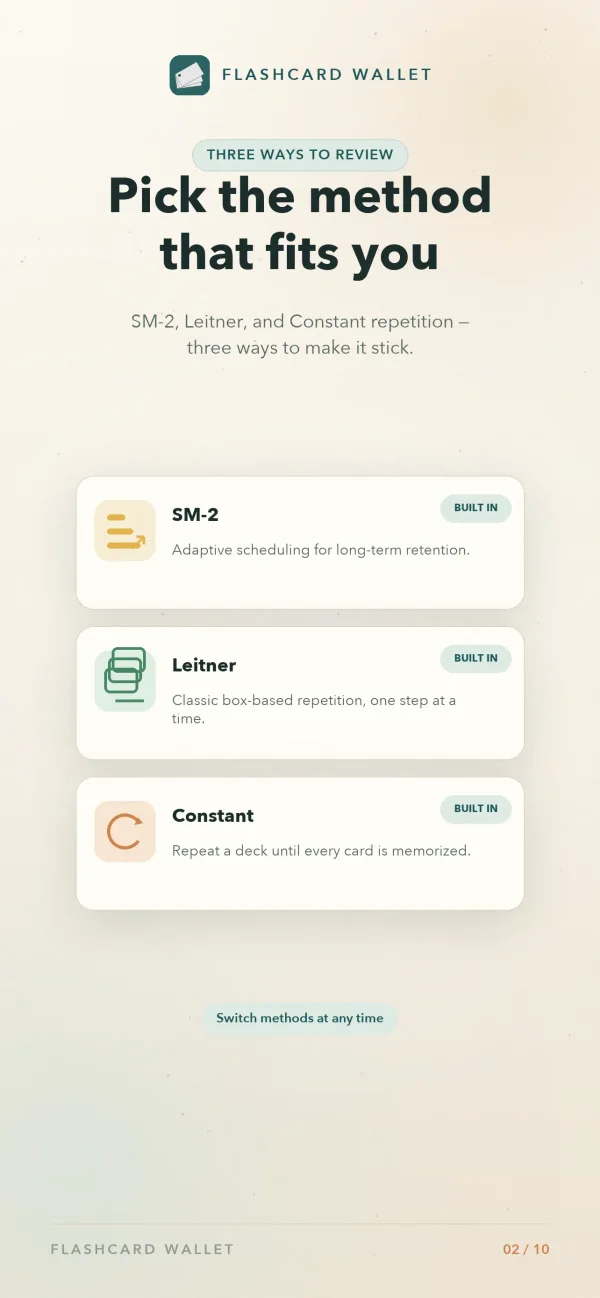
Three Ways to Review
SM-2 Spaced Repetition — Powered by the SuperMemo 2 algorithm, the gold standard in flashcard scheduling. Cards you struggle with appear more frequently, while cards you've mastered are shown less often, optimizing your study time for maximum retention.
Leitner System — The classic box-based method. Cards move through levels as you answer correctly. Perfect for structured, progressive learning.
Constant Repetition — Review every card in a deck until you've memorized them all in a single session. Ideal for cramming before a test or quick review before a presentation.
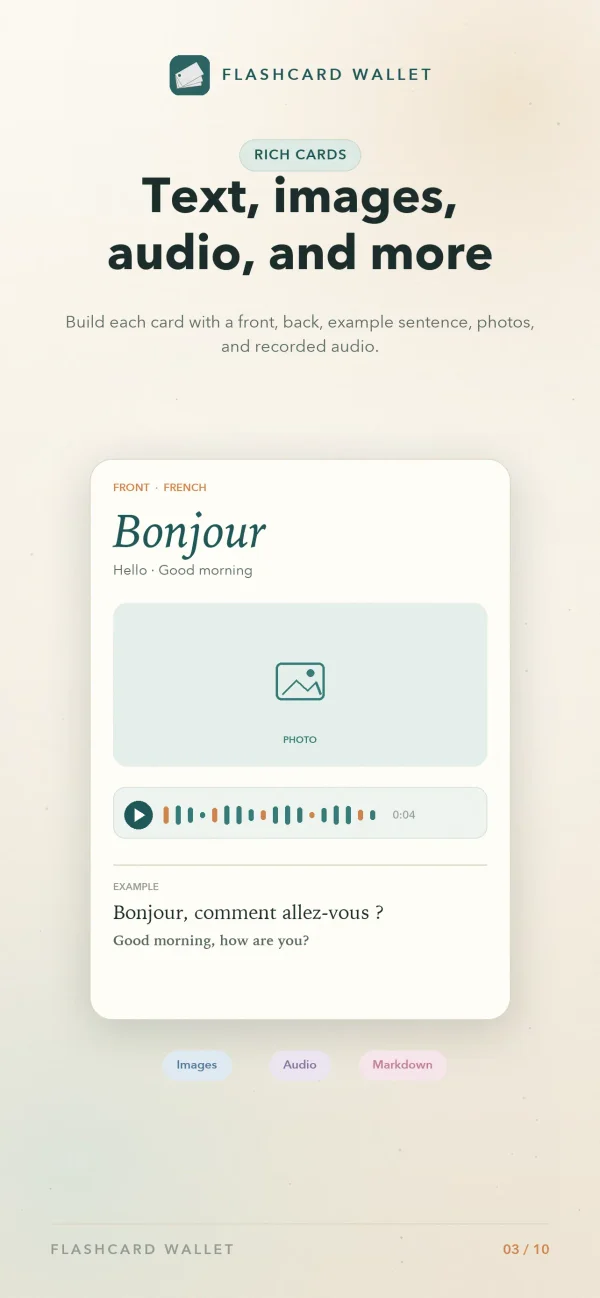
Rich Card Creation
Create flashcards with full media support:
- Text on front and back, plus an optional example field
- Images from your photo library or camera
- Audio recordings for pronunciation practice
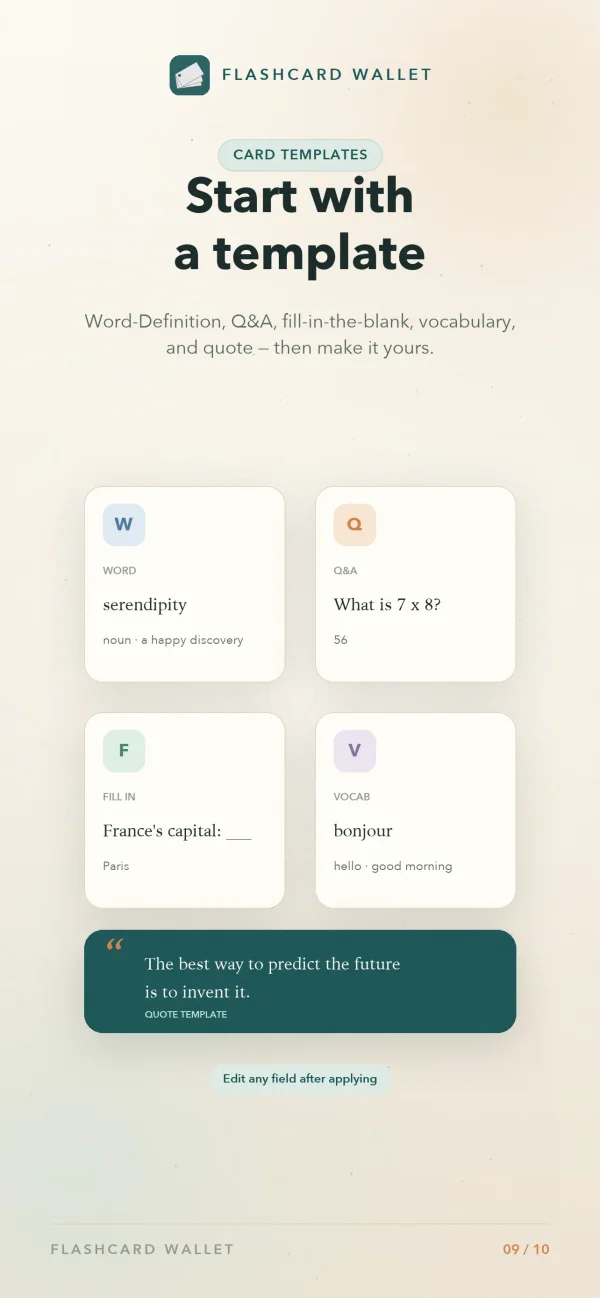
- Card templates to get started quickly — Word-Definition, Q&A, Fill in the Blank, Vocabulary, and Quote
- Markdown rendering for rich formatting
- Customizable font sizes from subtle to extra-large
- Choose which fields appear on each side — customize front and back display independently per deck
Immersive Review Experience
- Tap or double-tap to flip cards
- Swipe left when correct, swipe down when incorrect
- Swipe right to undo and review a card again
- Long-press for text-to-speech with automatic language detection
- Keyboard shortcuts (Space, Arrow keys) for fast navigation
- Play back your recorded audio during review
- Celebration effects — fireworks for perfect scores, snowfall for full memorization
- Consecutive swipe mode for rapid review without animation delays
Stay on Track
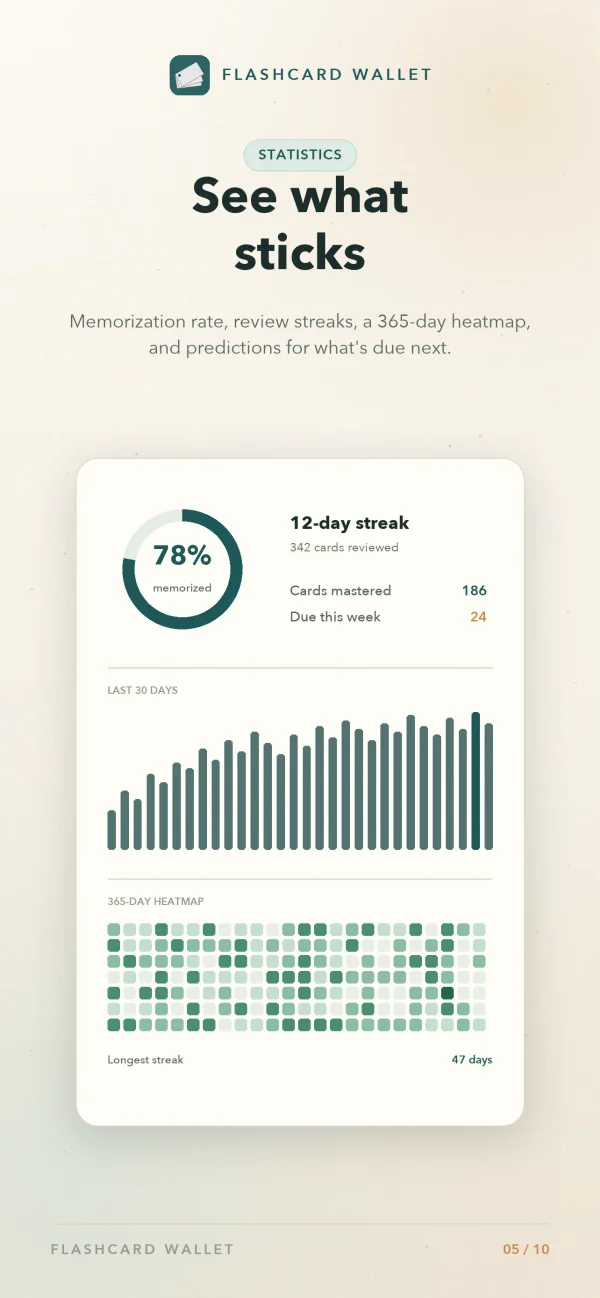
- Review streak tracking — build and maintain your daily habit
- Memorization rate — see what percentage of your cards you've learned
- 365-day review heatmap — visualize your study consistency at a glance
- Upcoming predictions — see how many cards are due this week and estimated completion dates
- 30-day session chart — visualize your consistency over time
- Session history — review past performance with correct and incorrect breakdowns
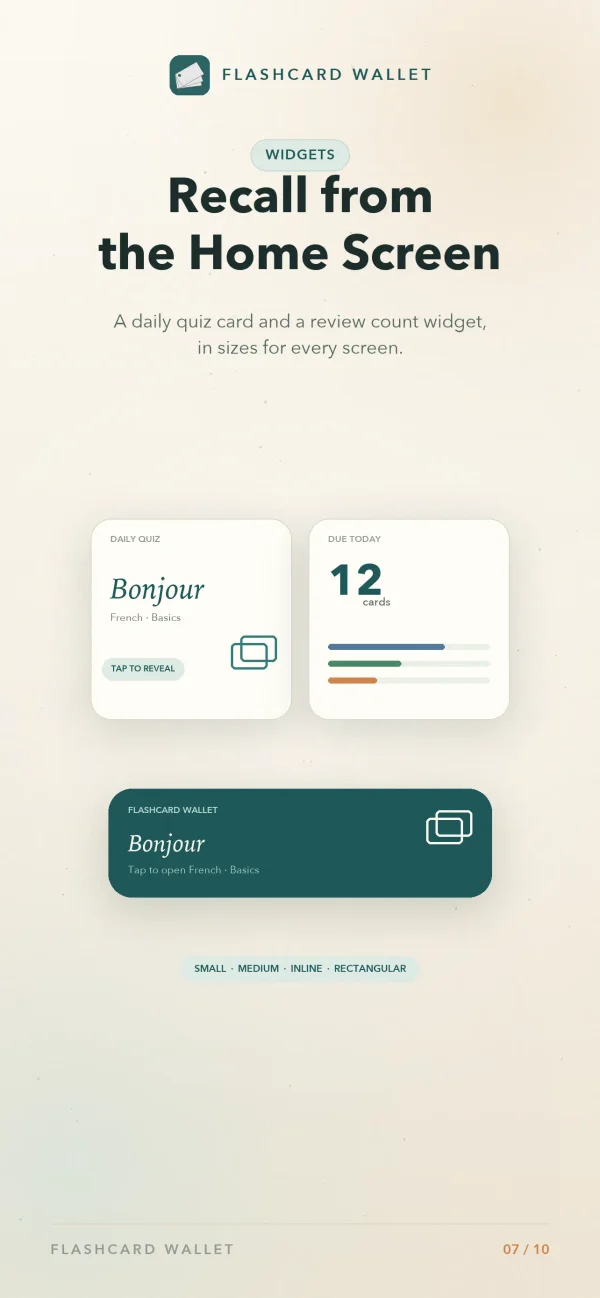
Widgets for Your Home Screen
- Daily Quiz — see a random flashcard from a deck of your choice, right on your home screen
- Review Count — check how many cards are due for review at a glance
- Supports multiple widget sizes: small, medium, inline, and rectangular
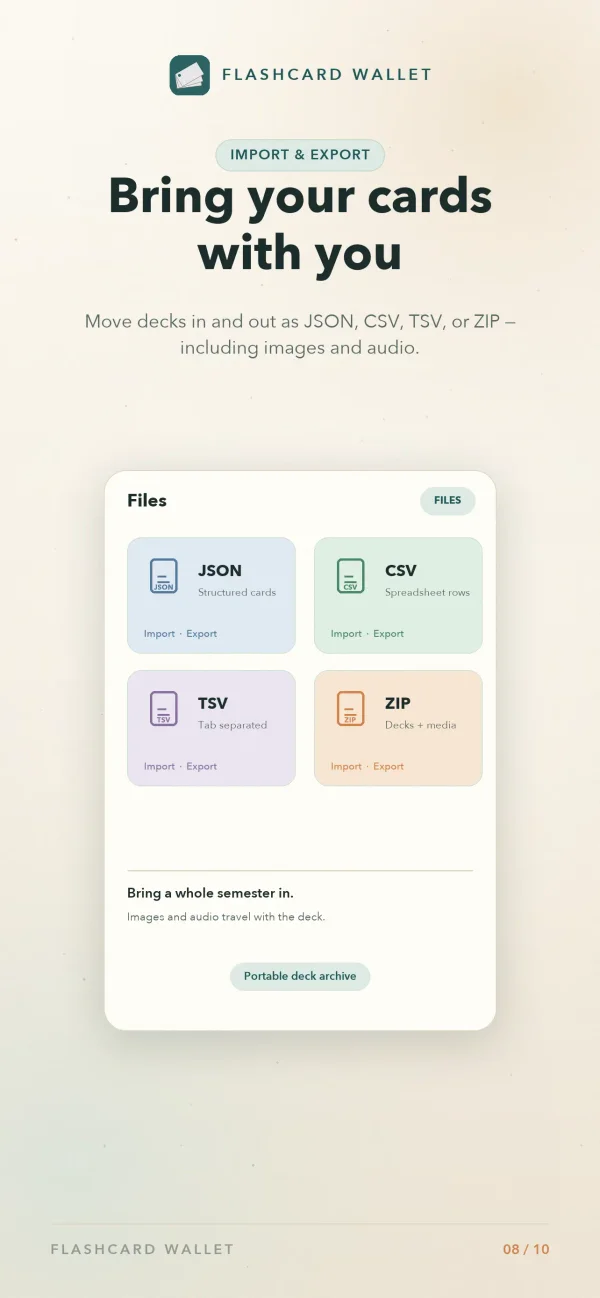
Import and Export
- Import cards from JSON, CSV, or TSV files
- Export your decks as JSON or CSV files with proper formatting (Pro)
Organize Your Way
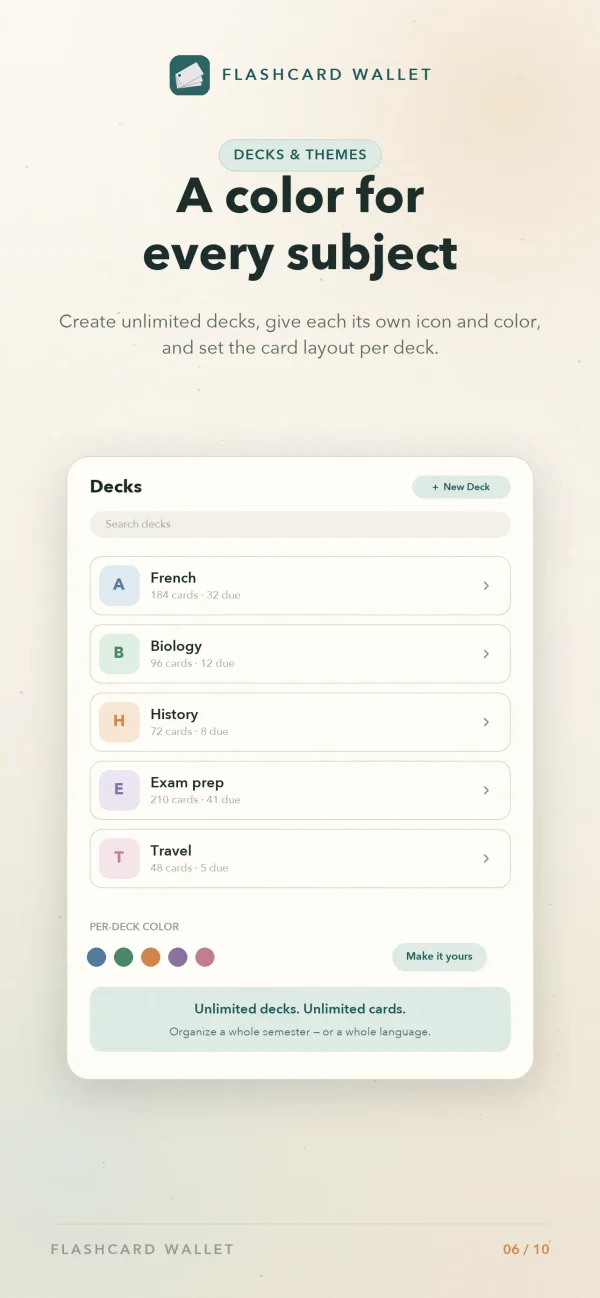
- Create multiple decks for different subjects
- Choose random or ordered card review order per deck
- Custom theme colors per deck
- Search through your cards and decks instantly
- Configure front and back side display per deck
- Drag and drop cards between decks
- Batch select, delete, or move multiple cards at once
Free & Pro
Flashcard Wallet is free to download and is supported by non-personalized ads. Every review method, advanced statistics, per-deck theme colors, and consecutive swipe mode are free. Flashcard Wallet Pro is a one-time purchase that removes ads and unlocks card export.
Privacy First
Your flashcard content stays on your device. All flashcards, images, and audio recordings are stored locally using Apple's SwiftData framework. No accounts and no cloud sync. The free version shows non-personalized Google AdMob ads, which may process device identifiers and ad-interaction data to deliver and measure ads; the app does not track you across apps or websites. Buying Pro removes all ads.
Flashcard Wallet — your knowledge, organized.
Yang baru
Versi 1.4.1 · 24/10/2026
User interface improvement and additional language support
Privasi aplikasi
Yang dinyatakan Rohmiapps Inc. di App Store tentang cara aplikasi ini menangani data.
-
Data yang tidak ditautkan dengan Anda
Dapat dikumpulkan, tetapi tidak ditautkan dengan identitas Anda.
- Pengenal
- Data penggunaan
Praktik privasi dapat bervariasi, misalnya berdasarkan fitur yang Anda gunakan atau usia Anda.
Informasi
- Penjual
- Rohmiapps Inc.
- Kategori
- Pendidikan
- Versi
- 1.4.1
- Diperbarui
- 24/10/2026
- Dirilis
- 6/11/2023
- Ukuran
- 6,6 MB
- Memerlukan
- iOS 17.0 atau yang lebih baru
- Batasan usia
- 4+
- Harga
- Gratis
- Pembelian dalam aplikasi
- Ya
- Bahasa
- Inggris, Jepang, Korea, Tionghoa Sederhana, Tionghoa Tradisional
- Hak cipta
- © 2026 Rohmiapps Inc.
Mungkin Anda juga suka
-
 FreezingBlue Flashcards!Pendidikan
-
 Wokabulary — FlashcardsPendidikan
-
 Leitner Box FlashcardsPendidikan
-
 Flashcards Deluxe LitePendidikan
-
 Flash Cards - Flashcards MakerPendidikan
-
 Mochi - Flashcards and notesPendidikan
-
 Flashcards Maker: Study & QuizPendidikan
-
 Amazing Flash CardsPendidikan
-
 Mopiq: AI Flashcards LearningPendidikan
-
 Flashcards World - AI CardsPendidikan