Floorleaf: 3D Floor Plan Maker
House & Room Planner – Offline
Dirancang untuk iPhone, iPad
Gratis · Pembelian dalam aplikasi
- Batasan usia4+
- KategoriGaya Hidup
- PengembangAlexander Hausser
- BahasaInggris+ 1 lainnya
- Ukuran113,2 MB
Tertaut ke halaman resmi App Store
Download.org tidak menyimpan file Floorleaf: 3D Floor Plan Maker apa pun. Tombol ini membuka halaman aplikasi di App Store, tempat Alexander Hausser menerbitkannya. Halaman terakhir diperiksa pada 17/11/2026.
Tangkapan layar
Tentang
Pengembang belum menyediakan teks ini dalam bahasa Anda.
Plan your build, remodel or move. And see if everything fits – before it's real.
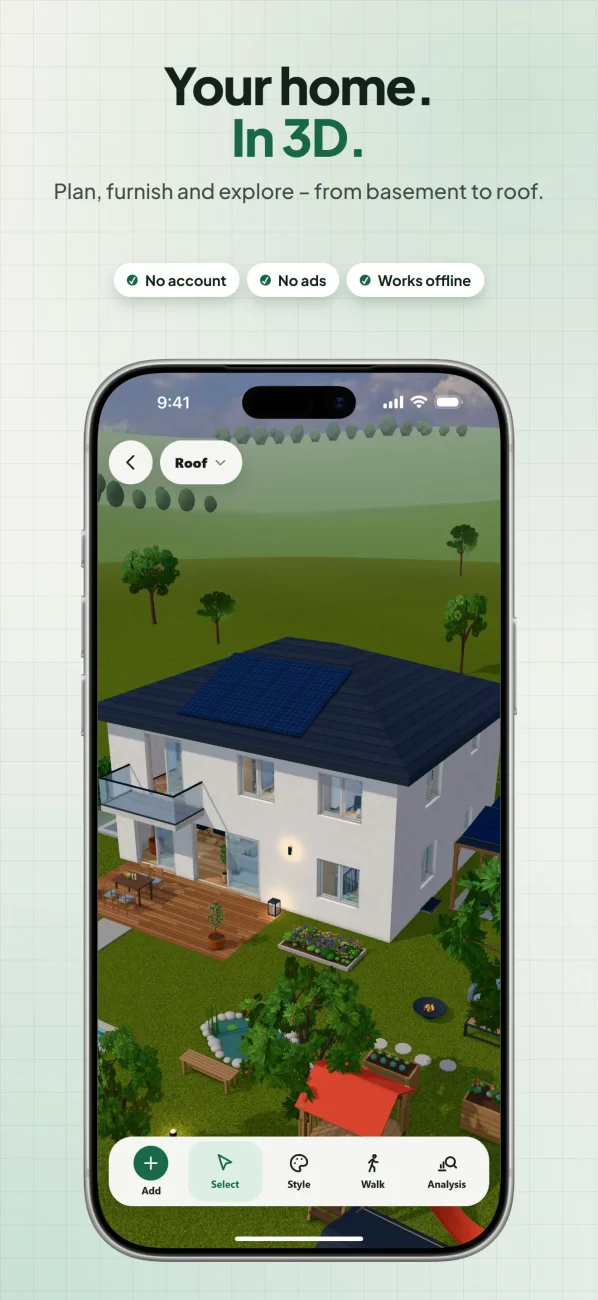
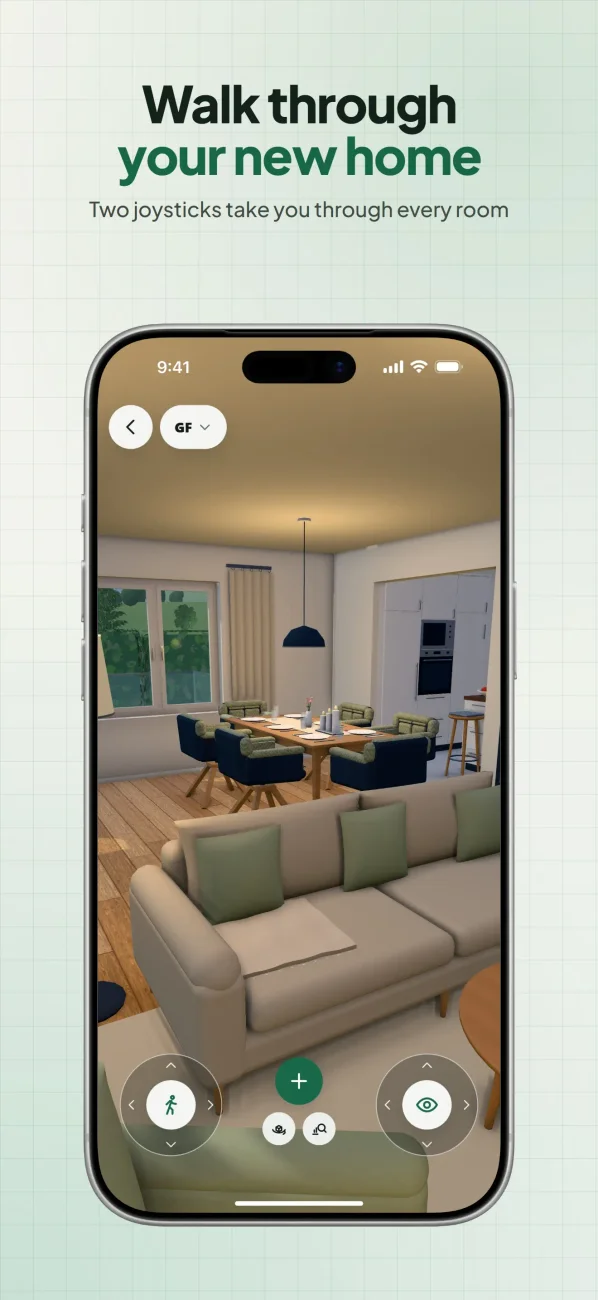
Draw the floor plan with your own measurements, then walk through it in 3D: in the front door, up the stairs, out onto the deck. No account, no ads, on iPhone and iPad.
WHAT PEOPLE USE FLOORLEAF FOR
• New build: sketch the floor plan and move rooms around until it feels right – before anything is poured
• Bought an older house with no plans? Measure, draw, and you have house plans with every dimension again
• Attic or basement finish: see sloped ceilings, dormers and exactly where headroom drops below 7 feet
• Kitchen or bath remodel: draw the room to scale and bring the plan to your contractor or cabinet shop
• Aging in place: plan for a wheelchair, walker, roll-under sink and care bed (Pro) – and see where paths get too narrow
• Moving: plan the furniture layout before the first box is carried in
THE WHOLE HOUSE IN ONE PLAN
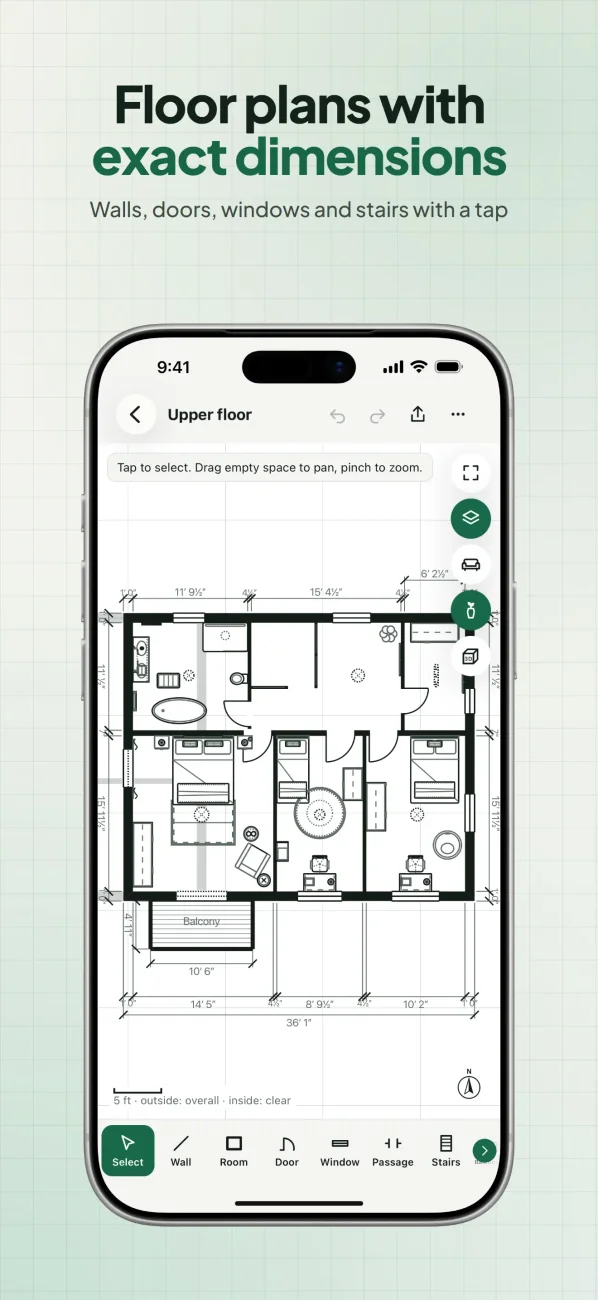
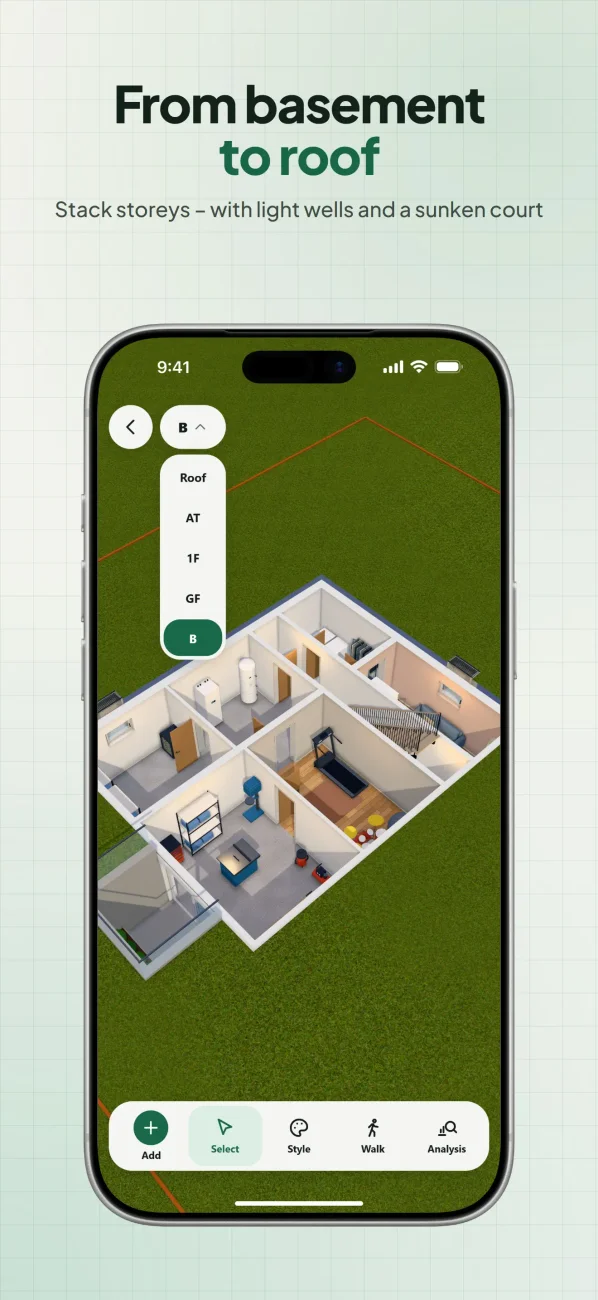
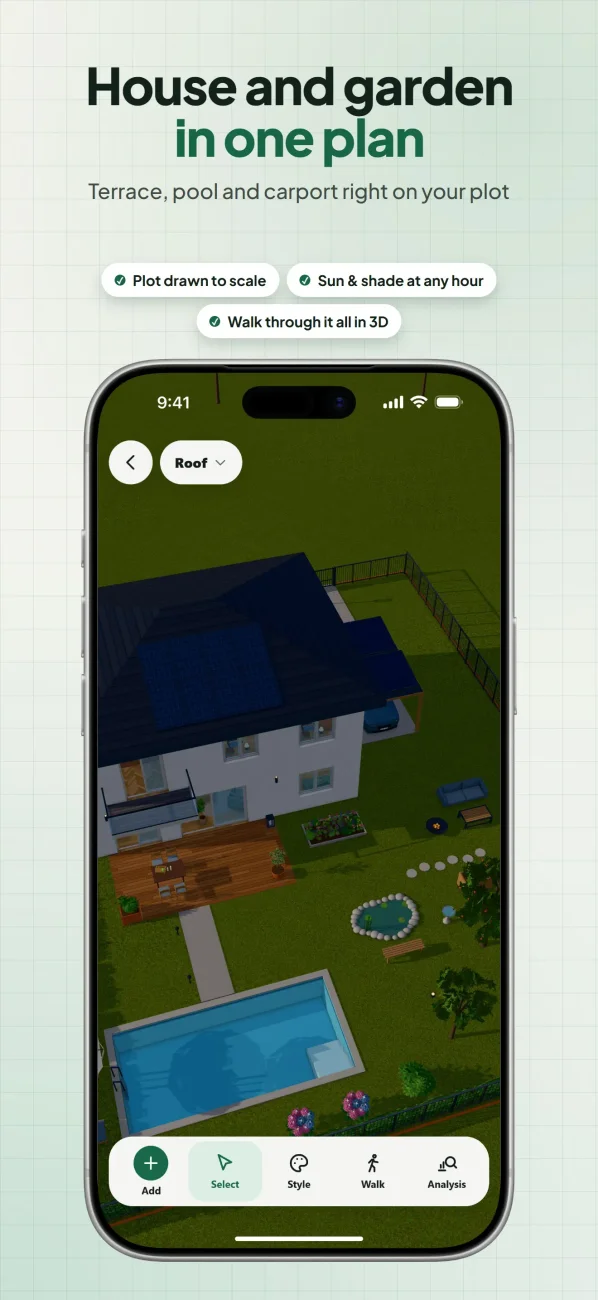
Not just a room planner – plan the entire home. Basement, main floor, upper floor and attic stack exactly like in the real house. Add a gable, hip, shed or flat roof, a balcony or deck, the exterior finish and the whole lot with yard, driveway and pool.
DIMENSIONS YOU CAN TRUST
Every wall, door and window to the half inch, with dimension lines like real blueprints. Tap a number and type the exact value – feet and inches or metric. Furniture resizes to match the pieces you actually own.
FURNISH AND WALK THROUGH – RIGHT IN 3D
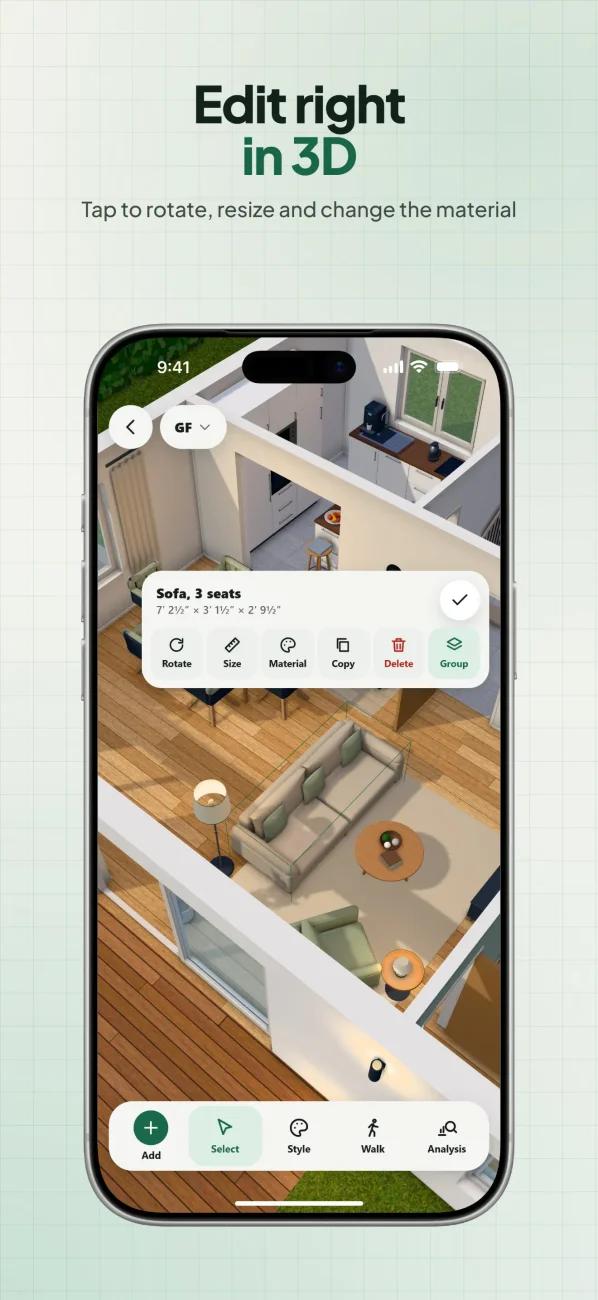
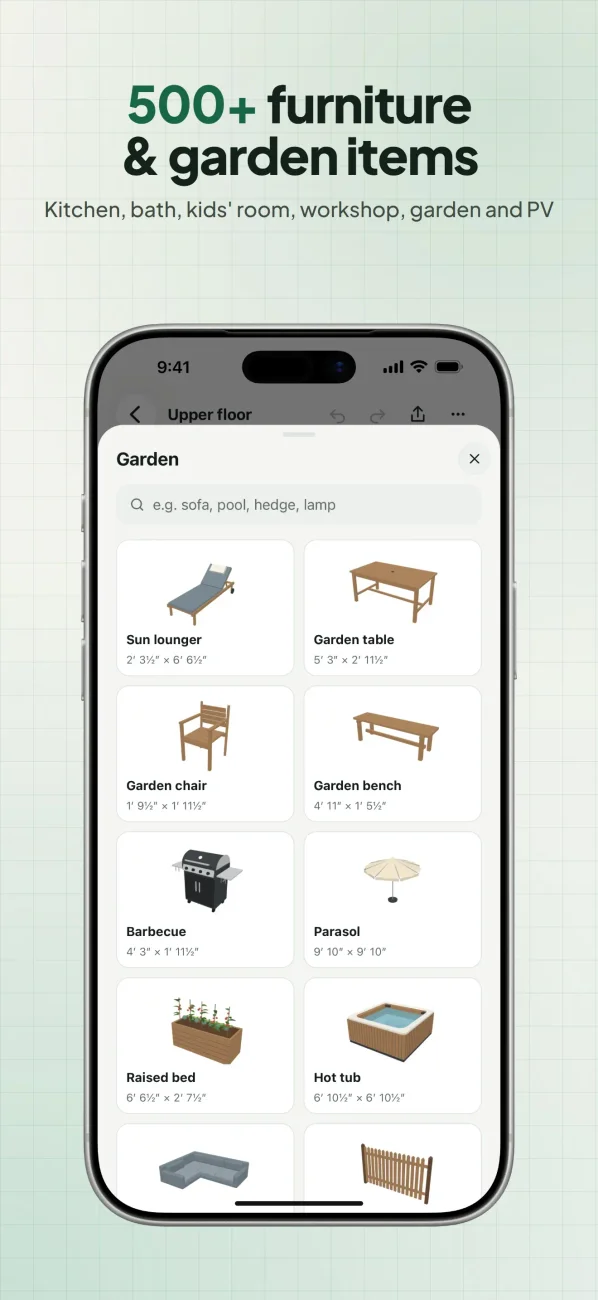
One tap turns the floor plan into a 3D house. Drop in the sofa, kitchen and bed right in 3D, drag them into place, pick floors, paint colors and fabrics. Then walk from room to room with two joysticks. 600+ furniture, garden and building items – from kitchen cabinets to heat pump, EV charger and solar panels.
PHOTO MODE
Capture pictures of your 3D plan in golden hour or evening light, with optional depth of field – to share, save or use as your project cover.
WILL IT REALLY FIT? (PRO)
• Clearance check: Floorleaf shows where doors hit something, drawers and cabinet doors can't open, and walkways get too narrow – green, yellow, red right on the floor
• Sun & light: where is the sun in the morning? When does the deck fall into shade? And how does the living room look at night with the lights on?
A PLAN YOU CAN WORK WITH
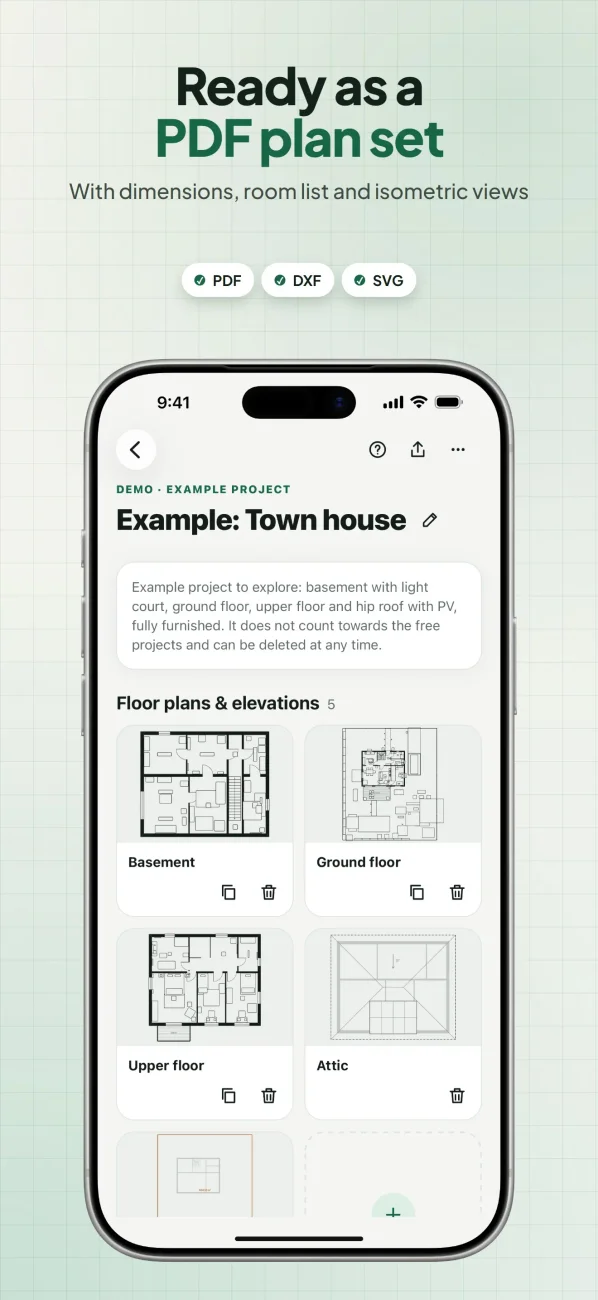
Export your project as a PDF plan set on US Letter or A4: cover sheet, every floor at an architectural scale like 1/4″ = 1′-0″, and a room list with square footage. Print it, or take it to your architect, builder or family. Pro adds 3D views, a garden page, and DXF and SVG for CAD.
MADE FOR IPHONE AND IPAD
A big drawing canvas on iPad, in portrait, landscape and Split View. Light and dark mode.
FAIR. PRIVATE. OFFLINE.
• No account, no ads – your projects are stored on your device, with no automatic cloud sync
• Planning works offline, even on the job site
• Free forever: two projects with every drawing tool, all floors, roof, 3D walkthrough and PDF export (with watermark) – plus a fully furnished example house to explore
• Buy Pro once and keep it – or go monthly if you're planning just one project
Pro unlocks: unlimited projects, the full catalog including yard and accessible living, dormers, skylights, solar panels, more door and window types, both studies, watermark-free PDFs with your logo, and DXF and SVG.
The monthly subscription renews automatically unless you cancel it at least 24 hours before the end of the current period in your Apple Account settings. Payment is charged to your Apple Account. The app shows prices before you buy.
Floorleaf doesn't replace professionals like architects – but you'll walk into that conversation with a clear plan.
Terms of Use (EULA): https://www.apple.com/legal/internet-services/itunes/dev/stdeula/
Privacy Policy: https://nordiq-apps.de/apps/floorleaf/privacy.html
Yang baru
Versi 1.3.1 · 16/11/2026
New in Floorleaf 1.3.1:
• Redesigned sun study – with sunrise, sunset and switchable lights
• A new welcome tour that shows every step in motion
• Fully refreshed help, with a new guide to photos of your 3D model
• Even more realistic 3D views
• New wall shelves in the catalogue
• Further improvements for an even better experience
Privasi aplikasi
Yang dinyatakan Alexander Hausser di App Store tentang cara aplikasi ini menangani data.
-
Data yang tidak ditautkan dengan Anda
Dapat dikumpulkan, tetapi tidak ditautkan dengan identitas Anda.
- Pembelian
- Data penggunaan
- Diagnostik
Praktik privasi dapat bervariasi, misalnya berdasarkan fitur yang Anda gunakan atau usia Anda.
Informasi
- Penjual
- Alexander Hausser
- Kategori
- Gaya Hidup
- Versi
- 1.3.1
- Diperbarui
- 16/11/2026
- Dirilis
- 2/11/2026
- Ukuran
- 113,2 MB
- Memerlukan
- iOS 16.4 atau yang lebih baru
- Batasan usia
- 4+
- Harga
- Gratis
- Pembelian dalam aplikasi
- Ya
- Bahasa
- Inggris, Jerman
- Hak cipta
- © 2026 Alexander Häusser