
FocalCalc
Equivalent focal length viewer
Dirancang untuk iPhone
Gratis · Pembelian dalam aplikasi
- Batasan usia4+
- KategoriFoto & Video
- PengembangTakumi Komatsu
- BahasaJepang+ 1 lainnya
- Ukuran2,7 MB
Tertaut ke halaman resmi App Store
Download.org tidak menyimpan file FocalCalc apa pun. Tombol ini membuka halaman aplikasi di App Store, tempat Takumi Komatsu menerbitkannya. Halaman terakhir diperiksa pada 12/11/2026.
Tangkapan layar

Tentang
Pengembang belum menyediakan teks ini dalam bahasa Anda.
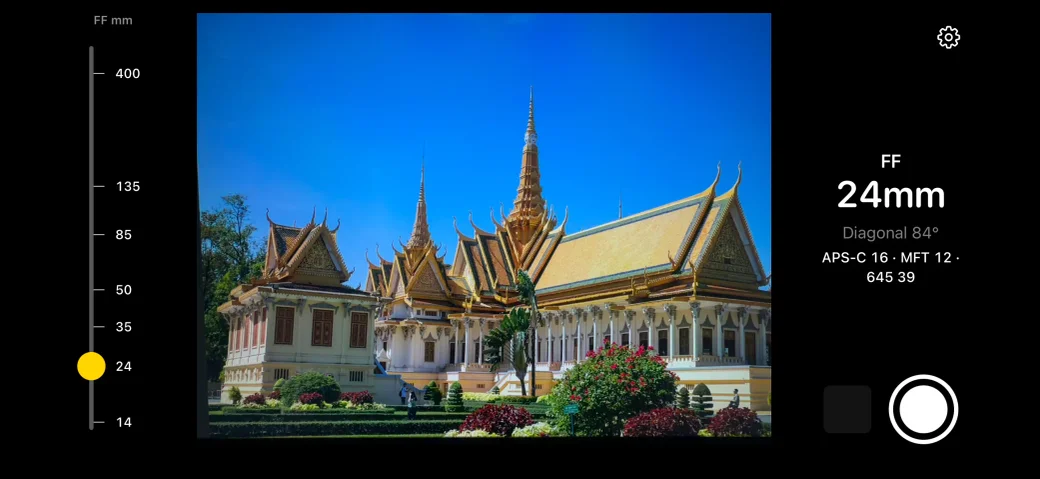
FocalCalc shows, live, what focal length your iPhone's current view corresponds to on your own cameras.
When you are scouting a location and want to know which lens will give you this framing, just hold up your iPhone. FocalCalc converts the angle of view to full frame, APS-C, Micro Four Thirds, medium format and more.
FEATURES
• Live equivalent focal length
Your main format is shown large, with up to four other formats below it, along with the angle of view (diagonal or long edge).
• Zoom slider with focal-length ticks
The slider shows ticks in your main format (24, 35, 50, 85 mm…). Tap a number to jump to that focal length, or pinch to zoom.
• Sensor formats
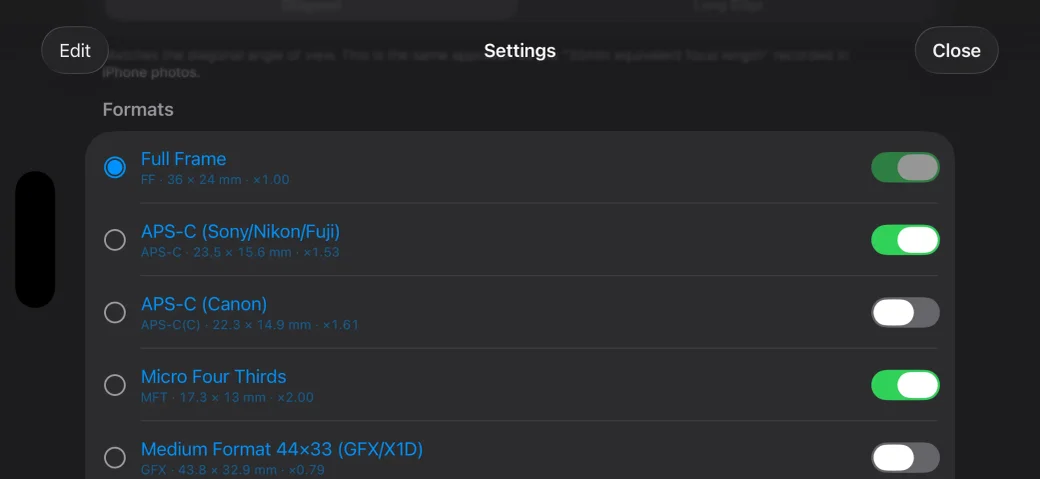
Presets for full frame, APS-C (Sony / Nikon / Fujifilm and Canon), Micro Four Thirds, 44×33 medium format, 645 and 6×6. Add your own camera by entering its sensor size.
• Diagonal or long-edge basis
Match the diagonal angle of view (the same idea as the "35mm equivalent" in iPhone photos) or the long-edge width in landscape.
• Capture with records
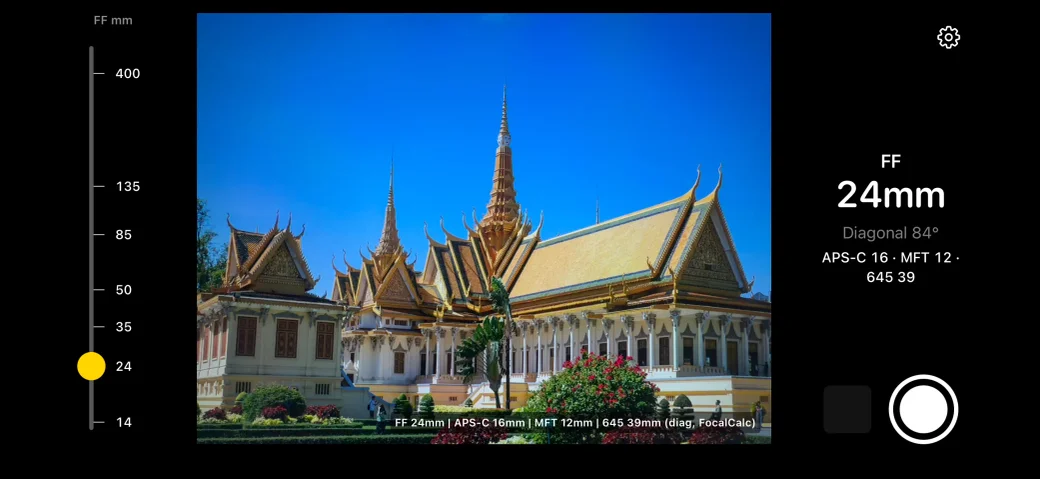
Photos are saved with the 35mm equivalent focal length (EXIF) and a caption such as "FF 24mm | APS-C 16mm (diag, FocalCalc)", which you can see in the Photos app info panel.
• Optional burn-in
Draw the values into a corner of the photo. Choose the position and text size, and optionally keep a copy without the text.
• Save as HEIC or JPEG
PRICING
• Free to download, with a 7-day free trial of every feature.
• To keep using it after the trial, purchase the app for ¥300 (one-time — there is no subscription).
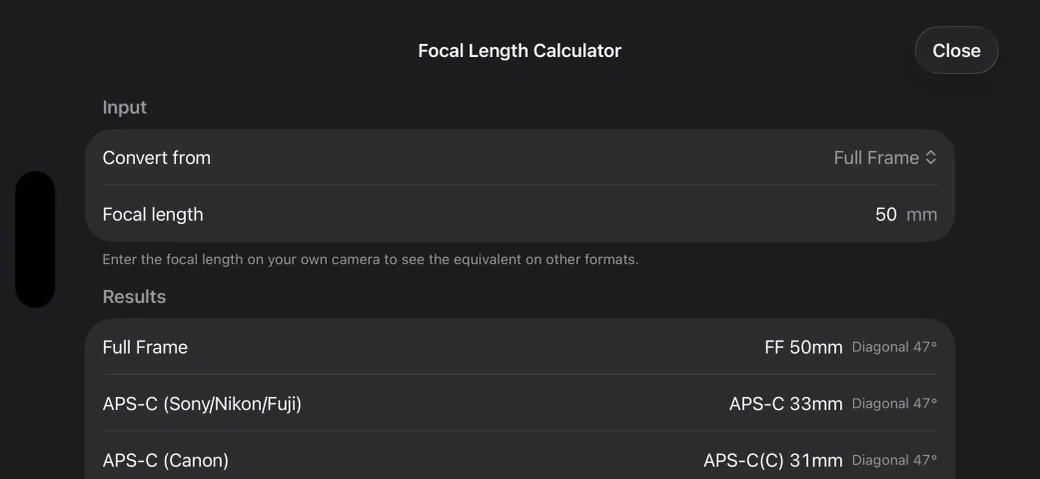
• The focal length calculator (enter a focal length and see it in every format) is free to use at any time, with or without a purchase.
PLEASE NOTE
• FocalCalc is a tool for checking and recording the angle of view. It cannot use all of the image processing of the built-in Camera app (such as Night mode), so image quality and low-light results are lower than with the Camera app.
• The values are estimates calculated from the angle of view reported by the iPhone. Lens distortion and device differences may cause small differences from real cameras.
• The app is available in English and Japanese and works in landscape orientation.
PRIVACY
FocalCalc does not collect any data. It makes no network connections and only adds photos to your library when you take them.
REQUIREMENTS
iPhone with iOS 17 or later
Privasi aplikasi
Yang dinyatakan Takumi Komatsu di App Store tentang cara aplikasi ini menangani data.
-
Data tidak dikumpulkan
Pengembang tidak mengumpulkan data apa pun dari aplikasi ini.
Praktik privasi dapat bervariasi, misalnya berdasarkan fitur yang Anda gunakan atau usia Anda.
Informasi
- Penjual
- Takumi Komatsu
- Kategori
- Foto & Video
- Versi
- 1.0
- Diperbarui
- 24/9/2026
- Dirilis
- 24/9/2026
- Ukuran
- 2,7 MB
- Memerlukan
- iOS 17.0 atau yang lebih baru
- Batasan usia
- 4+
- Harga
- Gratis
- Pembelian dalam aplikasi
- Ya
- Bahasa
- Jepang, Inggris
- Hak cipta
- © 2026 Takumi Komatsu
Mungkin Anda juga suka
-
 LiveMMFoto & Video
-
 FocalFrame - 画角計算・ロケハンFoto & Video
-
 light & deepFoto & Video
-
 Camerama: Open Gate Multi-CamFoto & Video
-
 Pellica: Film Log, Light MeterFoto & Video
-
 Film Photography ViewfinderFoto & Video
-
 CamMonitor: Live ViewfinderFoto & Video
-
 LensAgent ProFoto & Video
-
 Magic Film ViewFinderFoto & Video
-
 Magic Canonic ViewFinderFoto & Video