
Focus Clock
Focus Timer&Tasks
Dirancang untuk iPhone, iPad, Mac, iPod touch
Gratis · Pembelian dalam aplikasi
- Batasan usia17+
- KategoriKegunaan
- Pengembang晓庆 张
- BahasaInggris+ 8 lainnya
- Ukuran56,0 MB
Tertaut ke halaman resmi App Store
Download.org tidak menyimpan file Focus Clock apa pun. Tombol ini membuka halaman aplikasi di App Store, tempat 晓庆 张 menerbitkannya. Halaman terakhir diperiksa pada 14/11/2026.
Tangkapan layar

Tentang
Pengembang belum menyediakan teks ini dalam bahasa Anda.
Ad-free, versatile, and focused timing software that helps you concentrate on your work or studies.
Introduction:
Whenever you want to focus on a task (reading, working, preparing for exams, etc.), you can activate the "Focus Mode," and a "little flying man" will appear on the clock, moving towards your goal.
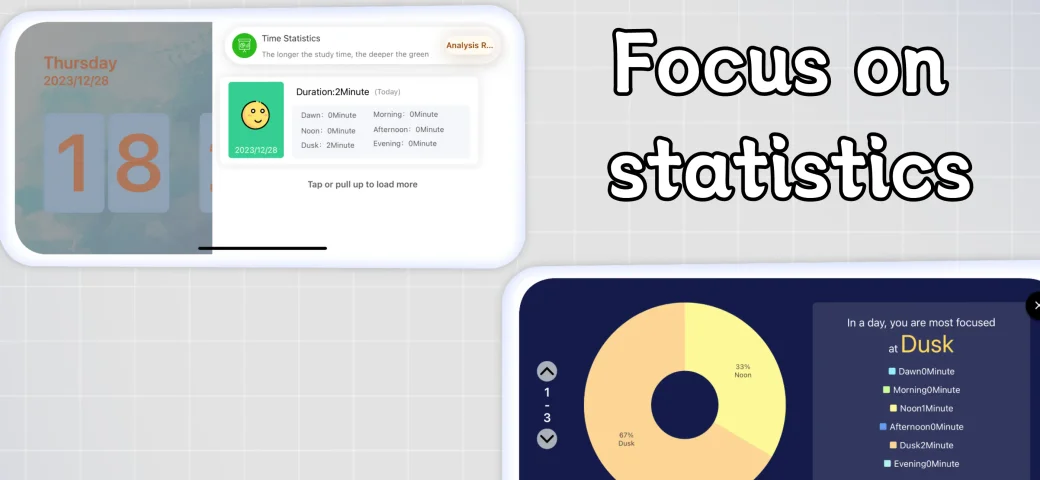
If you can't resist checking your social media or playing games, unfortunately, the "little flying man" will disappear immediately, and the Focus Mode will exit (you can switch to background timing mode)... If you activate the "background timing mode," you can use other applications after setting the time, and the clock will send a reminder notification when the time is up. If you succeed in the challenge, it will be recorded in the daily focus statistics. The longer you study, the darker green the cover background on the statistics page will be. There are also surprises for successful challenges!
After activating the background mode, the countdown can be displayed in Lingdong Island!
Points to note:
Please enable push notification permissions. After successfully completing a challenge, a message will be sent to notify you.
Features:
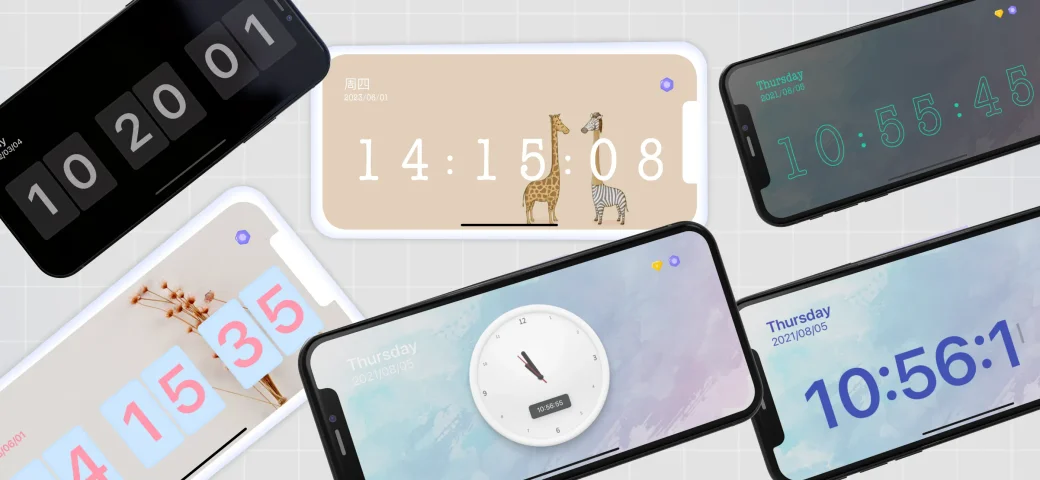
Various clock styles can be changed.
Background skins can be changed.
Activates the countdown mode after entering the "Focus Mode."
Check your daily focus time and previous focus times.
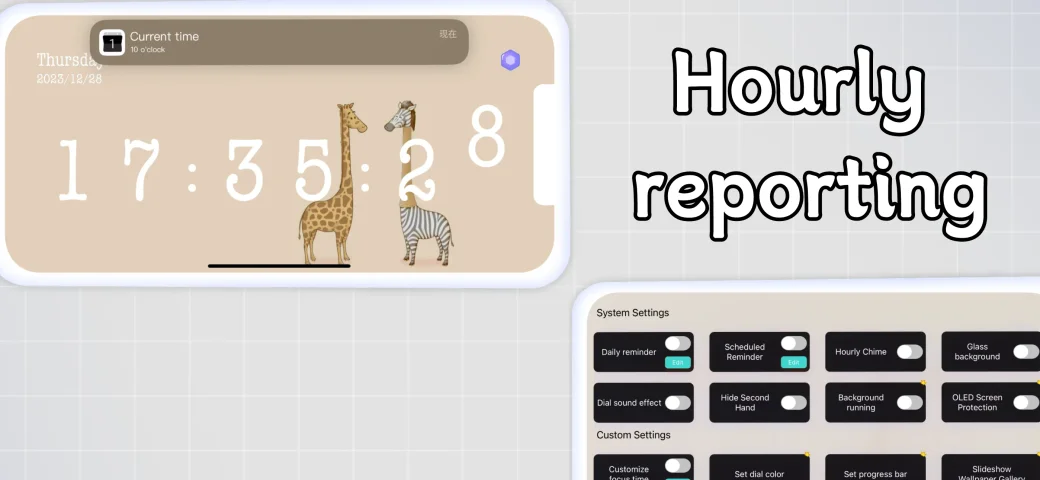
Explore features such as "glass background," "custom progress bar," "custom color," and "statistics report."
Gesture functions:
Swipe left to view the daily focus time.
Swipe right to enter the Focus Mode.
Swipe up to switch clock styles.
Suggestion and Feedback:
Your feedback and suggestions are the best support for me! Please leave your comments in the comment section, and I will respond regularly! Alternatively, you can send an email to du1992@88.com.
About the application:
To ensure a better user experience, there will be no ads now or in the future. At present, the charging method is a subscription membership to unlock some value-added services in the application, but it will not affect the use of basic functions. Thank you for your understanding!
Membership Subscription Instructions:
After subscribing, you can unlock all features.
After purchasing and completing payment, the subscription will automatically be charged through your iTunes account. The iTunes account will be charged 24 hours before the expiration date. If you wish to cancel the subscription, please manually turn off the auto-renewal feature in the Apple ID Settings Management 24 hours before the current subscription period ends.
User Agreement: https://du1992.github.io/worksWeb/appAgreement.html
Subscription Agreement: https://du1992.github.io/worksWeb/payAgreement.html
Yang baru
Versi 1.7.7 · 23/4/2025
1. Fix some minor issues
Privasi aplikasi
Yang dinyatakan 晓庆 张 di App Store tentang cara aplikasi ini menangani data.
-
Data tidak dikumpulkan
Pengembang tidak mengumpulkan data apa pun dari aplikasi ini.
Praktik privasi dapat bervariasi, misalnya berdasarkan fitur yang Anda gunakan atau usia Anda.
Informasi
- Penjual
- 晓庆 张
- Kategori
- Kegunaan
- Versi
- 1.7.7
- Diperbarui
- 23/4/2025
- Dirilis
- 3/7/2020
- Ukuran
- 56,0 MB
- Memerlukan
- iOS 11.0 atau yang lebih baru
- Batasan usia
- 17+
- Harga
- Gratis
- Pembelian dalam aplikasi
- Ya
- Bahasa
- Inggris, Prancis, Jerman, Italia, Jepang, Korea, Rusia, Tionghoa Sederhana, Tionghoa Tradisional
- Hak cipta
- © 2020kevin
Mungkin Anda juga suka
-
 小鱼短信Kegunaan
-
 OneClock - A Simple Flip ClockKegunaan
-
 Today Widget - Memory of PastKegunaan
-
 Very Long Screenshot MakerPic Editor, Crop,Graffiti,Trim
-
 invsi – Photo & Video VaultKegunaan
-
 xQR for SafariKegunaan
-
 Super Clock: Desk & FocusKegunaan
-
 Desktop Flip ClockKegunaan
-
 Text Workflow: Clean any TextKegunaan
-
 Yaoer - Sleep with White NoiseKegunaan