
- Batasan usia4+
- KategoriKegunaan
- PengembangFresh AB
- BahasaInggris+ 16 lainnya
- Ukuran54,6 MB
Tertaut ke halaman resmi App Store
Download.org tidak menyimpan file Fresh Ventilation apa pun. Tombol ini membuka halaman aplikasi di App Store, tempat Fresh AB menerbitkannya. Halaman terakhir diperiksa pada 13/11/2026.
Tangkapan layar


Tentang
Pengembang belum menyediakan teks ini dalam bahasa Anda.
Fresh Sky
Product information:
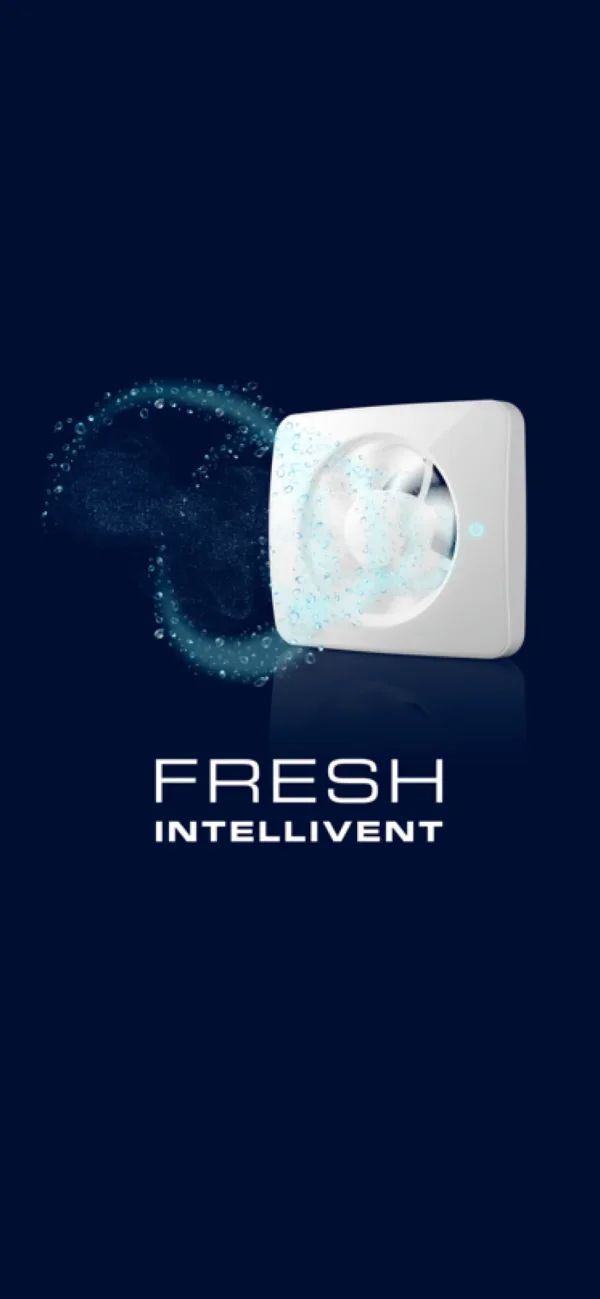
The Fresh Intellivent SKY bathroom fan, a completely ground-breaking, one-of-a-kind fan smarter and more powerful than anything that has come before. With a unique air quality sensor, unrivalled extraction capacity, and advanced moisture control, Intellivent SKY is optimised to produce a fresh and comfortable bathroom climate.
Pairing the device and app:
Push once on the touch panel on/off symbol and then hold the light/air quality symbol for 8 seconds to activate Bluetooth mode, the symbol starts flashing, then continue in the app by press “Connect” on the paring screen, in a few steps your product is ready.
Basic app functions:
Press + symbol to add more devices, top right to of the first page to add extra devices into the same app.
Press (cogwheel symbol) top right on the main page for additional settings such as: Change name of product, Delete the product from the app or Reset function to factory default setting.
App main view:
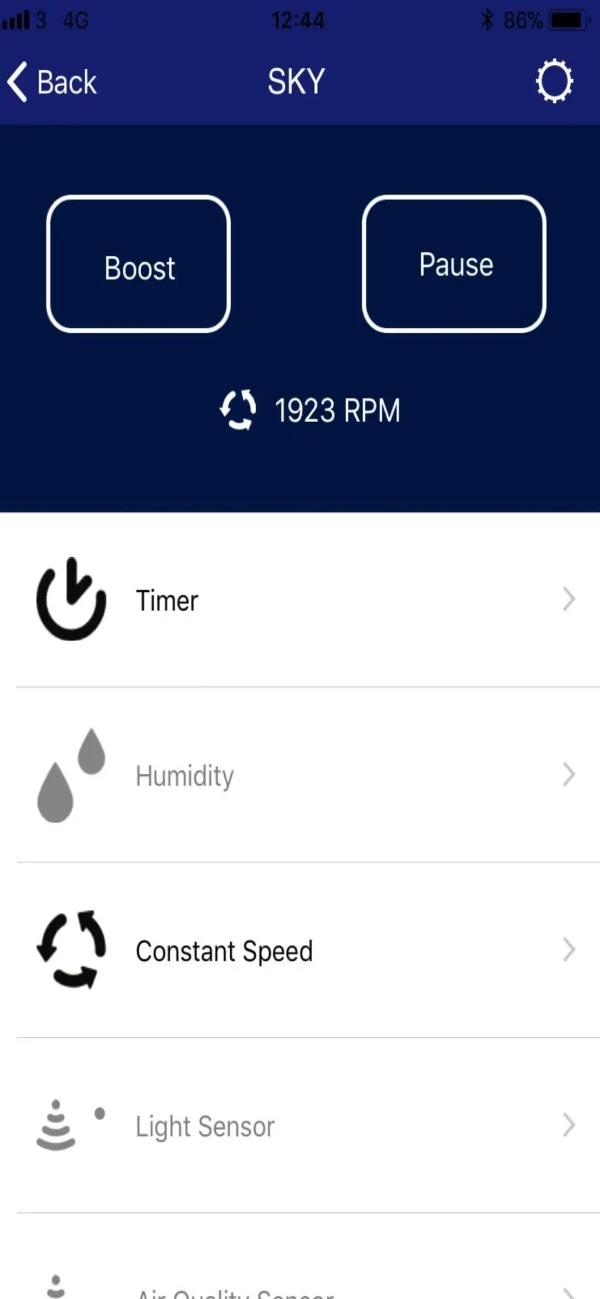
Buttons to activate Boost or Pause.
Current running mode shown live with a small icon and the fan speed in rpm.
It shows activated functions as black and non-activated functions as grey.
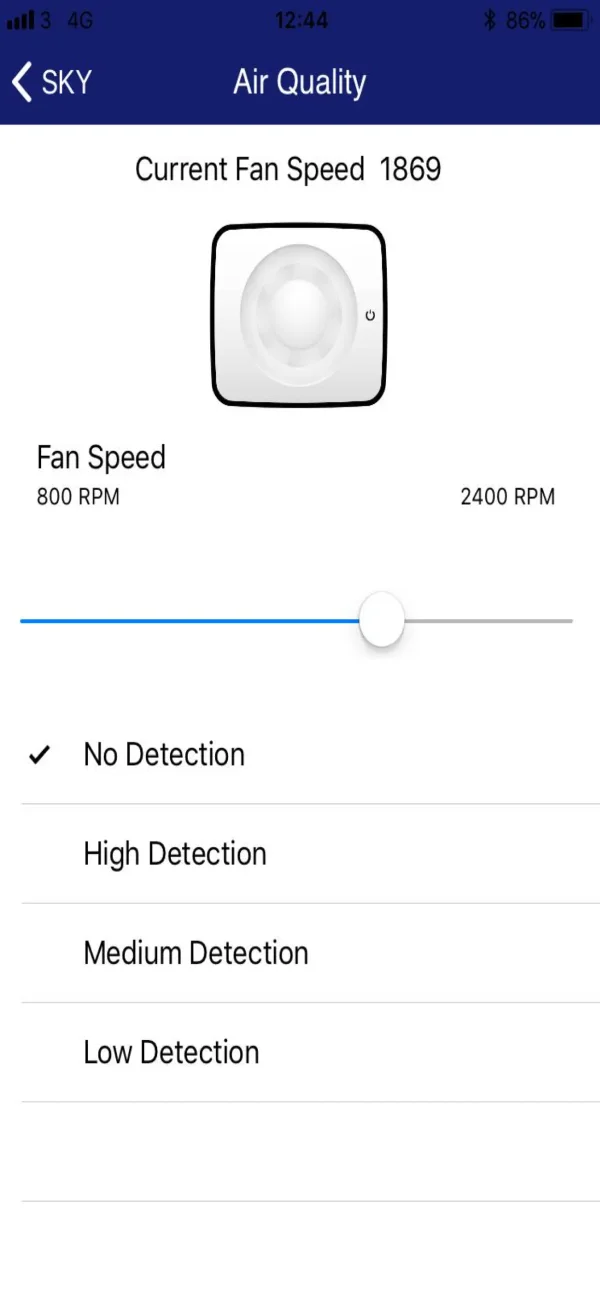
There are separate pages for adjusting Timer, Humidity, Constant speed, Light sensor, Air quality sensor, Airing and Pause settings.
Fresh FCX 90
Product information
Fresh Advance FCX 90 is a quiet ventilation unit with high energy efficiency and high heat recovery rate
Paring the device and app
Go into the settings of your phone and search for available Wi-Fi networks.
Locate the network which matches the device ID (found on the front of the module) and select this.
Before going to the next step, make sure that the Wi-Fi symbol is shown at the upper left corner (usually next to your carrier info)
Start the Fresh Ventilation App
Press + symbol to add a device.
Choose FCX 90 and enter the Security Key. (found on the front of the module)
Choose your device name.
Enter your SSID and Password to your local Wi-Fi network (note that FCX 90 only supports 2.4 GHz networks)
Close the app and go to settings on your phone and reconnect to your local Wi-Fi network.
Basic app
Check the device status, change operation mode, see outdoor, extract and supply temperature, schedule own programs and more.
Press (cogwheel symbol) top right on the main page for additional settings such as: Change date/time, Modify WLAN settings, access the commissioner mode, rename the device or remove/delete the device.
Yang baru
Versi 4.0.0 (5) · 18/6/2024
Bluetooth pairing improvements. Added Translations. New Econiq product support with hmi & Mainboard firmware version 1.83
Privasi aplikasi
Yang dinyatakan Fresh AB di App Store tentang cara aplikasi ini menangani data.
-
Data tidak dikumpulkan
Pengembang tidak mengumpulkan data apa pun dari aplikasi ini.
Praktik privasi dapat bervariasi, misalnya berdasarkan fitur yang Anda gunakan atau usia Anda.
Informasi
- Penjual
- Fresh AB
- Kategori
- Kegunaan
- Versi
- 4.0.0 (5)
- Diperbarui
- 18/6/2024
- Dirilis
- 8/11/2018
- Ukuran
- 54,6 MB
- Memerlukan
- iOS 13.0 atau yang lebih baru
- Batasan usia
- 4+
- Harga
- Gratis
- Bahasa
- Inggris, Cheska (Republik Cheska), Dansk (Denmark), Belanda, Suomi (Finlandia), Prancis, Jerman, Italia, Jepang, Bokmål Norsk, Polski (Polandia), Rusia + 5 lainnya
- Hak cipta
- © Volution Sweden AB
Mungkin Anda juga suka
-
 myAirflowKegunaan
-
 PAX ConnectKegunaan
-
 Universal TV Remote Control+Kegunaan
-
 Smart TV Remote UniversalKegunaan
-
 TV Remote Control UniversalRemot kontrol pintar: suara
-
 Remote TV Kontrol UniversalCerdas untuk Semua TV
-
 eWeLinkKegunaan
-
 TV Remote | Universal ControlKegunaan
-
 Avast Cleanup – Phone CleanerKegunaan
-
 Remote Control Smart LG TVKegunaan