GCodeReader CNC
Offline G-code & CAD viewer
Dirancang untuk iPhone, iPad
Gratis
- Batasan usia4+
- KategoriGrafik & Desain
- PengembangFavionics
- BahasaInggris
- Ukuran43,6 MB
Tertaut ke halaman resmi App Store
Download.org tidak menyimpan file GCodeReader CNC apa pun. Tombol ini membuka halaman aplikasi di App Store, tempat Favionics menerbitkannya. Halaman terakhir diperiksa pada 15/11/2026.
Tangkapan layar
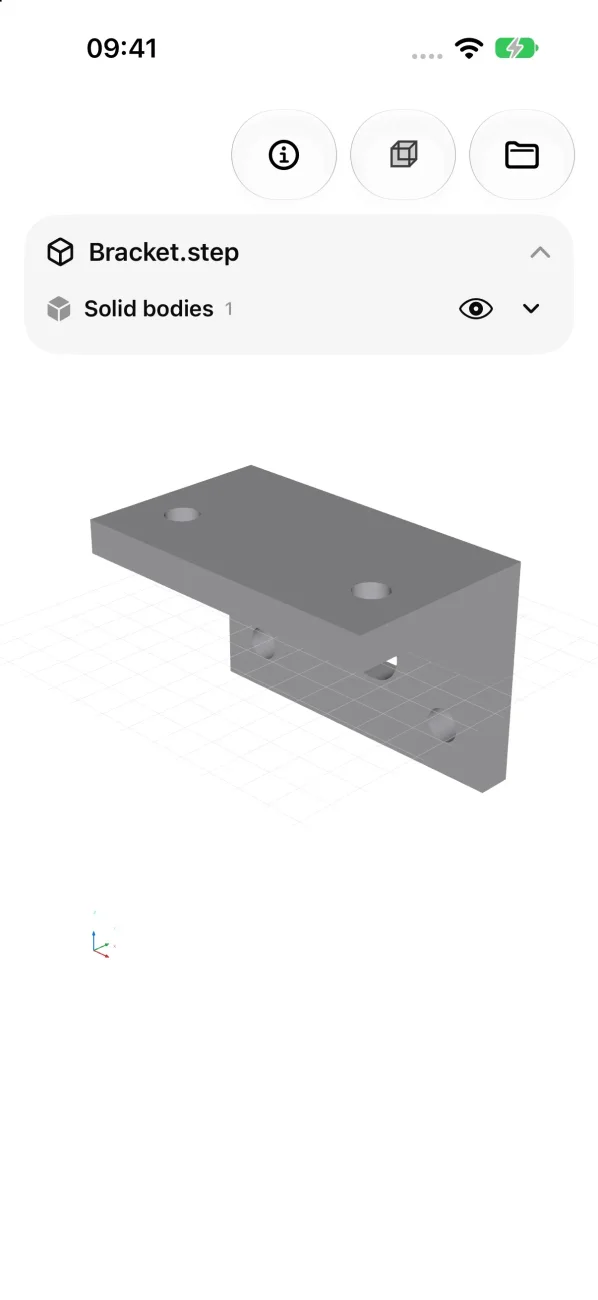
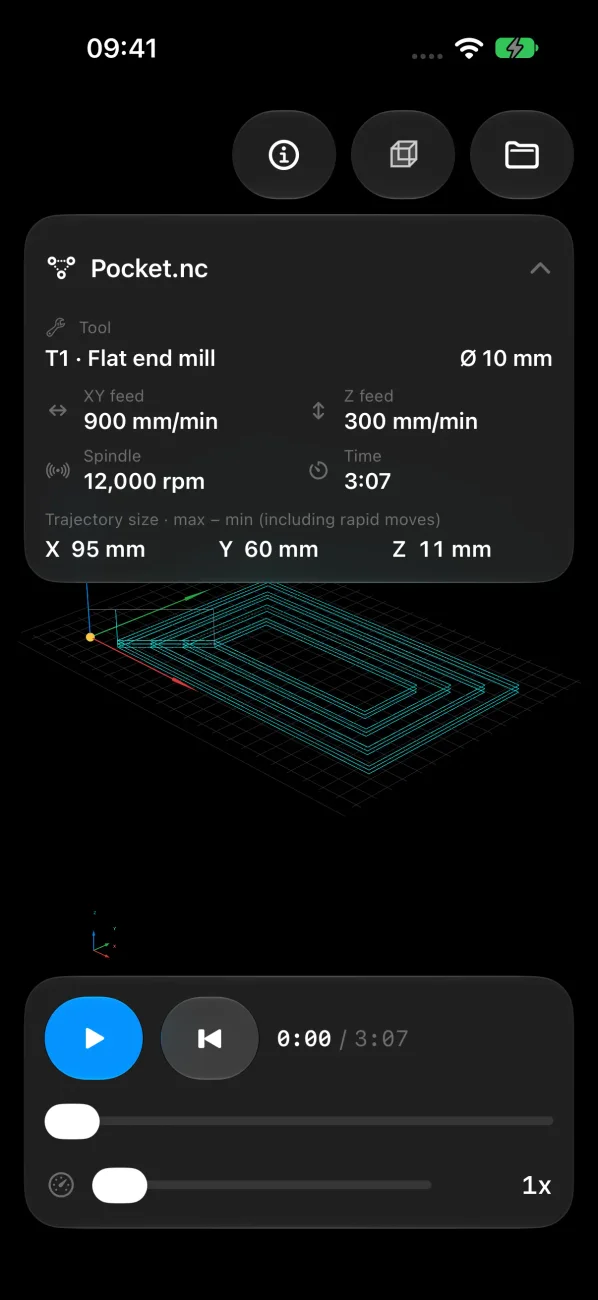
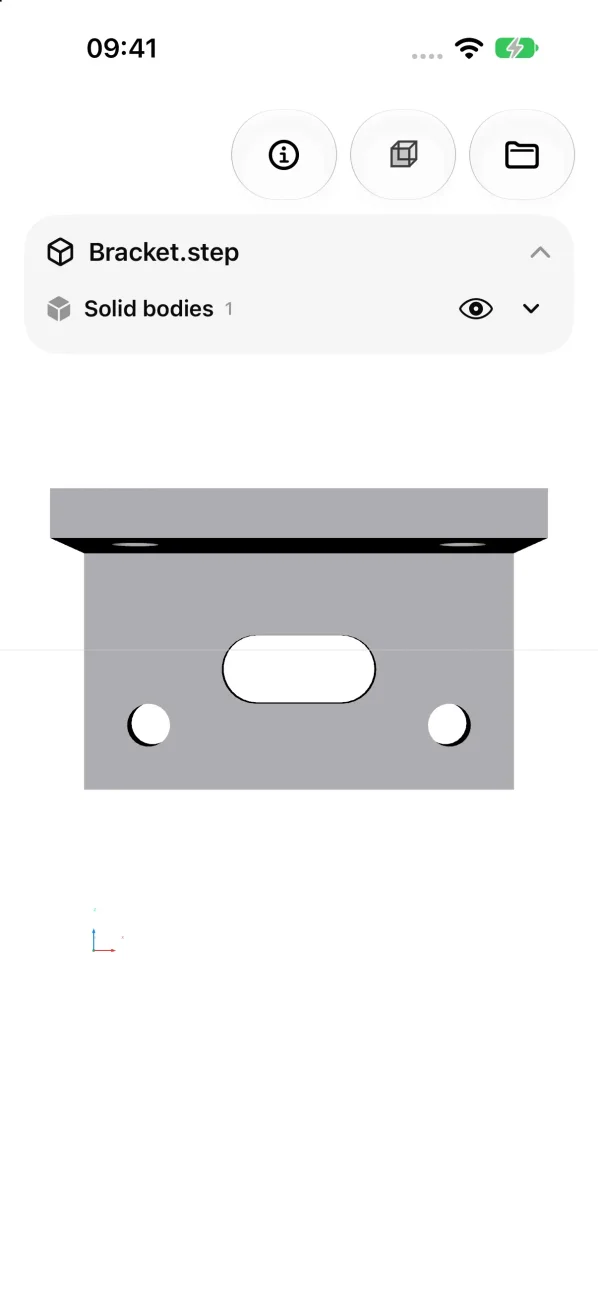
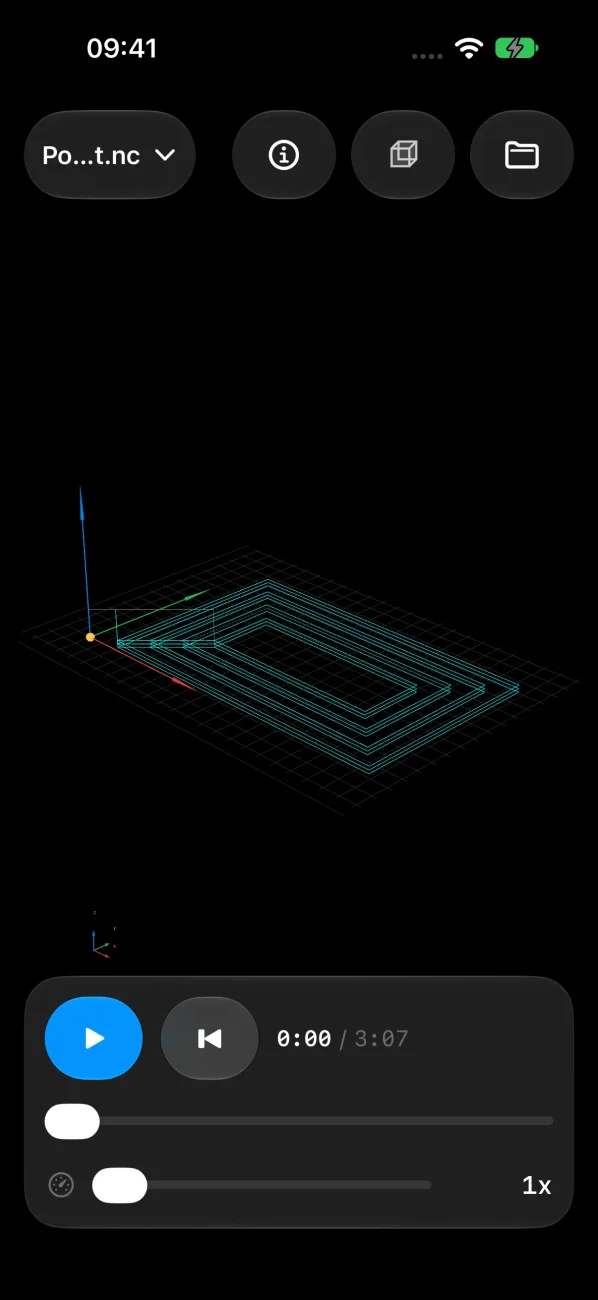
Tentang
Pengembang belum menyediakan teks ini dalam bahasa Anda.
Inspect CNC toolpaths and CAD models locally on your iPhone or iPad. Open files from Files, explore geometry in 3D and review machining programs without an account or cloud conversion.
SLDPRT PART VIEWING
• View SLDPRT parts in 3D, including saved solid bodies, surfaces and sketch curves.
• Show or hide individual bodies and surfaces.
• Rotate, pan and zoom, or switch between standard views.
• CAD files are opened for viewing; the original CAD file is not modified.
G-CODE REVIEW
• Explore 3D toolpaths with axes, a grid and view presets.
• Play back a program and adjust playback speed.
• Review cutter names and diameters from CAM comments, tool numbers, feed rates, spindle speed and estimated run time.
• Check X, Y and Z trajectory dimensions, including rapid moves.
• Collapse the program information panel to make more room for the toolpath.
• Edit feed and spindle values, then explicitly save the file or export a copy.
CAD AND 3D MODELS
• Open STEP, IGES, BREP and DXF exchange files.
• Inspect mesh and scene formats including STL, OBJ, PLY, USD/USDZ, Alembic, DAE and SCN.
• View model dimensions, geometry counts and available body information.
• Additional previews are available for Parasolid, DWG and CDR, with partial format coverage.
FILE COMPATIBILITY
SLDPRT viewing uses geometry stored in the part file. Compatibility with native formats depends on the file version and available data. SLDASM assembly import is not supported. For unsupported files, export to STEP, IGES, STL or DXF in the authoring application.
LOCAL WORKFLOW
Selected files are processed on your device. No sign-in or upload to a conversion service is required. Privacy information and third-party licenses are available from the information button inside the app.
Estimated CNC run time is an approximation. Review any edited program before using it on a machine.
Yang baru
Versi 1.0.1 · 19/10/2026
• Cutter names and diameters are now read from supported CAM comments, including MSG tool descriptions.
• Added X, Y and Z trajectory dimensions, including exact XY arc extrema.
• Collapse the program details panel into a compact filename control for a clearer toolpath view.
• Improved SLDPRT viewing, including solid bodies, surfaces, sketch curves and missing faces in newer part files.
• Updated CAD navigation and OCCT-based STEP, IGES and BREP import.
Privasi aplikasi
Yang dinyatakan Favionics di App Store tentang cara aplikasi ini menangani data.
-
Data tidak dikumpulkan
Pengembang tidak mengumpulkan data apa pun dari aplikasi ini.
Praktik privasi dapat bervariasi, misalnya berdasarkan fitur yang Anda gunakan atau usia Anda.
Informasi
- Penjual
- Rene Limberger
- Kategori
- Grafik & Desain
- Versi
- 1.0.1
- Diperbarui
- 19/10/2026
- Dirilis
- 24/6/2026
- Ukuran
- 43,6 MB
- Memerlukan
- iOS 26.0 atau yang lebih baru
- Batasan usia
- 4+
- Harga
- Gratis
- Bahasa
- Inggris
- Hak cipta
- © 2026
Mungkin Anda juga suka
-
 CNC Wood Designer ProGrafik & Desain
-
 Quick3DModeling - CAD & SculptCAD & patung
-
 ViewCAD ProGrafik & Desain
-
 Dusty – CNC MillingGrafik & Desain
-
 ScreenTwin: measure screenshotGrafik & Desain
-
 Cogwright: 2D & 3D Design CADGrafik & Desain
-
 Buildplate: Find 3D PrintsGrafik & Desain
-
 Vexio3DGrafik & Desain
-
 SymmetriCAD: 2D Vector Art CADGrafik & Desain
-
 CADSketchGrafik & Desain