
Ghost Editor
Teleprompter & auto captions
Dirancang untuk iPhone, iPad
Gratis · Pembelian dalam aplikasi
- Batasan usia4+
- KategoriFoto & Video
- Pengembang28 BIT S.R.L.
- BahasaInggris+ 5 lainnya
- Ukuran38,7 MB
Tertaut ke halaman resmi App Store
Download.org tidak menyimpan file Ghost Editor apa pun. Tombol ini membuka halaman aplikasi di App Store, tempat 28 BIT S.R.L. menerbitkannya. Halaman terakhir diperiksa pada 12/11/2026.
Tangkapan layar

Tentang
Pengembang belum menyediakan teks ini dalam bahasa Anda.
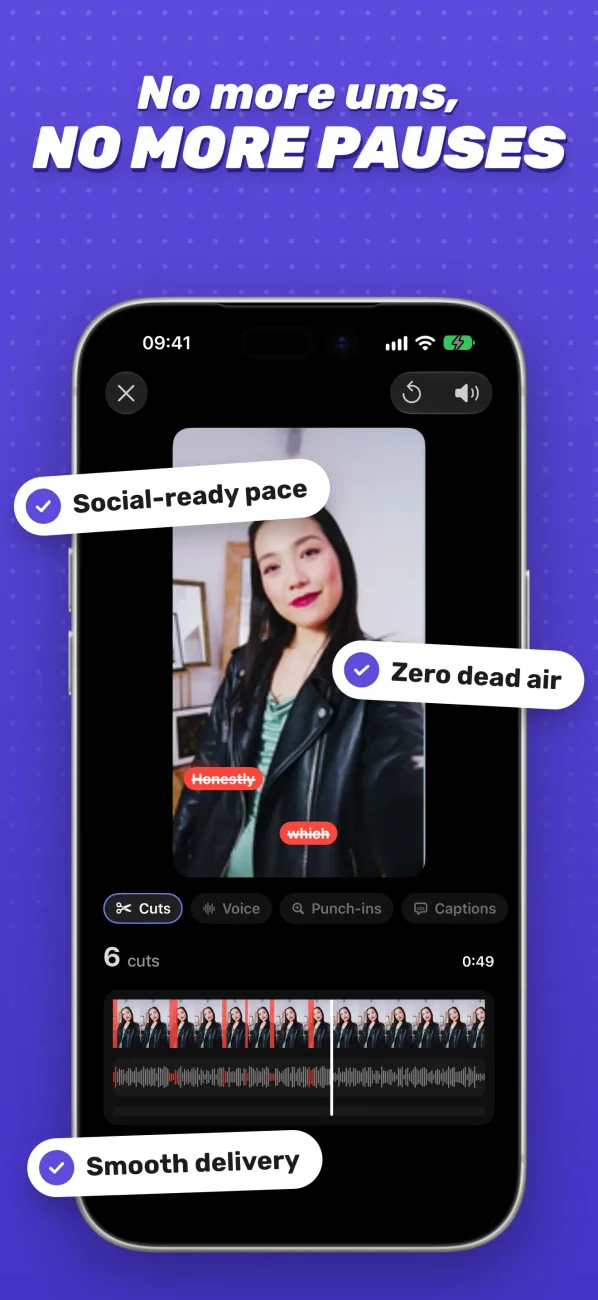
Record yourself talking. Ghost Editor edits the video before you open it: pauses, repeated lines, false starts and every "um" already gone. No timeline, ever.
Most videos where you talk to camera never get posted, because editing them takes longer than recording them. Ghost Editor does that part for you.
HOW IT WORKS
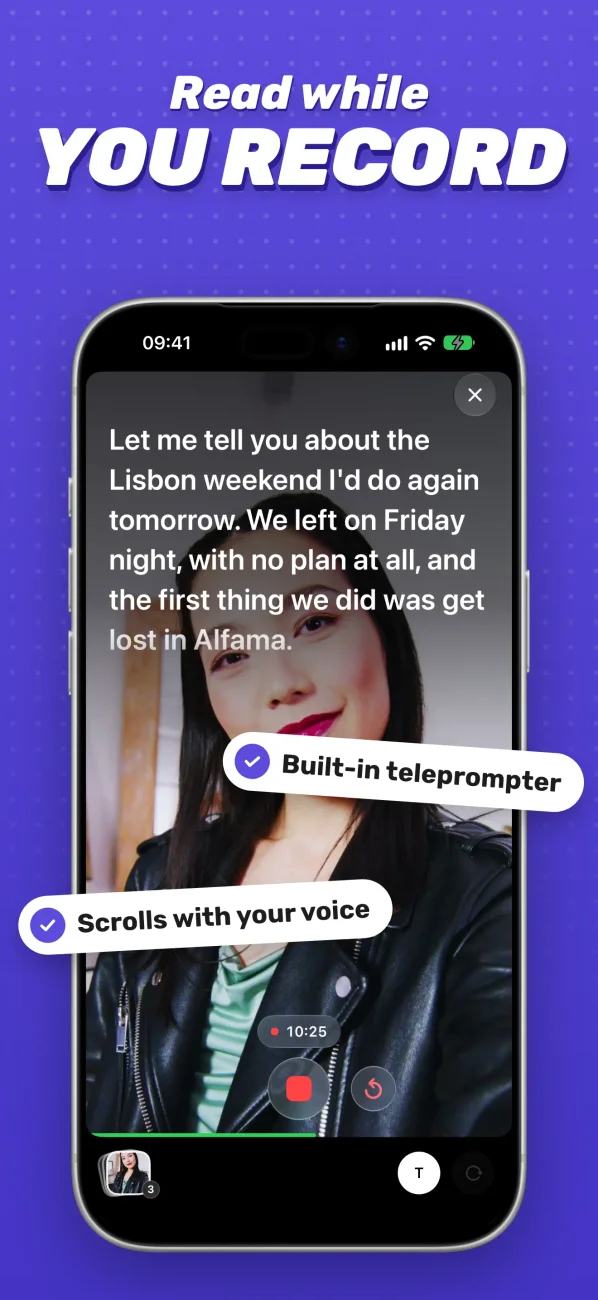
• Read your script on the built-in teleprompter while you record.
• Record in as many takes as you need. Ghost Editor joins them into one video.
• When you stop, Ghost Editor transcribes what you said and cuts the silences, the lines you said twice, the sentences you started over and the hesitations.
• You land on your words, already edited. Not on a timeline.
FIX IT BY EDITING TEXT
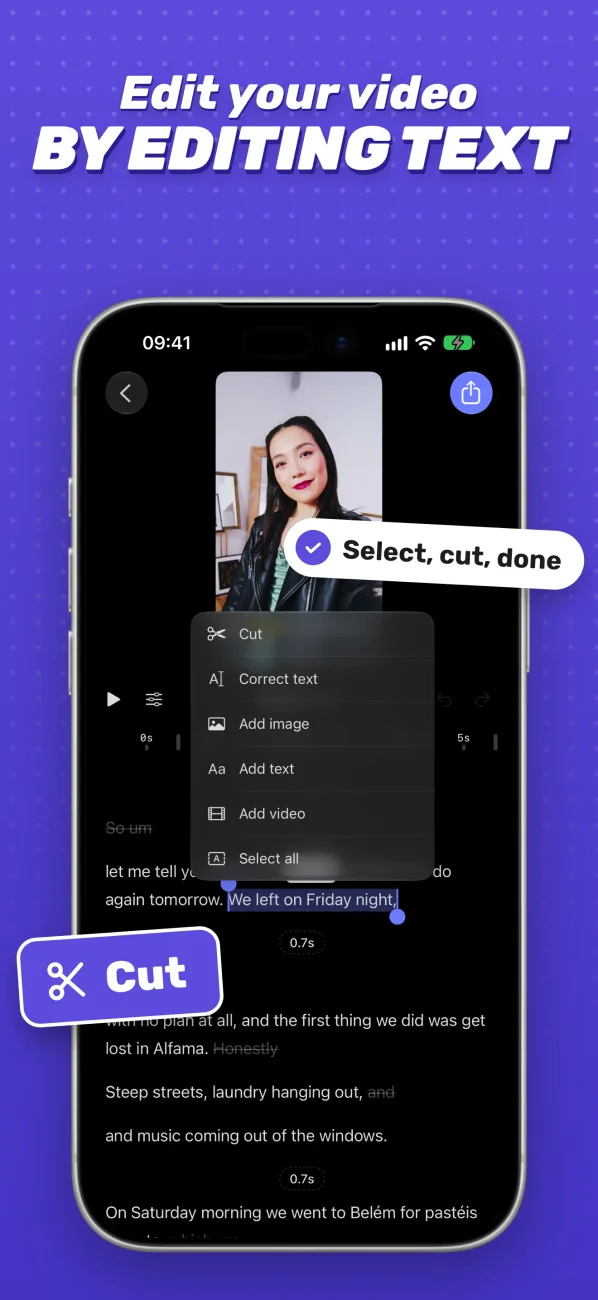
• Didn't like a sentence? Select it and tap Cut. The video is cut on the exact frame.
• A pause too short or too long? Adjust it, remove it, or bring it back.
• A word transcribed wrong? Correct the text without recording again.
ADD WHAT YOU NEED ON TOP
Select a phrase and add an image, a video clip or text on screen. It stays up for exactly as long as you say those words, and if you cut them later, it goes with them.
CAPTIONS, READY TO POST
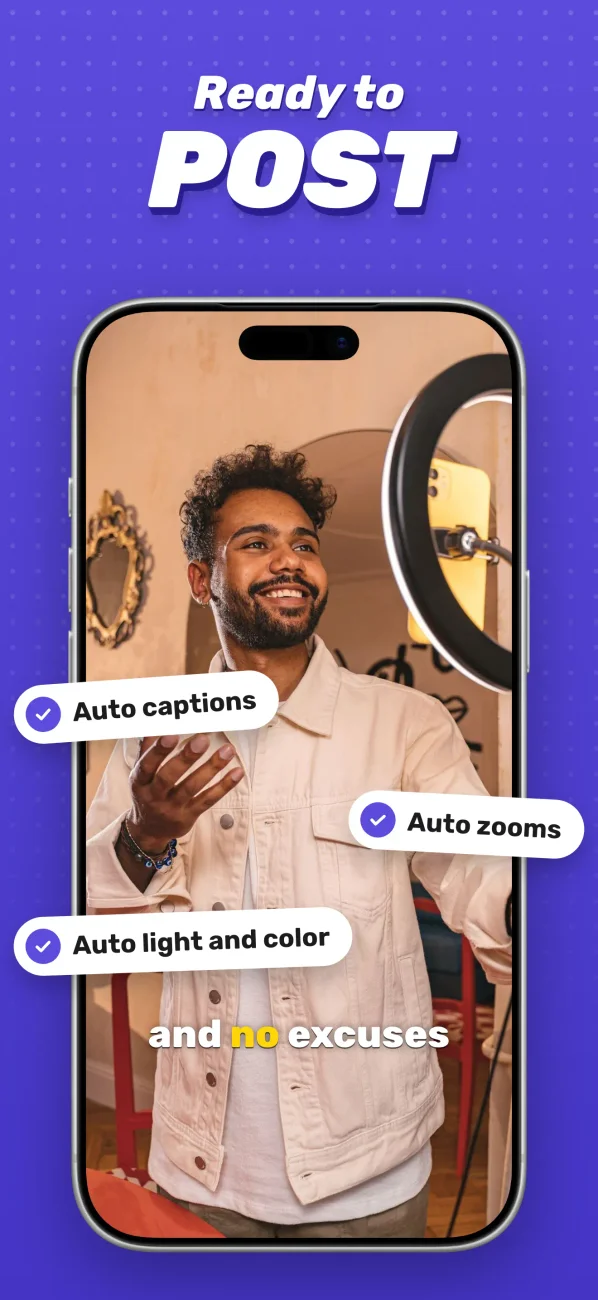
• Captions come from your own voice, already on the video.
• Drag them where you want them and pick the font.
• Export one finished file, captions included. Save it to Photos or share it straight away.
LANGUAGES
English, Spanish, French, German, Italian, Portuguese, Belarusian, Bosnian, Bulgarian, Catalan, Croatian, Czech, Danish, Dutch, Estonian, Finnish, Galician, Greek, Icelandic, Indonesian, Japanese, Kannada, Korean, Latvian, Macedonian, Malay, Malayalam, Norwegian, Polish, Romanian, Russian, Slovak, Swedish, Turkish, Ukrainian, Vietnamese.
FREE TO START
Your first 30 minutes of automatic editing are free, about ten videos.
GHOST EDITOR PRO
• Unlimited editing minutes
• Animated captions, word by word
• Automatic zooms
• Enhanced audio
• Background noise removed
• No watermark on videos
• 4K export
• Audio and transcript downloads
ACCOUNT
An account is required: sign in with Apple, Google or email. Your free minutes are kept on your account, and you can delete the account at any time from your profile.
SUBSCRIPTION
Ghost Editor Pro is available as a weekly or yearly auto-renewing subscription. Payment is charged to your Apple Account when you confirm the purchase. The subscription renews automatically unless it is cancelled at least 24 hours before the end of the current period, and your account is charged for renewal within 24 hours before that period ends. You can manage or cancel it from your profile in the app, or in your App Store account settings.
Terms of Use: https://ghosteditorapp.com/terms
Privacy Policy: https://ghosteditorapp.com/privacy
Yang baru
Versi 1.2 · 11/11/2026
Styles
Save the way you edit as a style: cuts, voice, captions, zooms and color. After each recording, pick a style and your video edits itself. You can also apply a style to a video you've already edited, from the editor's options. With Pro, styles are unlimited.
Watch what the app does to your video
After recording, watch the edit take shape one step at a time: the cuts, the enhanced voice, the zooms, the captions, the light and color. At the end, compare before and after.
Keeps working when you leave
Editing and exporting carry on even when you leave the app. On iOS 26, follow the progress in the Dynamic Island.
Also
• Sharper exported videos
• Bring text, photos and clips to the front or send them to the back
• Importing shows its progress and can be cancelled
• The screen stays on while the app edits or exports
Privasi aplikasi
Yang dinyatakan 28 BIT S.R.L. di App Store tentang cara aplikasi ini menangani data.
-
Data yang ditautkan dengan Anda
Dapat dikumpulkan dan ditautkan dengan identitas Anda.
- Pembelian
- Lokasi
- Info kontak
- Konten pengguna
- Pengenal
- Data penggunaan
-
Data yang tidak ditautkan dengan Anda
Dapat dikumpulkan, tetapi tidak ditautkan dengan identitas Anda.
- Diagnostik
Praktik privasi dapat bervariasi, misalnya berdasarkan fitur yang Anda gunakan atau usia Anda.
Informasi
- Penjual
- 28 BIT S.R.L.
- Kategori
- Foto & Video
- Versi
- 1.2
- Diperbarui
- 11/11/2026
- Dirilis
- 13/10/2026
- Ukuran
- 38,7 MB
- Memerlukan
- iOS 18 atau yang lebih baru
- Batasan usia
- 4+
- Harga
- Gratis
- Pembelian dalam aplikasi
- Ya
- Bahasa
- Inggris, Prancis, Jerman, Italia, Portugis, Spanyol
- Hak cipta
- © 2026 28 BIT S.R.L.
Mungkin Anda juga suka
-
 Lurk for TwitchFoto & Video
-
 PixelShot - Screenshot FinderFoto & Video
-
 Primecut: AI Video EditorFoto & Video
-
 eZy Watermark Photos ClassicFoto & Video
-
 Dualio - AI Video CreatorFoto & Video
-
 Kompres Video, Kecilkan UkuranKompres video, hemat memori
-
 Videomash: video & reel editorFoto & Video
-
 app Layar Hijau & Layar BiruChroma Key, punggung biru
-
 ContentCam: Kamera GandaSekali rekam, dua format