GoodEar Pro
Ear Training
Dirancang untuk iPhone, iPad, iPod touch
Gratis · Pembelian dalam aplikasi
- Batasan usia4+
- KategoriMusik
- PengembangPascal Weiss
- BahasaInggris
- Ukuran29,3 MB
Tertaut ke halaman resmi App Store
Download.org tidak menyimpan file GoodEar Pro apa pun. Tombol ini membuka halaman aplikasi di App Store, tempat Pascal Weiss menerbitkannya. Halaman terakhir diperiksa pada 12/11/2026.
Tangkapan layar

Tentang
Pengembang belum menyediakan teks ini dalam bahasa Anda.
Most ear-training apps are multiple-choice quizzes. You hear something, you tap a label. You get good at recognising labels.
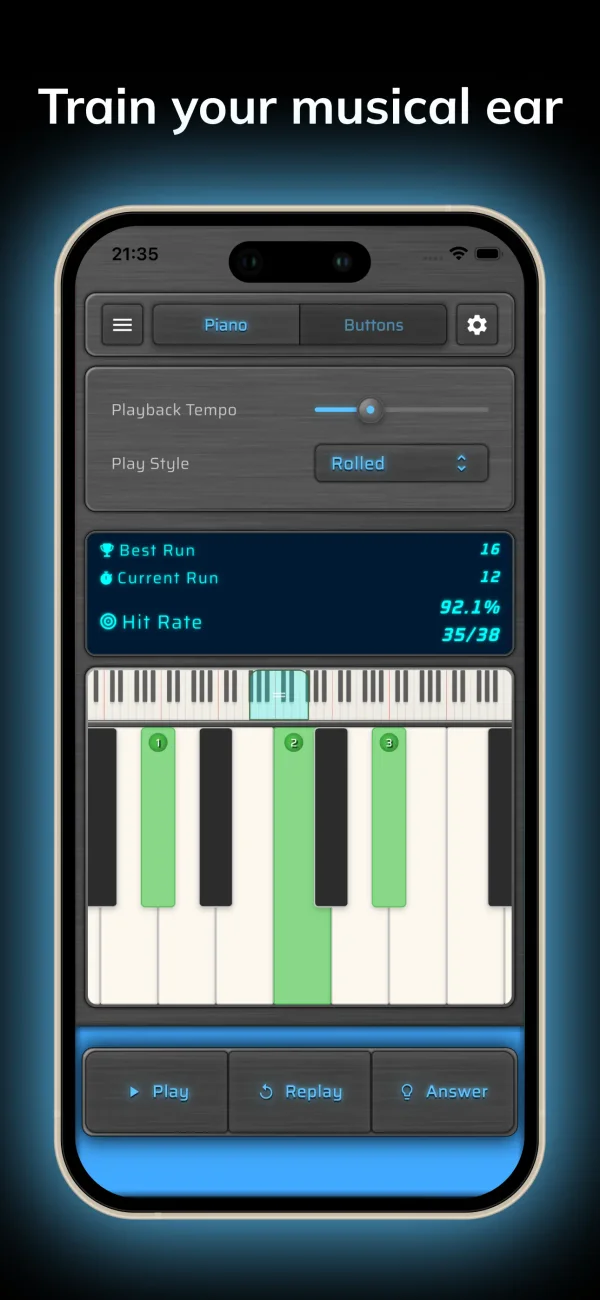
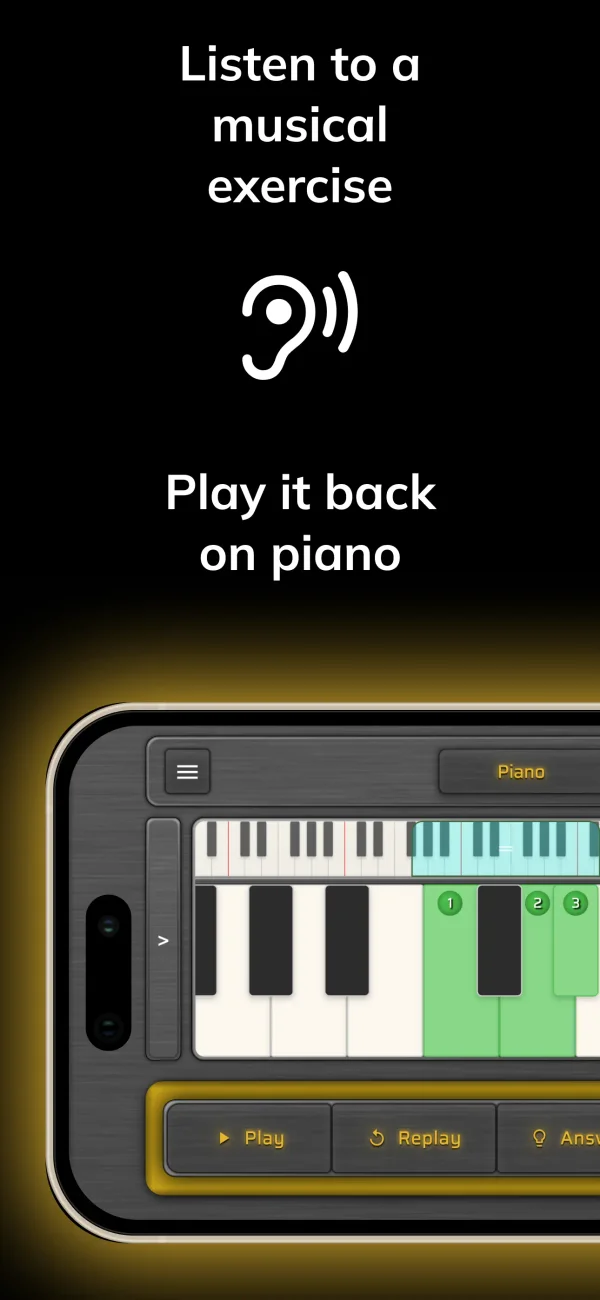
Good Ear is built for the other half of the skill. You hear an interval, a chord or a melody in real harmonic context, with the home chord ringing under it, and you play it back on a real piano keyboard. The same skill you use when you transcribe a solo, sing a part you've never seen, or hear a chord change for the first time.
WHO ACTUALLY USES GOOD EAR
• Self-taught musicians who've hit the plateau where their ears can't keep up with their playing
• College and conservatory students preparing for aural-skills, theory or entrance exams
• Jazz players, producers and session musicians who transcribe by ear
• Vocalists and instrumentalists learning to sing and play what they hear
• Teachers and educators looking for a structured aural-skills tool
THREE THINGS GOOD EAR DOES THAT MOST EAR TRAINERS DON'T
1. PLAY IT BACK ON A REAL KEYBOARD
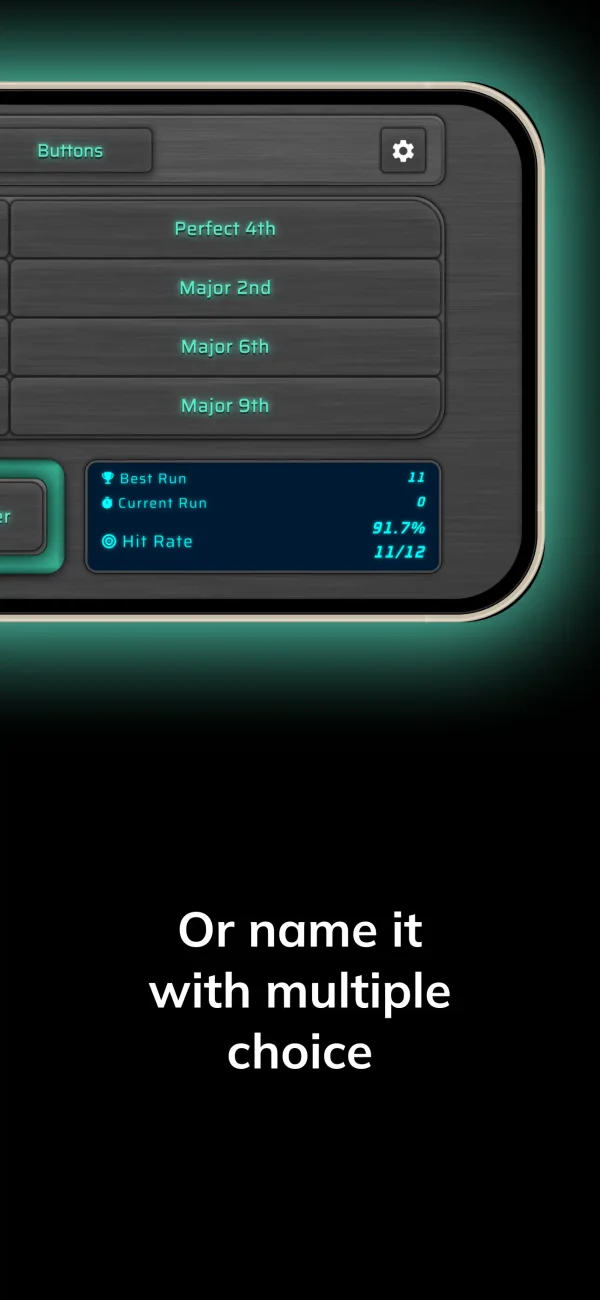
A scrollable 88-key piano with an overview bar, touch highlighting and multi-touch: the same input method a musician would use at an instrument. Multiple-choice mode is there too if you want fast recognition drills, and you can switch between them at any time. But Melodies mode is keyboard-input only, exactly like dictation in an aural-skills class.
2. HEAR IT IN REAL HARMONIC CONTEXT
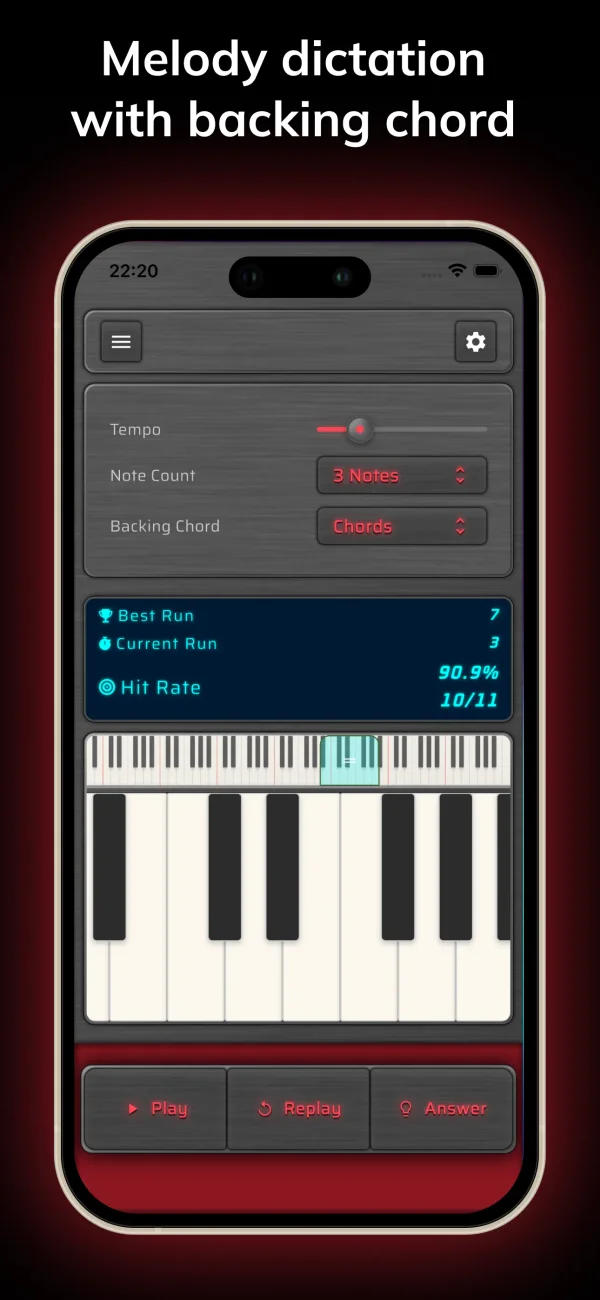
Add a backing chord to interval and melody exercises. The three chord tones light up on the keyboard so you can see the tonal centre you are hearing, and you can tap them to explore the harmony without affecting your answer. Functional hearing, not abstract pitch detection.
3. DEPTH YOU WILL NOT OUTGROW
No "complete level 1 to unlock level 2." You pick exactly what you train, and the material goes deeper than most ear trainers ever bother:
• 24 intervals, from unison to compound 14ths
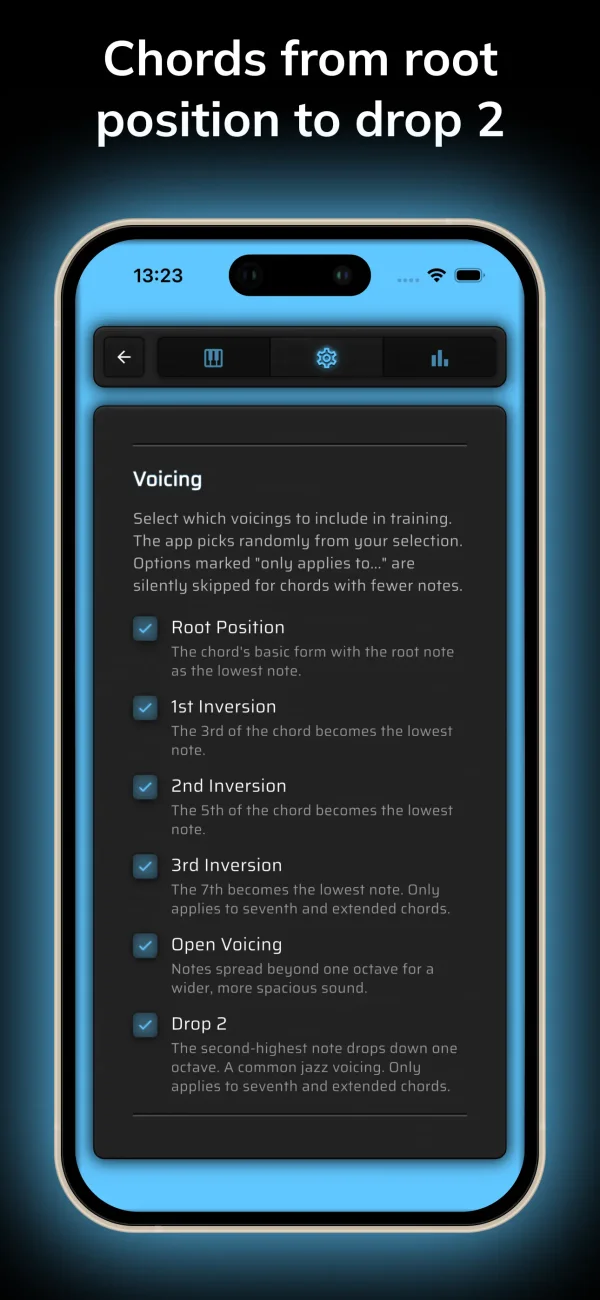
• 39 chord types (triads, seventh chords, extended chords, altered dominants) across root position, first through third inversions, open voicing and Drop 2, for 200+ unique variations
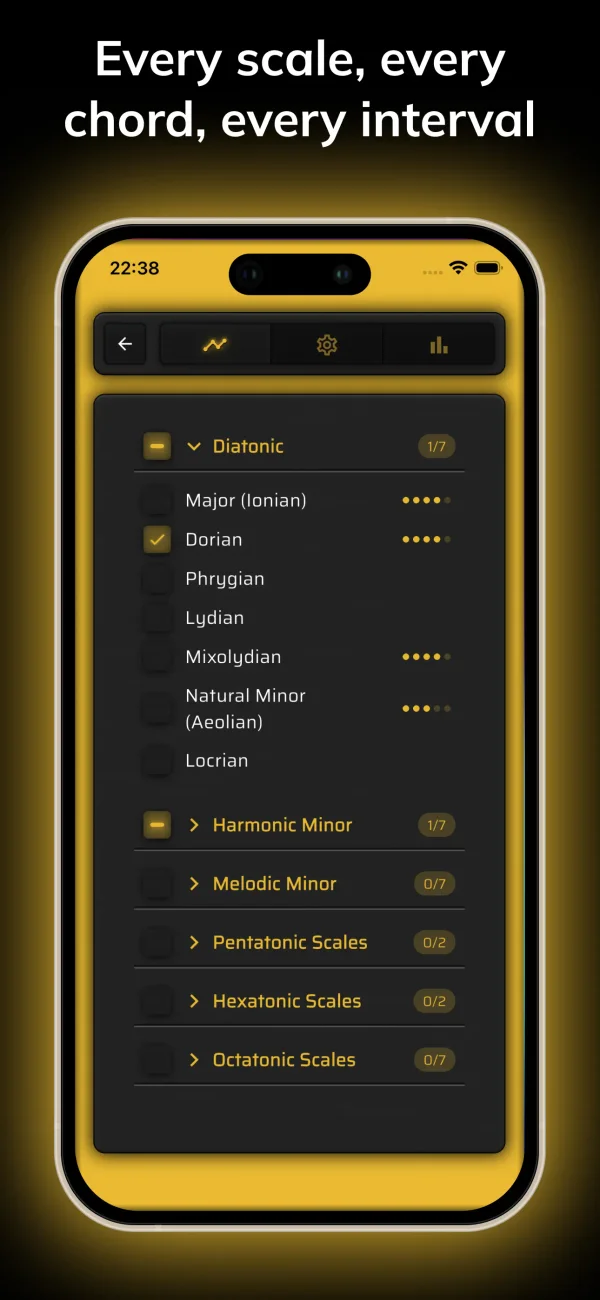
• 32 scales across six families: diatonic modes, harmonic minor modes, melodic minor modes, plus pentatonic, hexatonic and octatonic (whole tone, diminished, bebop included)
• Melodic dictation on melodies of 3 to 11 notes, diatonic or chromatic, three difficulty levels, optional chord backing
From your first major scale to your last bebop mode, in one app.
CONFIGURE EVERY DETAIL
Adjust tempo, playback direction, voicing, inversion, play style, difficulty, melody length, octave range and harmonic backing. Pick exactly which intervals, chords or scales each session contains. The app adapts to your level, so you don't have to grind through someone else's curriculum.
KEEP TRACK OF YOUR PROGRESS
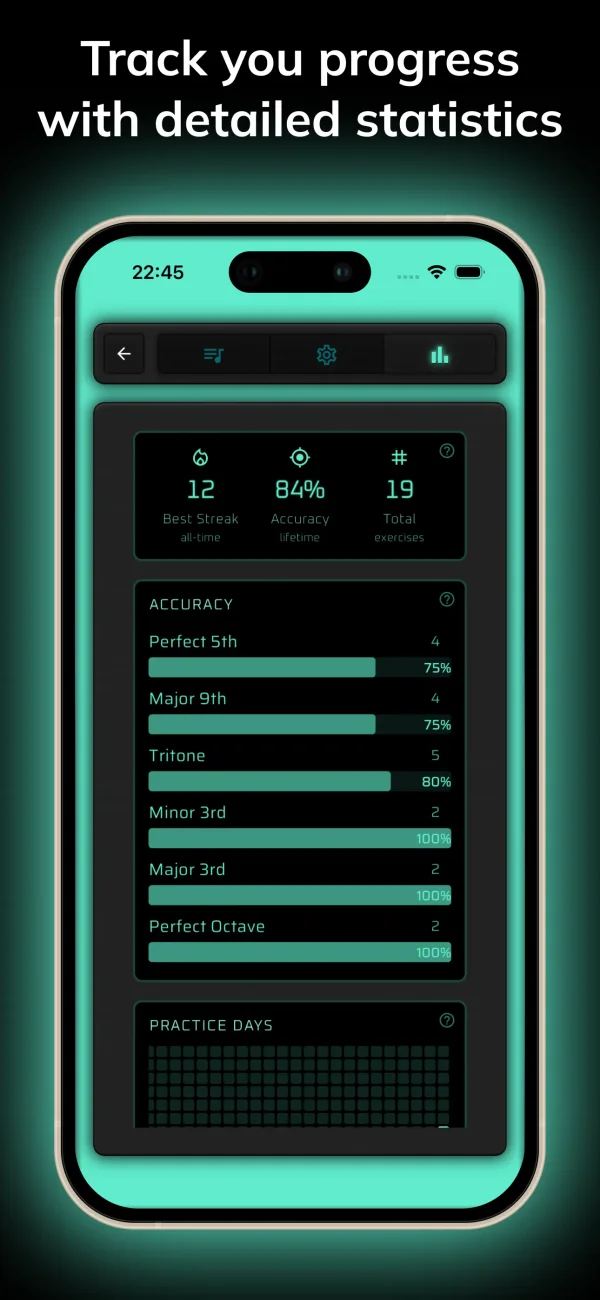
Per-element accuracy bars sorted weakest-first show you at a glance which intervals, chords or scales need attention. A 52-week heatmap tracks your practice days, and session records keep your best streak, lifetime accuracy and total exercises. Honest progress data: no badges, no fake levels.
A DARK, PROFESSIONAL INTERFACE
No ads. No distractions. No sign-in. The keyboard is fast, the typography is clean, and nothing gets between you and the next exercise.
GET STARTED
Free to download, with a free practice tier and a three-day trial of everything that starts whenever you choose. Unlock the entire library forever with a one-time Lifetime purchase.
Open-source acknowledgements: good-ear.app/acknowledgements
Terms of Use (EULA): https://www.apple.com/legal/internet-services/itunes/dev/stdeula/
Privacy Policy: https://good-ear.app/privacy/
Yang baru
Versi 2.0.5 · 7/10/2026
More ways to practise.
WHAT'S NEW:
- Chords can vary the play style for you: block, rolled or arpeggio, picked anew for every exercise. Pick Random in Chords, Options, Play Style.
- The piano keeps playing when you plug in or unplug headphones.
- Good Ear comes to rest when you stop, so an open app no longer drains the battery.
- You can always practise, even with nothing selected. The app tells you when it picks the exercises for you.
- Rate Good Ear or recommend it to a friend from any mode's Options.
- New to Good Ear? The three-day trial of everything now starts when you choose, not on first launch.
Happy practising.
Privasi aplikasi
Yang dinyatakan Pascal Weiss di App Store tentang cara aplikasi ini menangani data.
-
Data tidak dikumpulkan
Pengembang tidak mengumpulkan data apa pun dari aplikasi ini.
Praktik privasi dapat bervariasi, misalnya berdasarkan fitur yang Anda gunakan atau usia Anda.
Informasi
- Penjual
- Pascal Weiss
- Kategori
- Musik
- Versi
- 2.0.5
- Diperbarui
- 7/10/2026
- Dirilis
- 2/10/2012
- Ukuran
- 29,3 MB
- Memerlukan
- iOS 15.0 atau yang lebih baru
- Batasan usia
- 4+
- Harga
- Gratis
- Pembelian dalam aplikasi
- Ya
- Bahasa
- Inggris
- Hak cipta
- © Pascal Weiß