
Haru Booth
Photo Booth for Events
Dirancang untuk iPhone, iPad, Mac, iPod touch
Gratis · Pembelian dalam aplikasi
- Batasan usia4+
- KategoriFoto & Video
- PengembangAljohn Paul Barundia
- BahasaInggris
- Ukuran499,5 MB
Tertaut ke halaman resmi App Store
Download.org tidak menyimpan file Haru Booth apa pun. Tombol ini membuka halaman aplikasi di App Store, tempat Aljohn Paul Barundia menerbitkannya. Halaman terakhir diperiksa pada 13/11/2026.
Tangkapan layar

Tentang
Pengembang belum menyediakan teks ini dalam bahasa Anda.
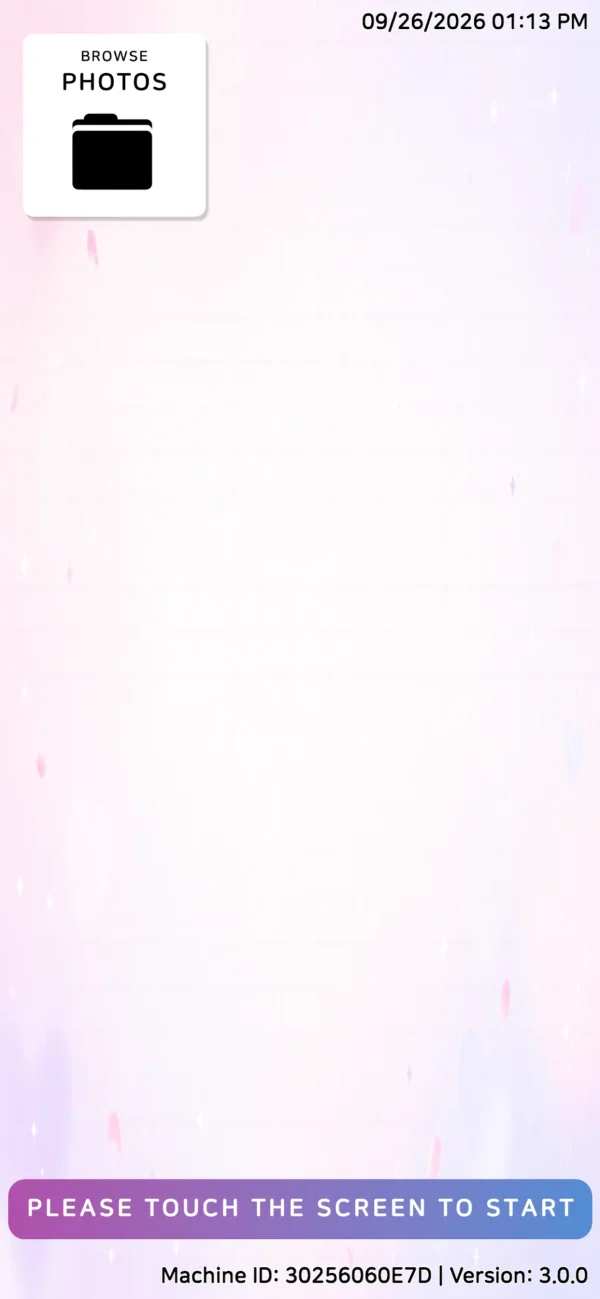
Haru Booth turns your iPhone or iPad into a customizable photo booth for events, parties, weddings, celebrations, businesses, and self-service photo booth setups.
Create personalized photo and video experiences using customizable templates, layouts, Special Frames, Flipbooks, stickers, filters, and touch-friendly controls designed for guests of all ages.
Haru Booth includes:
• Custom photo booth templates and frames
• Full-print, collage, and photo strip layouts
• Special Frame photo experiences
• Flipbook photo and video experiences
• Built-in Flipbook Editor
• Video Guest Book for recording personal video messages
• Photo Keychain layouts for supported workflows
• Stickers and photo effects
• Beauty enhancements and color filters
• Portrait and landscape layouts
• Built-in iPhone and iPad camera support
• Support for selected compatible Canon and Nikon cameras
• QR photo and video sharing
• Local photo and video saving
• Direct printing with supported photo printers
• Event and self-service photo booth workflows
• Customizable photo slots, text, backgrounds, and layouts
• Touch-friendly Template Editor
• AI portrait features
• Photo enhancement tools
• Countdown and automatic capture workflows
• Voucher payment support
• Scan-to-Pay support for compatible payment configurations
• Multiple currency options
• In-app subscriptions and purchases for additional features
Create a different experience for every event. Guests can take traditional photo booth pictures, create photo strips and collages, capture Special Frames, make Flipbooks, create Photo Keychain prints, or leave personal messages using Video Guest Book.
Haru Booth is designed for both attended events and self-service photo booth setups. Operators can customize the experience to match an event, business, brand, celebration, or client.
The built-in editors allow operators to prepare and customize templates and Flipbook designs directly on supported iPhone and iPad devices, making it easier to create unique experiences without relying on a separate editing application.
Some features require an active subscription or a separate in-app purchase. AI portrait generation requires AI credits, which are available through in-app purchase.
Camera, printing, payment, sharing, and other hardware-related features may require compatible devices, accessories, services, or network connectivity. Availability of some features may depend on the selected hardware and configuration.
Haru Booth is designed for creating and operating customizable photo booth experiences directly from supported iPhone and iPad devices.
Terms of Use (EULA):
https://www.apple.com/legal/internet-services/itunes/dev/stdeula/
Yang baru
Versi 4.0.8 · 11/11/2026
What's New in This Version
Haru Booth continues to improve! This update brings new features, better customization, and a smoother photobooth experience.
New Features
- Added photo retakes with customizable credits.
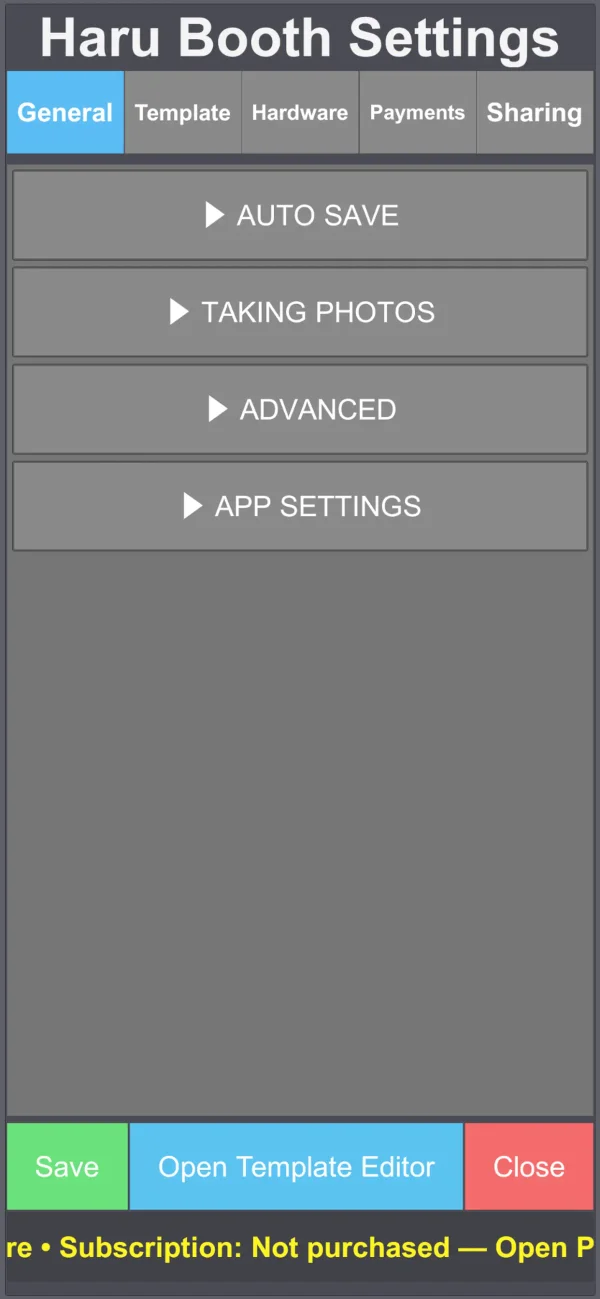
- Expanded Template Editor to 30 frames.
- Added Double Template Shots support.
- Added full-screen camera preview.
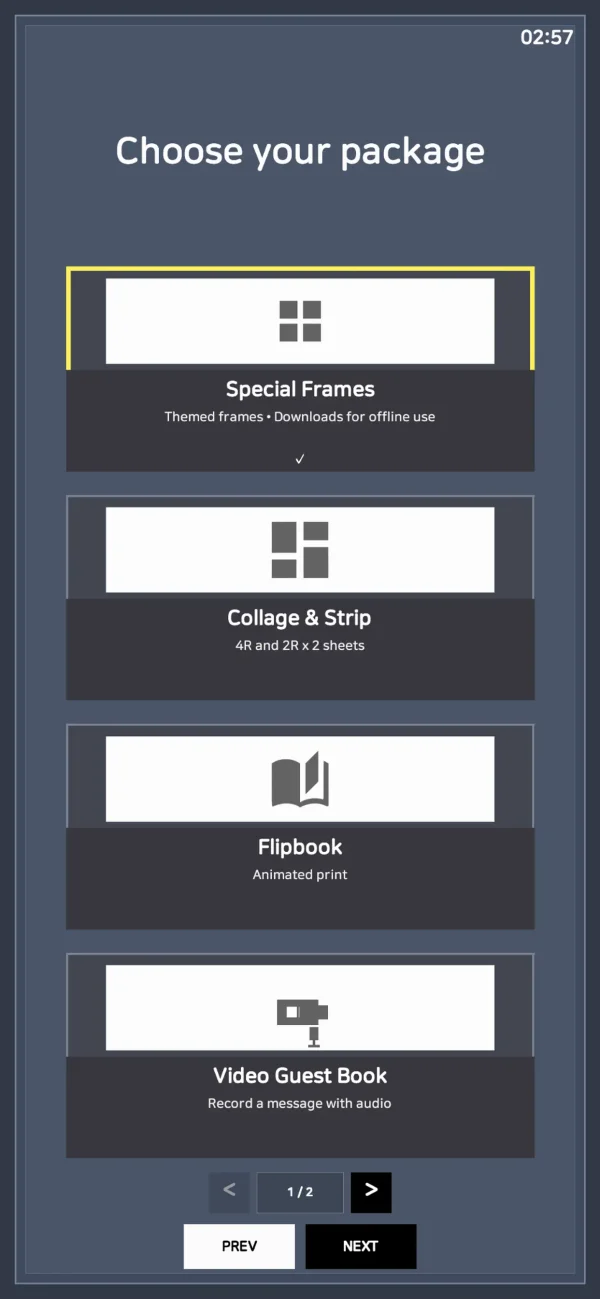
- Automatically skips Package Selection when only one package is enabled.
- Added Collage & Strip package toggle.
- Improved admin settings and controls.
Customization & UI
- Improved theme colors and dark mode.
- Added AI Portrait footer customization.
- Improved portrait and landscape layouts.
- Improved buttons, navigation, and touchscreen controls.
Special Frames & Templates
- Automatically selects the first Special Frame.
- Fixed Special Frame positioning issues.
- Improved frame downloading and loading.
- Improved Template Editor and paper orientation.
Photo Experience
- Improved photo retake and selection controls.
- Improved countdown and page timers.
- Improved camera preview and photo processing.
Printing & Connectivity
- Improved Haru Booth Assistant compatibility.
- Improved printer setup and connection reliability.
- Improved photo and strip printing.
Performance & Stability
- Optimized performance and resource usage.
- Improved camera stability.
- Fixed UI issues and various bugs.
Thank you for using Haru Booth! We're continuously making your photobooth experience better.
Privasi aplikasi
Yang dinyatakan Aljohn Paul Barundia di App Store tentang cara aplikasi ini menangani data.
-
Data yang ditautkan dengan Anda
Dapat dikumpulkan dan ditautkan dengan identitas Anda.
- Pembelian
- Konten pengguna
- Pengenal
Praktik privasi dapat bervariasi, misalnya berdasarkan fitur yang Anda gunakan atau usia Anda.
Informasi
- Penjual
- Aljohn Paul Barundia
- Kategori
- Foto & Video
- Versi
- 4.0.8
- Diperbarui
- 11/11/2026
- Dirilis
- 23/9/2026
- Ukuran
- 499,5 MB
- Memerlukan
- iOS 15.0 atau yang lebih baru
- Batasan usia
- 4+
- Harga
- Gratis
- Pembelian dalam aplikasi
- Ya
- Bahasa
- Inggris
- Hak cipta
- © 2026 App Master Box
Mungkin Anda juga suka
-
 FlashBooth: Party Photo BoothFoto & Video
-
 Wecheerup Totem BoothFoto & Video
-
 Soura BoothFoto & Video
-
 perapic: Foto Gaya StrukPhotobooth Korea, edit foto
-
 MultiEdit: Edit Foto SekaligusEdit Massal & Edit dengan AI
-
 Receipt Camera+Foto & Video
-
 ReTouchFlowFoto & Video
-
 GalaBooth – Event Selfie BoothFoto & Video
-
 Confetto - Party Photo BoothFoto & Video
-
 AmBooth: Receipt PhotoboothFoto & Video