Hex NFC: Reader & Writer
Tag Scanner and Programmer
Dirancang untuk iPhone
Gratis
- Batasan usia4+
- KategoriKegunaan
- PengembangHex Pro
- BahasaInggris+ 6 lainnya
- Ukuran7,1 MB
Tertaut ke halaman resmi App Store
Download.org tidak menyimpan file Hex NFC: Reader & Writer apa pun. Tombol ini membuka halaman aplikasi di App Store, tempat Hex Pro menerbitkannya. Halaman terakhir diperiksa pada 15/11/2026.
Tangkapan layar
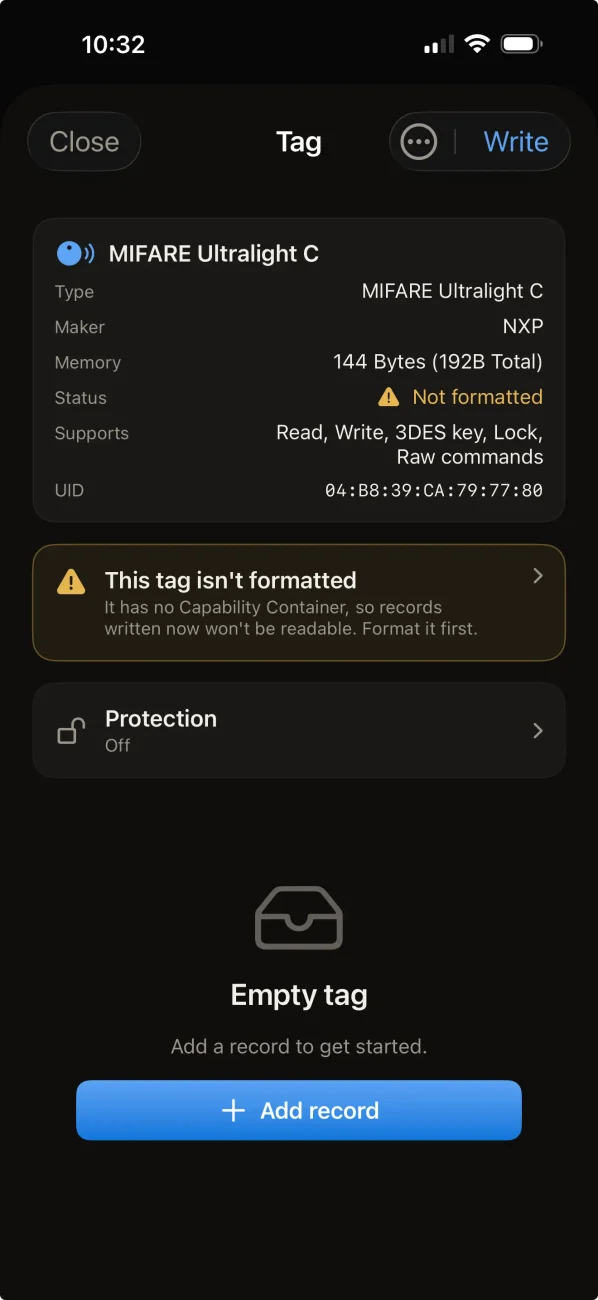
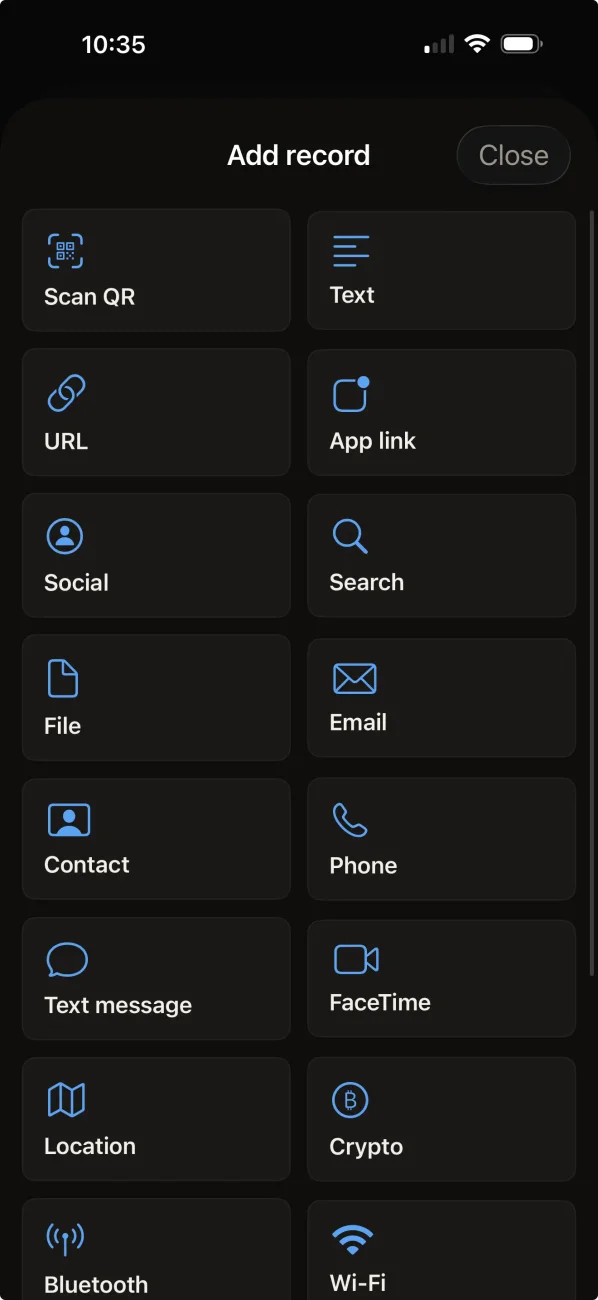
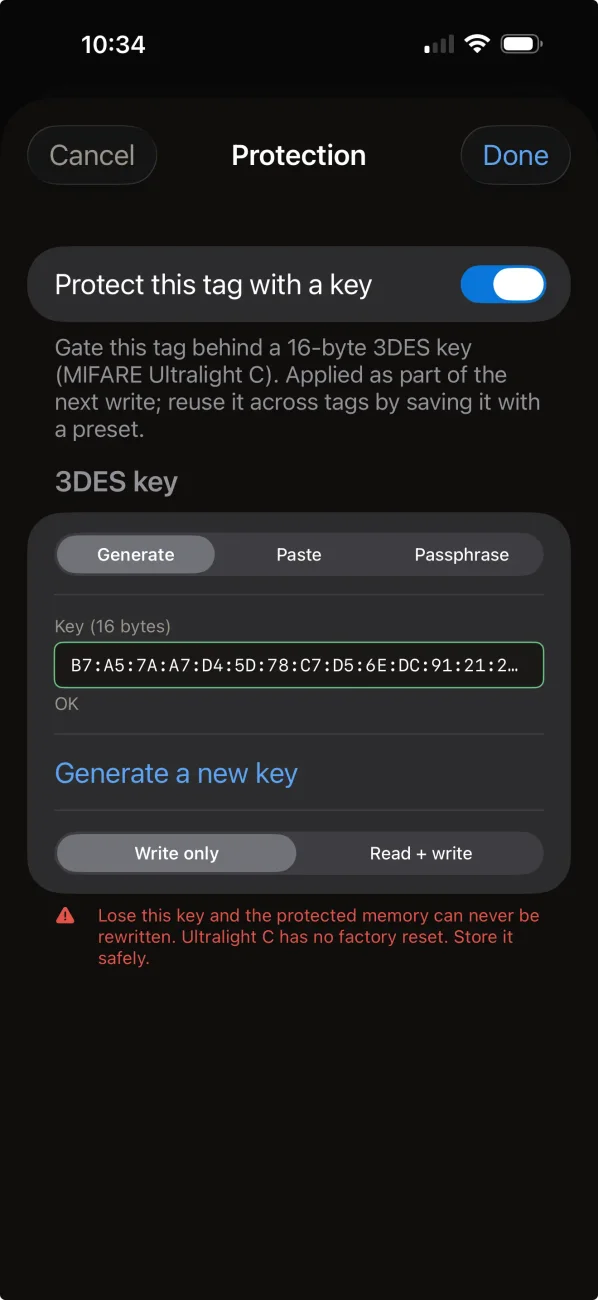
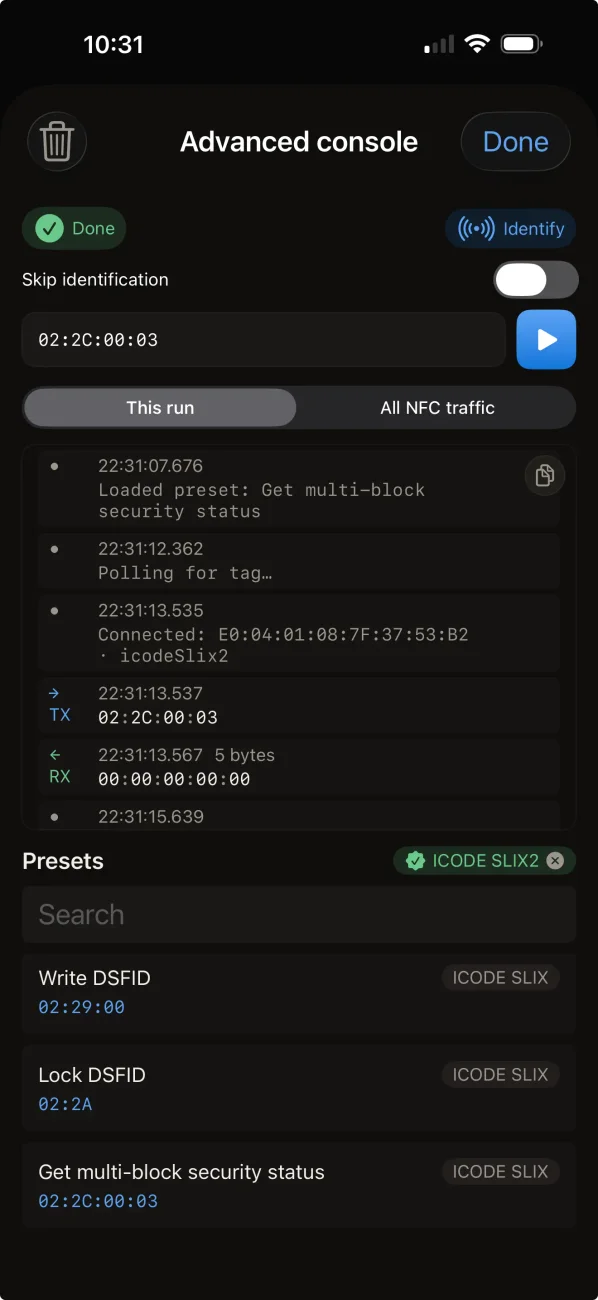
Tentang
Pengembang belum menyediakan teks ini dalam bahasa Anda.
The ultimate NFC toolkit, for FREE! Hex NFC brings the power of the iPhone's full capabilities to you in a professional-grade package for zero cost.
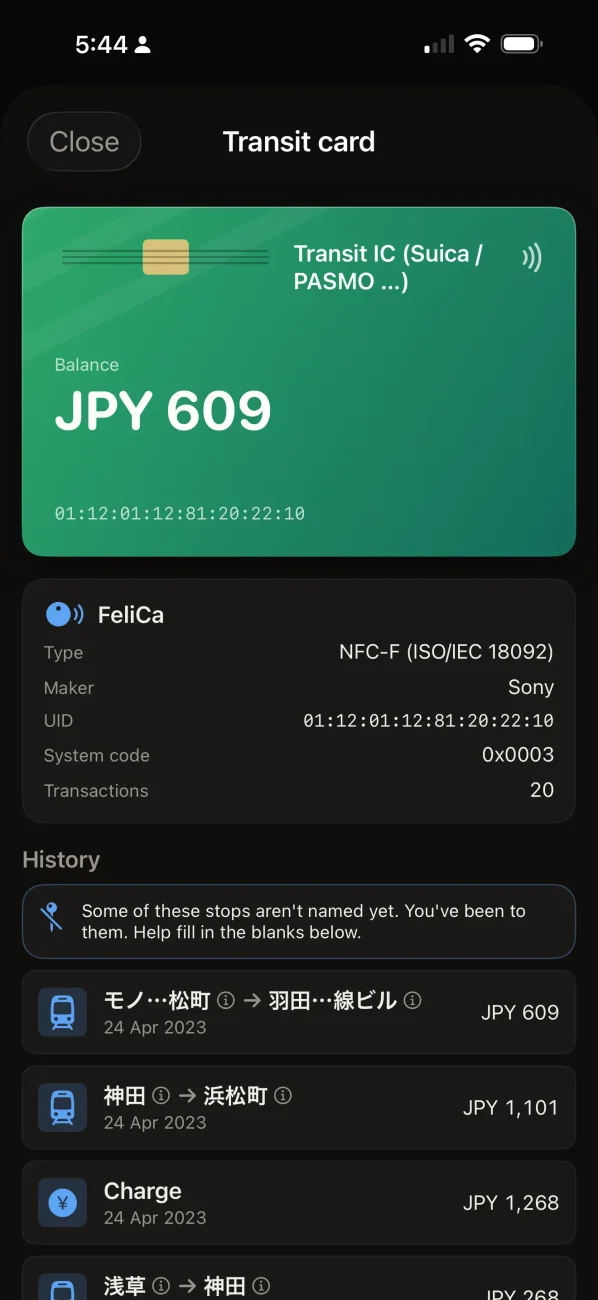
Along with full support for practically every NFC chip currently available, Hex NFC also supports scanning of transit cards like PASMO/Suica and modern passport chips. A passport's chip opens only with the number and dates from its photo page: type them in, or let the camera read them. The image is read on your iPhone and never kept.
We've gone to great lengths to utilise every capability the iPhone has to offer, to give users the one NFC app they'll ever need.
Supported and tested on real silicon:
- NTAG210μ, NTAG213, NTAG216, NTAG424 DNA
- MIFARE Ultralight EV1, MIFARE Ultralight C
- MIFARE DESFire EV3
- ICODE SLIX, ICODE SLIX2
- FeliCa (Japanese transit cards, PASMO/Suica)
- eMRTD / ICAO 9303 (Modern passports)
Many other NFC chips of similar types (e.g. NTAG215) are supported as well. A number of them have been tested on our own simulators, and we will confirm them on real silicon as chips become available. Type 4 tags from makers other than NXP can be read and written too, and so can a phone set up to act as a tag. The chip support matrix in our online documentation shows what has been confirmed for each chip.
Confirmed Unsupported (iPhone can not scan):
- MIFARE Classic EV1
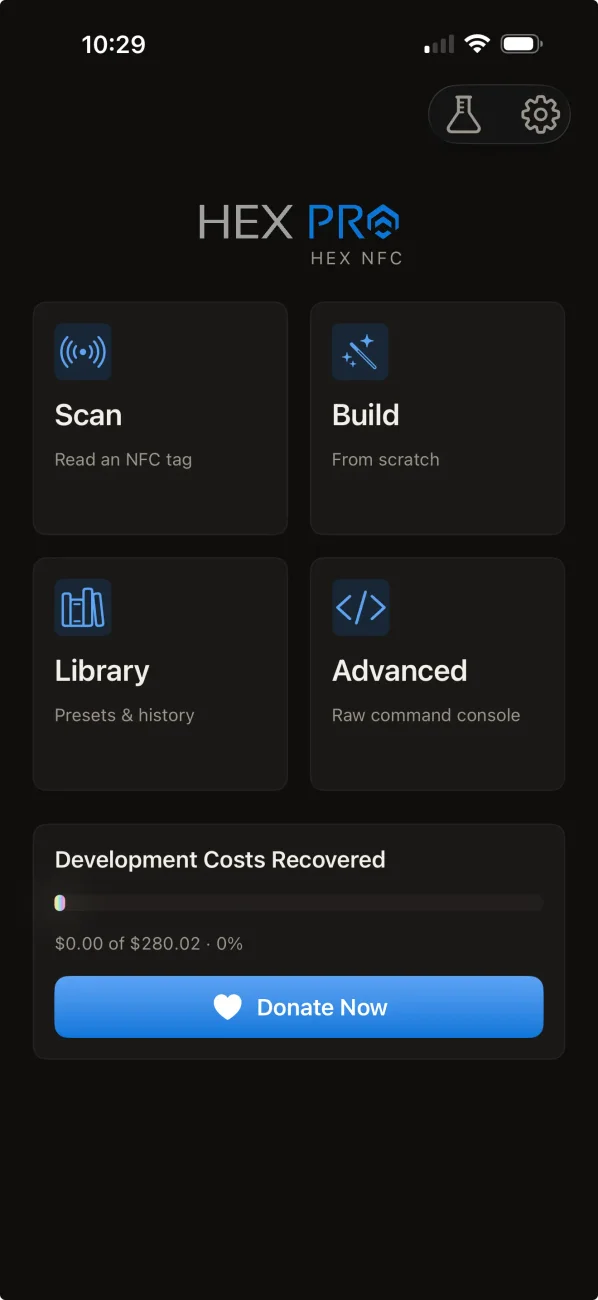
The app allows you to perform essentially any action an NFC chip can receive including:
- Read
- Write records (Text, URL, Social Media Link, Search Engines, Files, Email, Contacts, Phone Number, Text Message, FaceTime, Map Location, Crypto Link, Wi-Fi Access)
- Password Protect (Write only or full read/write), Incorrect Password Limits (permanent lock), 3DES and AES encryption
- Memory Dump
- Set up a blank MIFARE DESFire EV1, EV2 or EV3 card as an NDEF tag, then read and write it like any other tag (confirmed on EV3 so far)
- Destructive & Irreversible Actions: Erase, Format, Permanent Lock, Remove NDEF setup
- Advanced (APDU) Console for advanced users
Quality of life features:
- Pre-build a chip profile, then write it to as many cards as you need, one tap at a time
- Save presets for later writes or overwrites
- Review and reuse historical chip states
- Lock and protection changes are checked by reading the chip back where possible, rather than trusting an ACK
Warning: This app includes a number of dangerous features that could render your chip permanently disabled. They are clearly marked and warned against, you won't be able to do it by accident as they require you to input the chip's UID to perform. However we take no responsibility for unintentional or intentional damage to your chips. Use irreversible actions at your own risk.
Yang baru
Versi 1.0.2 · 2/11/2026
- A passport's chip opens only with the number and dates from its photo page, and now the camera can fill them in. When the app asks for them, choose Scan photo page, line the page up with the outline on screen, then check what the camera read. The image is read on your iPhone and never kept. Typing them in still works.
- A blank MIFARE DESFire EV1, EV2 or EV3 card can now be set up as an NDEF tag with Format, then read and written like any other tag. So far this is confirmed on EV3 cards. Remove NDEF setup, under Dangerous Actions, takes a card set up this way back to blank. A card that is already in use, such as a transit or access card, is refused and left untouched.
- Type 4 tags from makers other than NXP are now found, where before the scan sheet kept waiting. They can be read and written, and so can a phone set up to act as a tag. So far this has been checked with a phone acting as a tag, not yet with a physical one.
- Send Feedback, in Settings, sends a message straight to us. The form shows the details that go with it (app version, iOS version, device model and language), and nothing from your tags or history is included. Rate Hex NFC is in Settings too, and a Docs button on the home screen opens the online documentation.
- Chinese travel permits now show the right details, under the heading Travel permit. They used to be read as identity cards, which put letters in the date of birth and cut the document number in half.
- Typing a document number longer than nine characters, as on a Belgian identity card, no longer cuts it short.
- Pressing Write straight after swiping away a tag's last record no longer closes the app on iOS 27.
Privasi aplikasi
Yang dinyatakan Hex Pro di App Store tentang cara aplikasi ini menangani data.
-
Data tidak dikumpulkan
Pengembang tidak mengumpulkan data apa pun dari aplikasi ini.
Praktik privasi dapat bervariasi, misalnya berdasarkan fitur yang Anda gunakan atau usia Anda.
Informasi
- Penjual
- Ars Vitae Pty Ltd
- Kategori
- Kegunaan
- Versi
- 1.0.2
- Diperbarui
- 2/11/2026
- Dirilis
- 15/10/2026
- Ukuran
- 7,1 MB
- Memerlukan
- iOS 17.0 atau yang lebih baru
- Batasan usia
- 4+
- Harga
- Gratis
- Bahasa
- Inggris, Arab, Prancis, Jepang, Portugis, Tionghoa Sederhana, Spanyol
- Hak cipta
- © 2026 Ars Vitae Pty Ltd