
hey! - Screen Time Control
Attention, Focus, ADHD Friend
Dirancang untuk iPhone
Gratis · Pembelian dalam aplikasi
- Batasan usia4+
- KategoriProduktivitas
- PengembangX1 Consulting LLC
- BahasaInggris
- Ukuran41,7 MB
Tertaut ke halaman resmi App Store
Download.org tidak menyimpan file hey! - Screen Time Control apa pun. Tombol ini membuka halaman aplikasi di App Store, tempat X1 Consulting LLC menerbitkannya. Halaman terakhir diperiksa pada 20/11/2026.
Tangkapan layar

Tentang
Pengembang belum menyediakan teks ini dalam bahasa Anda.
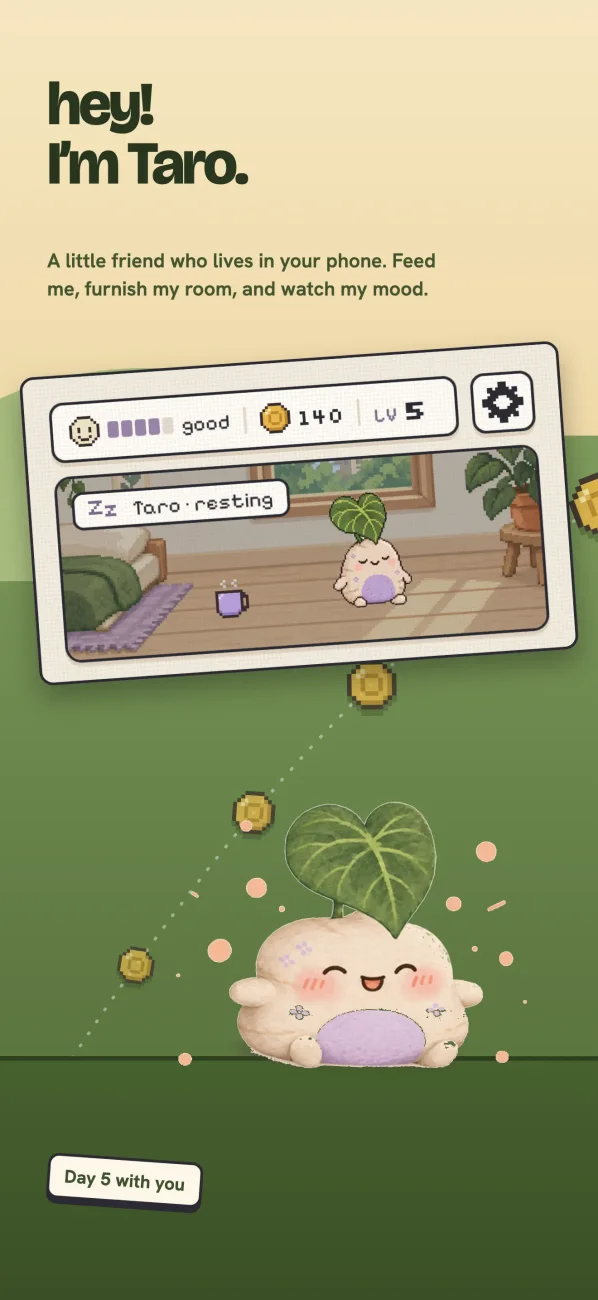
You opened your phone to check one thing. Somehow, you're still here.
hey! is a little taro pal called Taro. He lives in a room on your phone
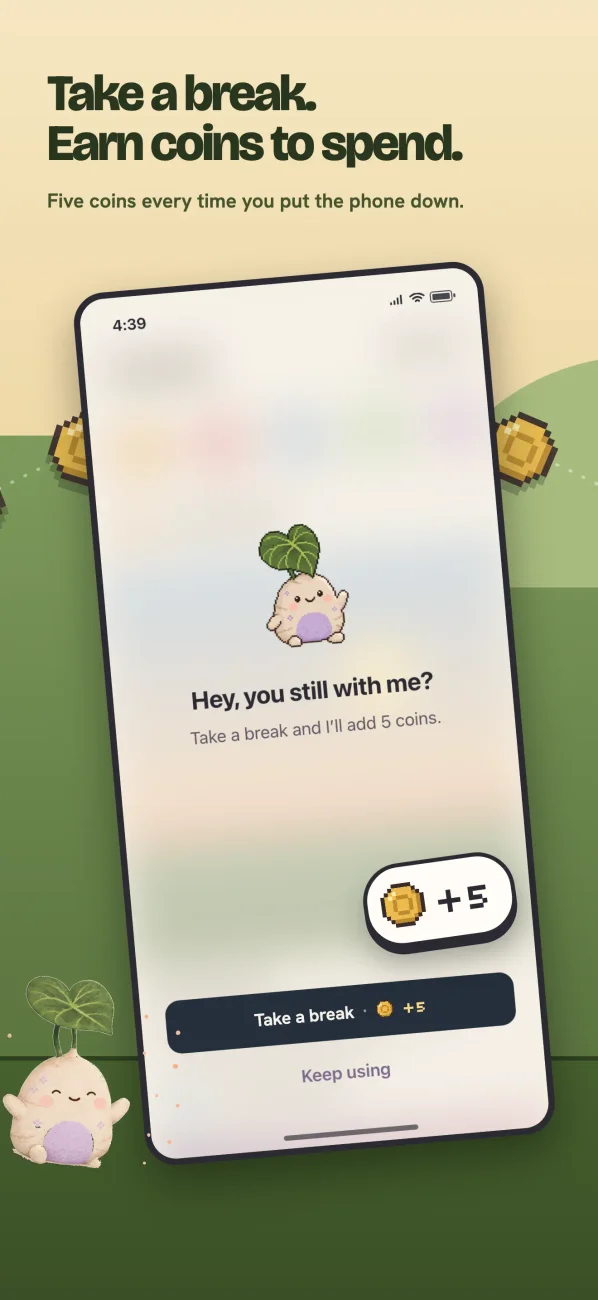
and watches only the apps you choose. When time in them runs long, he
asks: "Hey, you still with me?"
Take a break and he adds 5 coins. Keep using and he steps out of the
way. Nothing is ever locked.
MEET TARO
Taro's mood goes okay, good, glowing. Breaks lift it, snacks lift it,
and it drifts back to okay on its own — it never drops lower. There's
nothing you can do to make it worse, and nothing to lose by coming back
after a week away. Check in with your own mood any time; Rhythm
remembers it.
COINS FOR EVERY BREAK
Every break you take earns 5 coins, and the check-in says so before you
choose. Coins do one thing: they buy things for Taro.
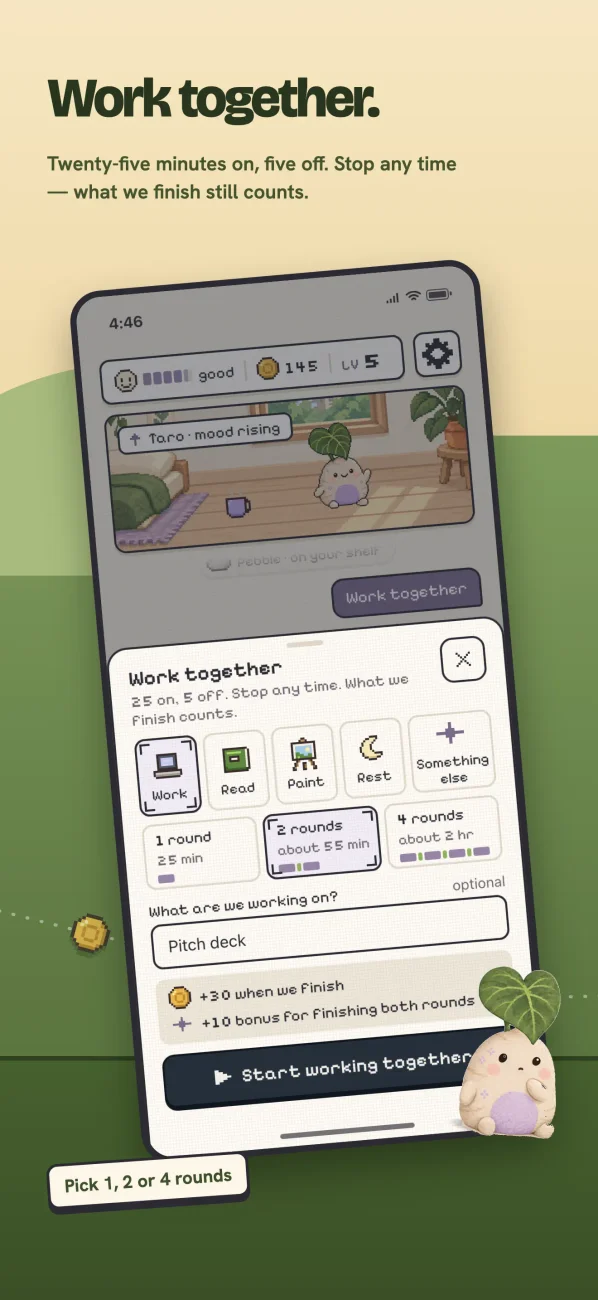
WORK TOGETHER
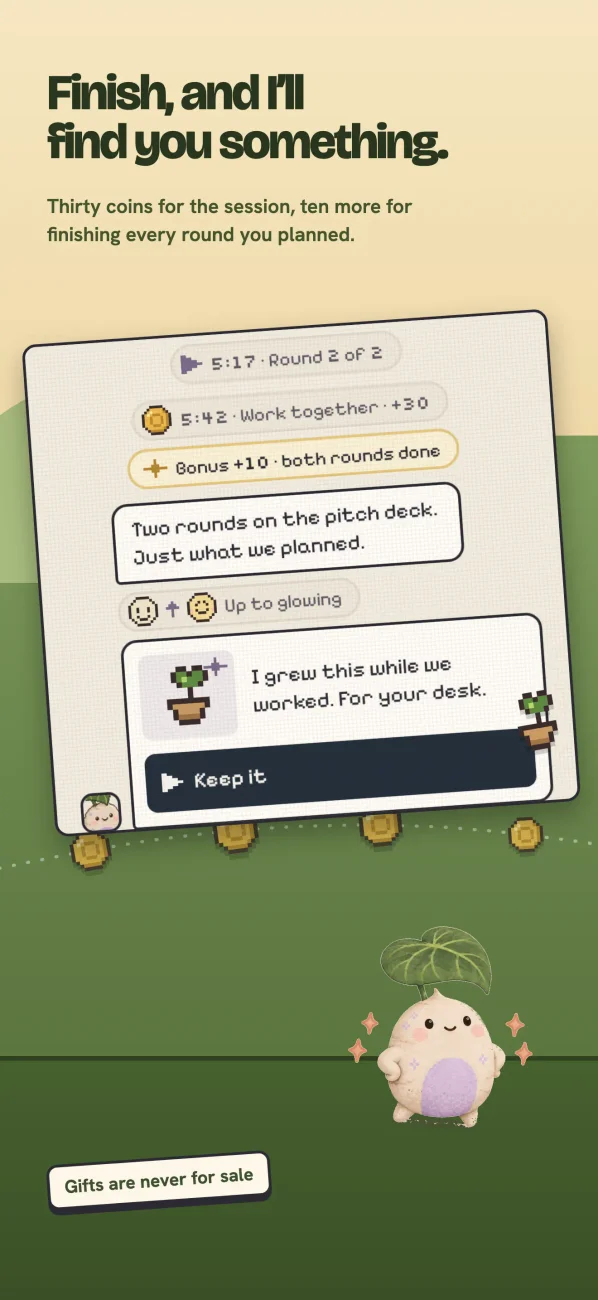
Sit down with Taro for a light session: 25 minutes on, 5 off, for one,
two or four rounds. Pick what you're working on. Finish and earn 30
coins, plus 10 more for finishing every round you planned. End early
and you keep what you finished. Pause whenever you need to.
During a round Taro checks in the moment you open one of your apps,
instead of waiting out the usual delay. Keep using still works.
SNACKS AND KEEPSAKES
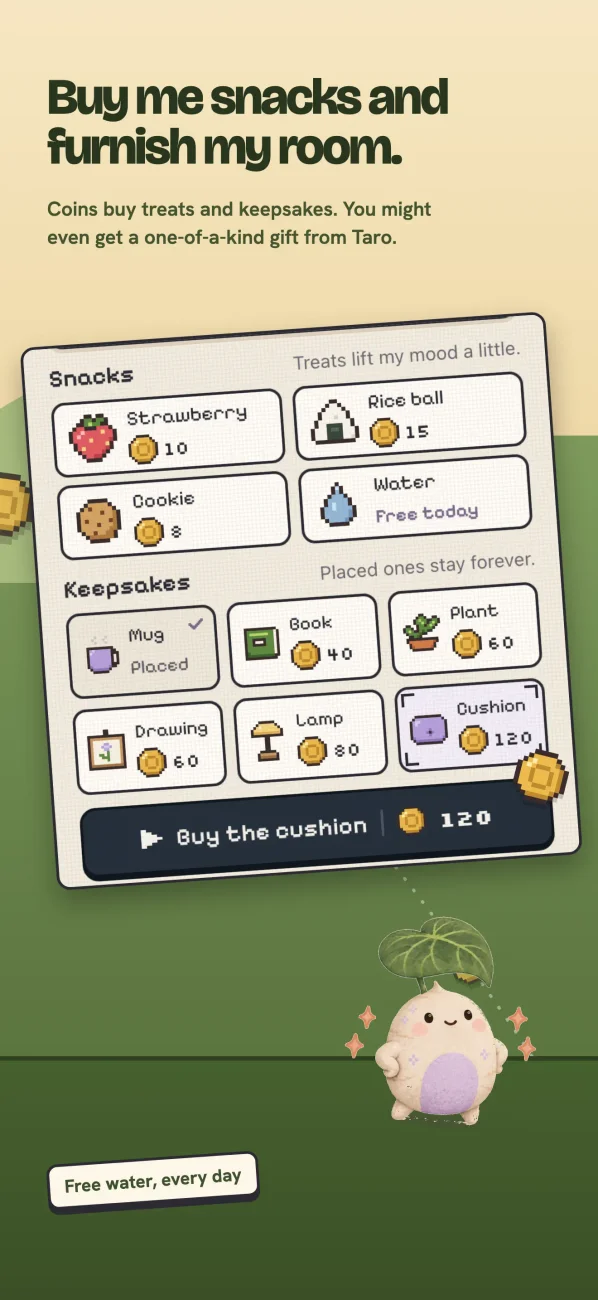
Spend coins in the Shop. Treats — a strawberry, a rice ball, a cookie —
lift Taro's mood a little, and water is free once a day. Keepsakes like
a mug, a plant, a lamp or a cushion go into his room and stay there for
good.
GIFTS YOU CAN'T BUY
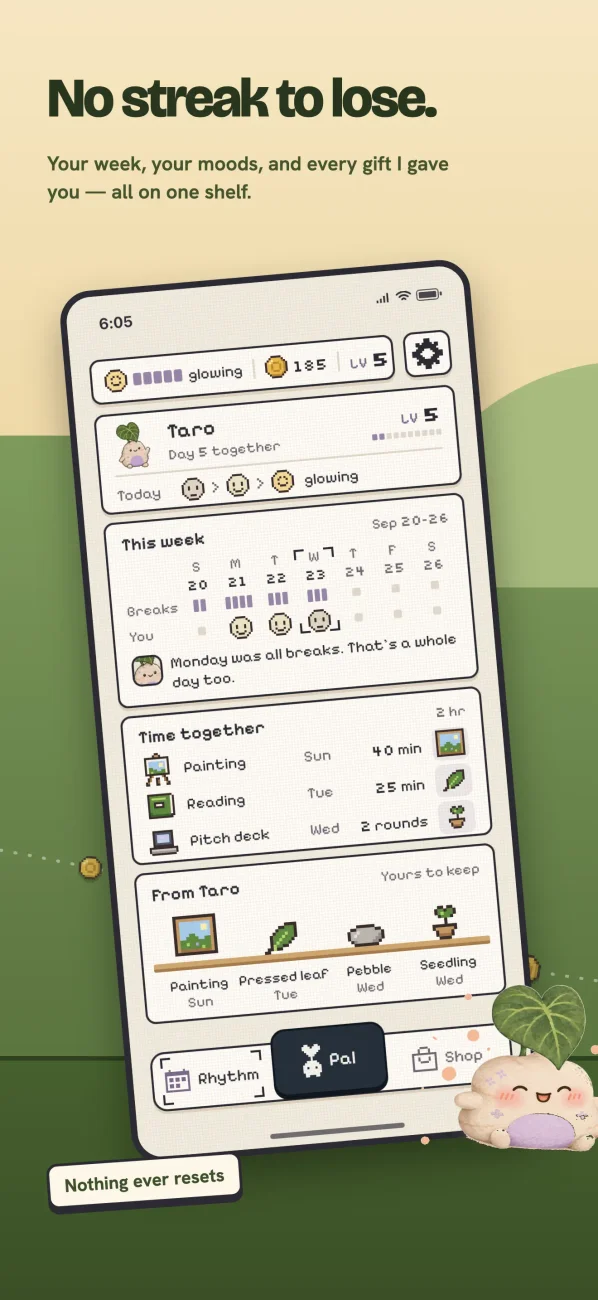
Sometimes Taro finds you something: a pebble by the door, a pressed
leaf, a seedling he grew while you worked. Gifts are never for sale.
They sit on the From Taro shelf with the day they arrived.
YOUR WEEK, NOT YOUR SCORE
Rhythm shows the breaks you took, how you've been feeling, the sessions
you ran and every gift on the shelf. No streak to break. No day that
counts against you. Nothing resets.
ON FOR FOCUS
Add hey! as a Focus Filter in iPhone Settings. Taro wakes when that
Focus turns on and rests when it turns off. The app walks you through
setup. Manual sessions are there when you'd rather start one yourself.
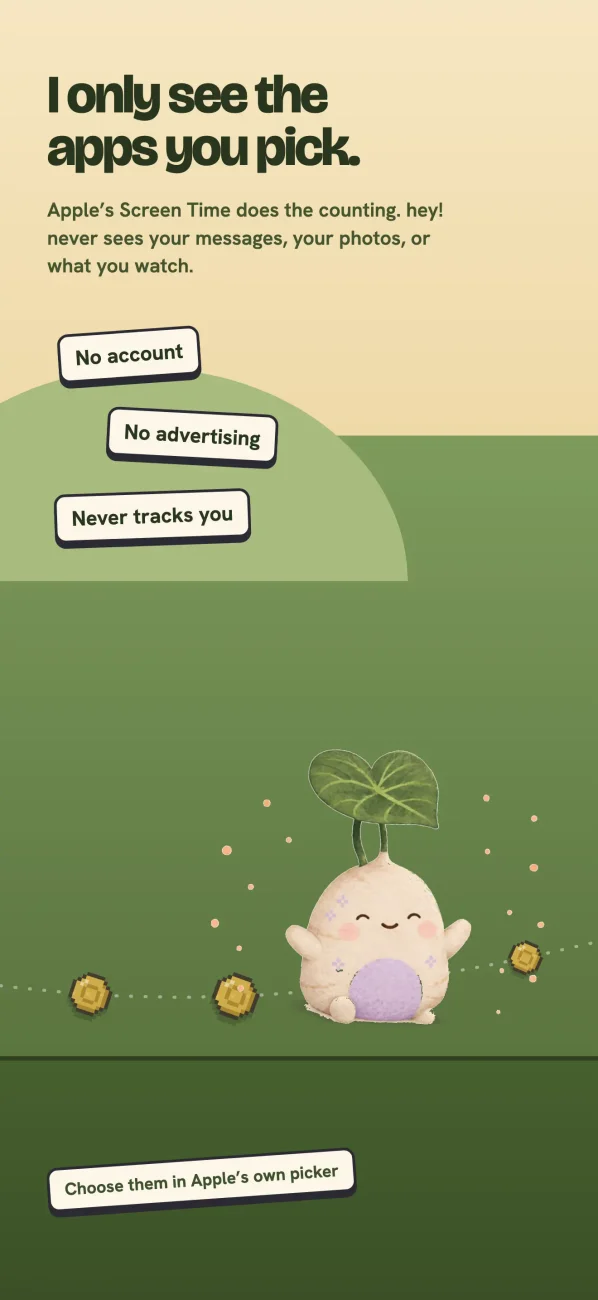
YOUR APP CONTENT STAYS PRIVATE
Apple's Screen Time tools count use in the apps and websites you
select. hey! doesn't read your messages, your photos or the videos you
watch. No account. No advertising. Optional usage sharing helps us
improve setup and check-ins; it never includes what you do in other
apps.
TRY IT FREE FOR 14 DAYS
Eligible new subscribers get 14 days free when they choose a monthly or
yearly plan and confirm with Apple. Every plan includes all features.
After the trial, your selected subscription renews automatically at the
price shown before you confirm unless you cancel at least 24 hours
before the trial ends. Manage or cancel in App Store settings.
Lifetime access is a separate one-time purchase with no subscription
trial or renewal. Local prices appear in the app. Restore purchases
with the Apple Account used to buy.
HELP SHAPE HEY
Suggest a feature and vote on ideas at tryhey.app/feedback. Need a
hand? Reach us at hello@tryhey.app.
Requires iPhone with iOS 18 or later and Screen Time permission.
Check-ins depend on Apple's usage signals and can arrive a little late.
Time adds up across the apps and websites you select while a Focus or
session is active.
Terms of Use:
https://www.apple.com/legal/internet-services/itunes/dev/stdeula/
Yang baru
Versi 2.0 · 25/9/2026
Taro has a room now.
MEET TARO
Your pal lives in a little room you can see and furnish. He has a mood
— rough to glowing — that only ever goes up, and drifts back to okay on
its own. Nothing you do can make it worse.
COINS FOR EVERY BREAK
Take a break when the check-in appears and you earn 5 coins. The
check-in tells you so before you choose.
WORK TOGETHER
A light timer you run with Taro: 25 minutes on, 5 off, for one, two or
four rounds. Name what you're working on. Finish and earn 30 coins,
plus 10 more for finishing every round you planned. End early and you
keep what you finished. Pause whenever you like.
SNACKS AND KEEPSAKES
Spend coins in the new Shop on treats that lift Taro's mood, and on
keepsakes — a mug, a plant, a lamp, a cushion — that stay in his room
for good. Water is free once a day.
GIFTS
Sometimes Taro finds you something: a pebble, a pressed leaf, a
seedling. Gifts are never for sale. They go on the From Taro shelf with
the day they arrived.
RHYTHM
A new tab for your week — the breaks you took, how you were feeling,
the sessions you ran, and everything Taro gave you. No streak to lose.
Nothing resets.
Screen Time, Focus and manual sessions work the way they always have,
and hey! still only ever sees the apps you pick.
Privasi aplikasi
Yang dinyatakan X1 Consulting LLC di App Store tentang cara aplikasi ini menangani data.
-
Data yang ditautkan dengan Anda
Dapat dikumpulkan dan ditautkan dengan identitas Anda.
- Pembelian
- Konten pengguna
- Pengenal
- Data penggunaan
- Diagnostik
Praktik privasi dapat bervariasi, misalnya berdasarkan fitur yang Anda gunakan atau usia Anda.
Informasi
- Penjual
- X1 Consulting LLC
- Kategori
- Produktivitas
- Versi
- 2.0
- Diperbarui
- 25/9/2026
- Dirilis
- 15/9/2026
- Ukuran
- 41,7 MB
- Memerlukan
- iOS 18.0 atau yang lebih baru
- Batasan usia
- 4+
- Harga
- Gratis
- Pembelian dalam aplikasi
- Ya
- Bahasa
- Inggris
- Hak cipta
- © 2026 X1 Consulting LLC
Mungkin Anda juga suka
-
 FreeInFive Screen Time ControlProduktivitas
-
 Fried: Screen Time ControlProduktivitas
-
 Shelly: Waktu LayarKurangi scroll, dengan lembut
-
 BrainSober: Stop DoomscrollingProduktivitas
-
 BlockRot: Screen Time ControlProduktivitas
-
 Unglue: Screen Time FriendPemblokir Aplikasi & Kebiasaan
-
 Friend Controls: Screen TimeProduktivitas
-
 Twos: Notes, Lists & RemindersProduktivitas
-
 Voice Changer & Generator AIProduktivitas
-
 Finalist: Daily PlannerProduktivitas