- Batasan usia17+
- KategoriProduktivitas
- PengembangResopod Technology
- BahasaInggris+ 1 lainnya
- Ukuran60,5 MB
Tertaut ke halaman resmi App Store
Download.org tidak menyimpan file Hivepod apa pun. Tombol ini membuka halaman aplikasi di App Store, tempat Resopod Technology menerbitkannya. Halaman terakhir diperiksa pada 18/11/2026.
Tangkapan layar
Tentang
Pengembang belum menyediakan teks ini dalam bahasa Anda.
Hivepod for iPhone and iPad is the companion remote client for Hivepod Desktop on your own computer. Send a task, follow its progress, review the result and respond when your desktop needs your approval.
YOUR COMPUTER DOES THE WORK
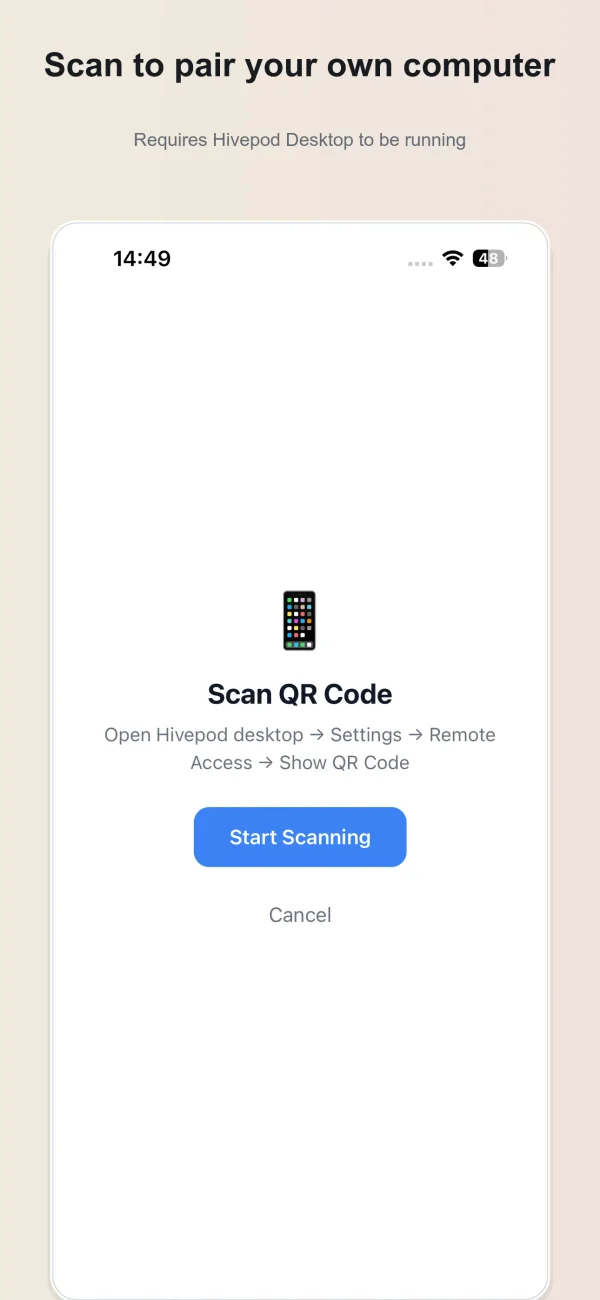
Pair with your computer by scanning the desktop's QR code. The agents and tools configured on that computer carry out your tasks. The iOS app displays their messages and results; it does not include a language model, a model-service login or model API credentials.
FOLLOW INDIVIDUAL TASKS AND TEAMS
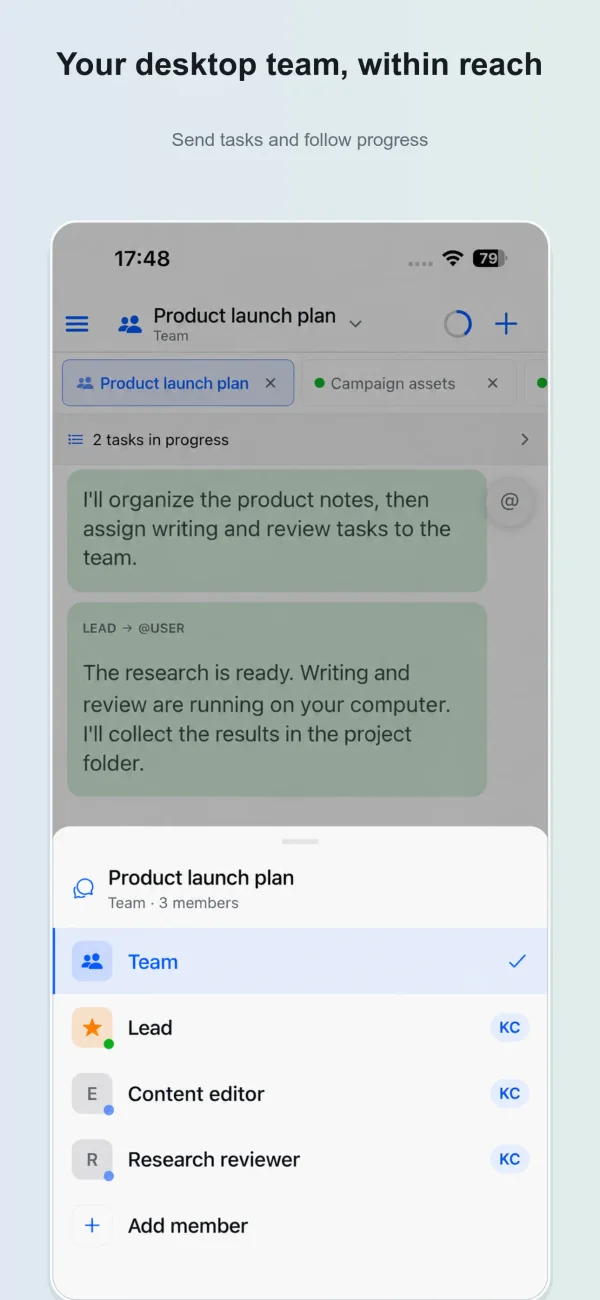
Continue desktop conversations, send instructions and attachments, and follow multiple agents working together. Review updates and approval requests while away from your desk. Available agents, tools and capabilities depend on your desktop setup.
OPEN YOUR PROJECT FILES
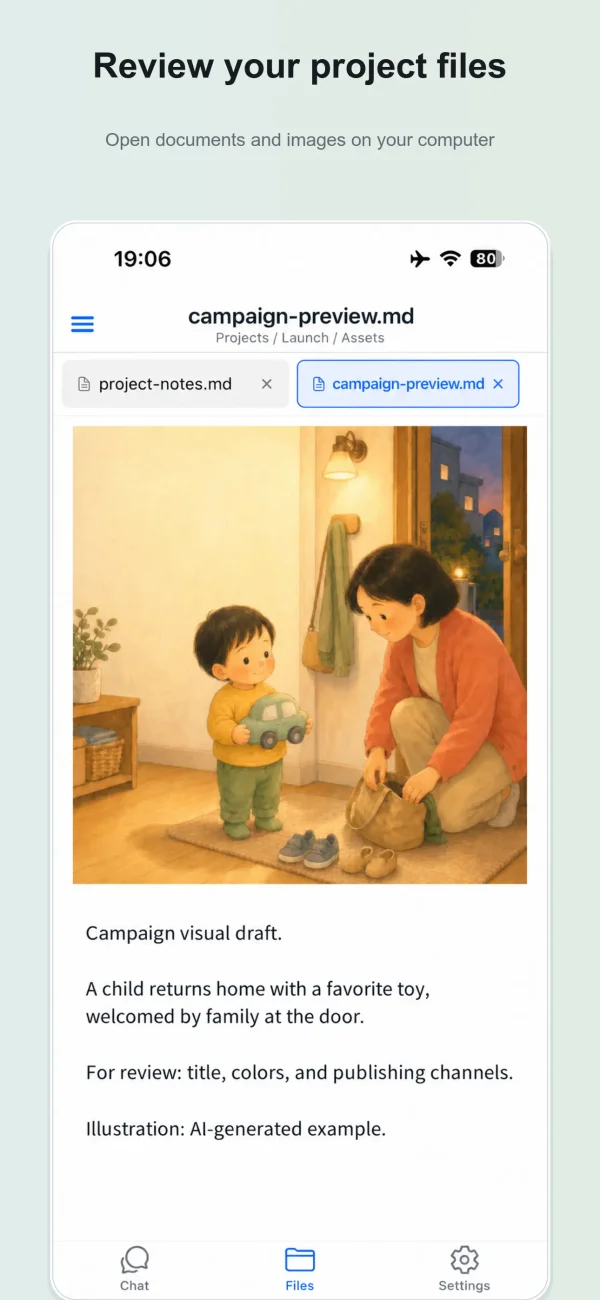
Browse files on the paired computer and review documents, images and other supported previews. Keep the context of a task close to the work it produces.
VOICE INPUT
Record a message and use the speech configuration on your desktop to transcribe it. Review the text before sending, or use direct-send mode. Local speech runs on your computer; configured third-party speech services receive the audio needed for transcription. Optional Hive-managed speech sends audio through regional Hive Cloud to its speech provider and keeps account-linked usage records.
ENCRYPTED PHONE-TO-DESKTOP CONNECTION
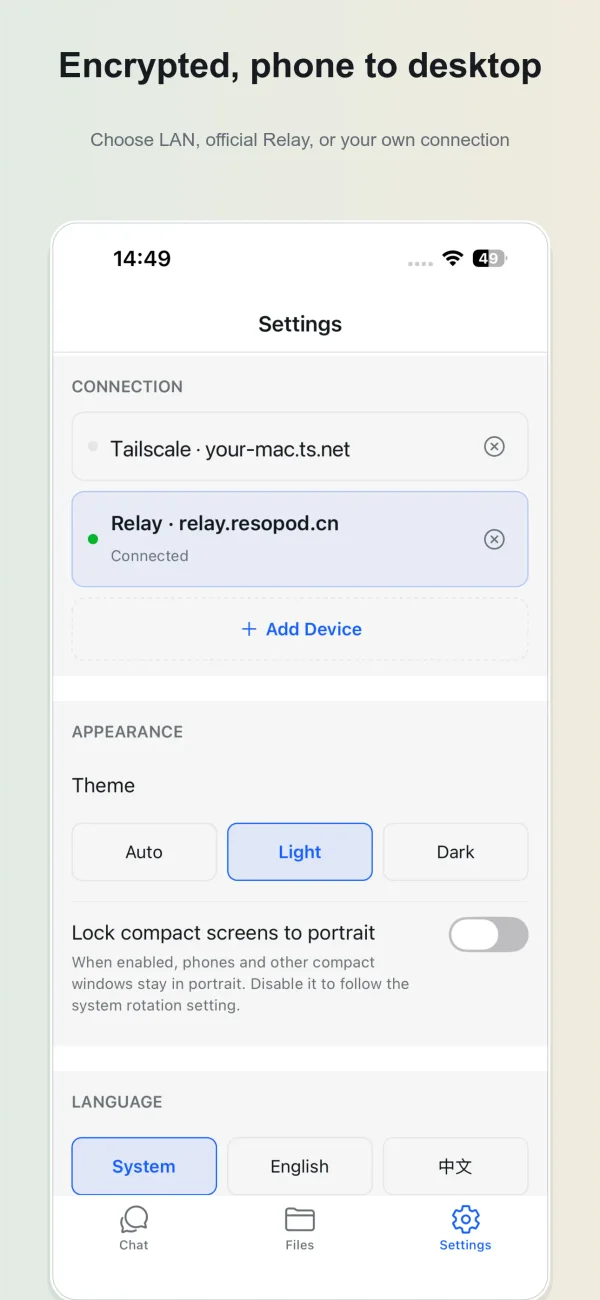
Use the optional official Relay, direct local-network access, or a user-operated connection such as Tailscale or a self-hosted tunnel. Phone-to-desktop payloads are end-to-end encrypted, and the Relay cannot decrypt them. Subsequent model and speech requests are processed by the services configured for that task.
YOUR DESKTOP WORKSPACE
Conversation history, project files and model credentials stay in your desktop environment. Content needed for a task may be sent to your configured providers. Hivepod does not provide account-based cloud conversation history.
BEFORE YOU START
Install and run Hivepod Desktop on macOS, Windows or Linux, configure the agents and tools you want to use, then pair your iPhone or iPad. Remote tasks and files require that paired computer to remain available. Without pairing, you can open Settings, About, legal information and pairing guidance.
The iOS download is free and has no in-app purchase UI. The optional official Relay and Hive-managed cloud features depend on desktop account membership or entitlements; legacy Relay activation codes are also supported. LAN and user-operated connections do not require official Relay membership. Third-party services have their own availability, terms and charges.
Get Hivepod Desktop: https://resopod.ai/products/hivepod/download
Mobile guide: https://resopod.ai/products/hivepod/mobile
Support: support@resopod.cn
Privacy: https://resopod.ai/products/hivepod/privacy
Terms: https://resopod.ai/products/hivepod/terms
Developed by Shenzhen Resopod Technology Limited Company (深圳市念舱科技有限公司).
Yang baru
Versi 1.3.2 · 26/10/2026
• Added Manager conversations to coordinate sessions and teams across a project, a Space, or all your work, with a central place for tasks and followed conversations.
• Link projects to Spaces and switch work scopes more easily.
• Browse chat images in fullscreen galleries, with improved paging and swipe-to-dismiss gestures.
• Improved chat layout, code blocks and file references. Completed process details can be collapsed for easier reading.
• Improved file previews and remote preview links, and fixed stale content when switching files.
• Improved message delivery, queue feedback, history recovery and interrupted-task handling, with fixes for draft state when switching chats.
• Fixed dialogs that were difficult to dismiss and menus extending beyond safe screen areas, and improved connection and startup reliability.
Privasi aplikasi
Yang dinyatakan Resopod Technology di App Store tentang cara aplikasi ini menangani data.
-
Data yang ditautkan dengan Anda
Dapat dikumpulkan dan ditautkan dengan identitas Anda.
- Konten pengguna
- Pengenal
- Data penggunaan
Praktik privasi dapat bervariasi, misalnya berdasarkan fitur yang Anda gunakan atau usia Anda.
Informasi
- Penjual
- Shenzhen Resopod Technology Limited Company
- Kategori
- Produktivitas
- Versi
- 1.3.2
- Diperbarui
- 26/10/2026
- Dirilis
- 27/7/2026
- Ukuran
- 60,5 MB
- Memerlukan
- iOS 16.4 atau yang lebih baru
- Batasan usia
- 17+
- Harga
- Gratis
- Bahasa
- Inggris, Tionghoa Sederhana
- Hak cipta
- © 2026 Shenzhen Resopod Technology Limited Company (深圳市念舱科技有限公司)
Mungkin Anda juga suka
-
 Inferencer - Private AI StudioProduktivitas
-
 Council of AIProduktivitas
-
 Jot TranscribeProduktivitas
-
 WritingWiz-AI Keyboard & WriteProduktivitas
-
 Aladdin AI - virtual assistantProduktivitas
-
 iChat - Ai assistantProduktivitas
-
 LavaChat: Your AI HubProduktivitas
-
 Pique – AI Note TakerProduktivitas
-
 ChatSol - AI Chatbot & AgentProduktivitas
-
 AI Chat Smart AssistantProduktivitas