
Holding Pattern Otto Pilot
IFR Holding Pattern Computer
Dirancang untuk iPhone, iPad, iPod touch
Rp 99ribu
- Batasan usia4+
- KategoriNavigasi
- PengembangBRUCE GARY WILDER
- BahasaInggris
- Ukuran34,1 MB
Tertaut ke halaman resmi App Store
Download.org tidak menyimpan file Holding Pattern Otto Pilot apa pun. Tombol ini membuka halaman aplikasi di App Store, tempat BRUCE GARY WILDER menerbitkannya. Halaman terakhir diperiksa pada 22/11/2026.
Tangkapan layar
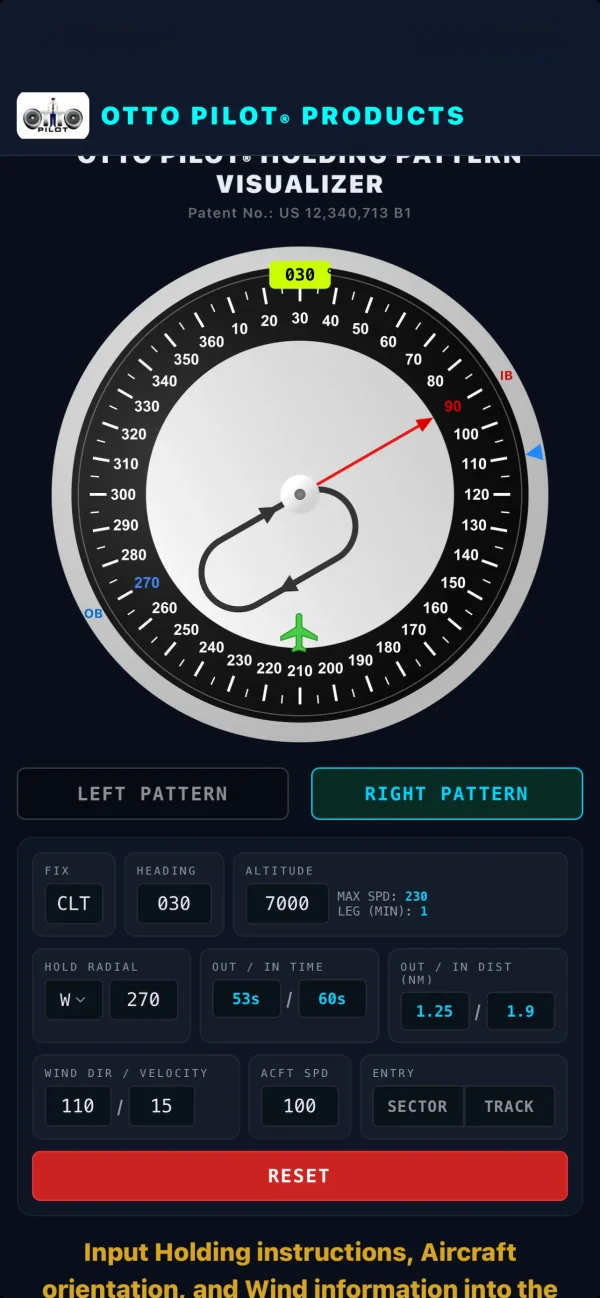
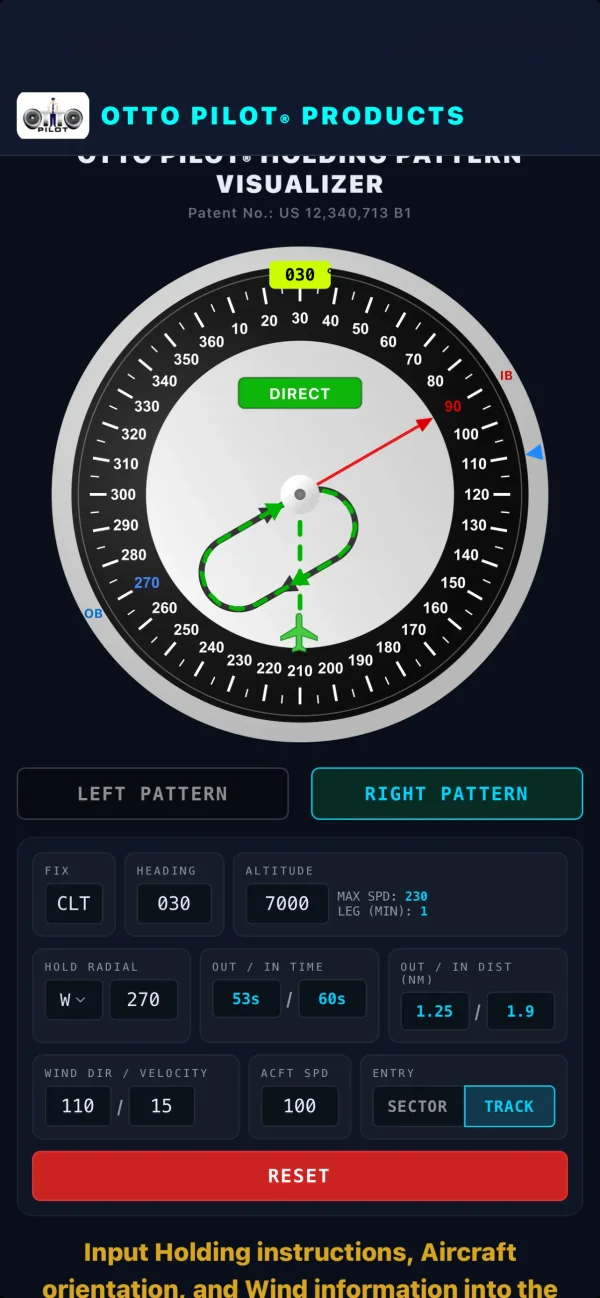
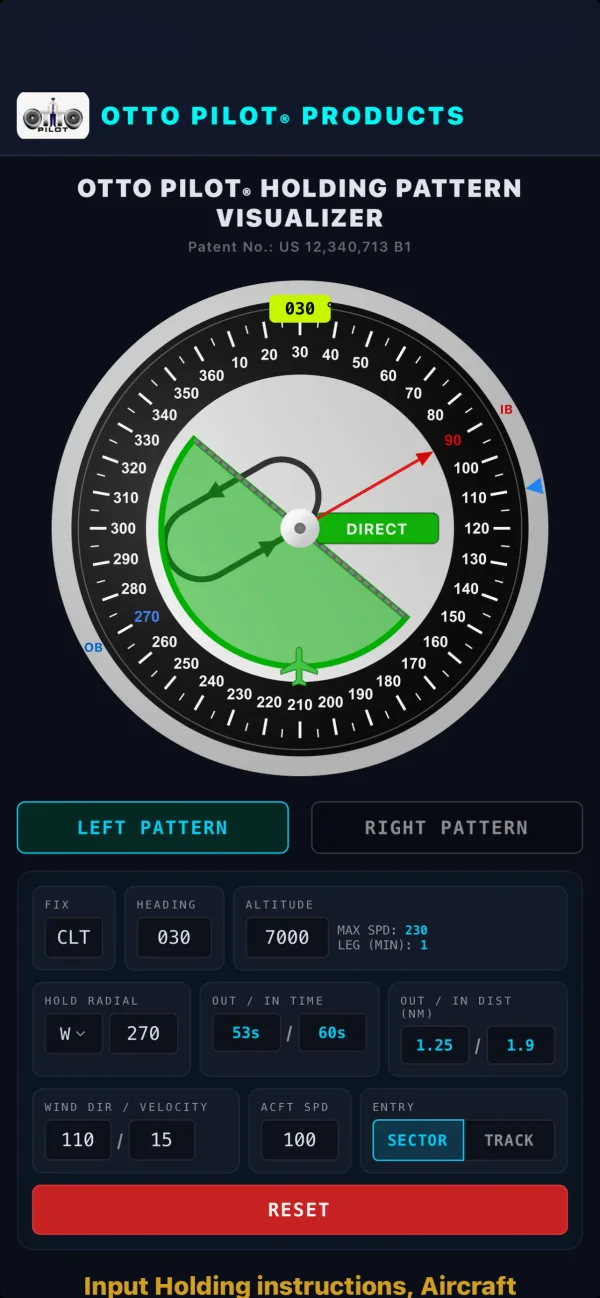
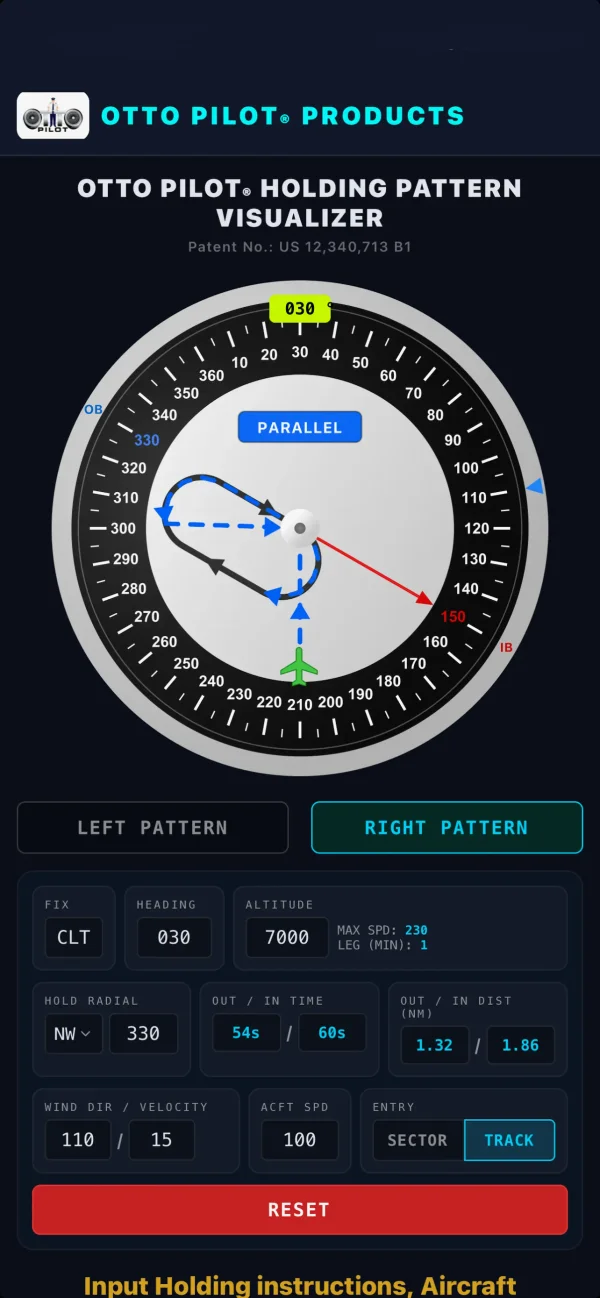

Tentang
Pengembang belum menyediakan teks ini dalam bahasa Anda.
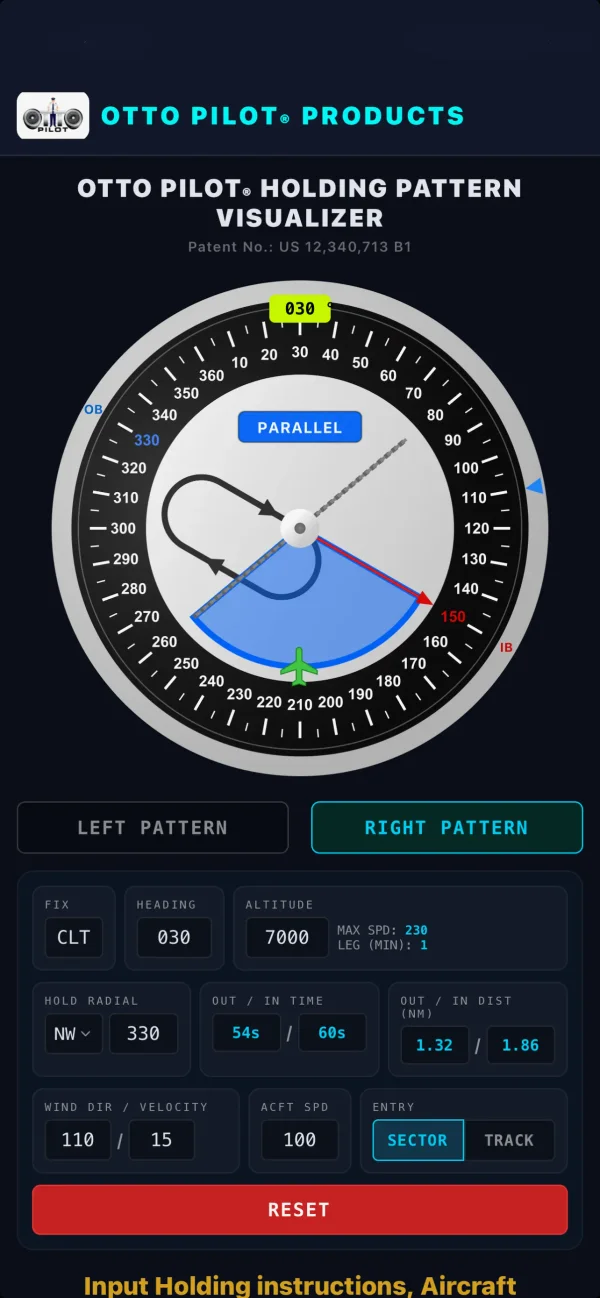
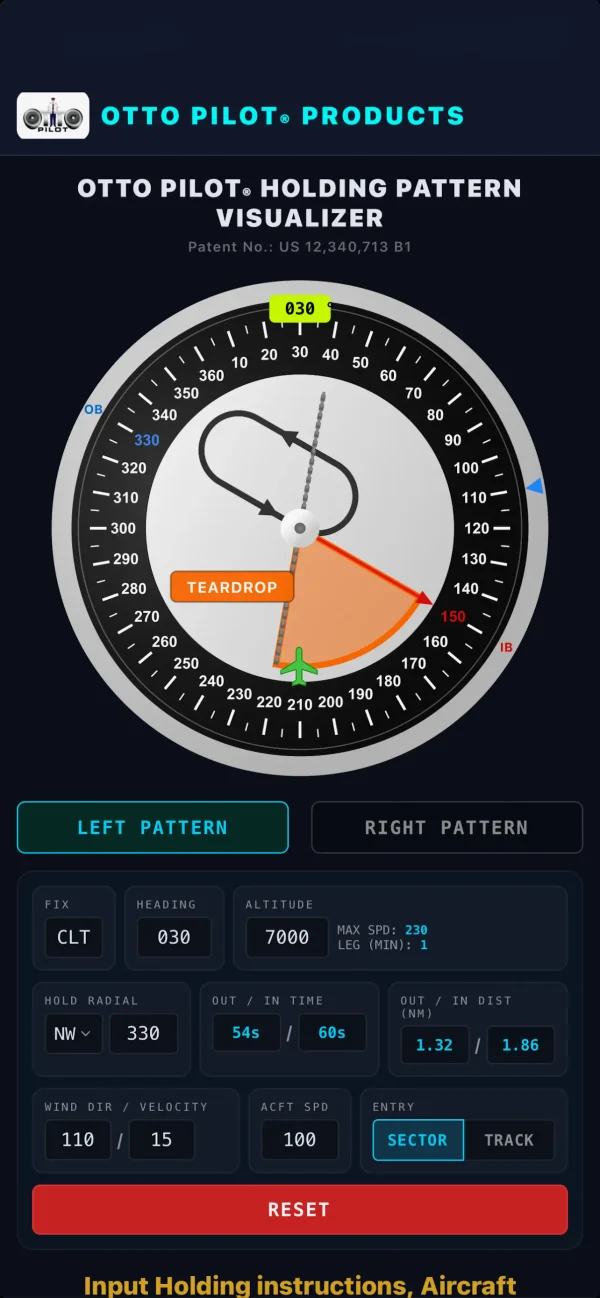
Understanding holding patterns is one of the most challenging parts of instrument flying. Holding Pattern Visualizer makes them simple.
Designed for instrument students, CFIs, and pilots looking to refresh their IFR knowledge, this powerful training tool allows you to quickly visualize holding patterns, determine the correct entry, and understand exactly how the aircraft will fly the hold.
Whether you're preparing for your instrument rating, teaching students, or getting back up to speed with IFR procedures, Holding Pattern Visualizer turns complex holds into clear, intuitive visuals.
Interactive Holding Pattern Visualization
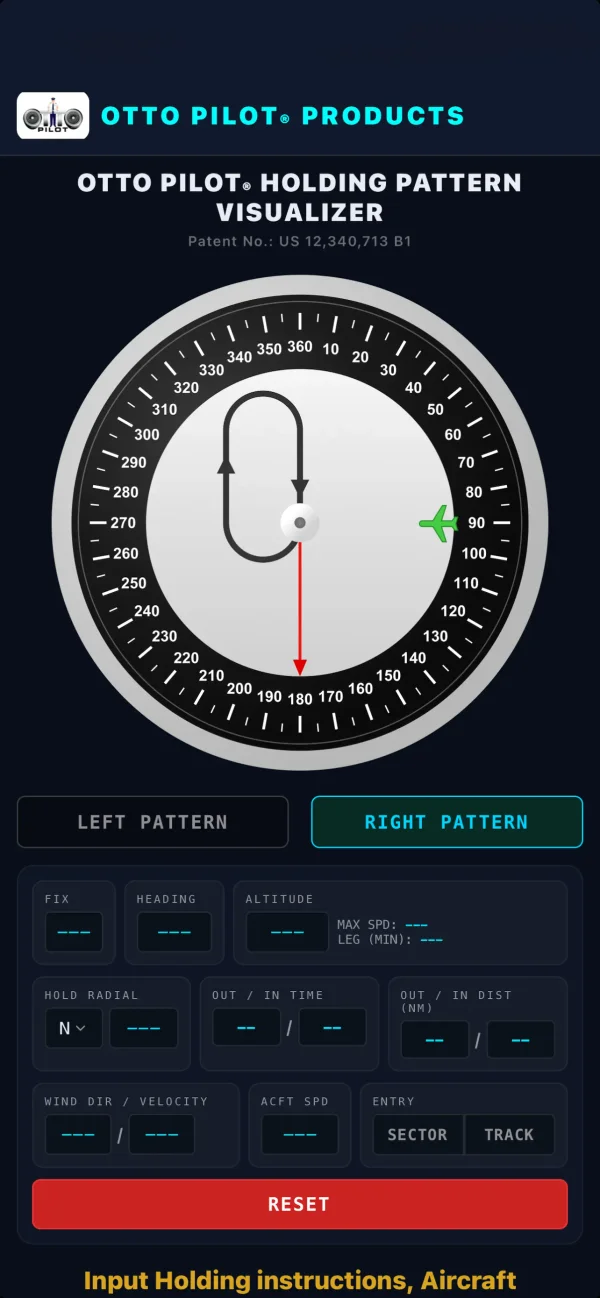
Simply enter the information from a clearance or scenario and the app will instantly generate a visual representation of the hold.
Input:
• Fix
• Aircraft heading
• Altitude
• Holding radial and direction
• Wind direction and velocity
• Left or right turns
The app then automatically generates a clear diagram of the holding pattern including inbound and outbound courses.
Entry Sector & Track Visualization
Choose how you want to study the hold:
• Entry Sector Mode – Displays the direct, teardrop, and parallel sectors
• Track Mode – Shows the actual flight path used to fly the hold
This makes it easy to understand both which entry to use and how the aircraft will actually fly the maneuver.
Automatic Calculations
Holding Pattern Visualizer performs the calculations pilots normally have to do mentally:
• Determines the correct holding pattern entry
• Calculates the inbound course
• Displays the outbound course
• Computes maximum allowable holding airspeed based on altitude (FAR limits)
• Calculates inbound and outbound leg times
• Calculates distance flown on each leg
Wind Correction Built In
Enter wind direction and velocity to visualize how wind affects the hold and adjust your track accordingly.
This helps pilots understand how to maintain the correct pattern even in real-world wind conditions.
Built for Training
• Perfect for instrument rating students
• Ideal for CFIs teaching holding patterns
• Great refresher for instrument pilots regaining proficiency
• Works offline — no internet required
Holding Pattern Visualizer was designed by pilots to make one of IFR flying’s most confusing topics clear, visual, and easy to understand.
Master holding patterns faster and fly with confidence.
Privasi aplikasi
Yang dinyatakan BRUCE GARY WILDER di App Store tentang cara aplikasi ini menangani data.
-
Data tidak dikumpulkan
Pengembang tidak mengumpulkan data apa pun dari aplikasi ini.
Praktik privasi dapat bervariasi, misalnya berdasarkan fitur yang Anda gunakan atau usia Anda.
Informasi
- Penjual
- BRUCE GARY WILDER
- Kategori
- Navigasi
- Versi
- 1.0
- Diperbarui
- 13/3/2026
- Dirilis
- 17/3/2026
- Ukuran
- 34,1 MB
- Memerlukan
- iOS 15.1 atau yang lebih baru
- Batasan usia
- 4+
- Harga
- Rp 99ribu
- Bahasa
- Inggris
- Hak cipta
- © 2026 Otto Pilot Products
Mungkin Anda juga suka
-
 Hold Entry CalculatorNavigasi
-
 Boston T and Bus• MBTA TransitNavigasi
-
 CrewBlastPerjalanan
-
 Direct-To Pilot GPS - VFR, IFRNavigasi
-
 Air Navigation - VFR & IFRPeta, Cuaca, Medan
-
 San Diego Transit - MTSNavigasi
-
 Lido mPilotNavigasi
-
 Enroute Flight NavigationNavigasi
-
 Canyons Village ConnectPerjalanan
-
 RTD NextRideNavigasi