Home Dashboard Setup
Einrichtung für Home Dashboard
Dirancang untuk iPhone
Gratis
- Batasan usia4+
- KategoriKegunaan
- BahasaInggris+ 1 lainnya
- Ukuran15,6 MB
Tertaut ke halaman resmi App Store
Download.org tidak menyimpan file Home Dashboard Setup apa pun. Tombol ini membuka halaman aplikasi di App Store, tempat menerbitkannya. Halaman terakhir diperiksa pada 15/11/2026.
Tangkapan layar
Tentang
Pengembang belum menyediakan teks ini dalam bahasa Anda.
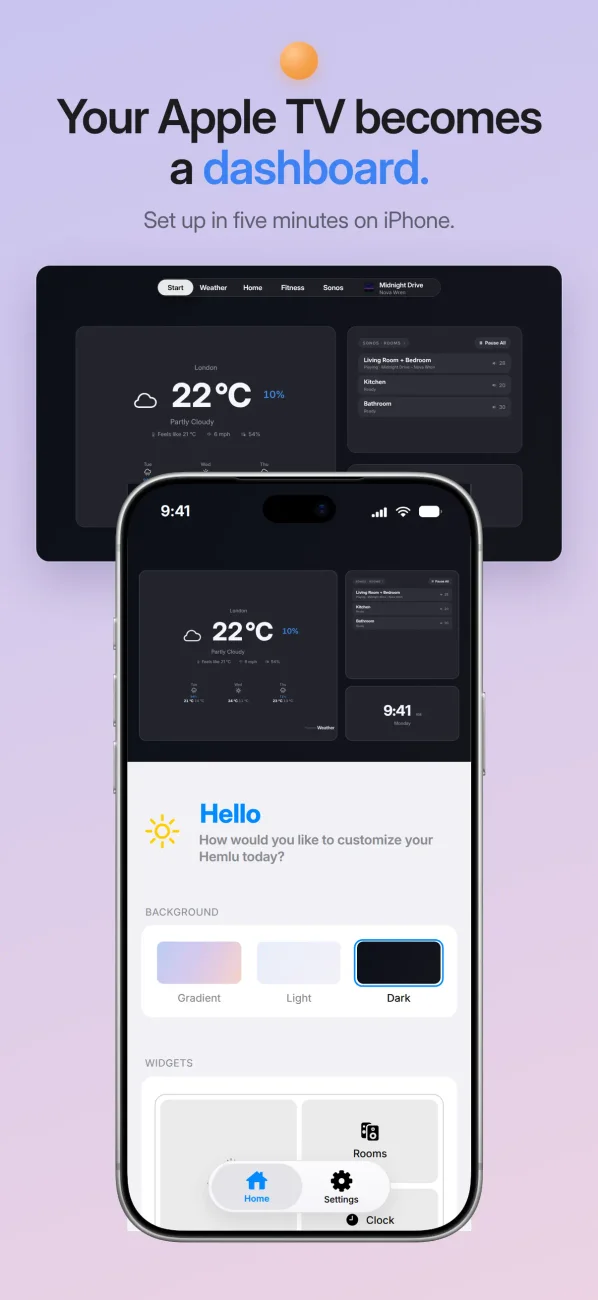
Turn your Apple TV into a dashboard for your home, set up in minutes on your iPhone. Events, weather, lights, workouts and Sonos appear big on your TV.
This app sets up Hemlu on Apple TV. You need both: get Hemlu from the App Store on your Apple TV and scan the QR code on screen.
HOW TO SET UP
1. Open Hemlu on Apple TV
2. Scan the QR code with your iPhone
3. Connect calendars, weather location, Health and Sonos while the TV follows every step
4. Done: your dashboard is live
YOUR DASHBOARD, YOUR STYLE
• Live preview of your TV right on your iPhone
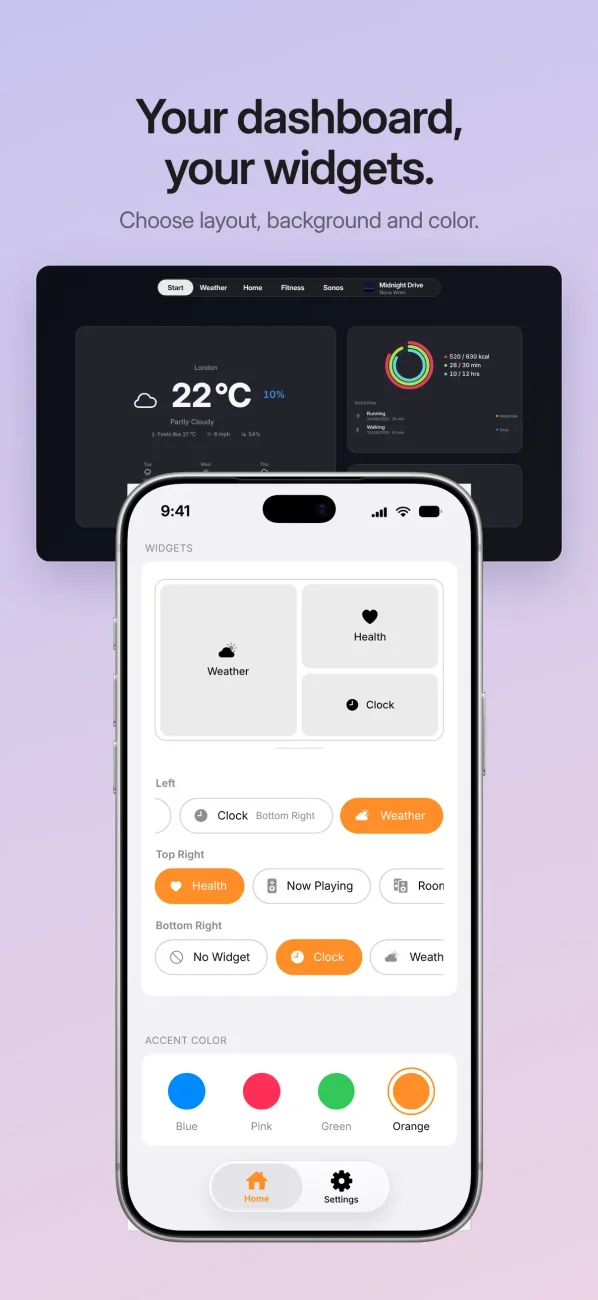
• Arrange widgets for time, events, weather, fitness and Sonos
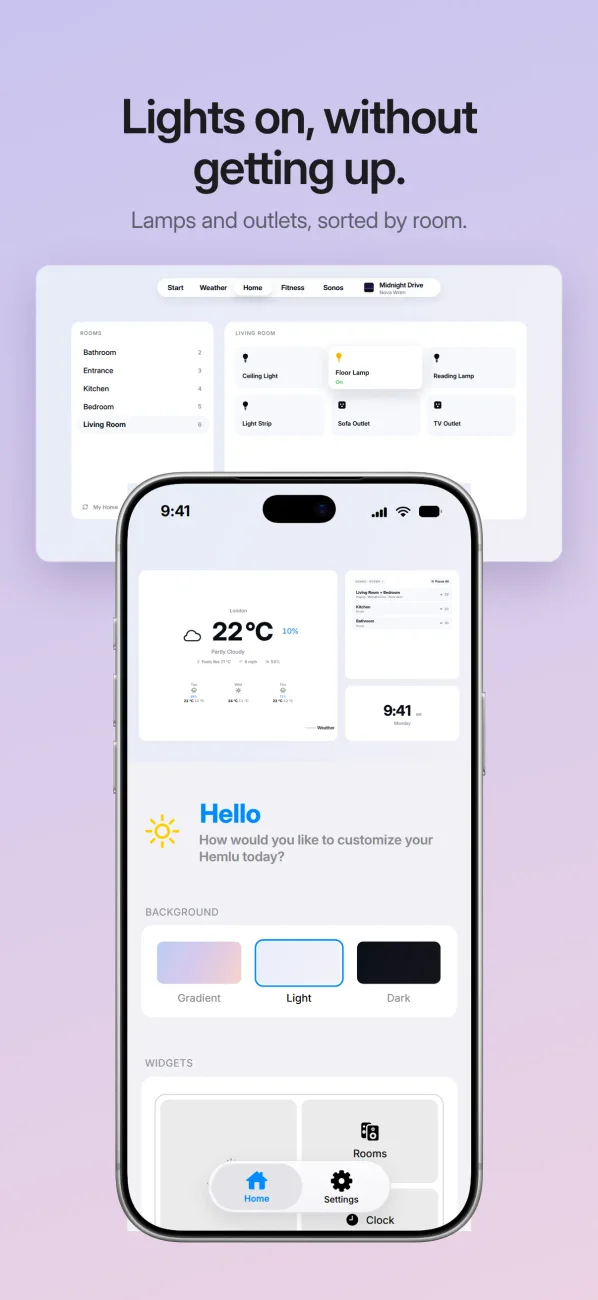
• Pick a background: Light, Dark or Gradient
• Accent color in blue, pink, green or orange
• Show or hide pages
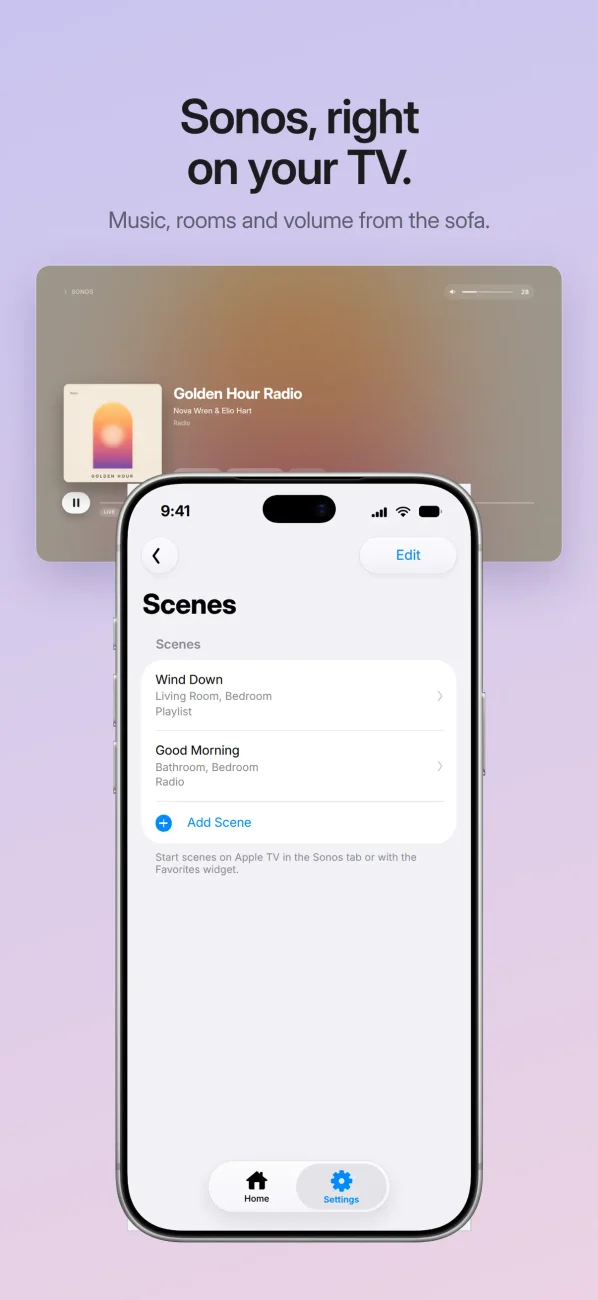
SONOS ON YOUR TV
• Connect your Sonos account and choose the default room for Apple TV
• Create scenes like "Good Morning" or "Party": rooms, volume and music in one click
• On Apple TV: playback, rooms, groups, volume, favorites, playlists, Night Sound and Speech Enhancement
WHAT YOUR TV SHOWS
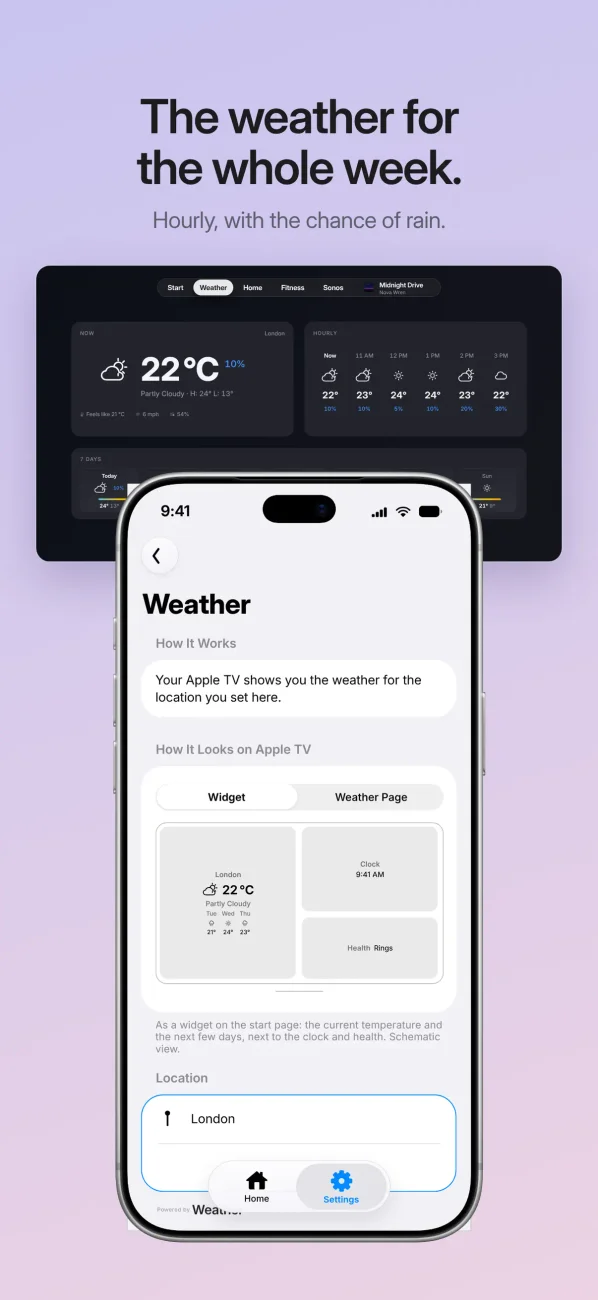
• Weather: current conditions, hourly forecast, 7-day outlook with chance of rain, data from Apple Weather
• Home: HomeKit lamps and plugs by room, switchable with the remote
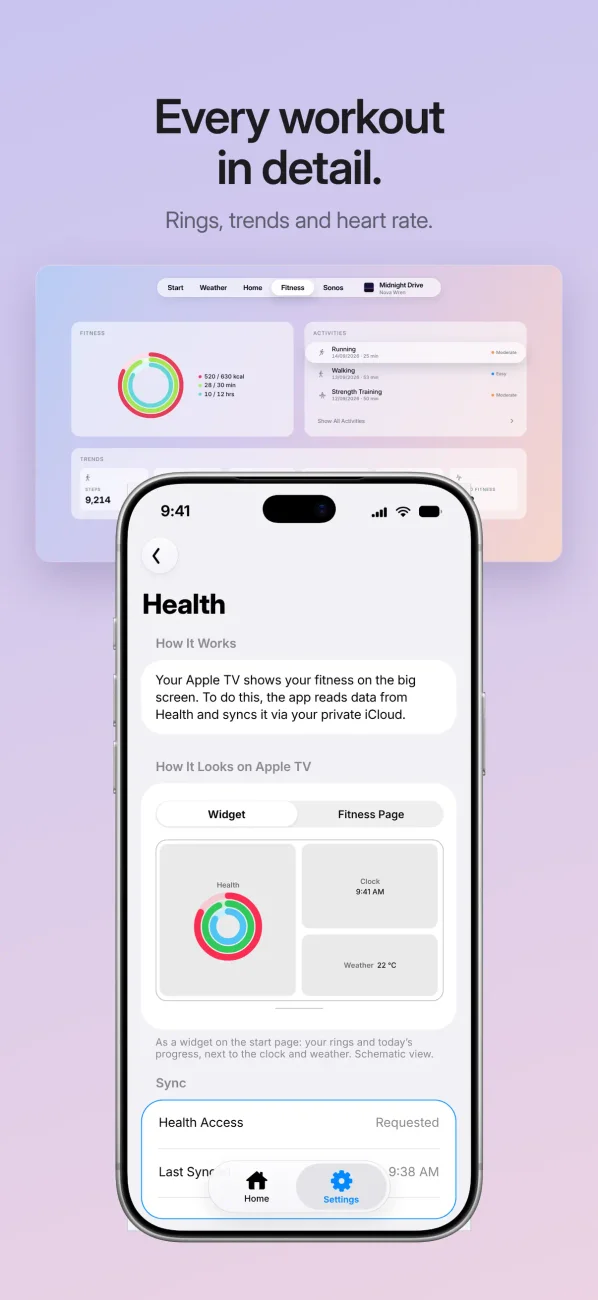
• Fitness: activity rings, trends and workouts with heart rate from the Health app, only with your permission
• Events from the calendars you choose
Hemlu was previously called Home Dashboard. Your settings stay as they are.
PRIVATE
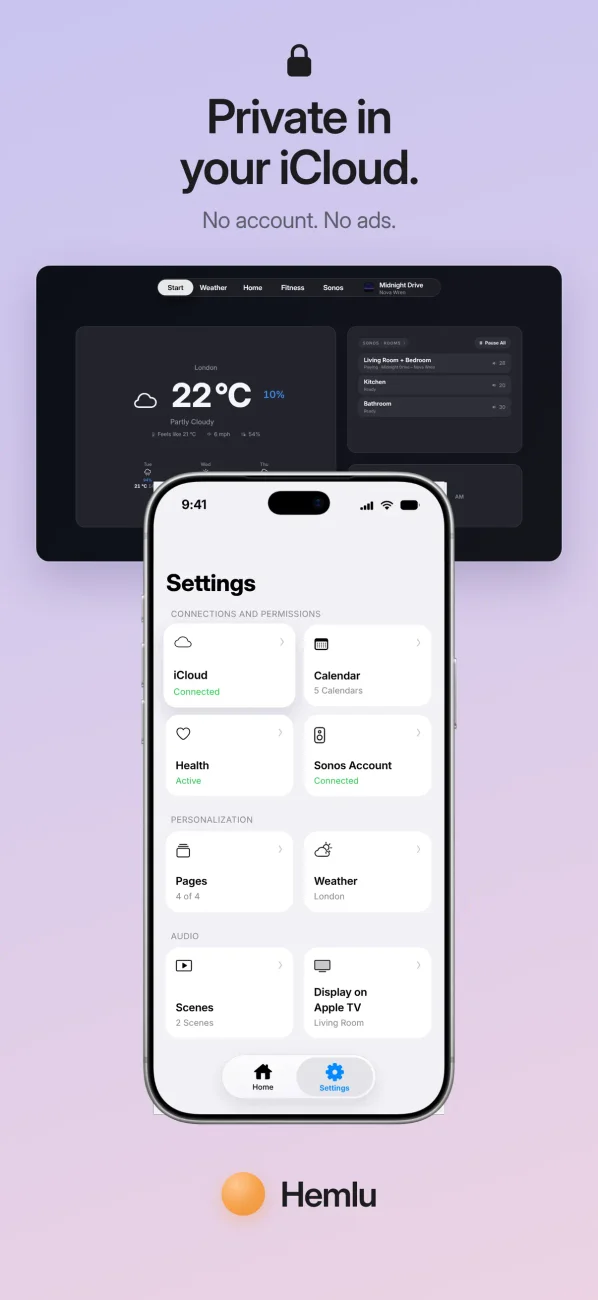
No account with us, no server of our own, no ads. Events, locations, health data and device states stay between your devices and Apple, synced through your iCloud. Sonos control runs through your own Sonos account.
REQUIREMENTS
• Apple TV with tvOS 26 or later
• iPhone with iOS 26 or later
• The same Apple Account on Apple TV and iPhone
• For Home: accessories in the Apple Home app
• For Sonos: a Sonos account
Questions or ideas? rw-apps.de/en/support
Yang baru
Versi 1.5 · 2/11/2026
This update improves the user experience of Hemlu:
- The temperature unit is now determined by your location. You can also choose between Celsius and Fahrenheit in the weather settings
- The previews in Settings now show the time and date format the way they appear on Apple TV
- In addition to a Light and a Dark setting, there is now a mode that switches between Dark and Light Mode depending on the time of day
- You can now choose "Cover" as your accent color. While you're playing music through Sonos, the accent color automatically adapts to the cover of the track that's currently playing
- Various translation corrections have been made
Privasi aplikasi
Yang dinyatakan di App Store tentang cara aplikasi ini menangani data.
-
Data tidak dikumpulkan
Pengembang tidak mengumpulkan data apa pun dari aplikasi ini.
Praktik privasi dapat bervariasi, misalnya berdasarkan fitur yang Anda gunakan atau usia Anda.
Informasi
- Penjual
- Rico Weigand
- Kategori
- Kegunaan
- Versi
- 1.5
- Diperbarui
- 2/11/2026
- Dirilis
- 9/9/2026
- Ukuran
- 15,6 MB
- Memerlukan
- iOS 26.0 atau yang lebih baru
- Batasan usia
- 4+
- Harga
- Gratis
- Bahasa
- Inggris, Jerman
- Hak cipta
- © 2026 Hemlu
Mungkin Anda juga suka
-
 HomePad CompanionKegunaan
-
 Haunt for Ghost AnalyticsKegunaan
-
 DashKit: Home DashboardKegunaan
-
 SunForecastKegunaan
-
 Galactic Decoder for AurebeshKegunaan
-
 Netgleam • Network CheckKegunaan
-
 Prozentrechner (%)Kegunaan
-
 Upkeep: Home & Car MaintenanceKegunaan
-
 Pylo · HomeKit CameraKegunaan
-
 Stopwatch - Multi & SingleKegunaan