- Batasan usia4+
- KategoriGaya Hidup
- PengembangMaksym Dmytriiev
- BahasaInggris
- Ukuran5,7 MB
Tertaut ke halaman resmi App Store
Download.org tidak menyimpan file House Control 3D apa pun. Tombol ini membuka halaman aplikasi di App Store, tempat Maksym Dmytriiev menerbitkannya. Halaman terakhir diperiksa pada 20/11/2026.
Tangkapan layar

Tentang
Pengembang belum menyediakan teks ini dalam bahasa Anda.
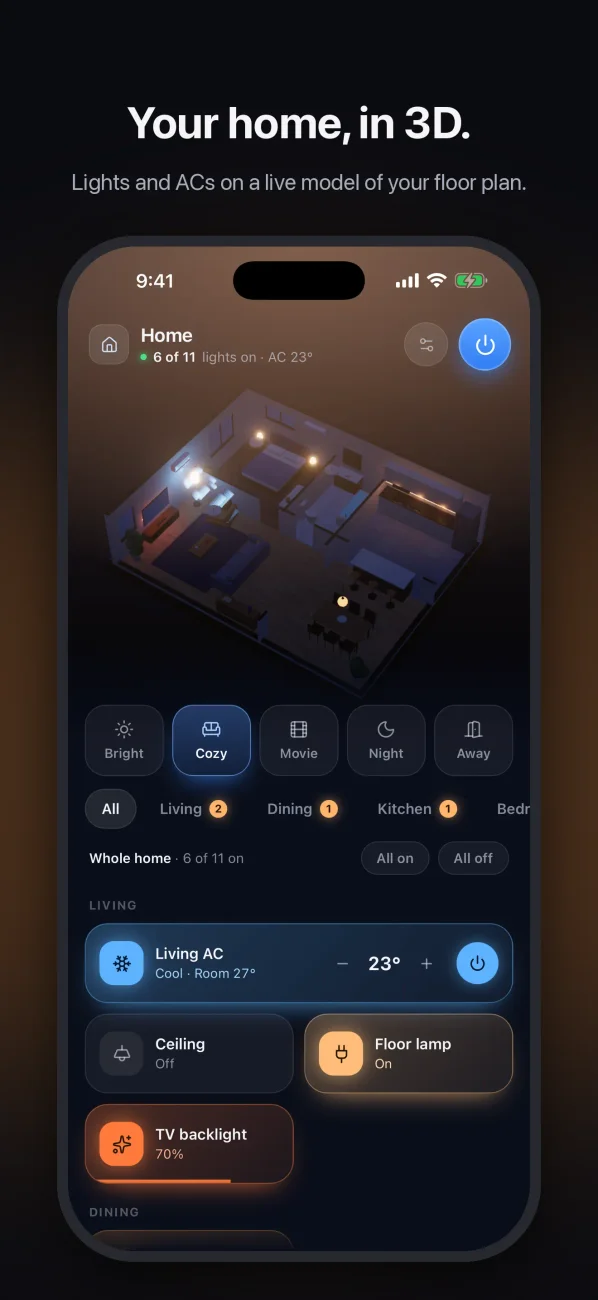
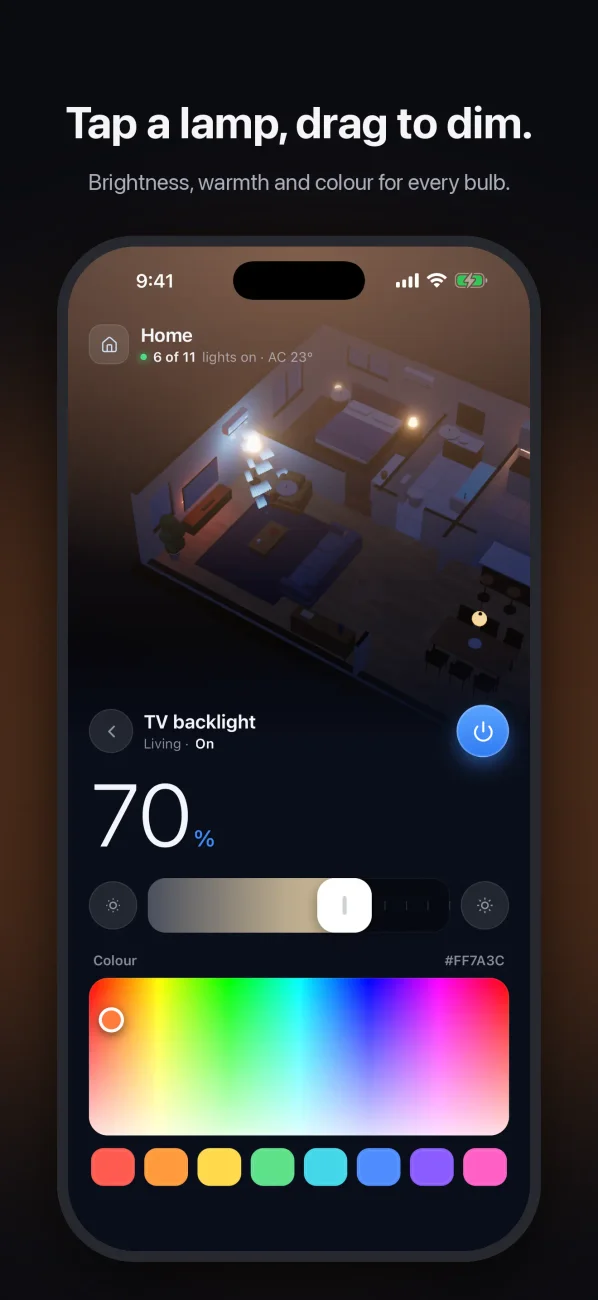
House Control turns your home into a live 3D model you can touch. Draw your floor plan once, place your lamps and air conditioners, and switch them right on the model: lamps light the room the way they light your real one, and a running AC blows visible air.
LIGHTS
Tap a lamp in the 3D view or its tile to switch it. Drag across a tile to dim. Touch and hold for brightness, white temperature and colour.
AIR CONDITIONERS
Target temperature, mode and fan speed, with the real room temperature from any thermometer you have.
SCENES
Cozy, Movie, Night, Away: one tap sets every light and AC in the home.
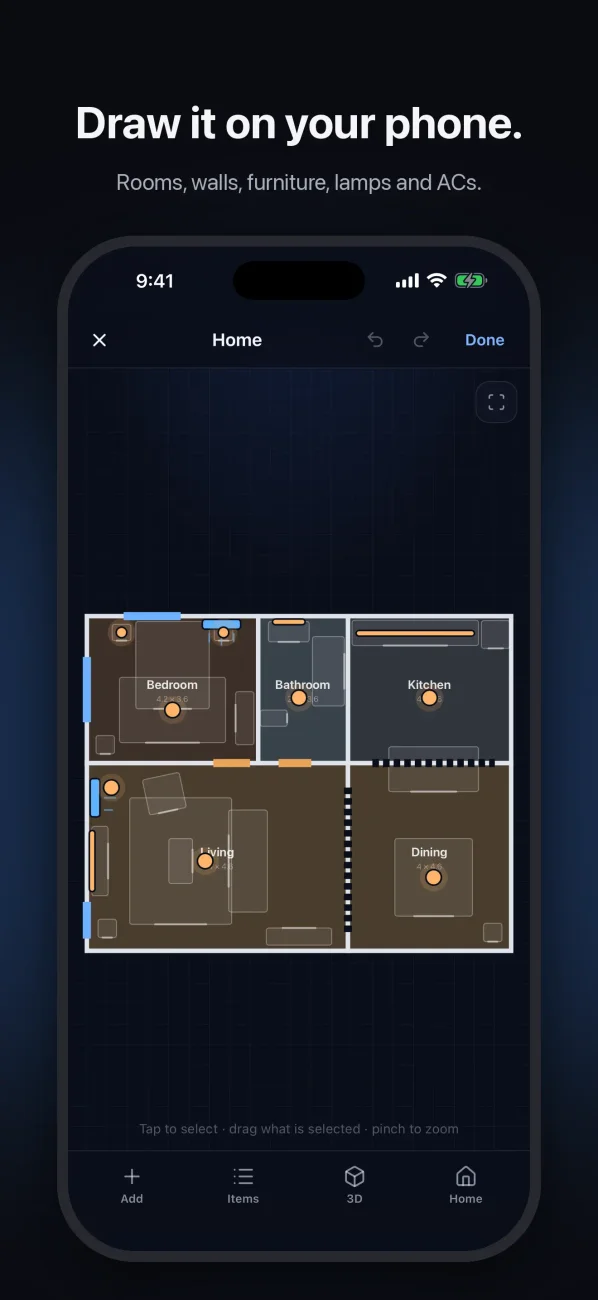
DRAW YOUR HOME ON THE PHONE
Rooms, walls, doors, windows and furniture, laid out for a finger. Tap to select, drag to move, pinch to zoom. Start from a blank home or adapt one of the demo layouts.
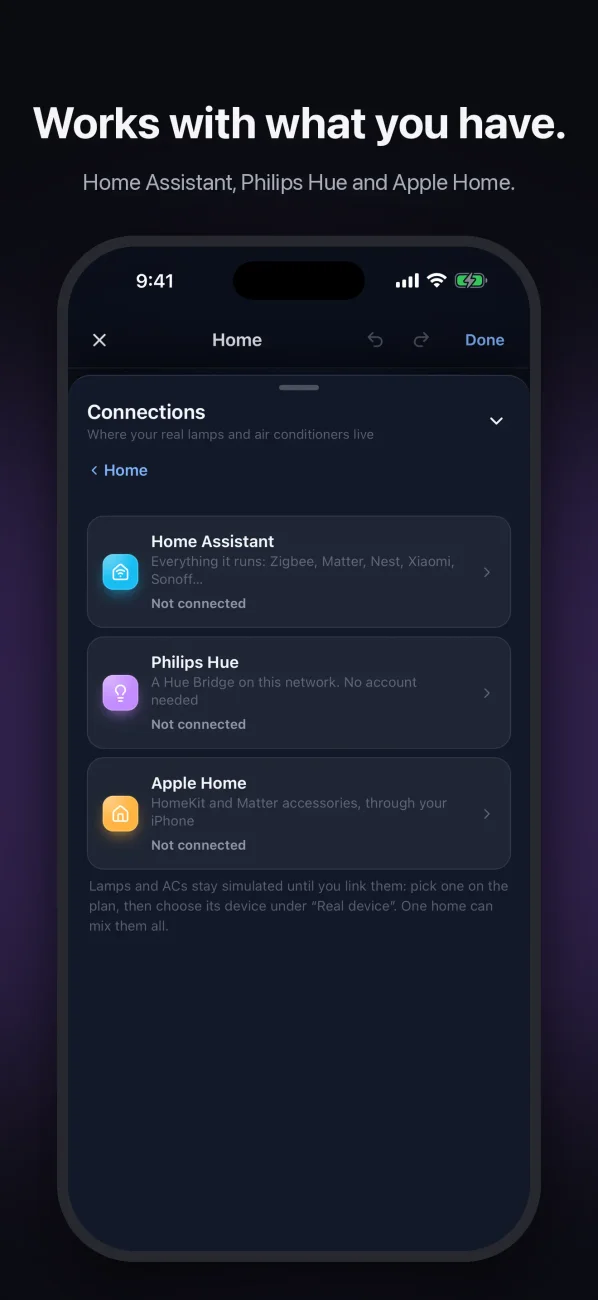
WORKS WITH WHAT YOU HAVE
• Home Assistant: everything your server runs, from Zigbee and Matter to Nest, Xiaomi and Sonoff
• Philips Hue: your Hue Bridge on the Wi-Fi, found by itself, no account needed
• Apple Home: your HomeKit and Matter accessories
One home can mix them all. Until you connect something, every device is simulated, so you can try everything first.
WIDGETS AND CONTROLS
Your home in 3D on the Home Screen, scenes and lamps on the Lock Screen and in Control Center, and quick actions on the app icon.
WITH A MAC, IF YOU LIKE
Pair with House Control for Mac and your floor plan and connections stay the same on both, whichever one you edit. The Mac app is free and open source.
PRIVATE BY DESIGN
No account, no analytics, no cloud of its own. House Control talks only to your devices and the services you connect, and your plan stays on your iPhone.
Yang baru
Versi 1.5.2 · 15/11/2026
• Homes on several floors, with stairs, and a better floor plan editor: resize rooms from any side, doors and windows snap to the walls, split a room in two.
• Turn your home all the way round, move it with two fingers and pinch in closer. A button puts the view back.
• Room buttons: a scene can switch its room's lights on, and off again, with one tap.
• Earlier homes: before anything replaces your home, the old one is kept. Bring it back from Settings → Home.
• iPhone Duo: the home in 3D on one half and the controls on the other, split at the fold.
• Open House Control from Control Center, the Lock Screen or the Action button.
• Fixes: buttons hidden under the iPhone Duo's status bar, the app quitting when run on a Mac, and homes with many lamps rendering black.
Privasi aplikasi
Yang dinyatakan Maksym Dmytriiev di App Store tentang cara aplikasi ini menangani data.
-
Data tidak dikumpulkan
Pengembang tidak mengumpulkan data apa pun dari aplikasi ini.
Praktik privasi dapat bervariasi, misalnya berdasarkan fitur yang Anda gunakan atau usia Anda.
Informasi
- Penjual
- Maksym Dmytriiev
- Kategori
- Gaya Hidup
- Versi
- 1.5.2
- Diperbarui
- 15/11/2026
- Dirilis
- 17/10/2026
- Ukuran
- 5,7 MB
- Memerlukan
- iOS 17.0 atau yang lebih baru
- Batasan usia
- 4+
- Harga
- Gratis
- Bahasa
- Inggris
- Hak cipta
- © 2026 0xProbability